

pdir/css-style-selector-bundle
Contao 4 Css Style Selector bundle
Maintainers
Package info
github.com/pdir/css-style-selector-bundle
Type:contao-bundle
pkg:composer/pdir/css-style-selector-bundle
1.7.1
2022-12-08 07:27 UTC
Requires
- php: >=7.1 || ^8.0
- contao/core-bundle: ^4.13 || ^5.0
Requires (Dev)
- contao/easy-coding-standard: ^3.0
- contao/manager-plugin: ^2.0
- phpunit/phpunit: ^7.1 || ^8.2 || ^8.4 || ^9.5
- symfony/phpunit-bridge: ^4.4 || ^5.1
Suggests
None
Provides
None
Conflicts
- contao/core: *
- contao/manager-plugin: <2.0 || >=3.0
Replaces
None
README
This Contao extension is a CSS style selector for content elements in Contao.
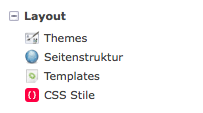
CSS styles can be defined here

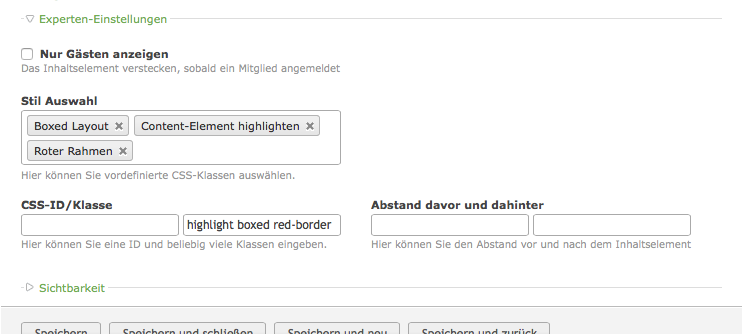
The predefined styles can be selected here

Installation
Step 1: Download the Bundle
Open a command console, enter your project directory and execute the following command to download the latest stable version of this bundle:
$ composer require craffft/css-style-selector-bundle "dev-master"
This command requires you to have Composer installed globally, as explained in the installation chapter of the Composer documentation.
Step 2: Enable the Bundle
Then, enable the bundle by adding it to the list of registered bundles
in the app/AppKernel.php file of your project:
<?php
// app/AppKernel.php

// ...
class AppKernel extends Kernel
{
 public function registerBundles()
 {
 $bundles = array(
 // ...

 new Craffft\CssStyleSelectorBundle\CraffftCssStyleSelectorBundle(),
 );

 // ...
 }

 // ...
}