

setono-custom/sylius-pickup-point-plugin-custom
Pickup point plugin for Sylius
Maintainers
Package info
github.com/Nana-asiamah98/SyliusPickupPointPlugin
Type:symfony-bundle
pkg:composer/setono-custom/sylius-pickup-point-plugin-custom
Requires
- php: ^7.3
- sylius/sylius: ^1.3
- symfony/config: ^4.4 || ^5.0
- symfony/intl: ^4.4 || ^5.0
- symfony/messenger: ^4.4 || ^5.0
- thecodingmachine/safe: ^1.0
Requires (Dev)
- kalessil/production-dependencies-guard: dev-master
- kriswallsmith/buzz: ^1.1
- matthiasnoback/symfony-dependency-injection-test: ^4.1
- nyholm/psr7: ^1.3
- phpspec/phpspec: ^6.2
- phpunit/phpunit: ^8.5
- roave/security-advisories: dev-master
- setono/code-quality-pack: ^1.4.1
- setono/dao-bundle: ^1.0
- setono/gls-webservice-bundle: ^1.0.1
- setono/post-nord-bundle: ^1.1
- setono/sylius-behat-pack: ^0.1.0
- symfony/debug-bundle: ^5.1
- symfony/dotenv: ^5.1
- symfony/web-profiler-bundle: ^5.0
Suggests
- setono/dao-bundle: Install this bundle to use the DAO provider
- setono/gls-webservice-bundle: Install this bundle to use the GLS provider
- setono/post-nord-bundle: Install this bundle to use the PostNord provider
Provides
None
Conflicts
- setono/post-nord-php-sdk: <1.1.3
Replaces
None
MIT f5f90d98410b0f77512acfebf786d40826d33348
This package is auto-updated.
Last update: 2026-06-29 01:44:22 UTC
README
👁 Latest Version
👁 Latest Unstable Version
👁 Software License
👁 Build Status

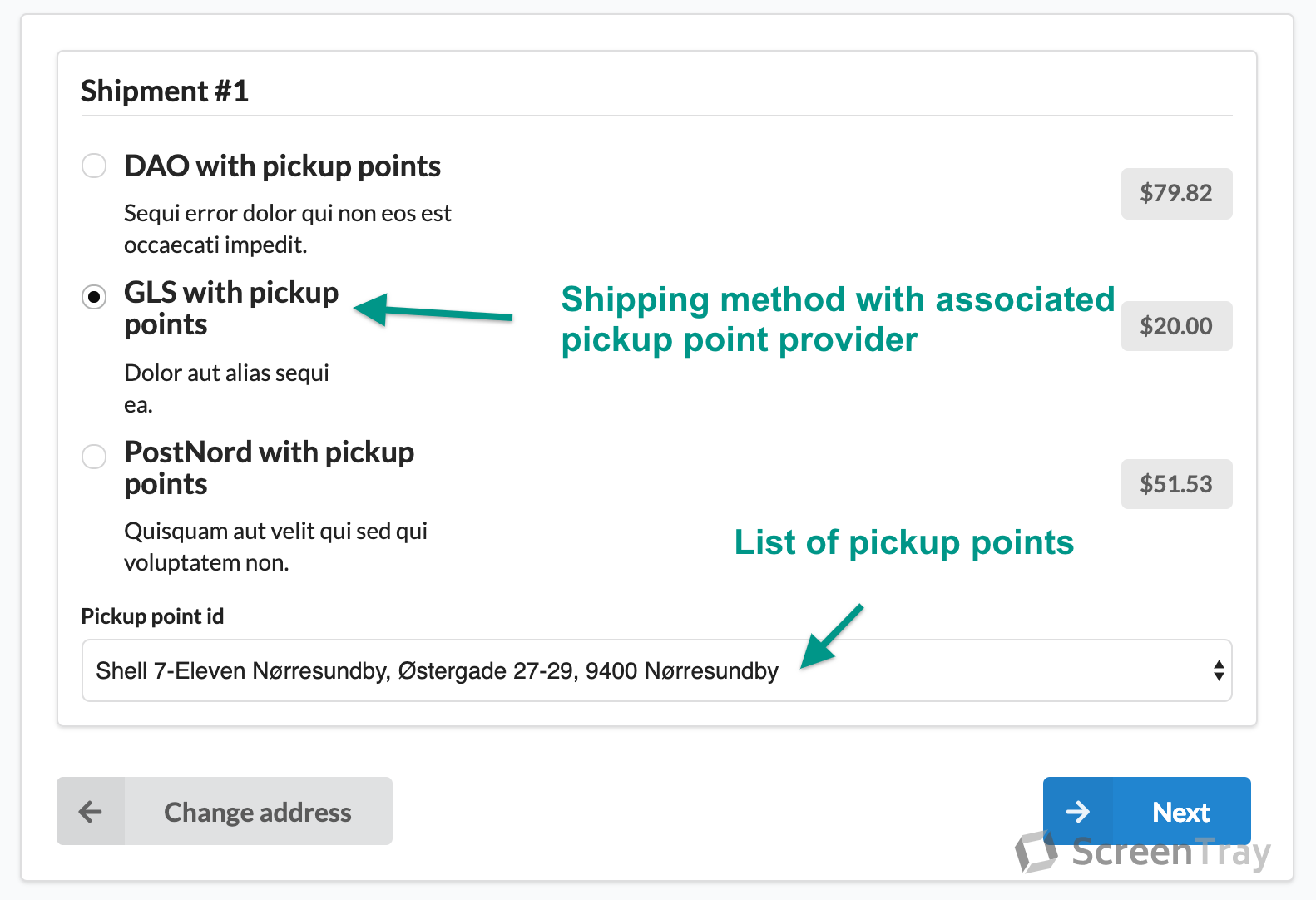
Add a <select> that contains pickup points to your select shipping checkout step.

Supported providers
- DAO
- GLS
- PostNord
- Fake provider (for development/playing purposes)
Screenshots
Shop
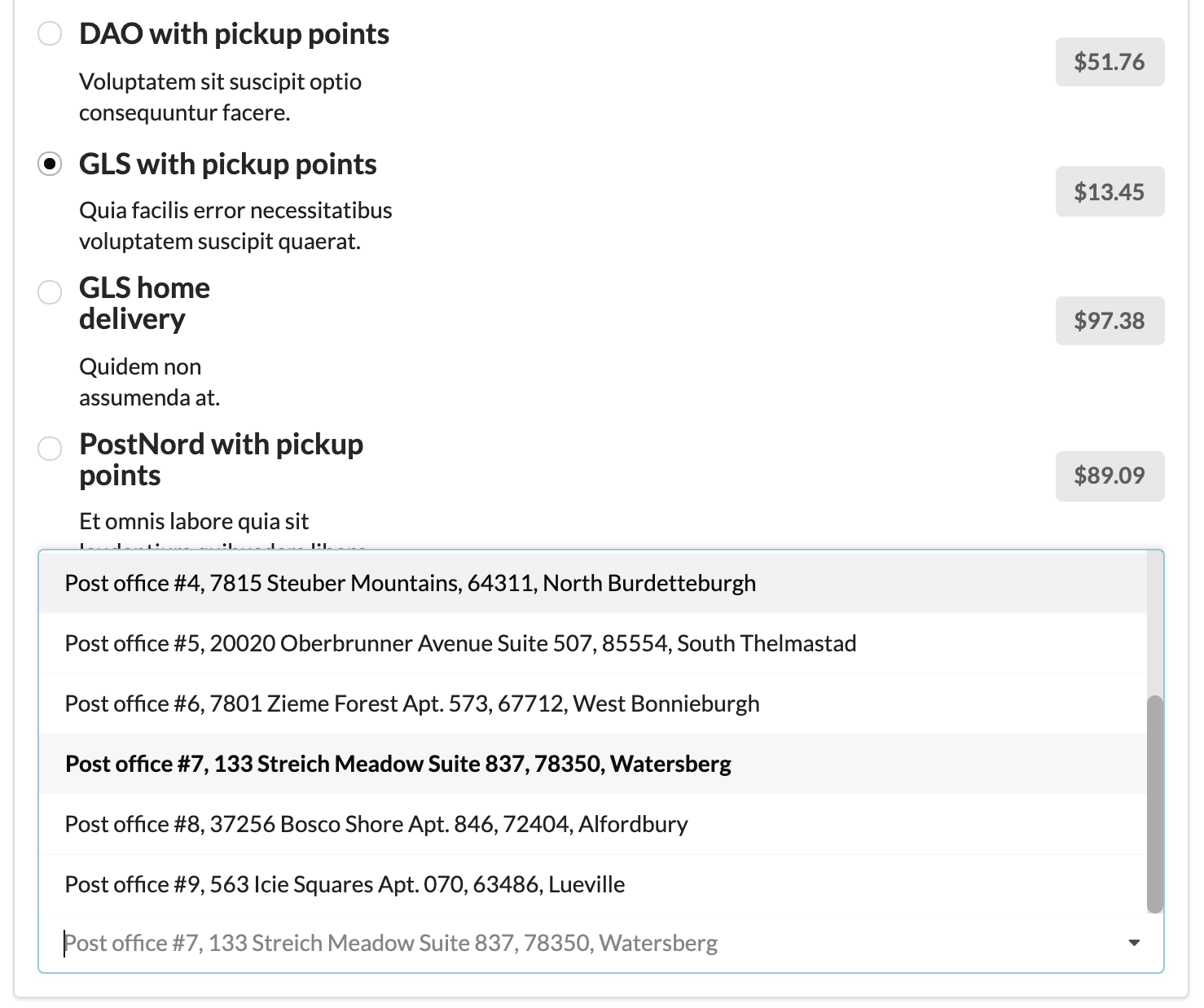
This is the shipping method step in the checkout process where you can choose a pickup point.
👁 Screenshot showing checkout select shipping step with pickup points available

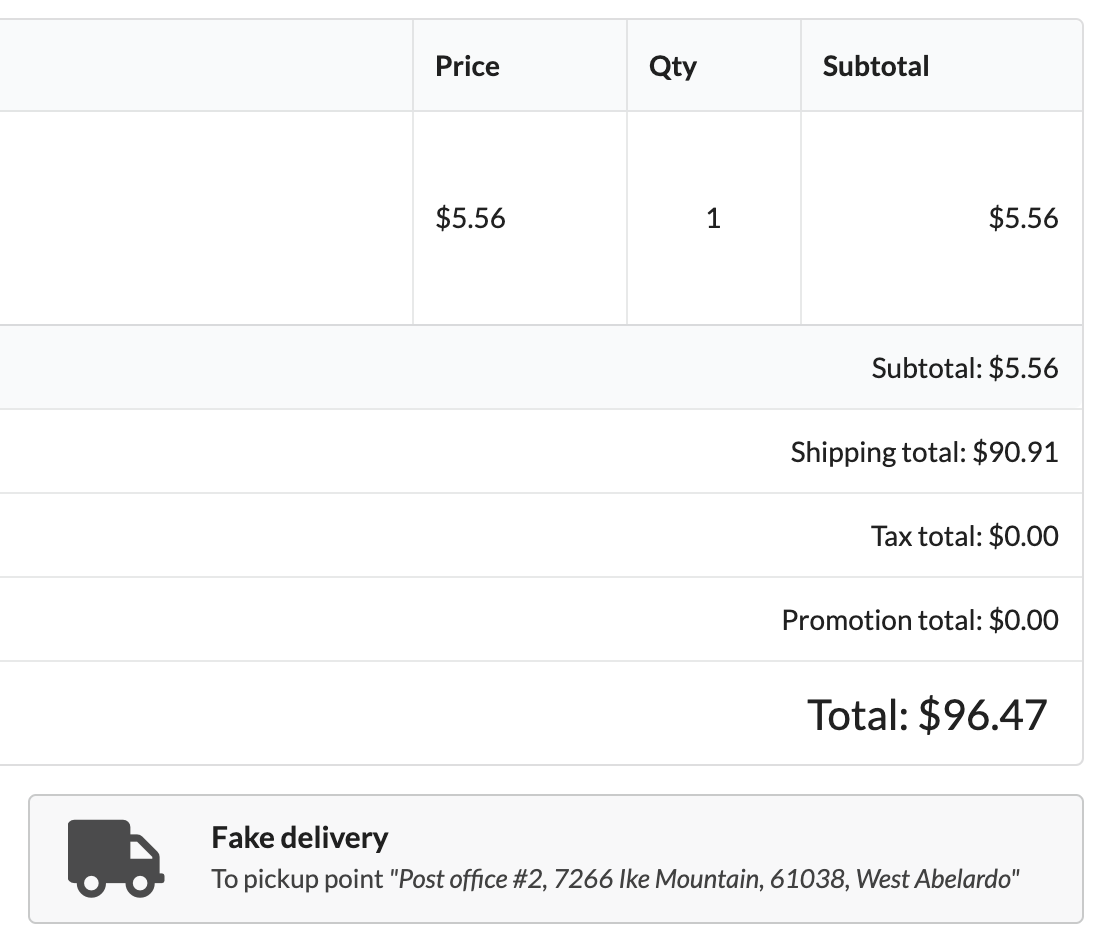
On the complete order step in checkout you can see the pickup point you have chosen.
👁 Screenshot showing checkout complete step with pickup point address

Admin
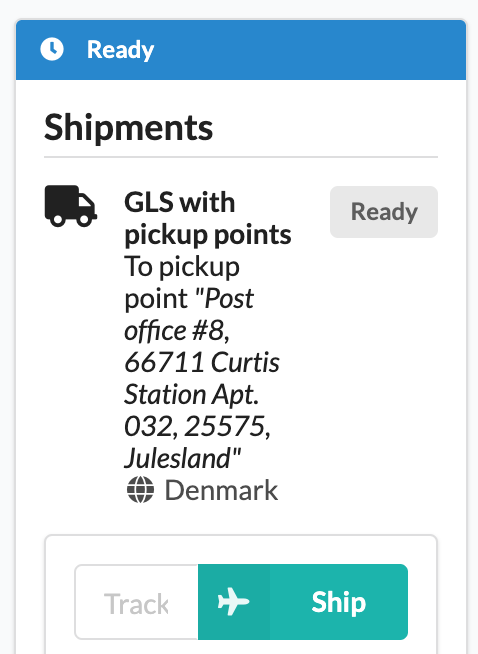
On the order you can see what pickup point the customer has chosen.
👁 Screenshot showing admin order shipping page with pickup point address

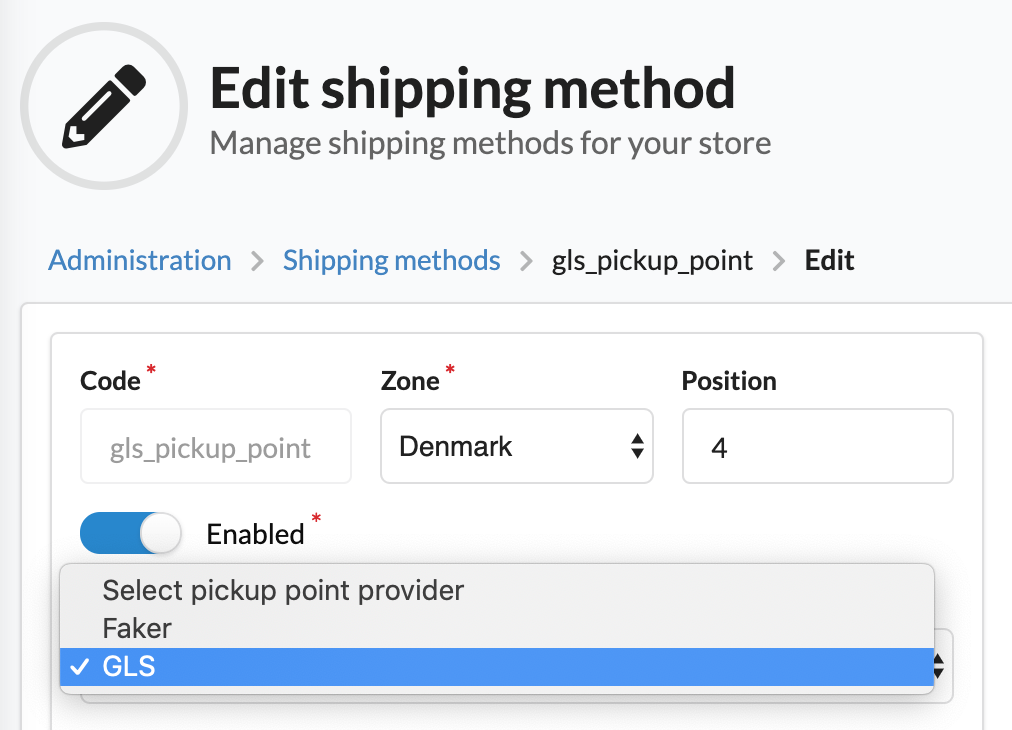
When you edit shipping method you can associate a pickup point provider to that shipping method.
👁 Screenshot showing admin shipping method with some pickup point providers

Installation
Step 1: Install and enable plugin
Open a command console, enter your project directory and execute the following command to download the latest stable version of this plugin:
$ composer require setono/sylius-pickup-point-plugin
This command requires you to have Composer installed globally, as explained in the installation chapter of the Composer documentation.
Add bundle to your config/bundles.php:
<?php
# config/bundles.php

return [
 // ...
 Setono\SyliusPickupPointPlugin\SetonoSyliusPickupPointPlugin::class => ['all' => true],
 // ...
];
Step 2: Import routing and configs
Import routing
# config/routes/setono_sylius_pickup_point.yaml
setono_sylius_pickup_point_plugin:
 resource: "@SetonoSyliusPickupPointPlugin/Resources/config/routing.yaml"
Import application config
# config/packages/setono_sylius_pickup_point.yaml
imports:
 - { resource: "@SetonoSyliusPickupPointPlugin/Resources/config/app/config.yaml" }
(Optional) Import fixtures to play in your app
# config/packages/setono_sylius_pickup_point.yaml
imports:
 - { resource: "@SetonoSyliusPickupPointPlugin/Resources/config/app/fixtures.yaml" }
Step 3: Update templates
Add the following to the admin template SyliusAdminBundle/ShippingMethod/_form.html.twig
{{ form_row(form.pickupPointProvider) }}
See an example here.
Next add the following to the shop template SyliusShopBundle/Checkout/SelectShipping/_shipment.html.twig
{% form_theme form.pickupPointId '@SetonoSyliusPickupPointPlugin/Form/theme.html.twig' %}

{{ form_row(form.pickupPointId) }}
See an example here.
Next add the following to the shop template SyliusShopBundle/Common/Order/_shipments.html.twig
after shipment method header:
{% include "@SetonoSyliusPickupPointPlugin/Shop/Label/Shipment/pickupPoint.html.twig" %}
See an example here.
Next add the following to the admin template SyliusAdminBundle/Order/Show/_shipment.html.twig
after shipment header:
{% include "@SetonoSyliusPickupPointPlugin/Shop/Label/Shipment/pickupPoint.html.twig" %}
See an example here.
Step 4: Customize resources
Shipment resource
If you haven't extended the shipment resource yet, here is what it should look like:
<?php
// src/Entity/Shipment.php

declare(strict_types=1);

namespace App\Entity;

use Doctrine\ORM\Mapping as ORM;
use Setono\SyliusPickupPointPlugin\Model\PickupPointAwareTrait;
use Setono\SyliusPickupPointPlugin\Model\ShipmentInterface;
use Sylius\Component\Core\Model\Shipment as BaseShipment;

/**
 * @ORM\Entity()
 * @ORM\Table(name="sylius_shipment")
 */
class Shipment extends BaseShipment implements ShipmentInterface
{
 use PickupPointAwareTrait;
}
Shipping method resource
If you haven't extended the shipping method resource yet, here is what it should look like:
<?php
// src/Entity/ShippingMethod.php

declare(strict_types=1);

namespace App\Entity;

use Doctrine\ORM\Mapping as ORM;
use Setono\SyliusPickupPointPlugin\Model\PickupPointProviderAwareTrait;
use Setono\SyliusPickupPointPlugin\Model\ShippingMethodInterface;
use Sylius\Component\Core\Model\ShippingMethod as BaseShippingMethod;

/**
 * @ORM\Entity()
 * @ORM\Table(name="sylius_shipping_method")
 */
class ShippingMethod extends BaseShippingMethod implements ShippingMethodInterface
{
 use PickupPointProviderAwareTrait;
}
You can read about extending resources here.
Update shipping resources config
Next you need to tell Sylius that you will use your own extended resources:
# config/packages/_sylius.yaml

sylius_shipping:
 resources:
 shipment:
 classes:
 model: App\Entity\Shipment
 shipping_method:
 classes:
 model: App\Entity\ShippingMethod
Step 5: Configure plugin
Enable desired providers
Note that:
fakerprovider will not work on prod environmentglsprovider requiresetono/gls-webservice-bundleto be installeddaoprovider requiresetono/dao-bundleto be installedpost_nordprovider requiresetono/post-nord-bundleto be installed
# config/packages/setono_sylius_pickup_point.yaml
setono_sylius_pickup_point:
 providers:
 faker: true
 gls: true
 post_nord: true
 dao: true
If you want to use cache
Cache disabled by default. To enable it, make next configuration:
# config/packages/setono_sylius_pickup_point.yaml
framework:
 cache:
 pools:
 setono_sylius_pickup_point.provider_cache_pool:
 adapter: cache.app

setono_sylius_pickup_point:
 cache:
 enabled: true
 pool: setono_sylius_pickup_point.provider_cache_pool
Step 6: Update database schema
bin/console doctrine:migrations:diff
bin/console doctrine:migrations:migrate
Step 7: Update validation groups
Add checkout_select_shipping to sylius.form.type.checkout_select_shipping.validation_groups:
# config/packages/_sylius.yaml

parameters:
 sylius.form.type.checkout_select_shipping.validation_groups: ['sylius', 'checkout_select_shipping']
Step 8: Install assets
bin/console sylius:install:assets
bin/console sylius:theme:assets:install
Play
To see pickup points list, use next example address at checkout:
Dannebrogsgade 1
9000 Aalborg
DK
Hämeentie 1
00350 Helsinki
FI
Vasterhaninge 1
137 94 Stockholm
SE
Note, that providers have their pickup points only at given countries:
- DAO: DK
- PostNord: DK, SE, FI
- GLS: See https://gls-group.eu/EU/en/depot-parcelshop-search
So, to play with all 3 providers at once - use DK address.
Troubleshooting
-
At
/en_US/checkout/select-shippingstep you seeNo results foundatPickup point idfield.-
Check your browser's developer console and make sure JS scripts loaded correctly. Also make sure
setono-pickup-point.jscompiled (read as you not forgot to runsylius:install:assets). -
Make sure content of plugin's
src/Resources/views/_javascripts.html.twigactually rendered. If not - probably, you erased{{ sonata_block_render_event('sylius.shop.layout.javascripts') }}from your customlayout.html.twig.
Also, make sure
{{ sonata_block_render_event('sylius.admin.layout.javascripts') }}in place at your admin'slayout.html.twigif it was customized.- If you're using themes, make sure you executed
sylius:theme:assets:installafter plugin installation.
-
-
The service "setono_sylius_pickup_point.registry.provider" has a dependency on a non-existent service "setono_post_nord.http_client".You should specify
setono_post_nord.http_clientconfiguration or defineBuzz\Client\BuzzClientInterfaceservice to use as default http client. See Setono/PostNordBundle#1You should add config/packages/buzz.yaml and config/packages/nyholm_psr7.yaml configs.
-
You're facing
Pickup point cannot be blank.validation error at/checkout/addressstep at your applicationMake sure you're followed instructions from
Installation step 7.