

vardump/recentchanges
A Widget showing the last updated entries.
Maintainers
Package info
github.com/vardump-de/recentchanges
Type:craft-plugin
pkg:composer/vardump/recentchanges
Requires
- php: ^8.2
- craftcms/cms: ^5.0
Requires (Dev)
None
Suggests
None
Provides
None
Conflicts
None
Replaces
None
MIT c892509f930f297b3df8e8bfed3dbd8b2d1ee699
This package is auto-updated.
Last update: 2026-06-14 09:38:42 UTC
README
A Widget showing the last updated entries. (Forked from the original RecentEntries Widget included in Craft 5)

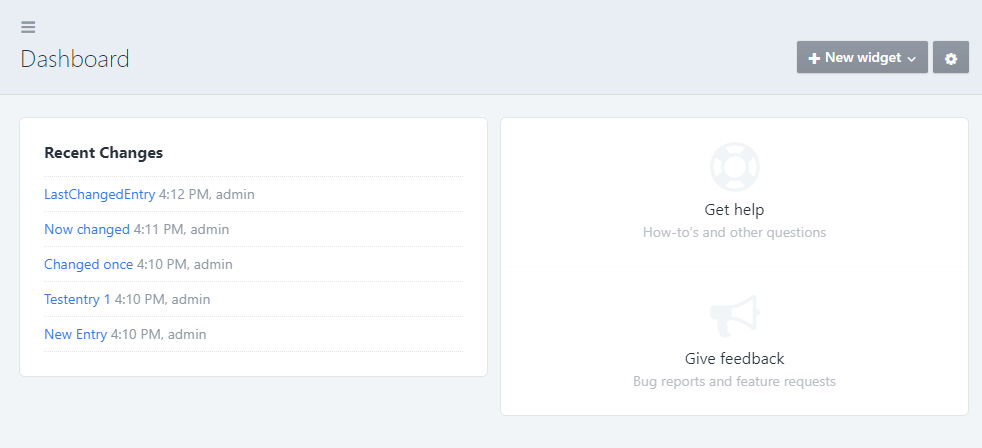
The username is only shown in Craft Pro because you only have one user in Craft Solo.
Requirements
This plugin requires Craft CMS 5.0.0 or later.
Installation
To install the plugin, follow these instructions.
-
Open your terminal and go to your Craft project:
cd /path/to/project -
Then tell Composer to load the plugin:
composer require vardump/recentchanges -
In the Control Panel, go to Settings → Plugins and click the “Install” button for recentchanges.
Configuring recentchanges
Go to the Dashboard and add a Recent Changes Widget.
You can choose a section and the number of entries shown.


Brought to you by vardump.de