
More than 5 years have passed since last update.
[VirtualBox] Windowsから、UbuntuにSSH接続する方法
10
Last updated at Posted at 2018-03-27
やりたいこと
Windows 10 の VirtualBox 上で Ubuntu Server を動かし ssh で接続したい。
前提
Ubuntu 側の SSL の設定が完了している。(openssh-serverなど)
Windows側で SSL が使用できる。(Tera Termなど)
設定
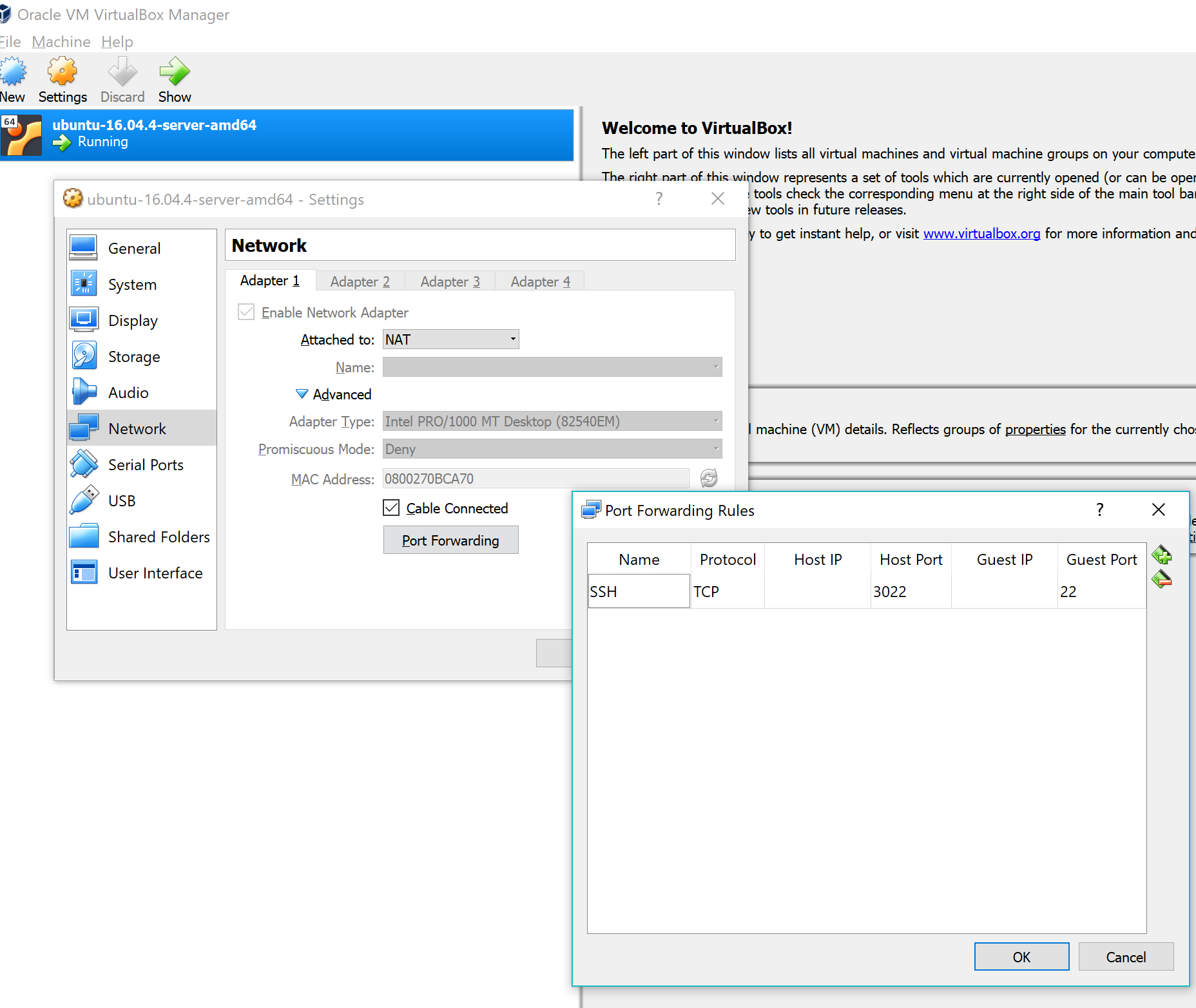
VirtualBox Manager から対象のVMを選択し、
メニューの [Settings -> Network] を選択すると、
NATが選択されているアダプタが見つかる。
[Advaned] のメニューに [Port Forwading] ボタンがあるので、
押下し、以下のような設定を追加する。
ssh
Protocol: TCP
Host port : 3022
Guest port : 22

接続
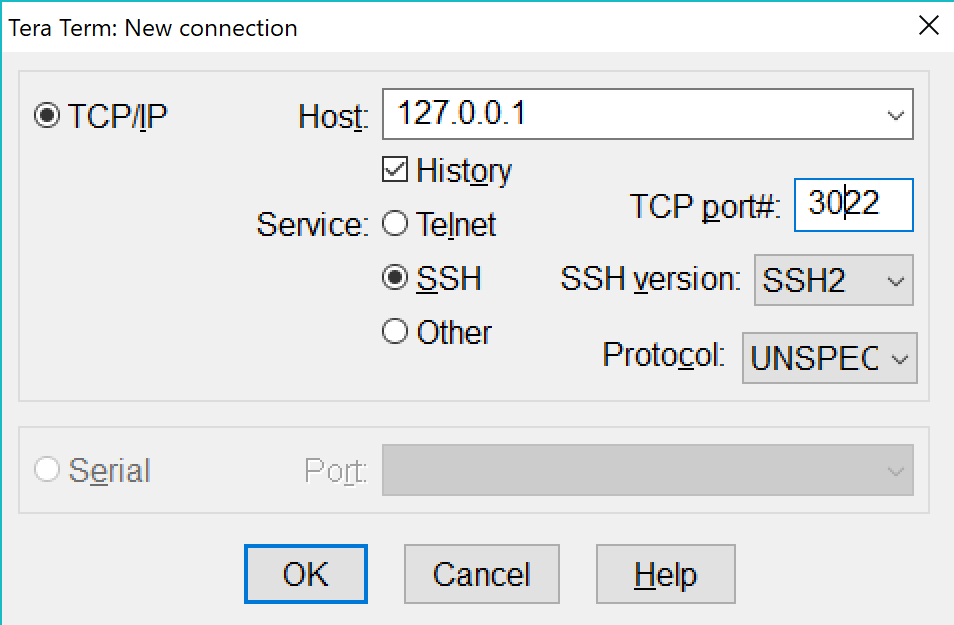
Tera Termなどのソフト、または、コマンドでポートを指定し、ホストに接続する。
ssh -p 3022 user名@127.0.0.1

以上。
参考
Register as a new user and use Qiita more conveniently
- You get articles that match your needs
- You can efficiently read back useful information
- You can use dark theme