
More than 5 years have passed since last update.

GitBash(Git For Windows)のインストールは↓の記事。
https://qiita.com/d778980/items/063e3d04fd6d2bf91abd
2018/04/17に実施。
1.デスクトップにプロジェクトを準備。
👁 1.jpg

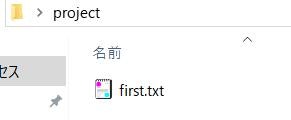
2.GitBashを起動。作成したプロジェクトに移動。
cd ~/Desktop/project
3.Gitプロジェクトの初期化。
git init
4.全ファイルをGit管理対象に追加。
git add .
5.コミット。
git commit -m 'create repository'
Register as a new user and use Qiita more conveniently
- You get articles that match your needs
- You can efficiently read back useful information
- You can use dark theme