
More than 1 year has passed since last update.
dockerで機械学習(24) with anaconda(24)「Machine Learning with Python Cookbook」 Chris Albon著
1.すぐに利用したい方へ(as soon as)
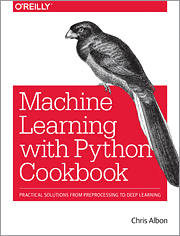
「Machine Learning with Python Cookbook」 By Chris Albon
👁 cat24.gif
http://shop.oreilly.com/product/0636920085423.do

docker
dockerを導入し、Windows, Macではdockerを起動しておいてください。
Windowsでは、BiosでIntel Virtualizationをenableにしないとdockerが起動しない場合があります。
また、セキュリティの警告などが出ることがあります。
docker pull and run
$ docker pull kaizenjapan/anaconda-chris

$ docker run -it -p 8888:8888 kaizenjapan/anaconda-chris /bin/bash
以下のshell sessionでは
(base) root@f19e2f06eabb:/#は入力促進記号(comman prompt)です。実際には数字の部分が違うかもしれません。この行の#の右側を入力してください。
それ以外の行は出力です。出力にエラー、違いがあれば、コメント欄などでご連絡くださると幸いです。
それぞれの章のフォルダに移動します。
dockerの中と、dockerを起動したOSのシェルとが表示が似ている場合には、どちらで捜査しているか間違えることがあります。dockerの入力促進記号(comman prompt)に気をつけてください。
ファイル共有または複写
dockerとdockerを起動したOSでは、ファイル共有をするか、ファイル複写するかして、生成したファイルをブラウザ等表示させてください。参考文献欄にやり方のURLを記載しています。
複写の場合は、dockerを起動したOS側コマンドを実行しました。お使いのdockerの番号で置き換えてください。複写したファイルをブラウザで表示し内容確認しました。
(base) root@19b116a46da8:/# ls
bin deep-learning-with-keras-ja	 dev	home lib64 mnt proc	run srv tmp	var
boot deep-learning-with-python-notebooks etc	lib media opt root	sbin sys usr
(base) root@19b116a46da8:/# cd deep-learning-with-python-notebooks/
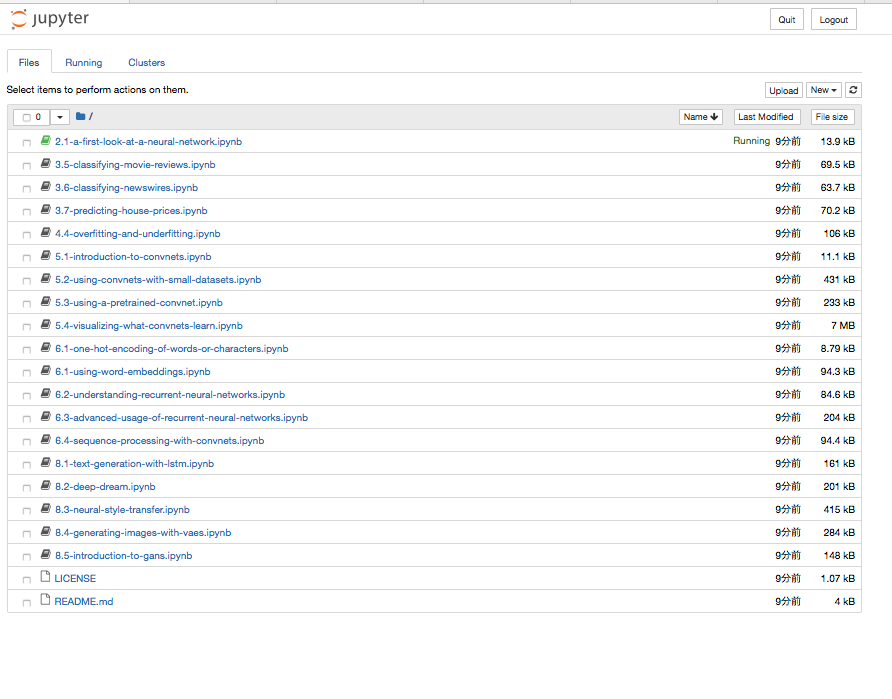
(base) root@19b116a46da8:/deep-learning-with-python-notebooks# ls
2.1-a-first-look-at-a-neural-network.ipynb 5.3-using-a-pretrained-convnet.ipynb		 8.1-text-generation-with-lstm.ipynb
3.5-classifying-movie-reviews.ipynb	 5.4-visualizing-what-convnets-learn.ipynb		 8.2-deep-dream.ipynb
3.6-classifying-newswires.ipynb		 6.1-one-hot-encoding-of-words-or-characters.ipynb 8.3-neural-style-transfer.ipynb
3.7-predicting-house-prices.ipynb	 6.1-using-word-embeddings.ipynb			 8.4-generating-images-with-vaes.ipynb
4.4-overfitting-and-underfitting.ipynb	 6.2-understanding-recurrent-neural-networks.ipynb 8.5-introduction-to-gans.ipynb
5.1-introduction-to-convnets.ipynb	 6.3-advanced-usage-of-recurrent-neural-networks.ipynb LICENSE
5.2-using-convnets-with-small-datasets.ipynb 6.4-sequence-processing-with-convnets.ipynb	 README.md
jupyternotebook
(base) root@19b116a46da8:/deep-learning-with-python-notebooks# jupyter notebook --ip=0.0.0.0 --allow-root
[I 04:47:52.531 NotebookApp] Writing notebook server cookie secret to /root/.local/share/jupyter/runtime/notebook_cookie_secret
[I 04:47:52.776 NotebookApp] JupyterLab beta preview extension loaded from /opt/conda/lib/python3.6/site-packages/jupyterlab
[I 04:47:52.776 NotebookApp] JupyterLab application directory is /opt/conda/share/jupyter/lab
[I 04:47:52.785 NotebookApp] Serving notebooks from local directory: /deep-learning-with-python-notebooks
[I 04:47:52.786 NotebookApp] 0 active kernels
[I 04:47:52.786 NotebookApp] The Jupyter Notebook is running at:
[I 04:47:52.786 NotebookApp] http://19b116a46da8:8888/?token=5ca23859604dcac80e266f93ec2194c802e98f432729aa5d
[I 04:47:52.786 NotebookApp] Use Control-C to stop this server and shut down all kernels (twice to skip confirmation).
[W 04:47:52.787 NotebookApp] No web browser found: could not locate runnable browser.
[C 04:47:52.787 NotebookApp]

 Copy/paste this URL into your browser when you connect for the first time,
 to login with a token:
 http://19b116a46da8:8888/?token=5ca23859604dcac80e266f93ec2194c802e98f432729aa5d&token=5ca23859604dcac80e266f93ec2194c802e98f432729aa5d
[I 04:48:11.426 NotebookApp] 302 GET / (172.17.0.1) 0.64ms
[W 04:48:11.433 NotebookApp] Clearing invalid/expired login cookie username-localhost-8888
[W 04:48:11.434 NotebookApp] Clearing invalid/expired login cookie username-localhost-8888
[I 04:48:11.435 NotebookApp] 302 GET /tree? (172.17.0.1) 2.66ms
[I 04:48:16.289 NotebookApp] 302 POST /login?next=%2Ftree%3F (172.17.0.1) 1.77ms
[I 04:48:21.752 NotebookApp] Writing notebook-signing key to /root/.local/share/jupyter/notebook_secret
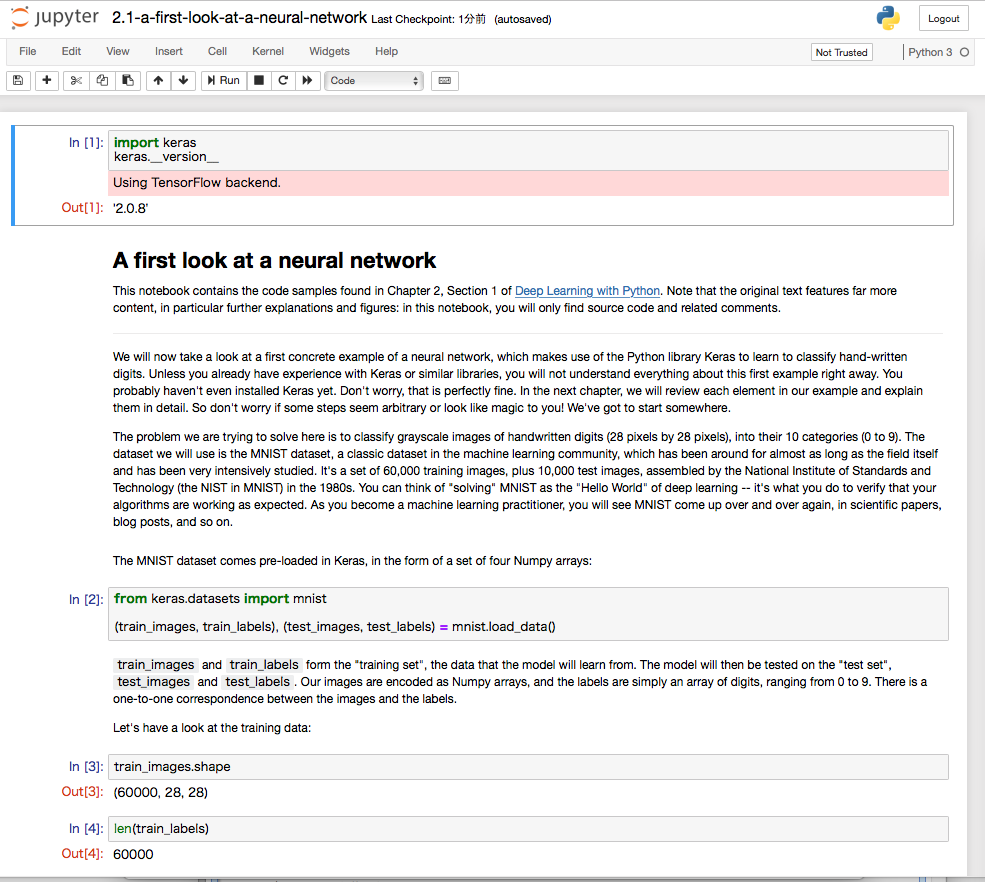
[W 04:48:21.757 NotebookApp] Notebook 2.1-a-first-look-at-a-neural-network.ipynb is not trusted
[I 04:48:22.837 NotebookApp] Kernel started: fe0e9fe5-2acc-488a-b574-315edf559da0
[I 04:48:23.453 NotebookApp] Adapting to protocol v5.1 for kernel fe0e9fe5-2acc-488a-b574-315edf559da0
[I 04:50:22.814 NotebookApp] Saving file at /2.1-a-first-look-at-a-neural-network.ipynb
[W 04:50:22.818 NotebookApp] Notebook 2.1-a-first-look-at-a-neural-network.ipynb is not trusted
[W 04:50:27.598 NotebookApp] Notebook 2.1-a-first-look-at-a-neural-network.ipynb is not trusted
[I 04:50:28.635 NotebookApp] Adapting to protocol v5.1 for kernel fe0e9fe5-2acc-488a-b574-315edf559da0
ブラウザで
localhost:8888
を開く


上記の場合は、token に
5ca23859604dcac80e266f93ec2194c802e98f432729aa5d
を入れる。


##6.1 Cleaning Text
OSError: No such file or directory: '/Users/f00/nltk_data/corpora/stopwords/english'
###ju24-6.py
ソースを切りはりして一つのファイルにして実行してみた。
import numpy as np
from sklearn.feature_extraction.text import TfidfVectorizer

text_data = np.array(['I love Brazil. Brazil!', 'Sweden is best', 'Germany beats both'])

# create the tf-idf feature matrix
tfidf = TfidfVectorizer()
feature_matrix = tfidf.fit_transform(text_data)

feature_matrix

text_data = [" Interrobang. By aishwarya Henriette ",
 "Parking And Going. By Karl Gautier",
 " Today Is The night. By Jarek Prakash"]

# strip whitespaces
strip_whitespace = [string.strip() for string in text_data]
strip_whitespace

remove_periods = [string.replace(".", "") for string in strip_whitespace]
remove_periods

def capitalizer(string: str) -> str:
 return string.upper()

[capitalizer(string) for string in remove_periods]

import re

def replace_letters_with_X(string: str) -> str:
 return re.sub(r"[a-zA-Z]", "X", string)

[replace_letters_with_X(string) for string in remove_periods]

from bs4 import BeautifulSoup

html = """
 <div class='full_name'><span style='font-weight:bold'>Yan</span> Chin</div>
"""

soup = BeautifulSoup(html)

soup.find("div", {"class": "full_name"}).text

import unicodedata
import sys

text_data = ['Hi!!! I. Love. This. Song.....', '10000% Agree!!!! #LoveIT', 'Right?!?!']

# create a dictionary of punctuation characters
punctuation = dict.fromkeys(i for i in range(sys.maxunicode) if unicodedata.category(chr(i)).startswith('P'))

# for each string, remove any punctuation characters
[string.translate(punctuation) for string in text_data]

from nltk.tokenize import word_tokenize
string = "The science of today is the technology of tommorrow"

# tokenize words
word_tokenize(string)

from nltk.tokenize import sent_tokenize
string = "The science of today is the technology of tommorw. Tommorrow is today"

# tokenize sentences
sent_tokenize(string)

from nltk.corpus import stopwords
import nltk
nltk.download('stopwords')

tokenized_words = ['i', 'am', 'going', 'to', 'go', 'to', 'the', 'store', 'and', 'park']

stop_words = stopwords.words('english')

# remove stop words
[word for word in tokenized_words if word not in stop_words]

from nltk.stem.porter import PorterStemmer

tokenized_words = ['i', 'am', 'humbled', 'by', 'this', 'traditional', 'meeting']

# create stemmer
porter = PorterStemmer()

# apply stemmer
[porter.stem(word) for word in tokenized_words]

from nltk import pos_tag
from nltk import word_tokenize
import nltk
nltk.download('averaged_perceptron_tagger')

text_data = "Chris loved outdoor running"

text_tagged = pos_tag(word_tokenize(text_data))

text_tagged

[word for word, tag in text_tagged if tag in ['NN', 'NNS', 'NNP', 'NNPS']]

from sklearn.preprocessing import MultiLabelBinarizer

tweets = ["I am eating a burrito for breakfast",
 "Political science is an amazing field",
 "San Francisco is an awesome city"]

tagged_tweets = []

# tag each word and each tweet
for tweet in tweets:
 tweet_tag = nltk.pos_tag(word_tokenize(tweet))
 tagged_tweets.append([tag for word, tag in tweet_tag])

# use one hot encoding to convert the tags into features
one_hot_multi = MultiLabelBinarizer()
one_hot_multi.fit_transform(tagged_tweets)

# show feature names
one_hot_multi.classes_

from nltk.corpus import brown
from nltk.tag import UnigramTagger
from nltk.tag import BigramTagger
from nltk.tag import TrigramTagger
import nltk
nltk.download('brown')

# get some text from the Brown
sentences = brown.tagged_sents(categories='news')

# split into 4000 stences for training and 623 for testing
train = sentences[:4000]
test = sentences[4000:]

# create backoff tagger
unigram = UnigramTagger(train)
bigram = BigramTagger(train, backoff=unigram)
trigram = TrigramTagger(train, backoff=bigram)

trigram.evaluate(test)

import numpy as np
from sklearn.feature_extraction.text import CountVectorizer

text_data = np.array(['I love Brazil. Brazil!', 'Sweden is best', 'Germany beats both'])

count = CountVectorizer()
bag_of_words = count.fit_transform(text_data)

bag_of_words

bag_of_words.toarray()

count.get_feature_names()
count_2gram = CountVectorizer(ngram_range=(1,2), stop_words='english', vocabulary=['brazil'])
bag = count_2gram.fit_transform(text_data)
bag.toarray()

count_2gram.vocabulary_

feature_matrix.toarray()

tfidf.vocabulary_
###実行
(base) root@b350954ba6b4:/machine-learning-with-python-cookbook-notes#python ju24-6.py
ju24-6.py:41: UserWarning: No parser was explicitly specified, so I'm using the best available HTML parser for this system ("lxml"). This usually isn't a problem, but if you run this code on another system, or in a different virtual environment, it may use a different parser and behave differently.

The code that caused this warning is on line 41 of the file ju24-6.py. To get rid of this warning, pass the additional argument 'features="lxml"' to the BeautifulSoup constructor.

 soup = BeautifulSoup(html)
Traceback (most recent call last):
 File "ju24-6.py", line 60, in <module> word_tokenize(string)
 File "/opt/conda/lib/python3.6/site-packages/nltk/tokenize/__init__.py", line 128, in word_tokenize
 sentences = [text] if preserve_line else sent_tokenize(text, language)
 File "/opt/conda/lib/python3.6/site-packages/nltk/tokenize/__init__.py", line 94, in sent_tokenize
 tokenizer = load('tokenizers/punkt/{0}.pickle'.format(language))
 File "/opt/conda/lib/python3.6/site-packages/nltk/data.py", line 836, in load
 opened_resource = _open(resource_url)
 File "/opt/conda/lib/python3.6/site-packages/nltk/data.py", line 954, in _open
 return find(path_, path + ['']).open()
 File "/opt/conda/lib/python3.6/site-packages/nltk/data.py", line 675, in find
 raise LookupError(resource_not_found)
LookupError:
**********************************************************************
 Resource punkt not found.
 Please use the NLTK Downloader to obtain the resource:

 >>> import nltk
 >>> nltk.download('punkt')

 Searched in:
 - '/root/nltk_data'
 - '/usr/share/nltk_data'
 - '/usr/local/share/nltk_data'
 - '/usr/lib/nltk_data'
 - '/usr/local/lib/nltk_data'
 - '/opt/conda/nltk_data'
 - '/opt/conda/share/nltk_data'
 - '/opt/conda/lib/nltk_data'
 - ''
**********************************************************************
2行追加
import nltk
nltk.download('punkt')
###再実行ju24-6.py
(base) root@b350954ba6b4:/machine-learning-with-python-cookbook-notes#python ju24-6.py
[nltk_data] Downloading package punkt to /root/nltk_data...
[nltk_data] Unzipping tokenizers/punkt.zip.
ju24-6.py:44: UserWarning: No parser was explicitly specified, so I'm using the best available HTML parser for this system ("lxml"). This usually isn't a problem, but if you run this code on another system, or in a different virtual environment, it may use a different parser and behave differently.

The code that caused this warning is on line 44 of the file ju24-6.py. To get rid of this warning, pass the additional argument 'features="lxml"' to the BeautifulSoup constructor.

 soup = BeautifulSoup(html)
[nltk_data] Downloading package stopwords to /root/nltk_data...
[nltk_data] Unzipping corpora/stopwords.zip.
[nltk_data] Downloading package averaged_perceptron_tagger to
[nltk_data] /root/nltk_data...
[nltk_data] Unzipping taggers/averaged_perceptron_tagger.zip.
[nltk_data] Downloading package brown to /root/nltk_data...
[nltk_data] Unzipping corpora/brown.zip.
##Chapter 21 - Saving and Loading Trained Models
/Users/f00/anaconda/envs/machine_learning_cookbook/lib/python3.6/site-packages/sklearn/ensemble/weight_boosting.py:29: DeprecationWarning: numpy.core.umath_tests is an internal NumPy module and should not be imported. It will be removed in a future NumPy release.
 from numpy.core.umath_tests import inner1d
###ファイル
切りはりして1つのファイルに
# load libraries
import numpy as np
from keras.datasets import imdb
from keras.preprocessing.text import Tokenizer
from keras import models
from keras import layers
from keras.models import load_model

# set random seed
np.random.seed(0)

# set the number of features we want
number_of_features = 1000

# load data and target vector from movie review data
(train_Data, train_target), (test_data, test_target) = imdb.load_data(num_words=number_of_features)

# convert movie review data to a one-hot encoded feature matrix
tokenizer = Tokenizer(num_words=number_of_features)
train_features = tokenizer.sequences_to_matrix(train_data, mode="binary")
test_features = tokenizer.sequences_to_matrix(test_data, mode="binary")

# start neural network
network = models.Sequential()

# add fully connected layer with ReLU activation function
network.add(layers.Dense(units=16, activation="relu", input_shape=(number_of_features,)))

# add fully connected layer with a sigmoid activation function
network.add(layers.Dense(units=1, activation="sigmoid"))

# compile neural network
network.compile(loss="binary_crossentropy", optimizer="rmsprop", metrics=["accuracy"])

# train neural network
history = network.fit(train_features, train_target, epochs=3, verbose=0, batch_size=100, validation_data=(test_features, test_target))

# save neural network
network.save("model.h5")

# load neural network
network = load_model("model.h5")
###実行
(base) root@b350954ba6b4:/machine-learning-with-python-cookbook-notes# python ju24-21.py
Using TensorFlow backend.
Downloading data from https://s3.amazonaws.com/text-datasets/imdb.npz
 9371648/17464789 [===============>..............] - ETA: 4:16
資料がない章
8, 9, 10, 20
#2. dockerを自力で構築する方へ
ここから下は、上記のpullしていただいたdockerをどういう方針で、どういう手順で作ったかを記録します。
上記のdockerを利用する上での参考資料です。本の続きを実行する上では必要ありません。
自力でdocker/anacondaを構築する場合の手順になります。
dockerfileを作る方法ではありません。ごめんなさい。
##docker
ubuntu, debianなどのLinuxを、linux, windows, mac osから共通に利用できる仕組み。
利用するOSの設定を変更せずに利用できるのがよい。
同じ仕様で、大量の人が利用することができる。
ソフトウェアの開発元が公式に対応しているものと、利用者が便利に仕立てたものの両方が利用可能である。今回は、公式に配布しているものを、自分で仕立てて、他の人にも利用できるようにする。
##python
DeepLearningの実習をPhthonで行って来た。
pythonを使う理由は、多くの機械学習の仕組みがpythonで利用できることと、Rなどの統計解析の仕組みもpythonから容易に利用できることがある。
###anaconda
pythonには、2と3という版の違いと、配布方法の違いなどがある。
Anacondaでpython3をこの1年半利用してきた。
Anacondaを利用した理由は、統計解析のライブラリと、JupyterNotebookが初めから入っているからである。
##docker公式配布
ubuntu, debianなどのOSの公式配布,gcc, anacondaなどの言語の公式配布などがある。
これらを利用し、docker-hubに登録することにより、公式配布の質の確認と、変更権を含む幅広い情報の共有ができる。dockerが公式配布するものではなく、それぞれのソフト提供者の公式配布という意味。
###docker pull
docker公式配布の利用は、URLからpullすることで実現する。
###docker Anaconda
anacondaが公式配布しているものを利用。
$ docker pull kaizenjapan/anaconda-keras
Using default tag: latest
latest: Pulling from continuumio/anaconda3
Digest: sha256:e07b9ca98ac1eeb1179dbf0e0bbcebd87701f8654878d6d8ce164d71746964d1
Status: Image is up to date for continuumio/anaconda3:latest

$ docker run -it continuumio/anaconda3 /bin/bash
実際にはkeras, tensorflow を利用していた他のpushをpull
##apt-get
(base) root@d8857ae56e69:/#apt-get update
(base) root@d8857ae56e69:/#apt-get install -y procps
(base) root@d8857ae56e69:/#apt-get install -y vim
(base) root@d8857ae56e69:/#apt-get install -y apt-utils
(base) root@d8857ae56e69:/#apt-get install sudo
##ソース git
(base) root@f19e2f06eabb:/# git clone https://github.com/f00-/machine-learning-with-python-cookbook-notes/
conda
# conda update --prefix /opt/conda anaconda
Solving environment: done

## Package Plan ##

 environment location: /opt/conda

 added / updated specs:
 - anaconda


The following packages will be downloaded:

 package | build
 ---------------------------|-----------------
 qtawesome-0.4.4 | py36_0 159 KB
 patchelf-0.9 | hf484d3e_2 68 KB
 cryptography-2.3.1 | py36hc365091_0 585 KB
 attrs-18.2.0 | py36h28b3542_0 50 KB
 pygments-2.2.0 | py36_0 1.3 MB
 mkl-2019.0 | 118 204.4 MB
 singledispatch-3.4.0.3 | py36_0 15 KB
 imagesize-1.1.0 | py36_0 9 KB
 mkl_fft-1.0.4 | py36h4414c95_1 150 KB
 blaze-0.11.3 | py36_0 603 KB
 qt-5.9.6 | h8703b6f_2 87.1 MB
 pyparsing-2.2.0 | py36_1 96 KB
 html5lib-1.0.1 | py36_0 184 KB
 llvmlite-0.24.0 | py36hdbcaa40_0 15.3 MB
 gevent-1.3.6 | py36h7b6447c_0 1.9 MB
 prompt_toolkit-1.0.15 | py36_0 339 KB
 sphinxcontrib-1.0 | py36_1 3 KB
 typed-ast-1.1.0 | py36h14c3975_0 196 KB
 fontconfig-2.13.0 | h9420a91_0 291 KB
 pytest-3.8.0 | py36_0 317 KB
 pycparser-2.18 | py36_1 169 KB
 urllib3-1.23 | py36_0 152 KB
 prometheus_client-0.3.1 | py36h28b3542_0 52 KB
 rope-0.11.0 | py36_0 282 KB
 locket-0.2.0 | py36_1 8 KB
 pillow-5.2.0 | py36heded4f4_0 586 KB
 dask-core-0.19.1 | py36_0 1.1 MB
 babel-2.6.0 | py36_0 5.7 MB
 cytoolz-0.9.0.1 | py36h14c3975_1 419 KB
 sphinx-1.7.9 | py36_0 1.6 MB
 cloudpickle-0.5.5 | py36_0 26 KB
 sympy-1.2 | py36_0 8.8 MB
 pango-1.42.4 | h049681c_0 528 KB
 pytest-remotedata-0.3.0 | py36_0 12 KB
 pytz-2018.5 | py36_0 232 KB
 ptyprocess-0.6.0 | py36_0 23 KB
 scikit-learn-0.19.2 | py36h4989274_0 5.2 MB
 parso-0.3.1 | py36_0 114 KB
 xlrd-1.1.0 | py36_1 194 KB
 nbformat-4.4.0 | py36_0 141 KB
 pandocfilters-1.4.2 | py36_1 13 KB
 nbconvert-5.4.0 | py36_1 416 KB
 pyodbc-4.0.24 | py36he6710b0_0 66 KB
 spyder-3.3.1 | py36_1 2.6 MB
 tqdm-4.26.0 | py36h28b3542_0 59 KB
 wrapt-1.10.11 | py36h14c3975_2 45 KB
 greenlet-0.4.15 | py36h7b6447c_0 20 KB
 zeromq-4.2.5 | hf484d3e_1 567 KB
 fribidi-1.0.5 | h7b6447c_0 112 KB
 cffi-1.11.5 | py36he75722e_1 212 KB
 zict-0.1.3 | py36_0 18 KB
 twisted-18.7.0 | py36h14c3975_1 4.9 MB
 bottleneck-1.2.1 | py36h035aef0_1 127 KB
 mpfr-4.0.1 | hdf1c602_3 575 KB
 appdirs-1.4.3 | py36h28b3542_0 16 KB
 entrypoints-0.2.3 | py36_2 9 KB
 jeepney-0.3.1 | py36_0 36 KB
 tornado-5.1 | py36h14c3975_0 666 KB
 qtconsole-4.4.1 | py36_0 156 KB
 sqlalchemy-1.2.11 | py36h7b6447c_0 1.6 MB
 alabaster-0.7.11 | py36_0 17 KB
 click-6.7 | py36_0 105 KB
 constantly-15.1.0 | py36h28b3542_0 13 KB
 xlwt-1.3.0 | py36_0 163 KB
 automat-0.7.0 | py36_0 52 KB
 pexpect-4.6.0 | py36_0 77 KB
 pytest-astropy-0.4.0 | py36_0 5 KB
 olefile-0.46 | py36_0 48 KB
 blosc-1.14.4 | hdbcaa40_0 601 KB
 setuptools-40.2.0 | py36_0 556 KB
 zope.interface-4.5.0 | py36h14c3975_0 201 KB
 jupyter_console-5.2.0 | py36_1 36 KB
 notebook-5.6.0 | py36_0 7.4 MB
 boto-2.49.0 | py36_0 1.5 MB
 ruamel_yaml-0.15.46 | py36h14c3975_0 245 KB
 mccabe-0.6.1 | py36_1 14 KB
 cython-0.28.5 | py36hf484d3e_0 3.3 MB
 numexpr-2.6.8 | py36hd89afb7_0 190 KB
 nose-1.3.7 | py36_2 214 KB
 requests-2.19.1 | py36_0 96 KB
 kiwisolver-1.0.1 | py36hf484d3e_0 83 KB
 bitarray-0.8.3 | py36h14c3975_0 55 KB
 libgfortran-ng-7.3.0 | hdf63c60_0 1.3 MB
 freetype-2.9.1 | h8a8886c_1 822 KB
 numba-0.39.0 | py36h04863e7_0 2.4 MB
 tk-8.6.8 | hbc83047_0 3.1 MB
 multipledispatch-0.6.0 | py36_0 21 KB
 ipywidgets-7.4.1 | py36_0 148 KB
 wcwidth-0.1.7 | py36_0 25 KB
 zope-1.0 | py36_1 3 KB
 bkcharts-0.2 | py36_0 127 KB
 jedi-0.12.1 | py36_0 225 KB
 docutils-0.14 | py36_0 689 KB
 pycrypto-2.6.1 | py36h14c3975_9 465 KB
 jupyterlab_launcher-0.13.1 | py36_0 36 KB
 bleach-2.1.4 | py36_0 33 KB
 ipython_genutils-0.2.0 | py36_0 39 KB
 service_identity-17.0.0 | py36h28b3542_0 18 KB
 anaconda-client-1.7.2 | py36_0 141 KB
 backports-1.0 | py36_1 3 KB
 libuuid-1.0.3 | h1bed415_2 16 KB
 astroid-2.0.4 | py36_0 247 KB
 secretstorage-3.1.0 | py36_0 23 KB
 libstdcxx-ng-8.2.0 | hdf63c60_1 2.9 MB
 markupsafe-1.0 | py36h14c3975_1 24 KB
 expat-2.2.6 | he6710b0_0 187 KB
 curl-7.61.0 | h84994c4_0 141 KB
 path.py-11.1.0 | py36_0 53 KB
 et_xmlfile-1.0.1 | py36_0 20 KB
 ipython-6.5.0 | py36_0 1.0 MB
 cycler-0.10.0 | py36_0 13 KB
 lxml-4.2.5 | py36hefd8a0e_0 1.6 MB
 distributed-1.23.1 | py36_0 829 KB
 intel-openmp-2019.0 | 118 721 KB
 astropy-3.0.4 | py36h14c3975_0 6.8 MB
 numpy-base-1.15.1 | py36h81de0dd_0 4.2 MB
 msgpack-python-0.5.6 | py36h6bb024c_1 99 KB
 sortedcontainers-2.0.5 | py36_0 43 KB
 openssl-1.0.2p | h14c3975_0 3.5 MB
 chardet-3.0.4 | py36_1 189 KB
 libgcc-ng-8.2.0 | hdf63c60_1 7.6 MB
 ipykernel-4.9.0 | py36_1 146 KB
 datashape-0.5.4 | py36_1 100 KB
 h5py-2.8.0 | py36h989c5e5_3 1.1 MB
 pyzmq-17.1.2 | py36h14c3975_0 454 KB
 pycosat-0.6.3 | py36h14c3975_0 104 KB
 spyder-kernels-0.2.6 | py36_0 69 KB
 six-1.11.0 | py36_1 21 KB
 lazy-object-proxy-1.3.1 | py36h14c3975_2 30 KB
 imageio-2.4.1 | py36_0 3.3 MB
 scikit-image-0.14.0 | py36hf484d3e_1 24.1 MB
 pickleshare-0.7.4 | py36_0 12 KB
 hyperlink-18.0.0 | py36_0 62 KB
 snowballstemmer-1.2.1 | py36_0 85 KB
 keyring-13.2.1 | py36_0 46 KB
 matplotlib-2.2.3 | py36hb69df0a_0 6.6 MB
 pyasn1-0.4.4 | py36h28b3542_0 101 KB
 pyasn1-modules-0.2.2 | py36_0 86 KB
 traitlets-4.3.2 | py36_0 133 KB
 openpyxl-2.5.6 | py36_0 330 KB
 glib-2.56.2 | hd408876_0 5.0 MB
 beautifulsoup4-4.6.3 | py36_0 138 KB
 colorama-0.3.9 | py36_0 23 KB
 glob2-0.6 | py36_0 17 KB
 testpath-0.3.1 | py36_0 90 KB
 contextlib2-0.5.5 | py36_0 15 KB
 jinja2-2.10 | py36_0 184 KB
 anaconda-5.3.0 | py36_0 11 KB
 certifi-2018.8.24 | py36_1 140 KB
 webencodings-0.5.1 | py36_1 19 KB
 xlsxwriter-1.1.0 | py36_0 210 KB
 pandas-0.23.4 | py36h04863e7_0 10.1 MB
 incremental-17.5.0 | py36_0 25 KB
 atomicwrites-1.2.1 | py36_0 11 KB
 jupyterlab-0.34.9 | py36_0 10.0 MB
 itsdangerous-0.24 | py36_1 20 KB
 pywavelets-1.0.0 | py36hdd07704_0 4.4 MB
 scipy-1.1.0 | py36hfa4b5c9_1 18.0 MB
 mkl-service-1.1.2 | py36h90e4bf4_5 11 KB
 widgetsnbextension-3.4.1 | py36_0 1.7 MB
 defusedxml-0.5.0 | py36_1 29 KB
 jupyter-1.0.0 | py36_7 6 KB
 tblib-1.3.2 | py36_0 16 KB
 graphite2-1.3.12 | h23475e2_2 106 KB
 libcurl-7.61.0 | h1ad7b7a_0 494 KB
 filelock-3.0.8 | py36_0 13 KB
 pylint-2.1.1 | py36_0 795 KB
 anaconda-project-0.8.2 | py36_0 478 KB
 py-1.6.0 | py36_0 136 KB
 mkl_random-1.0.1 | py36h4414c95_1 373 KB
 libtiff-4.0.9 | he85c1e1_2 567 KB
 unixodbc-2.3.7 | h14c3975_0 319 KB
 pytables-3.4.4 | py36ha205bf6_0 1.5 MB
 more-itertools-4.3.0 | py36_0 83 KB
 odo-0.5.1 | py36_0 193 KB
 cairo-1.14.12 | h8948797_3 1.3 MB
 harfbuzz-1.8.8 | hffaf4a1_0 863 KB
 unicodecsv-0.14.1 | py36_0 24 KB
 sphinxcontrib-websupport-1.1.0| py36_1 36 KB
 pycurl-7.43.0.2 | py36hb7f436b_0 60 KB
 idna-2.7 | py36_0 132 KB
 bokeh-0.13.0 | py36_0 5.0 MB
 backports.shutil_get_terminal_size-1.0.0| py36_2 8 KB
 pyqt-5.9.2 | py36h05f1152_2 5.6 MB
 pytest-arraydiff-0.2 | py36h39e3cac_0 14 KB
 pyflakes-2.0.0 | py36_0 88 KB
 clyent-1.2.2 | py36_1 18 KB
 numpy-1.15.1 | py36h1d66e8a_0 37 KB
 mpc-1.1.0 | h10f8cd9_1 94 KB
 sqlite-3.24.0 | h84994c4_0 1.8 MB
 mpmath-1.0.0 | py36_2 892 KB
 qtpy-1.5.0 | py36_0 50 KB
 sortedcollections-1.0.1 | py36_0 15 KB
 readline-7.0 | h7b6447c_5 392 KB
 partd-0.3.8 | py36_0 31 KB
 pluggy-0.7.1 | py36h28b3542_0 25 KB
 pyyaml-3.13 | py36h14c3975_0 178 KB
 seaborn-0.9.0 | py36_0 379 KB
 flask-cors-3.0.6 | py36_0 21 KB
 psutil-5.4.7 | py36h14c3975_0 305 KB
 dask-0.19.1 | py36_0 3 KB
 python-3.6.6 | hc3d631a_0 29.4 MB
 gmpy2-2.0.8 | py36h10f8cd9_2 165 KB
 jupyter_core-4.4.0 | py36_0 63 KB
 jsonschema-2.6.0 | py36_0 62 KB
 statsmodels-0.9.0 | py36h035aef0_0 9.0 MB
 ------------------------------------------------------------
 Total: 552.9 MB

The following NEW packages will be INSTALLED:

 appdirs: 1.4.3-py36h28b3542_0
 atomicwrites: 1.2.1-py36_0
 automat: 0.7.0-py36_0
 constantly: 15.1.0-py36h28b3542_0
 defusedxml: 0.5.0-py36_1
 fribidi: 1.0.5-h7b6447c_0
 hyperlink: 18.0.0-py36_0
 incremental: 17.5.0-py36_0
 jeepney: 0.3.1-py36_0
 keyring: 13.2.1-py36_0
 libuuid: 1.0.3-h1bed415_2
 prometheus_client: 0.3.1-py36h28b3542_0
 pyasn1: 0.4.4-py36h28b3542_0
 pyasn1-modules: 0.2.2-py36_0
 secretstorage: 3.1.0-py36_0
 service_identity: 17.0.0-py36h28b3542_0
 spyder-kernels: 0.2.6-py36_0
 tqdm: 4.26.0-py36h28b3542_0
 twisted: 18.7.0-py36h14c3975_1
 typed-ast: 1.1.0-py36h14c3975_0
 zope: 1.0-py36_1
 zope.interface: 4.5.0-py36h14c3975_0

The following packages will be UPDATED:

 alabaster: 0.7.10-py36h306e16b_0 --> 0.7.11-py36_0
 anaconda: 5.2.0-py36_3 --> 5.3.0-py36_0
 anaconda-client: 1.6.14-py36_0 --> 1.7.2-py36_0
 anaconda-project: 0.8.2-py36h44fb852_0 --> 0.8.2-py36_0
 astroid: 1.6.3-py36_0 --> 2.0.4-py36_0
 astropy: 3.0.2-py36h3010b51_1 --> 3.0.4-py36h14c3975_0
 attrs: 18.1.0-py36_0 --> 18.2.0-py36h28b3542_0
 babel: 2.5.3-py36_0 --> 2.6.0-py36_0
 backports: 1.0-py36hfa02d7e_1 --> 1.0-py36_1
 backports.shutil_get_terminal_size: 1.0.0-py36hfea85ff_2 --> 1.0.0-py36_2
 beautifulsoup4: 4.6.0-py36h49b8c8c_1 --> 4.6.3-py36_0
 bitarray: 0.8.1-py36h14c3975_1 --> 0.8.3-py36h14c3975_0
 bkcharts: 0.2-py36h735825a_0 --> 0.2-py36_0
 blaze: 0.11.3-py36h4e06776_0 --> 0.11.3-py36_0
 bleach: 2.1.3-py36_0 --> 2.1.4-py36_0
 blosc: 1.14.3-hdbcaa40_0 --> 1.14.4-hdbcaa40_0
 bokeh: 0.12.16-py36_0 --> 0.13.0-py36_0
 boto: 2.48.0-py36h6e4cd66_1 --> 2.49.0-py36_0
 bottleneck: 1.2.1-py36haac1ea0_0 --> 1.2.1-py36h035aef0_1
 cairo: 1.14.12-h7636065_2 --> 1.14.12-h8948797_3
 certifi: 2018.4.16-py36_0 --> 2018.8.24-py36_1
 cffi: 1.11.5-py36h9745a5d_0 --> 1.11.5-py36he75722e_1
 chardet: 3.0.4-py36h0f667ec_1 --> 3.0.4-py36_1
 click: 6.7-py36h5253387_0 --> 6.7-py36_0
 cloudpickle: 0.5.3-py36_0 --> 0.5.5-py36_0
 clyent: 1.2.2-py36h7e57e65_1 --> 1.2.2-py36_1
 colorama: 0.3.9-py36h489cec4_0 --> 0.3.9-py36_0
 contextlib2: 0.5.5-py36h6c84a62_0 --> 0.5.5-py36_0
 cryptography: 2.2.2-py36h14c3975_0 --> 2.3.1-py36hc365091_0
 curl: 7.60.0-h84994c4_0 --> 7.61.0-h84994c4_0
 cycler: 0.10.0-py36h93f1223_0 --> 0.10.0-py36_0
 cython: 0.28.2-py36h14c3975_0 --> 0.28.5-py36hf484d3e_0
 cytoolz: 0.9.0.1-py36h14c3975_0 --> 0.9.0.1-py36h14c3975_1
 dask: 0.17.5-py36_0 --> 0.19.1-py36_0
 dask-core: 0.17.5-py36_0 --> 0.19.1-py36_0
 datashape: 0.5.4-py36h3ad6b5c_0 --> 0.5.4-py36_1
 distributed: 1.21.8-py36_0 --> 1.23.1-py36_0
 docutils: 0.14-py36hb0f60f5_0 --> 0.14-py36_0
 entrypoints: 0.2.3-py36h1aec115_2 --> 0.2.3-py36_2
 et_xmlfile: 1.0.1-py36hd6bccc3_0 --> 1.0.1-py36_0
 expat: 2.2.5-he0dffb1_0 --> 2.2.6-he6710b0_0
 filelock: 3.0.4-py36_0 --> 3.0.8-py36_0
 flask-cors: 3.0.4-py36_0 --> 3.0.6-py36_0
 fontconfig: 2.12.6-h49f89f6_0 --> 2.13.0-h9420a91_0
 freetype: 2.8-hab7d2ae_1 --> 2.9.1-h8a8886c_1
 gevent: 1.3.0-py36h14c3975_0 --> 1.3.6-py36h7b6447c_0
 glib: 2.56.1-h000015b_0 --> 2.56.2-hd408876_0
 glob2: 0.6-py36he249c77_0 --> 0.6-py36_0
 gmpy2: 2.0.8-py36hc8893dd_2 --> 2.0.8-py36h10f8cd9_2
 graphite2: 1.3.11-h16798f4_2 --> 1.3.12-h23475e2_2
 greenlet: 0.4.13-py36h14c3975_0 --> 0.4.15-py36h7b6447c_0
 h5py: 2.7.1-py36ha1f6525_2 --> 2.8.0-py36h989c5e5_3
 harfbuzz: 1.7.6-h5f0a787_1 --> 1.8.8-hffaf4a1_0
 html5lib: 1.0.1-py36h2f9c1c0_0 --> 1.0.1-py36_0
 idna: 2.6-py36h82fb2a8_1 --> 2.7-py36_0
 imageio: 2.3.0-py36_0 --> 2.4.1-py36_0
 imagesize: 1.0.0-py36_0 --> 1.1.0-py36_0
 intel-openmp: 2018.0.0-8 --> 2019.0-118
 ipykernel: 4.8.2-py36_0 --> 4.9.0-py36_1
 ipython: 6.4.0-py36_0 --> 6.5.0-py36_0
 ipython_genutils: 0.2.0-py36hb52b0d5_0 --> 0.2.0-py36_0
 ipywidgets: 7.2.1-py36_0 --> 7.4.1-py36_0
 itsdangerous: 0.24-py36h93cc618_1 --> 0.24-py36_1
 jedi: 0.12.0-py36_1 --> 0.12.1-py36_0
 jinja2: 2.10-py36ha16c418_0 --> 2.10-py36_0
 jsonschema: 2.6.0-py36h006f8b5_0 --> 2.6.0-py36_0
 jupyter: 1.0.0-py36_4 --> 1.0.0-py36_7
 jupyter_console: 5.2.0-py36he59e554_1 --> 5.2.0-py36_1
 jupyter_core: 4.4.0-py36h7c827e3_0 --> 4.4.0-py36_0
 jupyterlab: 0.32.1-py36_0 --> 0.34.9-py36_0
 jupyterlab_launcher: 0.10.5-py36_0 --> 0.13.1-py36_0
 kiwisolver: 1.0.1-py36h764f252_0 --> 1.0.1-py36hf484d3e_0
 lazy-object-proxy: 1.3.1-py36h10fcdad_0 --> 1.3.1-py36h14c3975_2
 libcurl: 7.60.0-h1ad7b7a_0 --> 7.61.0-h1ad7b7a_0
 libgcc-ng: 7.2.0-hdf63c60_3 --> 8.2.0-hdf63c60_1
 libgfortran-ng: 7.2.0-hdf63c60_3 --> 7.3.0-hdf63c60_0
 libstdcxx-ng: 7.2.0-hdf63c60_3 --> 8.2.0-hdf63c60_1
 libtiff: 4.0.9-he85c1e1_1 --> 4.0.9-he85c1e1_2
 llvmlite: 0.23.1-py36hdbcaa40_0 --> 0.24.0-py36hdbcaa40_0
 locket: 0.2.0-py36h787c0ad_1 --> 0.2.0-py36_1
 lxml: 4.2.1-py36h23eabaa_0 --> 4.2.5-py36hefd8a0e_0
 markupsafe: 1.0-py36hd9260cd_1 --> 1.0-py36h14c3975_1
 matplotlib: 2.2.2-py36h0e671d2_1 --> 2.2.3-py36hb69df0a_0
 mccabe: 0.6.1-py36h5ad9710_1 --> 0.6.1-py36_1
 mkl: 2018.0.2-1 --> 2019.0-118
 mkl-service: 1.1.2-py36h17a0993_4 --> 1.1.2-py36h90e4bf4_5
 mkl_fft: 1.0.1-py36h3010b51_0 --> 1.0.4-py36h4414c95_1
 mkl_random: 1.0.1-py36h629b387_0 --> 1.0.1-py36h4414c95_1
 more-itertools: 4.1.0-py36_0 --> 4.3.0-py36_0
 mpc: 1.0.3-hec55b23_5 --> 1.1.0-h10f8cd9_1
 mpfr: 3.1.5-h11a74b3_2 --> 4.0.1-hdf1c602_3
 mpmath: 1.0.0-py36hfeacd6b_2 --> 1.0.0-py36_2
 msgpack-python: 0.5.6-py36h6bb024c_0 --> 0.5.6-py36h6bb024c_1
 multipledispatch: 0.5.0-py36_0 --> 0.6.0-py36_0
 nbconvert: 5.3.1-py36hb41ffb7_0 --> 5.4.0-py36_1
 nbformat: 4.4.0-py36h31c9010_0 --> 4.4.0-py36_0
 nose: 1.3.7-py36hcdf7029_2 --> 1.3.7-py36_2
 notebook: 5.5.0-py36_0 --> 5.6.0-py36_0
 numba: 0.38.0-py36h637b7d7_0 --> 0.39.0-py36h04863e7_0
 numexpr: 2.6.5-py36h7bf3b9c_0 --> 2.6.8-py36hd89afb7_0
 numpy: 1.14.3-py36hcd700cb_1 --> 1.15.1-py36h1d66e8a_0
 numpy-base: 1.14.3-py36h9be14a7_1 --> 1.15.1-py36h81de0dd_0
 odo: 0.5.1-py36h90ed295_0 --> 0.5.1-py36_0
 olefile: 0.45.1-py36_0 --> 0.46-py36_0
 openpyxl: 2.5.3-py36_0 --> 2.5.6-py36_0
 openssl: 1.0.2o-h20670df_0 --> 1.0.2p-h14c3975_0
 pandas: 0.23.0-py36h637b7d7_0 --> 0.23.4-py36h04863e7_0
 pandocfilters: 1.4.2-py36ha6701b7_1 --> 1.4.2-py36_1
 pango: 1.41.0-hd475d92_0 --> 1.42.4-h049681c_0
 parso: 0.2.0-py36_0 --> 0.3.1-py36_0
 partd: 0.3.8-py36h36fd896_0 --> 0.3.8-py36_0
 patchelf: 0.9-hf79760b_2 --> 0.9-hf484d3e_2
 path.py: 11.0.1-py36_0 --> 11.1.0-py36_0
 pexpect: 4.5.0-py36_0 --> 4.6.0-py36_0
 pickleshare: 0.7.4-py36h63277f8_0 --> 0.7.4-py36_0
 pillow: 5.1.0-py36h3deb7b8_0 --> 5.2.0-py36heded4f4_0
 pluggy: 0.6.0-py36hb689045_0 --> 0.7.1-py36h28b3542_0
 prompt_toolkit: 1.0.15-py36h17d85b1_0 --> 1.0.15-py36_0
 psutil: 5.4.5-py36h14c3975_0 --> 5.4.7-py36h14c3975_0
 ptyprocess: 0.5.2-py36h69acd42_0 --> 0.6.0-py36_0
 py: 1.5.3-py36_0 --> 1.6.0-py36_0
 pycosat: 0.6.3-py36h0a5515d_0 --> 0.6.3-py36h14c3975_0
 pycparser: 2.18-py36hf9f622e_1 --> 2.18-py36_1
 pycrypto: 2.6.1-py36h14c3975_8 --> 2.6.1-py36h14c3975_9
 pycurl: 7.43.0.1-py36hb7f436b_0 --> 7.43.0.2-py36hb7f436b_0
 pyflakes: 1.6.0-py36h7bd6a15_0 --> 2.0.0-py36_0
 pygments: 2.2.0-py36h0d3125c_0 --> 2.2.0-py36_0
 pylint: 1.8.4-py36_0 --> 2.1.1-py36_0
 pyodbc: 4.0.23-py36hf484d3e_0 --> 4.0.24-py36he6710b0_0
 pyparsing: 2.2.0-py36hee85983_1 --> 2.2.0-py36_1
 pyqt: 5.9.2-py36h751905a_0 --> 5.9.2-py36h05f1152_2
 pytables: 3.4.3-py36h02b9ad4_2 --> 3.4.4-py36ha205bf6_0
 pytest: 3.5.1-py36_0 --> 3.8.0-py36_0
 pytest-arraydiff: 0.2-py36_0 --> 0.2-py36h39e3cac_0
 pytest-astropy: 0.3.0-py36_0 --> 0.4.0-py36_0
 pytest-remotedata: 0.2.1-py36_0 --> 0.3.0-py36_0
 python: 3.6.5-hc3d631a_2 --> 3.6.6-hc3d631a_0
 pytz: 2018.4-py36_0 --> 2018.5-py36_0
 pywavelets: 0.5.2-py36he602eb0_0 --> 1.0.0-py36hdd07704_0
 pyyaml: 3.12-py36hafb9ca4_1 --> 3.13-py36h14c3975_0
 pyzmq: 17.0.0-py36h14c3975_0 --> 17.1.2-py36h14c3975_0
 qt: 5.9.5-h7e424d6_0 --> 5.9.6-h8703b6f_2
 qtawesome: 0.4.4-py36h609ed8c_0 --> 0.4.4-py36_0
 qtconsole: 4.3.1-py36h8f73b5b_0 --> 4.4.1-py36_0
 qtpy: 1.4.1-py36_0 --> 1.5.0-py36_0
 readline: 7.0-ha6073c6_4 --> 7.0-h7b6447c_5
 requests: 2.18.4-py36he2e5f8d_1 --> 2.19.1-py36_0
 rope: 0.10.7-py36h147e2ec_0 --> 0.11.0-py36_0
 ruamel_yaml: 0.15.35-py36h14c3975_1 --> 0.15.46-py36h14c3975_0
 scikit-image: 0.13.1-py36h14c3975_1 --> 0.14.0-py36hf484d3e_1
 scikit-learn: 0.19.1-py36h7aa7ec6_0 --> 0.19.2-py36h4989274_0
 scipy: 1.1.0-py36hfc37229_0 --> 1.1.0-py36hfa4b5c9_1
 seaborn: 0.8.1-py36hfad7ec4_0 --> 0.9.0-py36_0
 setuptools: 39.1.0-py36_0 --> 40.2.0-py36_0
 singledispatch: 3.4.0.3-py36h7a266c3_0 --> 3.4.0.3-py36_0
 six: 1.11.0-py36h372c433_1 --> 1.11.0-py36_1
 snowballstemmer: 1.2.1-py36h6febd40_0 --> 1.2.1-py36_0
 sortedcollections: 0.6.1-py36_0 --> 1.0.1-py36_0
 sortedcontainers: 1.5.10-py36_0 --> 2.0.5-py36_0
 sphinx: 1.7.4-py36_0 --> 1.7.9-py36_0
 sphinxcontrib: 1.0-py36h6d0f590_1 --> 1.0-py36_1
 sphinxcontrib-websupport: 1.0.1-py36hb5cb234_1 --> 1.1.0-py36_1
 spyder: 3.2.8-py36_0 --> 3.3.1-py36_1
 sqlalchemy: 1.2.7-py36h6b74fdf_0 --> 1.2.11-py36h7b6447c_0
 sqlite: 3.23.1-he433501_0 --> 3.24.0-h84994c4_0
 statsmodels: 0.9.0-py36h3010b51_0 --> 0.9.0-py36h035aef0_0
 sympy: 1.1.1-py36hc6d1c1c_0 --> 1.2-py36_0
 tblib: 1.3.2-py36h34cf8b6_0 --> 1.3.2-py36_0
 testpath: 0.3.1-py36h8cadb63_0 --> 0.3.1-py36_0
 tk: 8.6.7-hc745277_3 --> 8.6.8-hbc83047_0
 tornado: 5.0.2-py36_0 --> 5.1-py36h14c3975_0
 traitlets: 4.3.2-py36h674d592_0 --> 4.3.2-py36_0
 unicodecsv: 0.14.1-py36ha668878_0 --> 0.14.1-py36_0
 unixodbc: 2.3.6-h1bed415_0 --> 2.3.7-h14c3975_0
 urllib3: 1.22-py36hbe7ace6_0 --> 1.23-py36_0
 wcwidth: 0.1.7-py36hdf4376a_0 --> 0.1.7-py36_0
 webencodings: 0.5.1-py36h800622e_1 --> 0.5.1-py36_1
 widgetsnbextension: 3.2.1-py36_0 --> 3.4.1-py36_0
 wrapt: 1.10.11-py36h28b7045_0 --> 1.10.11-py36h14c3975_2
 xlrd: 1.1.0-py36h1db9f0c_1 --> 1.1.0-py36_1
 xlsxwriter: 1.0.4-py36_0 --> 1.1.0-py36_0
 xlwt: 1.3.0-py36h7b00a1f_0 --> 1.3.0-py36_0
 zeromq: 4.2.5-h439df22_0 --> 4.2.5-hf484d3e_1
 zict: 0.1.3-py36h3a3bf81_0 --> 0.1.3-py36_0

Proceed ([y]/n)? y
pip
(base) root@f19e2f06eabb:/deep-learning-from-scratch-2/ch01# pip install --upgrade pip
Collecting pip
 Downloading https://files.pythonhosted.org/packages/5f/25/e52d3f31441505a5f3af41213346e5b6c221c9e086a166f3703d2ddaf940/pip-18.0-py2.py3-none-any.whl (1.3MB)
 100% |████████████████████████████████| 1.3MB 2.0MB/s
distributed 1.21.8 requires msgpack, which is not installed.
Installing collected packages: pip
 Found existing installation: pip 10.0.1
 Uninstalling pip-10.0.1:
 Successfully uninstalled pip-10.0.1
Successfully installed pip-18.0
(
docker hubへの登録
## $ docker ps
CONTAINER ID IMAGE COMMAND CREATED STATUS PORTS NAMES
caef766a99ff continuumio/anaconda3 "/usr/bin/tini -- /b…" 10 hours ago Up 10 hours 0.0.0.0:8888->8888/tcp sleepy_bassi

$ docker commit caef766a99ff kaizenjapan/anaconda-chiris

$ docker push kaizenjapan/anaconda-chiris
参考資料(reference)
dockerで機械学習(1) with anaconda(1)「ゼロから作るDeep Learning - Pythonで学ぶディープラーニングの理論と実装」斎藤 康毅 著
https://qiita.com/kaizen_nagoya/items/a7e94ef6dca128d035ab
dockerで機械学習(2)with anaconda(2)「ゼロから作るDeep Learning2自然言語処理編」斎藤 康毅 著
https://qiita.com/kaizen_nagoya/items/3b80dfc76933cea522c6
dockerで機械学習(3)with anaconda(3)「直感Deep Learning」Antonio Gulli、Sujit Pal 第1章,第2章
https://qiita.com/kaizen_nagoya/items/483ae708c71c88419c32
dockerで機械学習(71) 環境構築(1) docker どっかーら、どーやってもエラーばっかり。
https://qiita.com/kaizen_nagoya/items/690d806a4760d9b9e040
dockerで機械学習(72) 環境構築(2) Docker for Windows
https://qiita.com/kaizen_nagoya/items/c4daa5cf52e9f0c2c002
dockerで機械学習(73) 環境構築(3) docker/linux/macos bash スクリプト, ms-dos batchファイル
https://qiita.com/kaizen_nagoya/items/3f7b39110b7f303a5558
dockerで機械学習(74) 環境構築(4) R 難関いくつ?
https://qiita.com/kaizen_nagoya/items/5fb44773bc38574bcf1c
dockerで機械学習(75)環境構築(5)docker関連ファイルの管理
https://qiita.com/kaizen_nagoya/items/4f03df9a42c923087b5d
OpenCVをPythonで動かそうとしてlibGL.soが無いって言われたけど解決した。
https://qiita.com/toshitanian/items/5da24c0c0bd473d514c8
サーバサイドにおけるmatplotlibによる作図Tips
https://qiita.com/TomokIshii/items/3a26ee4453f535a69e9e
Dockerでホストとコンテナ間でのファイルコピー
https://qiita.com/gologo13/items/7e4e404af80377b48fd5
Docker for Mac でファイル共有を利用する
https://qiita.com/seijimomoto/items/1992d68de8baa7e29bb5
「名古屋のIoTは名古屋のOSで」Dockerをどっかーらどうやって使えばいいんでしょう。TOPPERS/FMP on RaspberryPi with Macintosh編 5つの関門
https://qiita.com/kaizen_nagoya/items/9c46c6da8ceb64d2d7af
64bitCPUへの道 and/or 64歳の決意
https://qiita.com/kaizen_nagoya/items/cfb5ffa24ded23ab3f60
ゼロから作るDeepLearning2自然言語処理編 読書会の進め方(例)
https://qiita.com/kaizen_nagoya/items/025eb3f701b36209302e
Ubuntu 16.04 LTS で NVIDIA Docker を使ってみる
https://blog.amedama.jp/entry/2017/04/03/235901
Ethernet 記事一覧 Ethernet(0)
https://qiita.com/kaizen_nagoya/items/88d35e99f74aefc98794
Wireshark 一覧 wireshark(0)、Ethernet(48)
https://qiita.com/kaizen_nagoya/items/fbed841f61875c4731d0
線網(Wi-Fi)空中線(antenna)(0) 記事一覧(118/300目標)
https://qiita.com/kaizen_nagoya/items/5e5464ac2b24bd4cd001
C++ Support(0)
https://qiita.com/kaizen_nagoya/items/8720d26f762369a80514
Coding Rules(0) C Secure , MISRA and so on
https://qiita.com/kaizen_nagoya/items/400725644a8a0e90fbb0
Autosar Guidelines C++14 example code compile list(1-169)
https://qiita.com/kaizen_nagoya/items/8ccbf6675c3494d57a76
Error一覧(C/C++, python, bash...) Error(0)
https://qiita.com/kaizen_nagoya/items/48b6cbc8d68eae2c42b8
なぜdockerで機械学習するか 書籍・ソース一覧作成中 (目標100)
https://qiita.com/kaizen_nagoya/items/ddd12477544bf5ba85e2
言語処理100本ノックをdockerで。python覚えるのに最適。:10+12
https://qiita.com/kaizen_nagoya/items/7e7eb7c543e0c18438c4
プログラムちょい替え(0)一覧:4件
https://qiita.com/kaizen_nagoya/items/296d87ef4bfd516bc394
一覧の一覧( The directory of directories of mine.) Qiita(100)
https://qiita.com/kaizen_nagoya/items/7eb0e006543886138f39
官公庁・学校・公的団体(NPOを含む)システムの課題、官(0)
https://qiita.com/kaizen_nagoya/items/04ee6eaf7ec13d3af4c3
プログラマが知っていると良い「公序良俗」
https://qiita.com/kaizen_nagoya/items/9fe7c0dfac2fbd77a945
LaTeX(0) 一覧
https://qiita.com/kaizen_nagoya/items/e3f7dafacab58c499792
自動制御、制御工学一覧(0)
https://qiita.com/kaizen_nagoya/items/7767a4e19a6ae1479e6b
Rust(0) 一覧
https://qiita.com/kaizen_nagoya/items/5e8bb080ba6ca0281927
小川清最終講義、最終講義(再)計画, Ethernet(100) 英語(100) 安全(100)
https://qiita.com/kaizen_nagoya/items/e2df642e3951e35e6a53
文書履歴(document history)
ver. 0.10 初稿 20181020
ver. 0.11 参考文献等追記 20181021
最後までおよみいただきありがとうございました。
いいね 💚、フォローをお願いします。
Thank you very much for reading to the last sentence.
Please press the like icon 💚 and follow me for your happy life.
Register as a new user and use Qiita more conveniently
- You get articles that match your needs
- You can efficiently read back useful information
- You can use dark theme