
More than 5 years have passed since last update.

「プログラムでシダを描画する」をOCaml(OpenGL)で描画する
11
Last updated at Posted at 2014-06-24
空前のシダ描画ブーム到来!?(^^;)
あなたも得意なプログラミング言語でシダを描画してみよう!
これまでの一覧
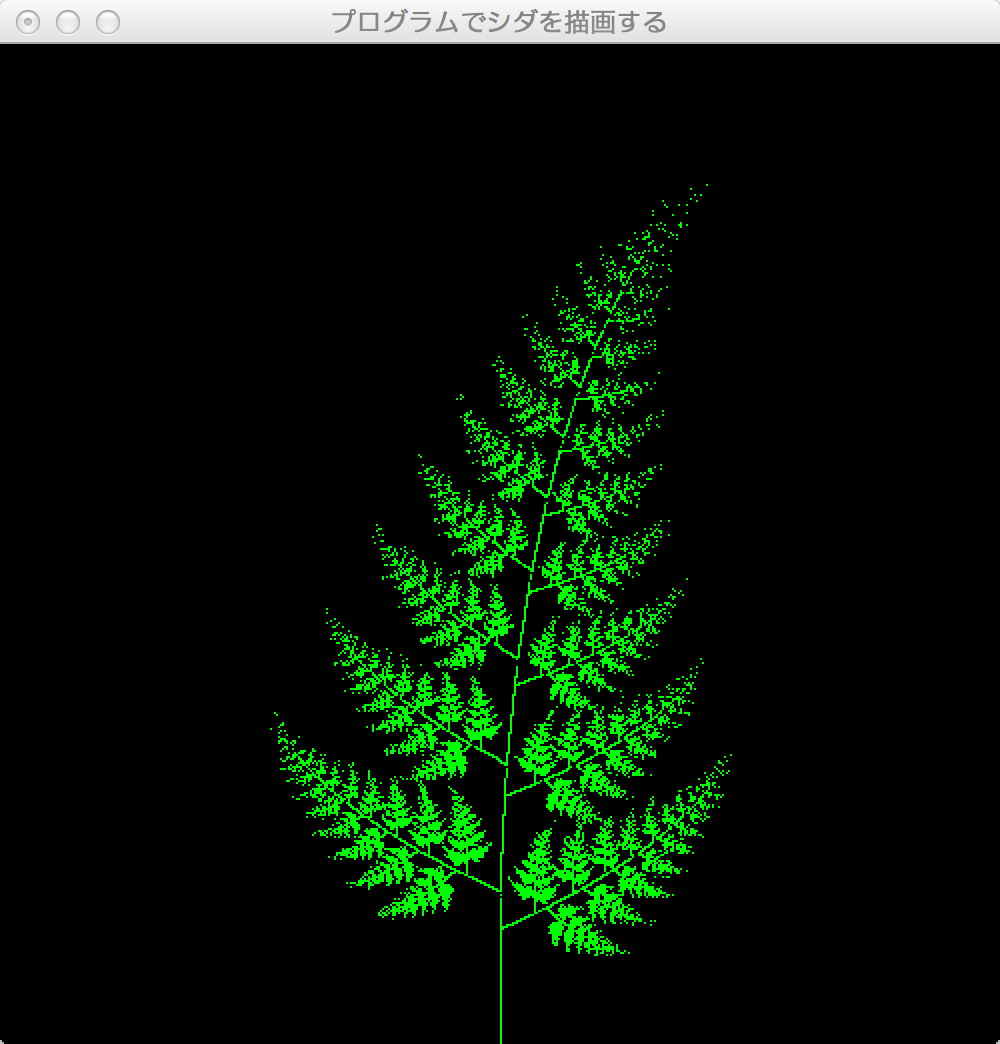
OCamlでlablglを利用してOpenGL描いてみました。
OCaml初心者なので、OCaml使いならこう書くなどありましたらコメント等お願いします。
x,yの写像の計算をタプルを使うことで、ベクトルとみなし、一まとめにしたのが、
前回のEmscripten版との違いです。
cedarOpenGL.ml
let dim = ref (500, 500);;

let w1 (x, y) = (0.836 *. x +. 0.044 *. y, (-0.044) *. x +. 0.836 *. y +. 0.169);;
let w2 (x, y) = ((-0.141) *. x +. 0.302 *. y, 0.302 *. x +. 0.141 *. y +. 0.127);;
let w3 (x, y) = (0.141 *. x -. 0.302 *. y, 0.302 *. x +. 0.141 *. y +. 0.169);;
let w4 (x, y) = (0.0, 0.175337 *. y);;

let makeImageBuf p n m init =
 let result = Array.make p (Array.make n (Array.make m init)) in
 for j = 1 to p - 1 do
 result.(j) <- Array.make n (Array.make m init);
 for i = 1 to n - 1 do
 result.(j).(i) <- Array.make m init
 done;
 done;
 result;;


let rec cedar n (x, y) ib =
 if 0 < n then begin
 cedar (n - 1) (w1(x,y)) ib;
 if Random.float 1.0 < 0.3 then begin
 cedar (n - 1) (w2(x,y)) ib;
 end;

 if Random.float 1.0 < 0.3 then begin
 cedar (n - 1) (w3(x,y)) ib;
 end;

 if Random.float 1.0 < 0.3 then begin
 cedar (n - 1) (w4(x,y)) ib;
 end;

 end
 else begin
 let xx = int_of_float (x *. (float (fst !dim)) *. 0.9) + (fst !dim)/2 in
 let yy = int_of_float (y *. (float (snd !dim)) *. 0.9) in
 if xx >= (fst !dim) then () else
 if yy >= (snd !dim) then () else
 ib.(1).(xx).(yy) <- 1.0;
 end;;

let imgBuf = makeImageBuf 3 (fst !dim) (snd !dim) 0.0;;
cedar 20 (0.0,0.0) imgBuf;;

let reshape ~w ~h =
 let w = max 1 w and h = max 1 h in
 dim := (w, h);
 GlDraw.viewport 0 0 w h;
 GlMat.mode `projection;
 GlMat.load_identity ();
 GlMat.ortho ~x:(-1., 1.) ~y:(-1., 1.) ~z:(0., 1.);
 GlMat.mode `modelview;;

let display () =
 let w, h = !dim in
 GlDraw.begins `points;
 for a = 0 to w - 1 do
 for b = 0 to h - 1 do
 let idx_x = int_of_float((float a /. float w) *. float (fst !dim)) in
 let idx_y = int_of_float((float b /. float h) *. float (snd !dim)) in
 GlDraw.color (imgBuf.(0).(idx_x).(idx_y), imgBuf.(1).(idx_x).(idx_y), imgBuf.(2).(idx_x).(idx_y));
 let x = 2. *. float a /. float w -. 1. in
 let y = 2. *. float b /. float h -. 1. in
 GlDraw.vertex ~x ~y ()
 done;
 done;
 GlDraw.ends ();
 Gl.flush ();;


let () =
 let argv' = Glut.init Sys.argv in
 Glut.initWindowSize ~w:(fst !dim) ~h:(snd !dim);
 ignore (Glut.createWindow ~title:"プログラムでシダを描画する");
 Glut.reshapeFunc ~cb:reshape;
 Glut.displayFunc ~cb:display;
 Glut.keyboardFunc ~cb:(fun ~key ~x ~y -> if key=27 then exit 0);
 Glut.mainLoop ();;

関連投稿
関連記事
Register as a new user and use Qiita more conveniently
- You get articles that match your needs
- You can efficiently read back useful information
- You can use dark theme