
More than 5 years have passed since last update.

VSCode のExtension
必要なのはNative Debugだけ
launch.json
デバッグ>構成の追加…でlaunch.jsonを作成する
テンプレートのリンク先の情報があるけど、なかなかズバリの情報が書いていないので
Qemuを使って1234ポートにgdbとつなげる場合のファイルの例
 "version": "0.2.0",
 "configurations": [
 {
 "name": "Attach to QEMU",
 "type": "gdb",
 "request": "attach",
 "executable": "obj/fmp",
 "target": "localhost:1234",
 "remote": true,
 "cwd": "${workspaceRoot}",
 "autorun": [
 "monitor system_reset",
 "load",
 "break main_task"
 ],
 "gdbpath": "/usr/local/gcc-arm-none-eabi-4_8-2014q3/bin/arm-none-eabi-gdb"
executableはプロジェクトからの相対パスで記述する
gdbpathはgdbのファイル名を含めたパスを記載する。パス名を入れないとデバッグ実行時にエラーになります。
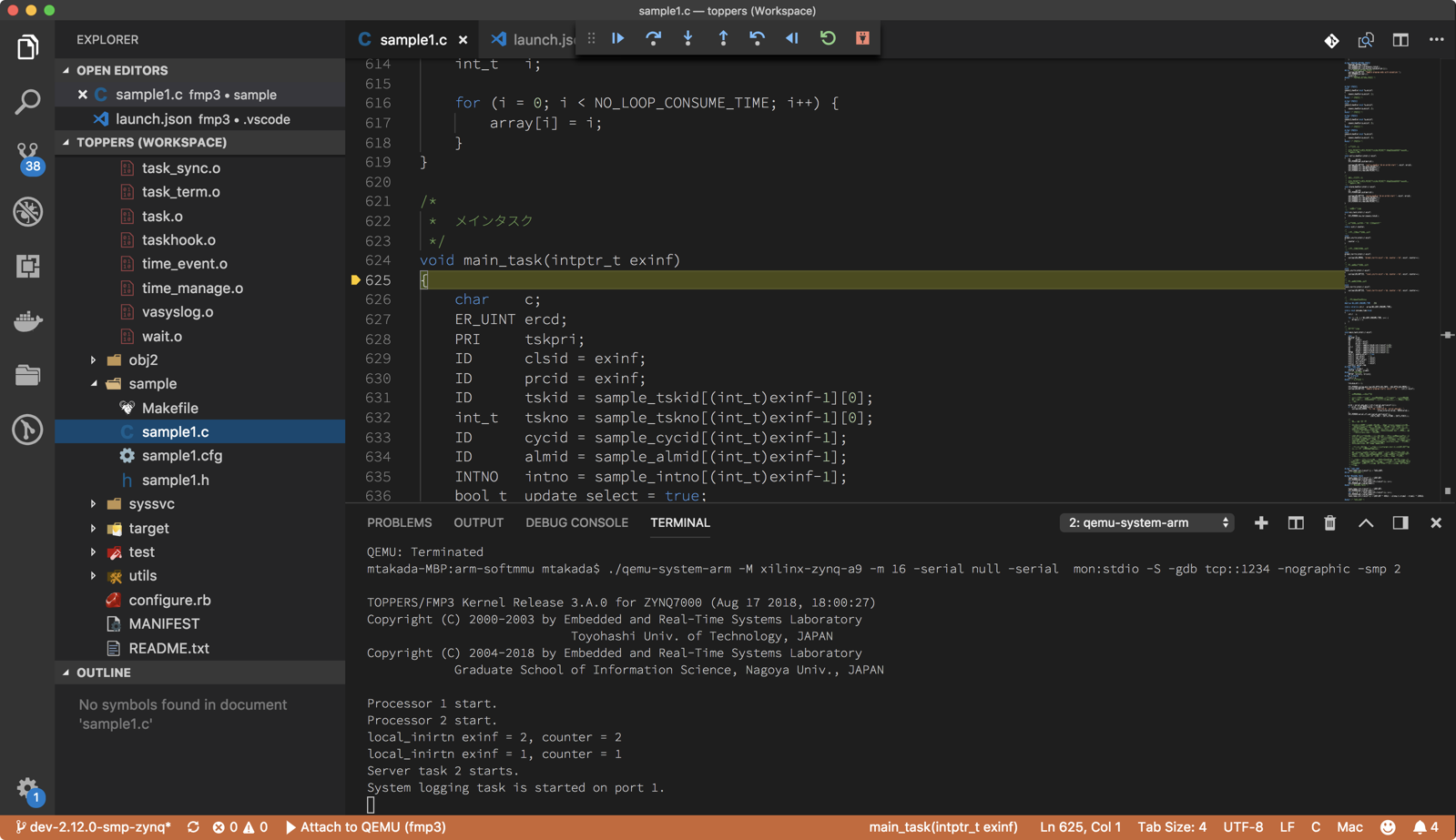
sample1.c にあるmain_taskにブレイクポイントを貼っておくとデバッグ起動時に止まって、そこからVSCodeのUIでgdbでのデバッグ実行が可能になります。
👁 sample1_c_—_toppers__Workspace_.png

Register as a new user and use Qiita more conveniently
- You get articles that match your needs
- You can efficiently read back useful information
- You can use dark theme