
More than 5 years have passed since last update.
はじめに
やりたかったこと
コードカバレッジレポートを簡単に見れるようにしたい。
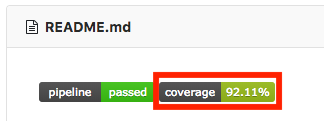
カバレッジのバッジから
👁 スクリーンショット 2018-07-28 0.20.44.png

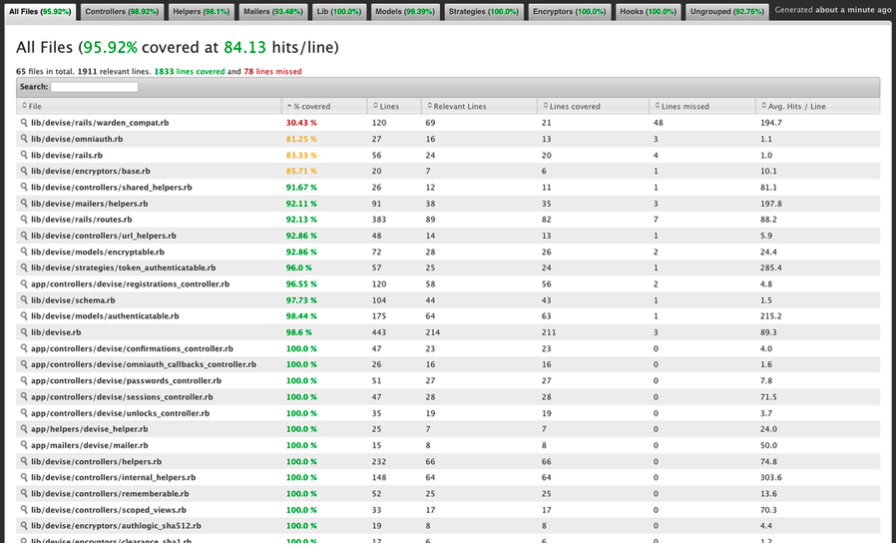
こんなレポートページへ
👁 スクリーンショット 2018-07-28 0.23.42.png

やったこと
- SimpleCov を使って Rspec のカバレッジを計測 & レポートを作成
- GitLab CI を使って上記のカバレッジレポートを GitLab Pages に、ホスティング
- バッジからのリンクを張る
SimpleCov を導入する
まずはカバレッジレポートを生成するために SimpleCov を導入する。
-
SimpleCov を Gemfile に追記
Gemfilegem 'simplecov', require: false, group: :test -
spec_helper.rbで SimpleCov をロード&起動spec_helper.brrequire 'simplecov' SimpleCov.start 'rails' # Previous content of test helper now starts here
これでテストを実行するとカバレッジレポート (coverage/index.html) が生成されるようになる。
GitLab CI を構成する
生成したカバレッジレポートを GitLab Pages にホスティングするためのパイプラインを作る。
具体的には以下のような .gitlab-ci.yml になる。
.gitlab-ci.yml
...

rspec:
 stage: test
 script:
 - bundle install
 - rspec
 artifacts:
 paths:
 - coverage/

pages:
 stage: deploy
 dependencies:
 - rspec
 script:
 - mv coverage/ public/
 artifacts:
 paths:
 - public
 expire_in: 30 days
 only:
 - master

...
-
rspecジョブ-
artifacts: 生成したレポートをストア
-
-
pagesジョブ-
dependencies:rspecジョブで生成した artifacts をダウンロード - GitLab Pages は
publicディレクトリ内を探しに行くので、ディレクトリ名は必ずpublicに -
only:masterブランチの更新時のみレポートをデプロイする
-
カバレッジレポートバッジにリンクを貼る
ここまでで、 master ブランチへのマージのたびに GitLab Pages にカバレッジレポートがデプロイされる状態。
あとはすぐ見に行けるように、 README.md のカバレッジバッジからのリンクを張る。
README.md
[](https://APP_NAME.gitlab.io/GROUP_NAME/)
...
-
Settings>CI /CD>General piplinesからバッジの Markdown を取得- デフォルトではリンク先が
commitsになっているので、これを GitLab Pages のページに変更する
- デフォルトではリンク先が
-
job=rspec: テストを実行するジョブ名をrspec以外にしていたら置き換える- 上の例と同じように
.gitlab-ci.ymlを作成しているならこのままでよい
- 上の例と同じように
参考
Register as a new user and use Qiita more conveniently
- You get articles that match your needs
- You can efficiently read back useful information
- You can use dark theme