
More than 5 years have passed since last update.

【Python】WindowsでPythonを始める
5
Last updated at Posted at 2019-02-03
環境構築はさくっとできます
※Python 3.7.2時点
インストール
下記ページから
https://www.python.org/downloads/windows/
👁 python.png

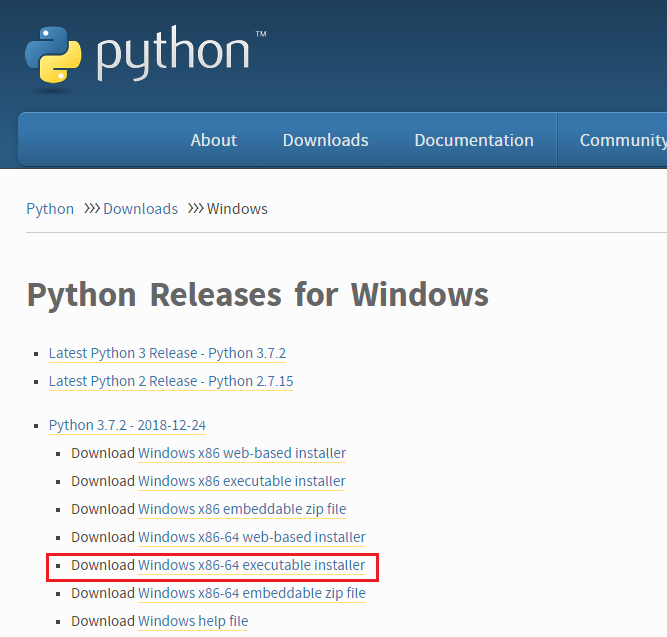
今回は「Windows x86-64 executable installer」でexeをダウンロード
※個人のPCによるので32bitの人は「Windows x86 executable installer」の方
ダウンロードしたらexe起動して「Install Now」をポチってインストールするだけ
この時に下の方にある「Add Python 3.7 to PATH」をチェックしてインストールすると後程やろうとしてる環境変数に追加してくれるみたいです(僕はやってないけど)
環境変数に追加
下記2つをを環境変数の「Path」に追加
~\Python\Python37
~\Python\Python37\Scripts\
~は各自Pythonをインストールしたパス
コマンドで確認
>pip
Commands:
…
ってコマンドリストが出てきたらPythonを使用できる準備完了!
Register as a new user and use Qiita more conveniently
- You get articles that match your needs
- You can efficiently read back useful information
- You can use dark theme