
More than 1 year has passed since last update.

markdown AIではスマートフォンでも記述できるようなカスタマイズを行なっています。
それぞれの記述方法につきましてはログイン後にサンプルページがありますので、参考にしてください。
またこちらにもサンプルとして記述方法を載せています。
見出し
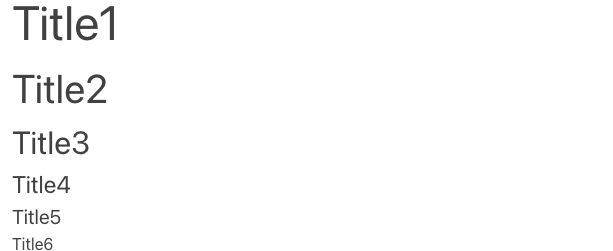
# Title1
## Title2
### Title3
#### Title4
##### Title5
###### Title6
上記の記述を行うことで下記のような表示になります。
👁 スクリーンショット 2024-05-28 17.22.36.png

テキスト入力
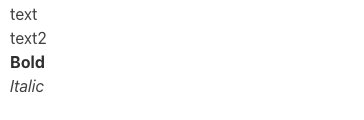
text
text2
**Bold**
*Italic*
👁 スクリーンショット 2024-05-28 17.25.02.png

htmlタグ
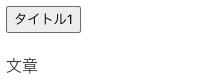
HTMLタグも有効となるので、下記のような表現も可能になります。
<button>タイトル1</button>
<p>文章</p>
👁 スクリーンショット 2024-05-28 17.36.31.png

スタイルタグも有効となるので、独自のスタイルを表現できます。
<style>
.text {
 color:red;
 font-weight:bold;
 font-size:20px;
}
</style>
<p class="text">文章テキスト</p>
文章テキスト。
👁 スクリーンショット 2024-05-28 17.38.08.png


改行について
改行は通常の文書を書く用に改行をすることで余白を開けることができます。
ボーダーに余白をつけたい場合は改行を行なってください。
その他の記述
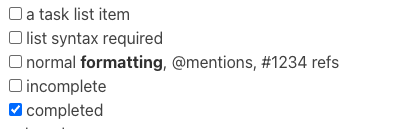
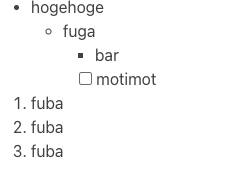
チェックボックスや箇条書きなどmarkdownの記述ができます。
- [ ] a task list item
- [ ] list syntax required
- [ ] normal **formatting**, @mentions, #1234 refs
- [ ] incomplete
- [x] completed
👁 スクリーンショット 2024-05-28 17.39.30.png

- hogehoge
 - fuga
 - bar
 - [ ] motimot
1. fuba
1. fuba
1. fuba
👁 スクリーンショット 2024-05-28 17.39.37.png

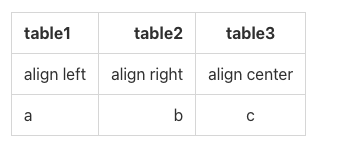
|table1|table2|table3|
|:--|--:|:--:|
|align left|align right|align center|
|a|b|c|
👁 スクリーンショット 2024-05-28 17.39.42.png

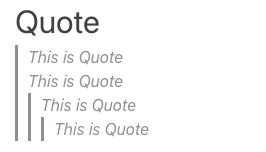
### Quote
>This is Quote
>This is Quote
>>This is Quote
>>>This is Quote
👁 スクリーンショット 2024-05-28 17.39.50.png

### Code Block
```JavaScript
// For Debug
printf = function(str){
 window.alert(str);
};
// Add the processing of applications
👁 スクリーンショット 2024-05-28 17.39.59.png


### Horizon
---
👁 スクリーンショット 2024-05-28 17.40.06.png


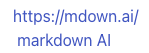
### Link
https://mdown.ai/
[ markdown AI](https://mdown.ai/)
👁 スクリーンショット 2024-05-28 17.40.17.png


👁 スクリーンショット 2024-05-28 17.44.10.png


まとめ
通常の markdownの記述だけでなく、HTMLタグを利用してclassをつけたりスタイルの変更をすることができるので、簡単に記述することができます。
markdown AI
こちらのサイトもmarkdownAIを使用して作成しています。
Register as a new user and use Qiita more conveniently
- You get articles that match your needs
- You can efficiently read back useful information
- You can use dark theme