|
VOOZH | about |
|
VOOZH | about |
21st February 2021
I released Datasette 0.55 and sqlite-utils 3.6 this week with a common theme across both releases: supporting cross-database joins.
SQLite databases are single files on disk. I really love this characteristic—it makes them easy to create, copy and move around. All you need is a disk volume and you can create as many SQLite databases as you like.
A lesser known feature of SQLite is that you can run queries, including joins, across tables from more than one database. The secret sauce is the ATTACH DATABASE command. Run the following SQL:
ATTACH 'other.db' AS other;
And now you can reference tables in that database as other.tablename. You can then join against them, combine them with UNION and generally treat them as if they were another table in your first connected database.
I’ve wanted to add support for cross-database queries to Datasette since May 2018. It took me quite a while to settle on a design—SQLite defaults to only allowing ten databases to be attached together, and I needed to figure out how multiple connected databases would fit with the design of the rest of Datasette.
In the end, I decided on the simplest option that would unlock the feature. Run Datasette with the new --crossdb option and the first ten databases passed to Datasette will be ATTACHed to an in-memory database available at the /_memory URL.
The latest.datasette.io demo now exposes two databases using this feature. Here’s an illustrative example query that performs a UNION across the sqlite_master metadata table in two databases:
select
 'fixtures' as database, *
from
 [fixtures].sqlite_master
union
select
 'extra_database' as database, *
from
 [extra_database].sqlite_master
sqlite-utils offers both a Python library and a command-line utility in one package. I’ve added ATTACH support to both.
The Python library support looks like this:
db = Database("first.db")
db.attach("second", "second.db")
# Now you can run queries like this:
cursor = db.execute("""
select * from table_in_first
 union all
select * from second.table_in_second
""")
print(cursor.fetchall())
The command-line tool now has a new --attach option which lets you attach a database using an alias. The equivalent query to the above would look like this:
$ sqlite-utils first.db --attach second second.db '
 select * from table_in_first
 union all
 select * from second.table_in_second'
This defaults to returning results as a JSON array, but you can add --csv or --tsv or other options to get the results back in different output formats.
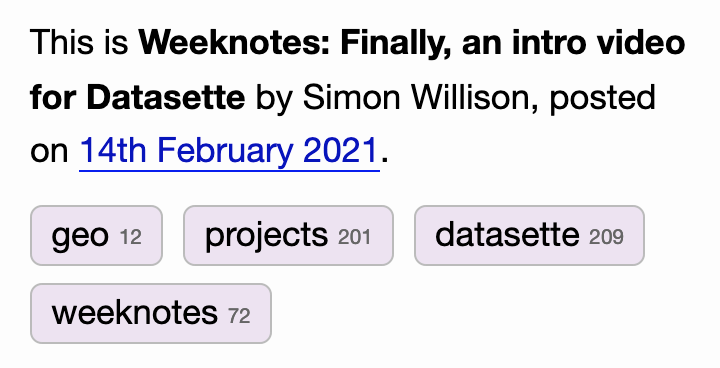
I noticed that Will Larson’s blog shows little numbers next to the tags indicating how many times they have been used. I really liked that, so I’ve implemented it here as well.
Each entry (and quotation and link) now gets a block in the sidebar that looks like this:
👁 Screenshot showing my new tags, each with a number indicating how many times they have been used
As a long-time fan of faceted search interfaces I really like this upgrade—it helps indicate at a glance the kind of content I have stashed away in my blog’s archive.
This is Cross-database queries in SQLite (and weeknotes) by Simon Willison, posted on 21st February 2021.
projects 538 sqlite 467 datasette 1,519 weeknotes 193 sqlite-utils 223Next: Getting started
Previous: Open source projects: consider running office hours
Sponsor me for $10/month and get a curated email digest of the month's most important LLM developments.
Pay me to send you less!
Sponsor & subscribeCross-database queries in SQLite (and weeknotes) https://t.co/DAUA6D9Iks
— Simon Willison (@simonw) February 21, 2021