VOOZH about

URL: https://snapcraft.io/falkon

⇱ Install Falkon on Linux | Snap Store


👁 Image

Falkon

KDE Publisher 👁 Verified account
Verified account

Install latest/stable of Falkon

Ubuntu 16.04 or later?

Make sure snap support is enabled in your Desktop store.


Install using the command line

sudo snap install falkon

Don't have snapd? Get set up for snaps.

Channel Version Published

Details for Falkon

Package name

  • falkon

License

  • GPL-2.0+

Last updated

  • 17 May 2026 - latest/stable
  • 8 May 2026 - latest/beta

Websites


Contact


Report a Snap Store violation

Thank you for your report. Information you provided will help us investigate further.

There was an error while sending your report. Please try again later.


Share this snap

Generate an embeddable card to be shared on external websites.

Customise your embeddable card using the options below.

Snap Store button:

Options:

Preview:

HTML:

Web Browser

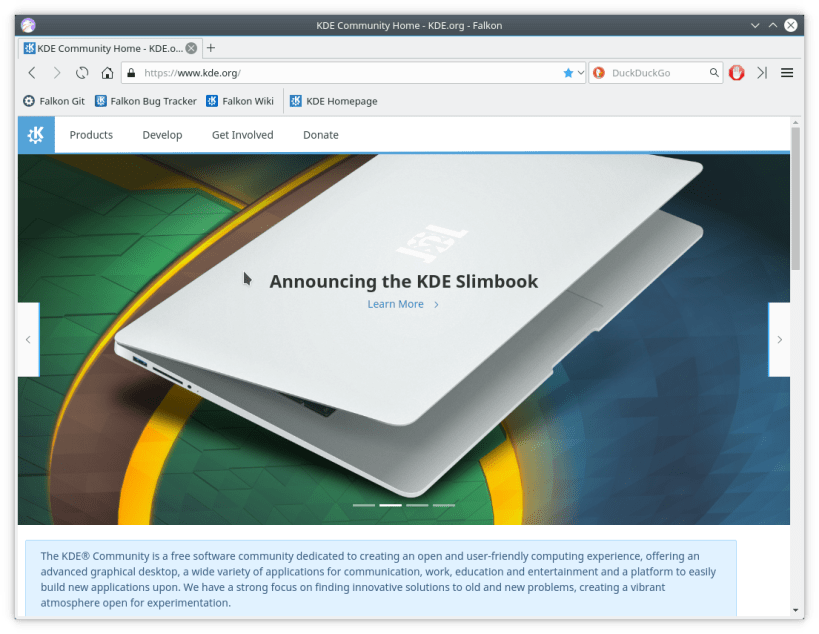
Falkon is a KDE web browser using QtWebEngine rendering engine, previously known as QupZilla. It aims to be a lightweight web browser available through all major platforms. This project has been originally started only for educational purposes. But from its start, Falkon has grown into a feature-rich browser.

Falkon has all standard functions you expect from a web browser. It includes bookmarks, history (both also in sidebar) and tabs. Above that, it has by default enabled blocking ads with a built-in AdBlock plugin.


Install Falkon on your Linux distribution

Choose your Linux distribution to get detailed installation instructions. If yours is not shown, get more details on the installing snapd documentation.

👁 Image

Arch Linux

👁 Image

CentOS

👁 Image

Debian

👁 Image

elementary OS

👁 Image

Fedora

👁 Image

KDE Neon

👁 Image

Kubuntu

👁 Image

Manjaro

👁 Image

Pop!_OS

👁 Image

openSUSE

👁 Image

Red Hat Enterprise Linux

👁 Image

Ubuntu

👁 Image

Raspberry Pi


Where people are using Falkon

Users by distribution (log)

Ubuntu 24.04
Ubuntu 22.04
Ubuntu 26.04
Ubuntu 20.04
Ubuntu 25.10
Ubuntu 18.04
Ubuntu 25.04
Linux Mint 22.3
Ubuntu 16.04
Debian 13
Debian 12
KDE Neon 24.04
Zorin OS 17
Ubuntu 23.04
Zorin OS 18
Linux Mint 21.3
Ubuntu 22.10
Ubuntu 24.10
Fedora 44
Linux Mint 22.1
Linux Mint 22.2
Manjaro
Debian 11
Ubuntu 23.10
Zorin OS 16
pop 22.04
Zorin OS 15
Fedora 43
Linux Mint 22
pop 24.04
redos 7.3
Linux Mint 19.3
Ubuntu 20.10

More from KDE

👁 kblackbox

kblackbox

Blackbox Logic Game

👁 ksudoku

ksudoku

KSudoku, Sudoku game & more by KDE

👁 kig

kig

Explore Geometric Constructions

👁 cantor

cantor

KDE Frontend to Mathematical Software

View all snaps