VOOZH about

URL: https://snapcraft.io/notepad-plus-plus

⇱ Install Notepad++ (WINE) on Linux | Snap Store


👁 Image

Notepad++ (WINE) (notepad-plus-plus) Package name

Install latest/stable of Notepad++ (WINE)

Ubuntu 16.04 or later?

Make sure snap support is enabled in your Desktop store.


Install using the command line

sudo snap install notepad-plus-plus

Don't have snapd? Get set up for snaps.

Channel Version Published

Details for Notepad++ (WINE)

Package name

  • notepad-plus-plus

License

  • LGPL-2.1+ OR LGPL-3.0+

Last updated

  • 16 June 2026 - latest/stable
  • Yesterday - latest/edge

Donations


Source code


Report a bug


Report a Snap Store violation

Thank you for your report. Information you provided will help us investigate further.

There was an error while sending your report. Please try again later.


Share this snap

Generate an embeddable card to be shared on external websites.

Customise your embeddable card using the options below.

Snap Store button:

Options:

Preview:

HTML:

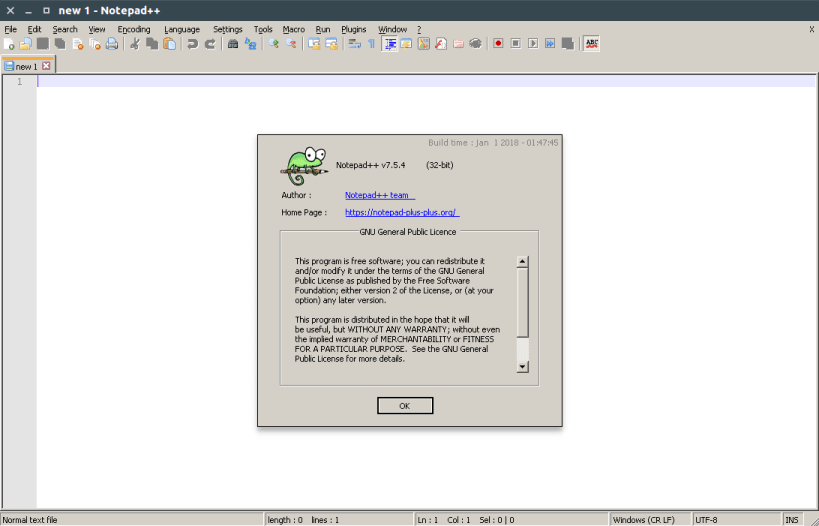
notepad-plus-plus is a free source code editor.

Based on the powerful editing component Scintilla, notepad-plus-plus is written in C++ and uses pure Win32 API and STL which ensures a higher execution speed and smaller program size. By optimizing as many routines as possible without losing user friendliness, notepad-plus-plus is trying to reduce the world carbon dioxide emissions. When using less CPU power, the PC can throttle down and reduce power consumption, resulting in a greener environment.


Install Notepad++ (WINE) on your Linux distribution

Choose your Linux distribution to get detailed installation instructions. If yours is not shown, get more details on the installing snapd documentation.

👁 Image

Arch Linux

👁 Image

CentOS

👁 Image

Debian

👁 Image

elementary OS

👁 Image

Fedora

👁 Image

KDE Neon

👁 Image

Kubuntu

👁 Image

Manjaro

👁 Image

Pop!_OS

👁 Image

openSUSE

👁 Image

Red Hat Enterprise Linux

👁 Image

Ubuntu


Where people are using Notepad++ (WINE)

Users by distribution (log)

Ubuntu 24.04
Ubuntu 22.04
Ubuntu 20.04
Ubuntu 26.04
Ubuntu 18.04
Ubuntu 25.10
Linux Mint 22.3
Ubuntu 25.04
Zorin OS 18
Debian 12
Debian 13
Ubuntu 16.04
Fedora 44
Linux Mint 21.3
pop 22.04
Ubuntu 24.10
Linux Mint 22.1
Linux Mint 22.2
Zorin OS 17
Debian 11
Fedora 43
Ubuntu 23.10
Linux Mint 20.3
Linux Mint 22
Manjaro
pop 24.04
Ubuntu 23.04
Debian sid
Kali Linux 2026.2
KDE Neon 24.04
Ubuntu 22.10
Fedora 42
Kali Linux 2026.1
Linux Mint 19.3
Linux Mint 21
Linux Mint 21.1
Linux Mint 21.2
Ubuntu 21.10
Debian 10
Linux Mint 20
Linux Mint 20.2
Zorin OS 16
Arch Linux
cachyos
Ubuntu 21.04
CentOS 7
CentOS 9
Kali Linux 2025.4
Linux Mint 20.1
openSUSE Leap 15.6
rhel 8.10
Ubuntu 19.04
Ubuntu 19.10
Ubuntu 20.10
Zorin OS 15
Debian 7.2
Fedora 40
Fedora 41
Linux Mint 19.1
Linux Mint 7
rocky 8.10
Ubuntu 18.10
almalinux 9.8
elementary OS 7.1
elementary OS 8
Kali Linux 2025.3
Linux Mint 18.3
Linux Mint 19
rocky 9.7
rocky 9.8
astra 1.7_x86-64
Debian 6.4
elementary OS 6.1
endeavouros
Fedora 37
Fedora 39
Linux Mint 19.2
Linux Mint 6
rhel 9.7
rhel 9.8
Ubuntu 26.10
CentOS 8
Debian 9
elementary OS 5.1.7
Kali Linux 2025.1
openSUSE Leap 16.0
Parrot OS 7.3
rhel 9.6
Ubuntu 14.04
almalinux 8.10
almalinux 9.7
altlinux 10.4
astra 1.8_x86-64
Debian 7.1
Fedora 36
Fedora 38
garuda
KDE Neon 22.04
ol 8.10
redos 8.0.2
rhel 9.4
tuxedo 24.04
almalinux 10.2
CentOS 10
Debian 6.2
Kali Linux 2024.4
kylin v10
Linux Mint 18.2
pop 20.04
rhel 9.5
rocky 10.2
Zorin OS 12
Kali Linux 2024.2
Kali Linux 2025.2
Linux Mint 18.1
openSUSE Leap 15.3
openSUSE Leap 15.5
redos 7.3
rhel 10.2
Ubuntu 17.10









