|
VOOZH | about |
|
VOOZH | about |
a richer chat experience
better friends list organization
making it easier and more fun to game with friends
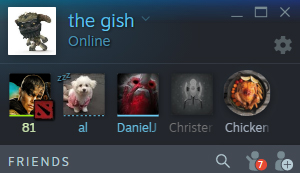
Keep your favorite friends, groups, and chats right at the top of your Friends List, making it easy to check in on what you care about most.
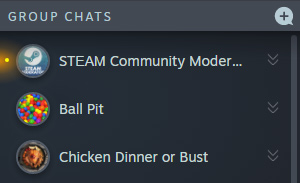
👁 ImageEasily pull friends together for a quick chat...
...or create a larger, more persistent group based on what you play or talk about.
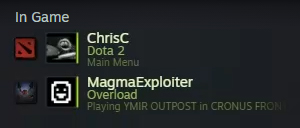
Games can now show details in the Friends List like:
Or whatever the game developer chooses
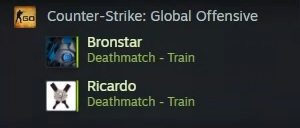
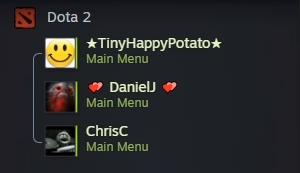
👁 ImageYour in-game friends are now grouped by the game they're playing, making it easier to join them, or to see which games are popular among friends.
👁 ImageSee who's playing together. You can watch friends enter into a match and then emerge when their game is over. Be ready to dive in with them or to play when they're done.
👁 ImageYour in-game friends are now grouped by the game they're playing, making it easier to join them, or to see which games are popular among friends.
See who's playing together. You can watch friends enter into a match and then emerge when their game is over. Be ready to dive in with them or to play when they're done.
Every chat on Steam is now multi-media friendly. Getting your point across is easier than ever, now that everyone can see your GIFs inline rather than a list of links. Paste a picture from the clipboard and upload it directly to the chat.
Want to bring someone into a conversation? Just drag and drop your friends from the Friends List to send them an invite.
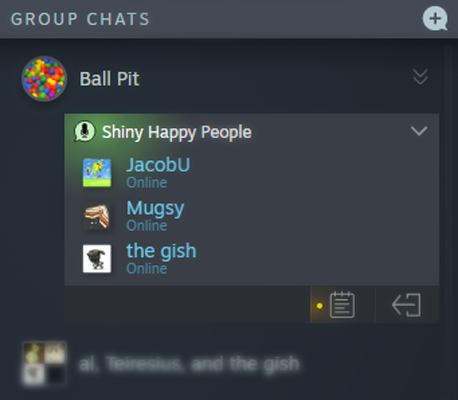
Got a good thing going? Save your group chat with a title and avatar so you can chat or play together later. This makes it easy to pick up where you left off, and keep tabs on those friends.
Persistent group chats mean you can easily check in with your communities when you sign in to Steam.
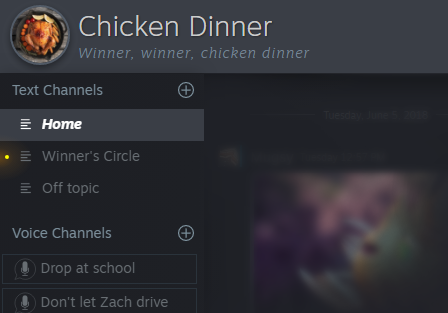
Maybe you regularly play with the same group of people, a group chat makes it simple to see who is online and ready to play. Start a voice channel, send out some game invites, and you’re ready to go.
Within any group, create a new persistent channel any time, either for text or voice. General, off topic, memes, knitting, people who love cats, etc.
It's just one click to create a channel, one click to join, and one click to leave.
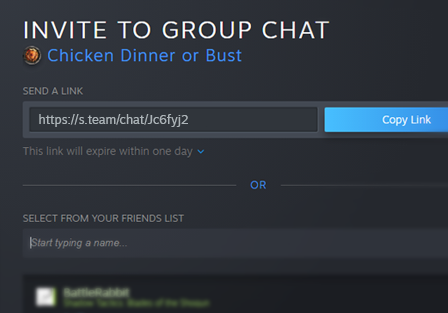
Now you can create and send links that will invite people directly into your group chat.
Email, message, or text the link for them to join from the Steam Client or a web browser.
Clear, crisp voice quality before, during, and after your games. Improvements to Steam voice chat makes it easier to organize games with your friends.
Steam voice chat was rewritten from the ground up with a new WebRTC-based backend. As a result, voice chat uses high quality Opus encoding, voice traffic is encrypted, and all traffic is sent through Steam servers rather than directly to peers. This keeps your IP address private, which masks your physical location and also prevents network attacks.
At a glance you can see if your friends are talking in a voice channel and join them.
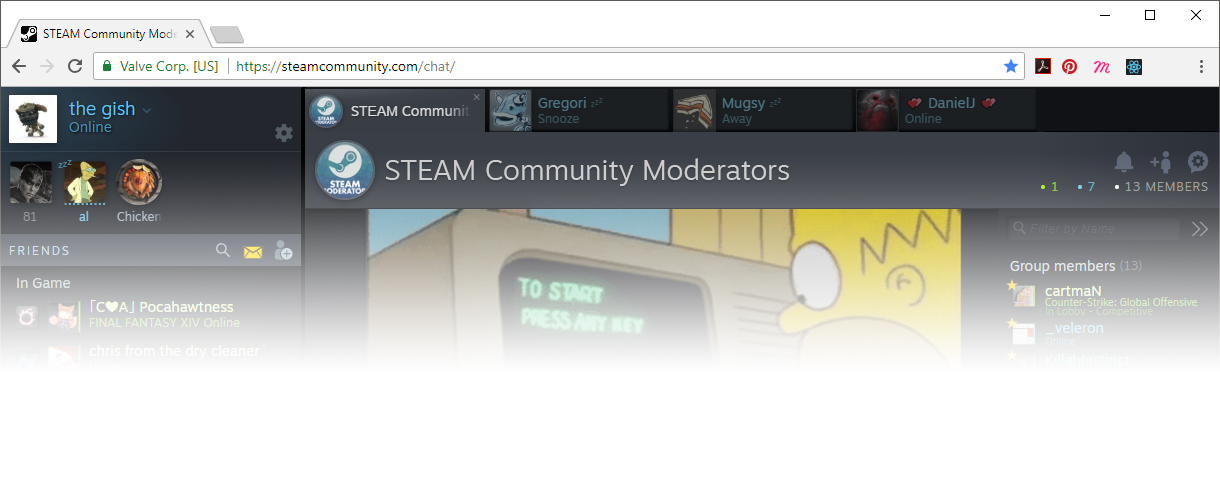
All of these features have been built to work not only in the Steam client, but also on the web. So you can continue conversations when you have access to a web browser but you're not logged in to the Steam client.
Note: During the beta, chatting with Steam users who are NOT in the beta will be a little weird. Mainly for them. People in the non-beta Steam Client won't be able to join your group chats.
How do I give Steam my feedback?
Here's where we're collecting your feedback on the new chat features. Please let us know what you think.
The new features will ship to everyone, soon
Update: the new chat features are now available to everyone on Steam
Once we're confident that things are working as they should, and we've finished up some of the features we have planned, we'll flip the switch to release all of the new features to everyone on Steam. Until then, the new chat experience will be available to Steam client beta participants or on the web, via the links above.
What’s next?
Friends and chat are just the beginning. This update was built using a new UI framework and includes some important architectural improvements under the hood, all of which allow us to make more frequent updates to our web-based Steam components. There are many improvements to the overall Steam experience that we plan to tackle, and your feedback helps us to prioritize what's next.
So thanks for trying the beta, and let us know what you think!