In the To field, type the email address you want to send the email to.
Enter the subject of your email in the Subject field.
In the Message field (below the subject), type your message.
Tip: If you’re not ready to send your message, you can save it as a draft. In the message that you want to save, choose File > Save. You can find it in the Drafts mailbox (from the Favorites bar or the Mail sidebar).
Choose Mail > Settings, click Composing, then deselect “When sending to a group, show all member addresses.”
In an address field (such as To or Cc) of your message, type a list name.
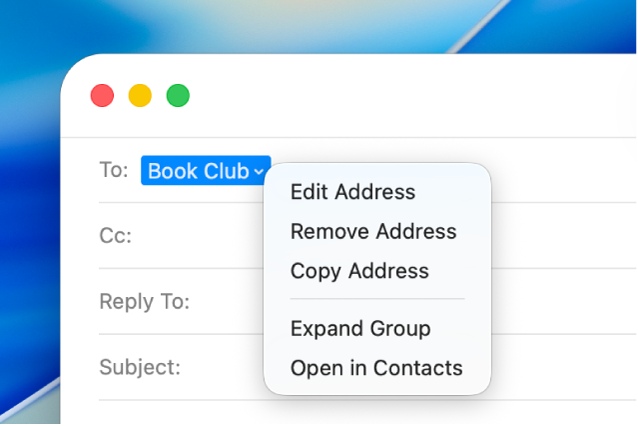
If you decide you want to use individual contacts instead of the list—maybe you want to omit a few people—click the arrow next to the list name, then choose Expand Group.
You can help protect the privacy of your recipients by sending your message so that “Undisclosed-recipients” is shown in the To field, instead of everyone’s email addresses.
At the bottom of the sidebar, click Undo Send within 10 seconds of sending an email (or choose Edit > Undo).
Note: To change the amount of time you have to unsend emails or to turn Undo Send off, choose Mail > Settings, click Composing, click the “Undo send delay” pop-up menu, then choose an option.
Some mail servers won’t send a message if even just one address is incorrect. If your message won’t send, try to remove or correct invalid addresses, then send the message again.
You can import email addresses from other email apps into the Contacts app, to make the addresses available in Mail. See Import contacts.