Experience ultimate productivity with Tabular Editor 3
Tabular Editor 3 gives you the flexibility and control to build, debug, and optimize your data models.
Trusted by thousands of BI professionals worldwide.
Faster development
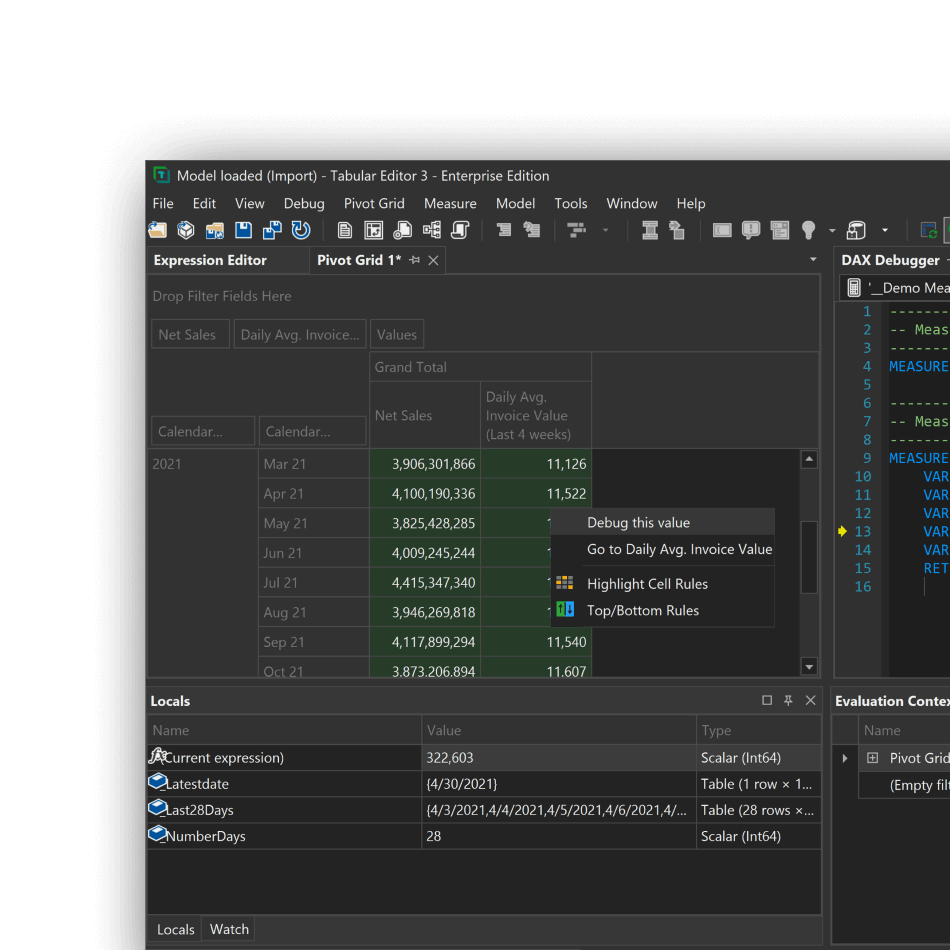
Advanced debugging
Pinpoint and resolve issues with powerful DAX debugging tools.
Seamless Power BI and SSAS integration
Trusted by professionals in 130 countries
Tabular Editor is the BI tool of choice








Cut development time by up to 60%
Turn BI efficiency into measurable savings




Annual Net Savings
Annual Hours Saved
No users selected
Select at least one user to see potential savings.
Accelerate every step
Undo/redo function
Apply multiple changes at once with full undo/redo and copy/paste support.
Full model access
Access all model objects and properties directly in Tabular Editor's UI.
No waiting times
Even in massive, complex models, keep working while data refresh operations run in the background.
Use scripts and templates
Save and apply re-usable scripts, macros, and templates.
Code assistance
Advanced code assistance helps you use the right functions and practices to achieve great results.
Fix your problems fast
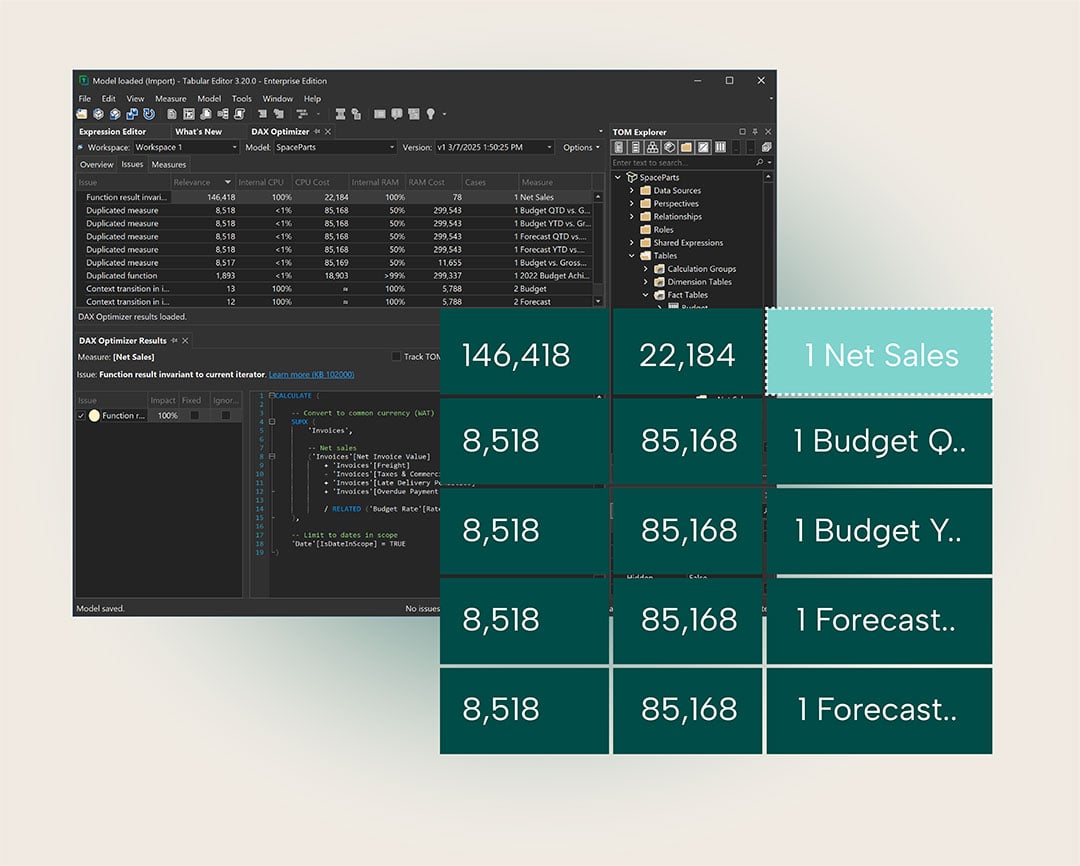
Use Best Practice Analyzer, Code Actions and DAX Optimizer to find and fix issues before they become problems.
Why our customers love Tabular Editor 3
"At TV 2 Data Foundation, we work to build a modern and scalable data foundation that supports the entire TV 2 organization. We use Tabular Editor 3 as a key component in our effort to professionalize our Power BI datasets and to develop and maintain the semantic models that form the basis of a large part of our internal reporting."

"Tabular Editor has been a real game-changer for me when it comes to developing and maintaining Power BI reports. I honestly can't imagine working with Power BI without it. I'm also a huge fan of the blog and the learning courses, and I'm currently in the middle of the "Notebooks, Semantic Link, and semantic-link-labs" course. It's been super helpful in understanding the capabilities of Fabric."

“Tabular Editor 3 has completely transformed the way I build and optimize data models. The C# scripting engine is hands-down my favorite feature being able to automate repetitive tasks and customize workflows has saved me countless hours. Combined with the lightning-fast DAX editing experience, I can build complex measures and evolve models with precision and speed. It’s not just a productivity tool—it’s a development superpower.”

“Tabular Editor 3 is the future of Enterprise Tabular model development. Tabular Editor 3 makes day to day development and management a dream addressing the issues that have plagued analytical development for years.”

“Going from the legacy Tabular Editor to Tabular Editor 3 felt like almost as big a leap as the jump from developing in Power BI Desktop to the first Tabular Editor! So many amazing additional features, robust AutoComplete, configurable work environment, and too many more to list!”

“After trying out TE3 I don’t want to ever go back! It is easier to use than other tools, allowing me to work much faster and more efficient. The amount of extra features in version 3 put it on another level and I recommend it to everyone who does any form of tabular model development.”

“Tabular Editor 3 is a beautifully implemented, feature-rich program. The DAX editing environment provides invaluable development and debugging capabilities, and addresses a huge weakness in Power BI Desktop. Adding in the Best Practice Analyzer and the powerful scripting capabilities makes this program a must-have for any serious Power BI developer.”

“Tabular Editor 3 is hands down the best and more productive development environment to write and test DAX expressions. This feature alone justifies the adoption, and it is just one of the many. It is a must-have tool, period.”

“Tabular Editor 3 is a must have tool for everyone who is serious about developing Power BI data models. Behind the scenes there is a powerful DAX Parser which makes true AutoComplete a reality and provides instant feedback about the validity of your DAX code even without saving it back to the model.”

“These days you have to be fast, to be fast enough you have to use fast tools and for sure Tabular Editor is one of them!”

“It is quite simple, indeed. If you are a carpenter, then you need a hammer. If you are a taxi driver, then you need a car. If you are a Tabular BI Developer, then you need Tabular Editor 3. To me, Tabular editor 3 is THE development tool for Tabular.”

Built for performance. Designed for you.
- Advanced DAX Editor - Code smarter with real-time validation and auto-complete.
- Pivot Grid and Query Execution - Test, validate, and refine calculations effortlessly.
- Model Optimization Tools - Includes Best Practice Analyzer and VertiPaq Analyzer.
- Highly Customizable UI - Adapt the interface to match your workflow.