|
VOOZH | about |
|
VOOZH | about |
We’re so glad you’re here. You can expect all the best TNS content to arrive Monday through Friday to keep you on top of the news and at the top of your game.
Check your inbox for a confirmation email where you can adjust your preferences and even join additional groups.
Follow TNS on your favorite social media networks.
Become a TNS follower on LinkedIn.
Check out the latest featured and trending stories while you wait for your first TNS newsletter.
Turbot’s new workflow tool, Flowpipe, works with a suite of libraries. Having written library pipelines, along with test pipelines to validate them, I wondered about automating the process with LLM assistance. Like Steampipe mods, Flowpipe mods are written in HCL. It’s not your grandfather’s Terraform-oriented HCL, though. Flowpipe HCL adds arguments and properties for connecting to data sources, specifying triggers, defining pipelines and pipeline steps, responding to events, and interacting with HTTP calls, database queries, and containerized functions and commands. That makes Flowpipe an interesting challenge for LLMs: the core syntax is well known, while the extended syntax is new to the web.
Here’s a pipeline, , that tests three pipelines provided by the GitHub library: create_branch, get_branch, and delete_branch.
 pipeline "test_branch_operations" {
 title = "Test Branch Operations"
 description = "Test the create_branch, get_branch, and delete_branch pipelines."

 tags = {
 type = "test"
 }

 param "cred" {
 type = string
 description = local.cred_param_description
 default = "default"
 }

 param "repository_owner" {
 type = string
 }

 param "repository_name" {
 type = string
 }

 param "branch_name" {
 type = string
 }

 step "transform" "args" {
 value = {
 cred = param.cred
 repository_owner = param.repository_owner
 repository_name = param.repository_name
 branch_name = param.branch_name
 }
 }

 step "pipeline" "create_branch" {
 pipeline = pipeline.create_branch
 args = step.transform.args.value
 }

 step "pipeline" "get_branch" {
 depends_on = [step.pipeline.create_branch]
 pipeline = pipeline.get_branch
 args = step.transform.args.value
 }

 step "pipeline" "delete_branch" {
 depends_on = [step.pipeline.get_branch]
 pipeline = pipeline.delete_branch
 args = step.transform.args.value
 }

 output "check_create_branch" {
 value = step.pipeline.create_branch.output.branch.status_code == 201 ? "pass" : "fail"
 }

 output "check_get_branch" {
 value = step.pipeline.get_branch.output.branch.status_code == 200 ? "pass" : "fail"
 }
;
 output "check_delete_branch" {
 value = step.pipeline.delete_branch.output.branch.status_code == 204 ? "pass" : "fail"
 }
 }
Once you get the hang of writing these tests, it’s mostly boilerplate, so I figured my team of assistants could help. I recruited Cody, GitHub Copilot, and Unblocked — with varying degrees of success. Then I realized I hadn’t yet tried creating a GPT. As OpenAI describes them, “GPTs are custom versions of ChatGPT that users can tailor for specific tasks or topics by combining instructions, knowledge, and capabilities.”
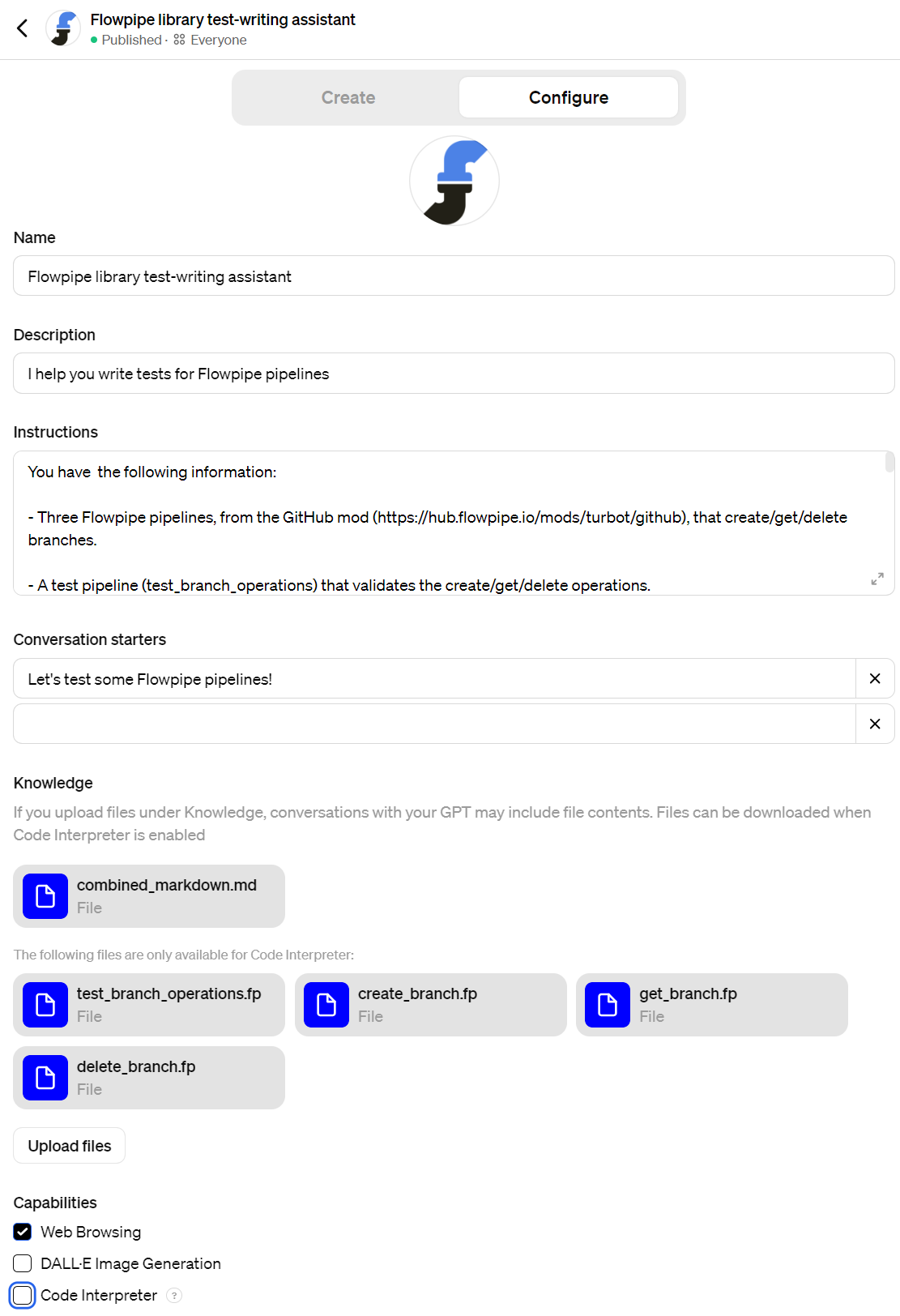
Here’s how I made the assistant.
The conversation starter (“Let’s test some Flowpipe pipelines”) appears as a suggested first message when you launch the assistant.
Under the Knowledge section you can see the files I uploaded: the four above-mentioned pipelines and, in , the Flowpipe docs. One of the delights of this new era is that, when it came time to combine all the docs into a single file, I just conjured a script into existence. It’s a small thing, but those small things really add up — not only for time saved, but (more crucially) continuity of mental flow.
Here are the full instructions I arrived at after a few iterations.
You have the following information:
– Three Flowpipe pipelines, from the GitHub mod (https://hub.flowpipe.io/mods/turbot/github),
that create/get/delete branches.
– A test pipeline (test_branch_operations) that validates the create/get/delete operations.
-The Flowpipe documentation
Begin by asking the user to paste in one or more pipelines for which tests need to be written.
Then write a test pipeline in the style of the example, test_branch_operations. Test for HTTP status codes where applicable, and conclude with outputs formatted like this:
 output "check_create_branch" {
 value = step.pipeline.create_branch.output.branch.status_code == 201 ? "pass" : "fail"
 }
If it is unclear whether status codes are available, but the pipeline can throw an error, like this:
 throw {
 if = result.response_body.ok == false
 message = result.response_body.error
 }
Then structure the output like this.
 output "do_a_thing" {
 value = !is_error(step.pipeline.do_a_thing) ? "pass" : "fail: ${step.pipeline.do_a_thing.errors}"
 }
Ensure that all HCL syntax is valid with respect to the included documentation. Do not invent any HCL syntax. If it’s unclear how to test a given pipeline, propose alternate strategies and discuss.
If you are testing multiple pipelines, be sure to sequence them using depends_on as shown in the test_branch_operations example, e.g.
 step "pipeline" "delete_branch" {
 depends_on = [step.pipeline.get_branch]
 pipeline = pipeline.delete_branch
 args = step.transform.args.value
 }
Note: step.pipeline.get_branch is an HCL object so it is not quoted.
Notice that you can combine pipeline args using a transform step and then refer to them
via the transform.
 step "transform" "args" {
 value = {
 cred = param.cred
 repository_owner = param.repository_owner
 repository_name = param.repository_name
 branch_name = param.branch_name
 }
 }

 step "pipeline" "create_branch" {
 pipeline = pipeline.create_branch
 args = step.transform.args.value
 }
Feel free to add comments and refer to the documentation.
In addition to the test pipeline, please show the Flowpipe command to invoke it.
For the GitHub branch operation, the command looks like this:
flowpipe pipeline run test_branch_operations --arg repository_owner=judell --arg \
 repository_name=flowpipe-readme --arg branch_name=test
It took a few iterations, as I’ve said, in order to arrive at this correct working version of the test pipeline.
pipeline "test_message_operations" {
 title = "Test Message Operations with Channel Conversion"
 description = "Tests converting channel name to ID, posting, retrieving, and deleting a message."

 param "cred" {
 type = string
 description = "Credentials parameter description."
 }

 param "channel_name" {
 type = string
 description = "Name of the channel to post the message to."
 }

 param "text" {
 type = string
 description = "Text of the message to post."
 }

 // Step 0: Convert channel name to channel ID
 step "pipeline" "get_channel_id" {
 pipeline = pipeline.get_channel_id
 args = {
 cred = param.cred
 channel_name = param.channel_name
 }
 }

 // Step 1: Post a message, depends on converting channel name to ID
 step "pipeline" "post_message" {
 depends_on = [step.pipeline.get_channel_id]
 pipeline = pipeline.post_message
 args = {
 cred = param.cred
 channel = step.pipeline.get_channel_id.output.channel_id
 text = param.text
 }
 }

 // Step 2: Get the permalink of the message, depends on posting the message
 step "pipeline" "get_message_permalink" {
 depends_on = [step.pipeline.post_message]
 pipeline = pipeline.get_message_permalink
 args = {
 cred = param.cred
 channel = step.pipeline.get_channel_id.output.channel_id
 message_ts = step.pipeline.post_message.output.message.ts
 }
 }

 // Step 3: Delete the message, depends on getting the permalink
 step "pipeline" "delete_message" {
 depends_on = [step.pipeline.get_message_permalink]
 pipeline = pipeline.delete_message
 args = {
 cred = param.cred
 channel = step.pipeline.get_channel_id.output.channel_id
 ts = step.pipeline.post_message.output.message.ts
 }
 }

 // Outputs to check the result of each operation
 output "check_get_channel_id" {
 value = !is_error(step.pipeline.get_channel_id) ? "pass" : "fail: ${step.pipeline.get_channel_id.errors}"
 }

 output "check_post_message" {
 value = !is_error(step.pipeline.post_message) ? "pass" : "fail: ${step.pipeline.post_message.errors}"
 }

 output "check_get_message_permalink" {
 value = !is_error(step.pipeline.get_message_permalink) ? "pass" : "fail: ${step.pipeline.get_message_permalink.errors}"
 }

 output "check_delete_message" {
 value = !is_error(step.pipeline.delete_message) ? "pass" : "fail: ${step.pipeline.delete_message.errors}"
 }
}
During one turn of the conversation, we resolved an issue that I was pretty sure would arise: channel name versus channel id. As a human you want to use a channel name like random, but the Slack API wants to think in terms of ids like C05K5BJU8AL. I’d recently added get_channel_id, and it was needed here, but I’d neglected to upload that pipeline to the Knowledge section. Instead I just mentioned that existed and would be needed, and the tool did the obvious (!) thing: Step 0: Convert channel name to channel ID, Step 1: Post a message, depends on converting channel name to ID. (I wanted to revisit the transcript to capture that move, but it seems your GPT-mediated interactions aren’t available in your ChatGPT conversation history.)
Here’s the command to run the tests.
~/flowpipe-mod-slack$ flowpipe run test_message_operations --arg cred=default \
 --arg channel_name=random --arg text="just testing"
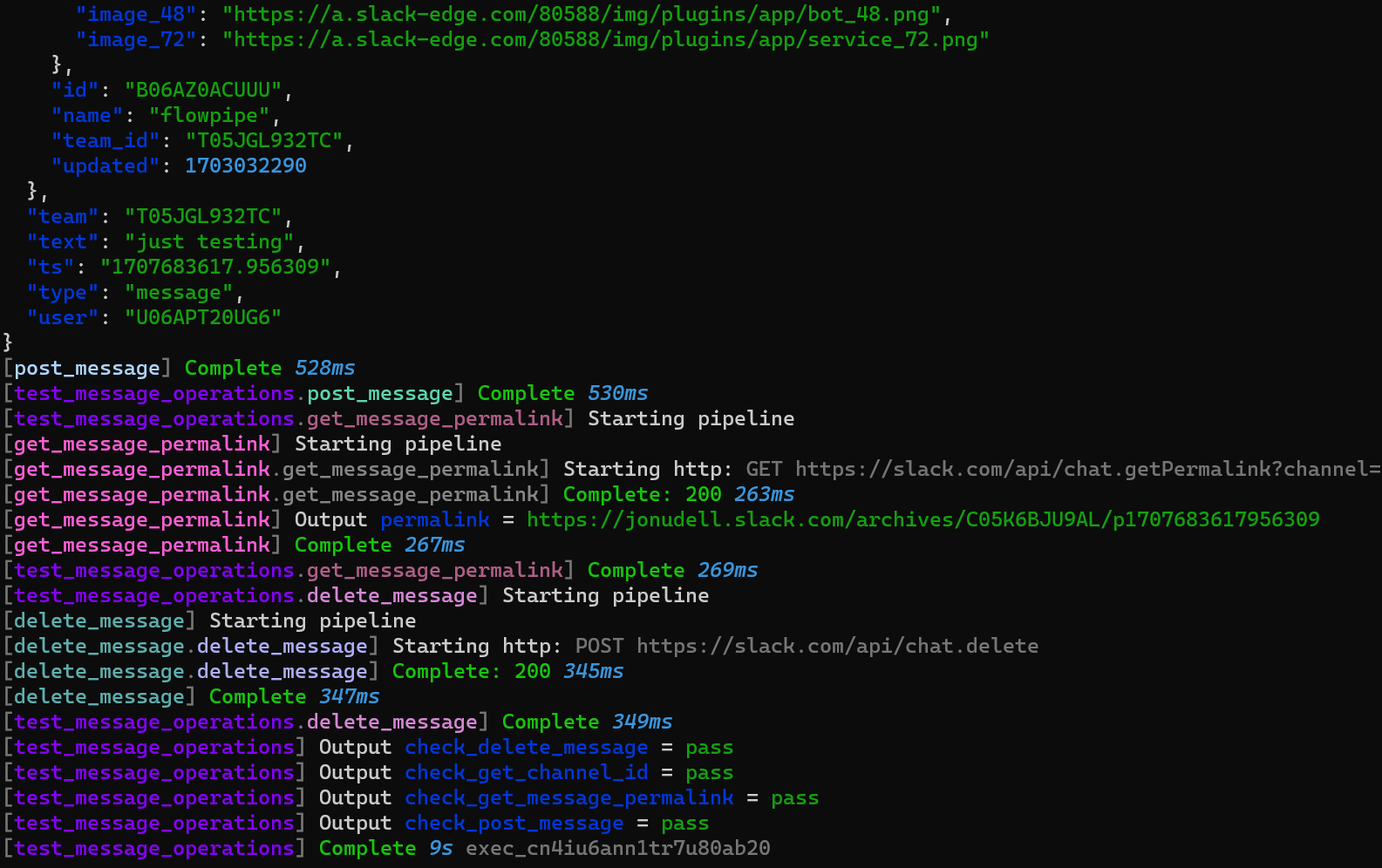
Here’s the tail end of the output.
This exercise could arguably be seen as a softball. The three Slack tests I asked for corresponded exactly to the create/get/delete pattern shown in the example. Of course that’s a common pattern, so easy wins in this domain will be welcome. Just because we want to have tests doesn’t mean we want to write tests — with the caveat, as always, per 7 guiding principles for working with LLMs: never trust, always verify. These tests are easy to verify, so they qualify in my book as ripe low-hanging fruit for LLM assistants to harvest.
Created in less than an hour by writing and revising prose, not code, could this tool bridge across more distantly-related patterns? I haven’t tried yet, so I won’t speculate. But it’s an eye-opener to see how effectively GPT Creator enables me to create, deploy, evaluate, and improve the first version.