|
VOOZH | about |
|
VOOZH | about |
We’re so glad you’re here. You can expect all the best TNS content to arrive Monday through Friday to keep you on top of the news and at the top of your game.
Check your inbox for a confirmation email where you can adjust your preferences and even join additional groups.
Follow TNS on your favorite social media networks.
Become a TNS follower on LinkedIn.
Check out the latest featured and trending stories while you wait for your first TNS newsletter.
There are a variety of techniques to deploy new applications to production, so choosing the right strategy is an important decision, weighing the options in terms of the impact of change on the system, and on the end-users.
In this post, we are going to talk about the following strategies:
Let’s take a look at each strategy and see which strategy would fit best for a particular use case. For the sake of simplicity, we used Kubernetes and tested the example against Minikube. Examples of configuration and step-by-step approaches on for each strategy can be found in this git repository.
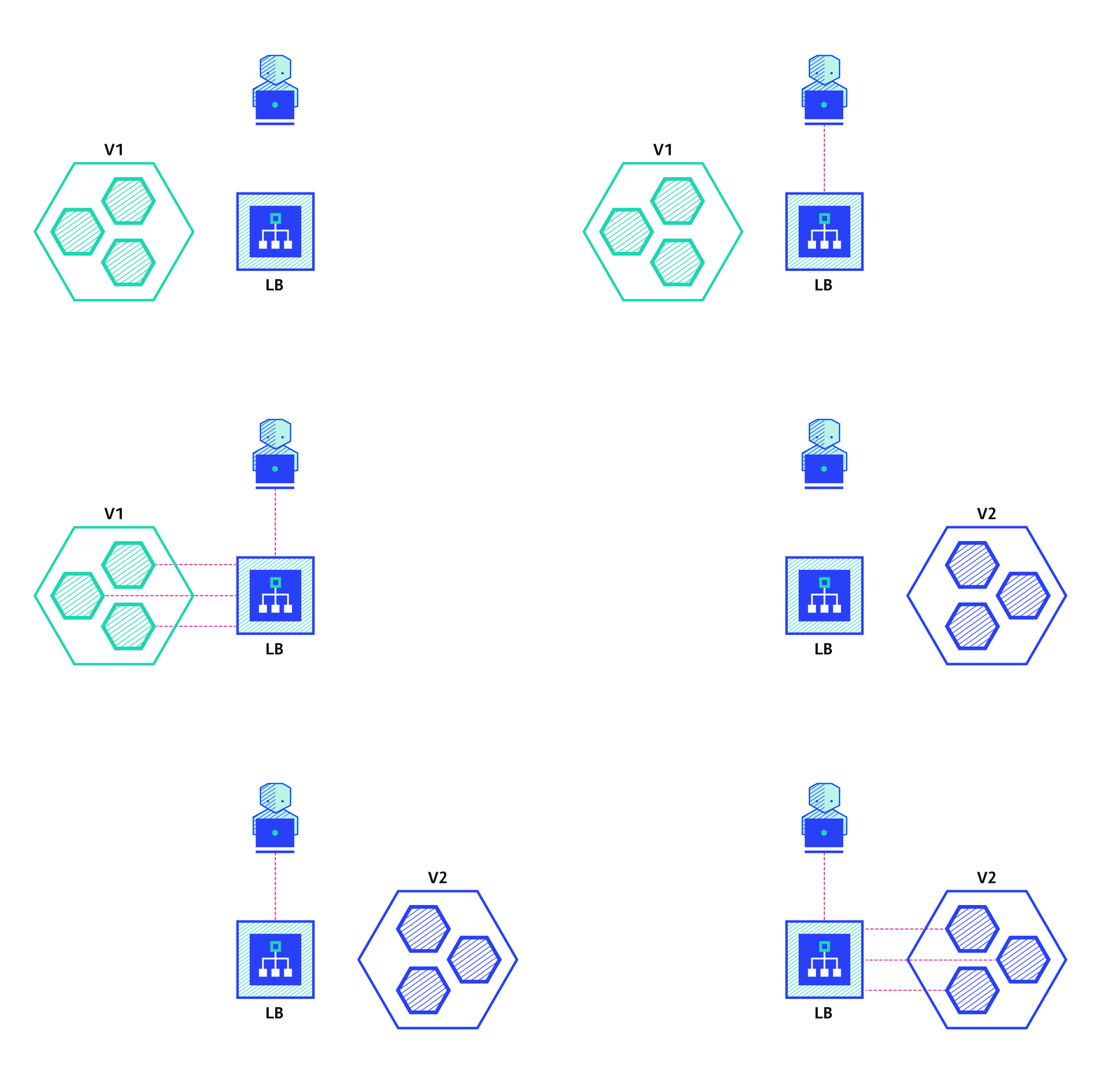
The recreate strategy is a dummy deployment which consists of shutting down version A then deploying version B after version A is turned off. This technique implies downtime of the service that depends on both shutdown and boot duration of the application.
Pros:
Cons:
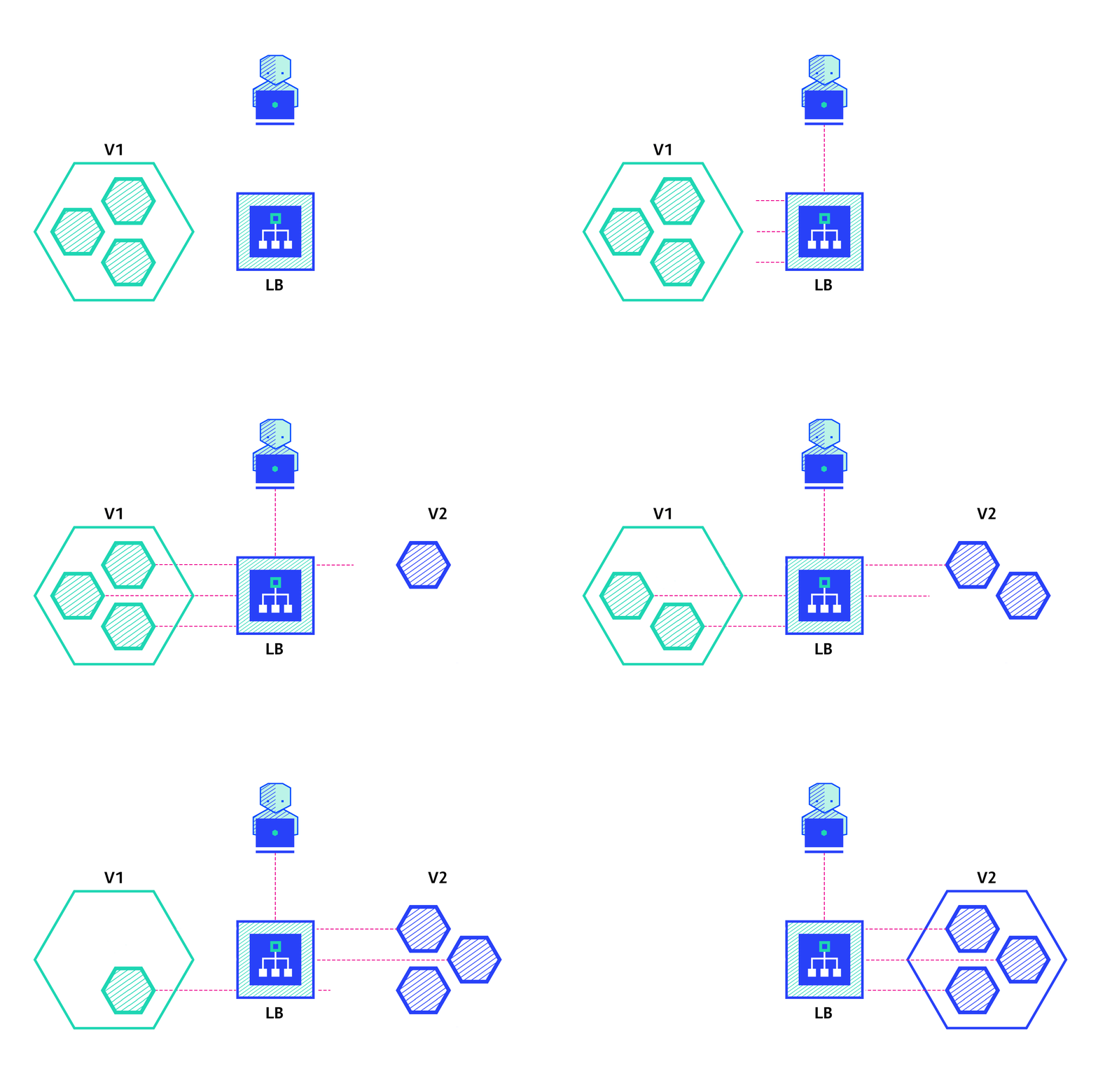
The ramped deployment strategy consists of slowly rolling out a version of an application by replacing instances one after the other until all the instances are rolled out. It usually follows the following process: with a pool of version A behind a load balancer, one instance of version B is deployed. When the service is ready to accept traffic, the instance is added to the pool. Then, one instance of version A is removed from the pool and shut down.
Depending on the system taking care of the ramped deployment, you can tweak the following parameters to increase the deployment time:
Pros:
Cons:
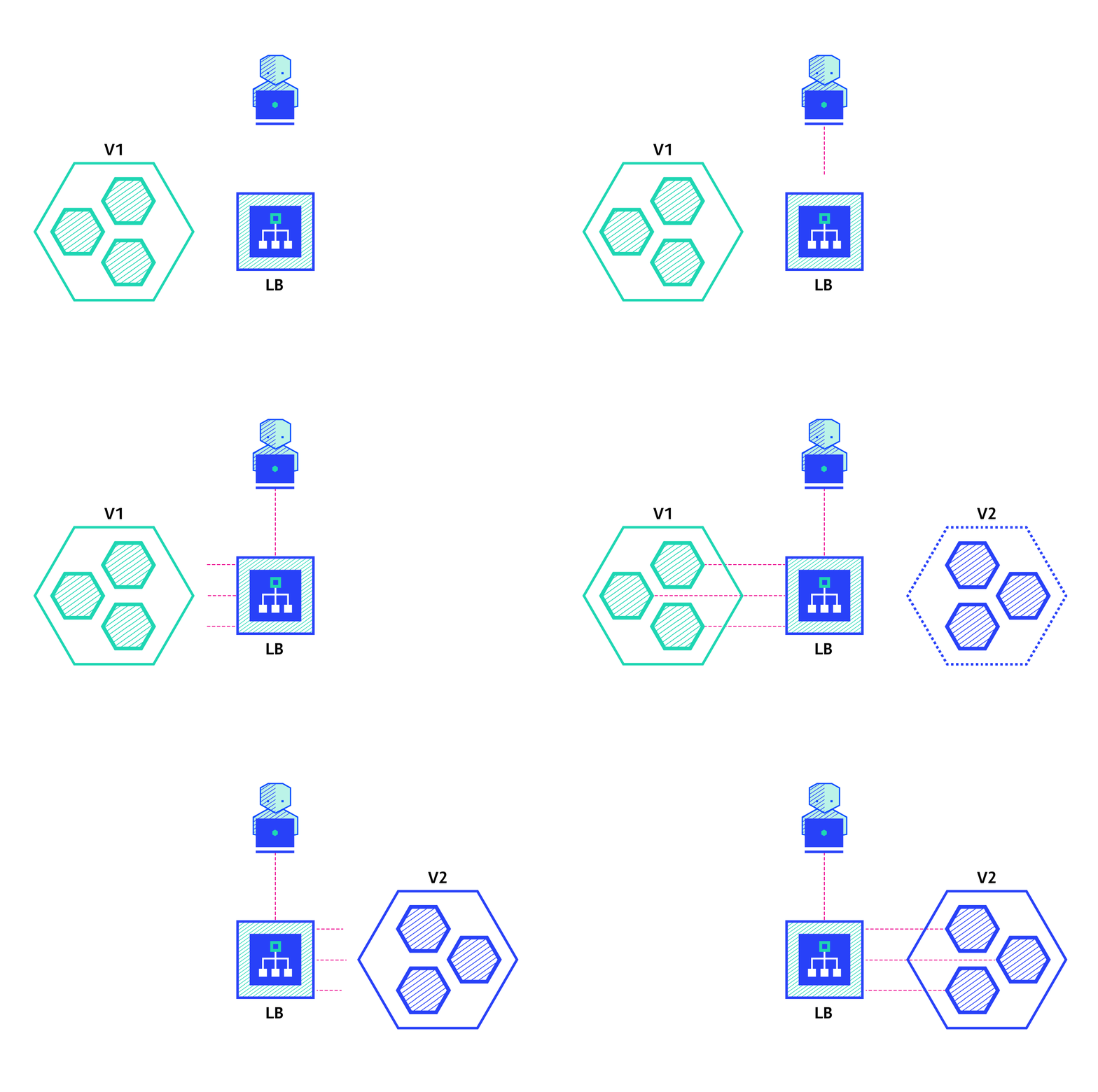
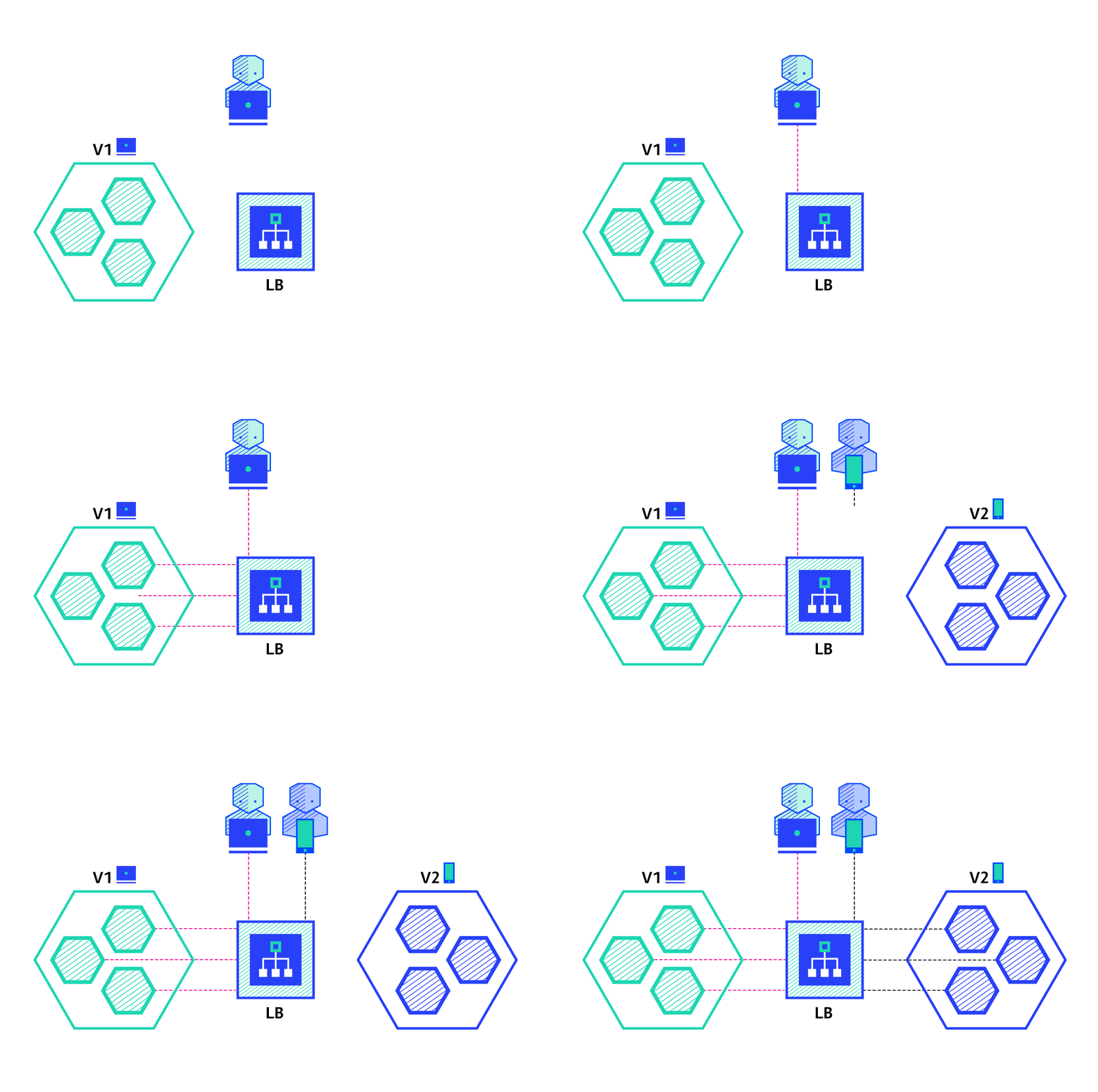
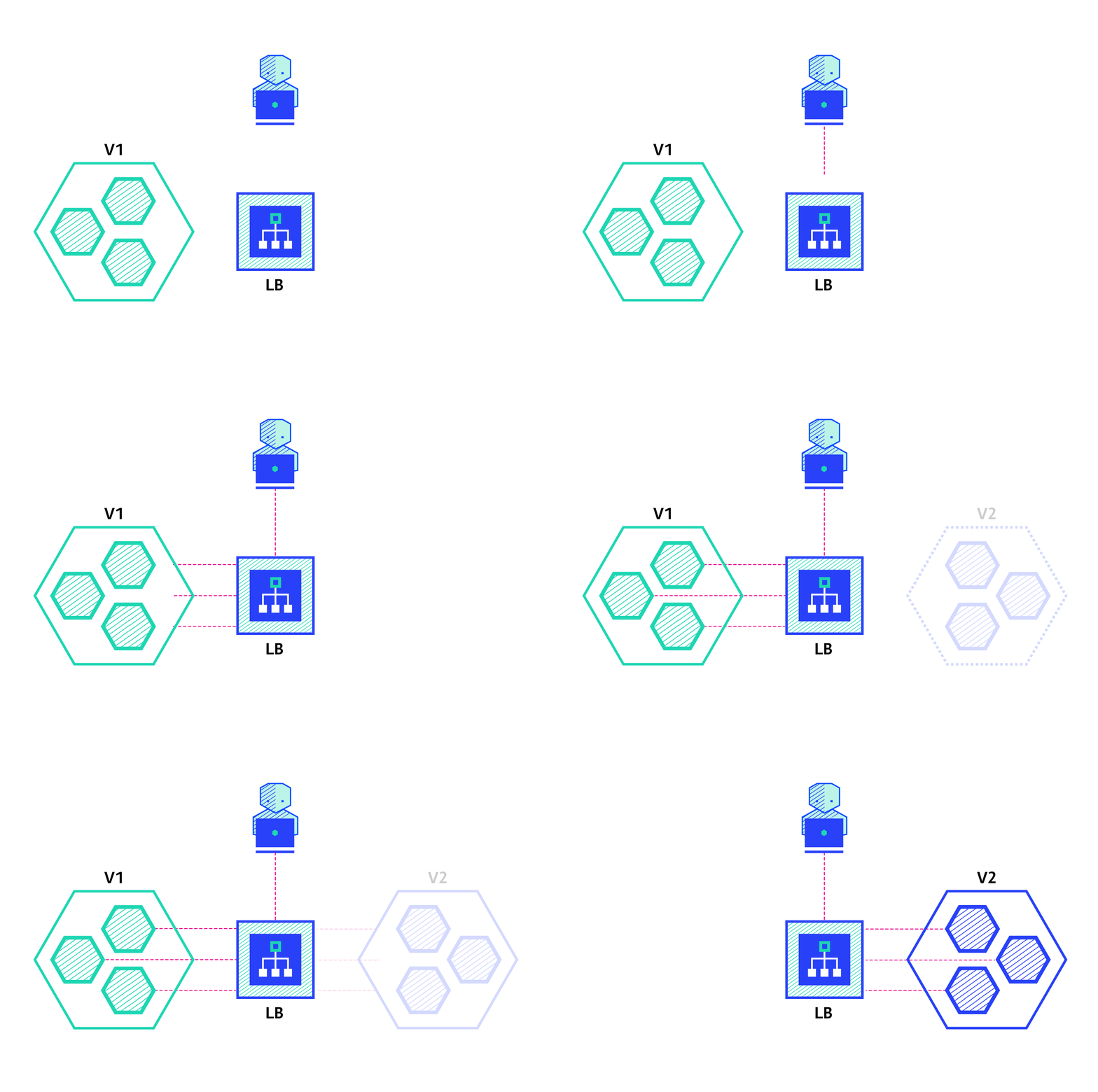
The blue/green deployment strategy differs from a ramped deployment, version B (green) is deployed alongside version A (blue) with exactly the same amount of instances. After testing that the new version meets all the requirements the traffic is switched from version A to version B at the load balancer level.
Pros:
Cons:
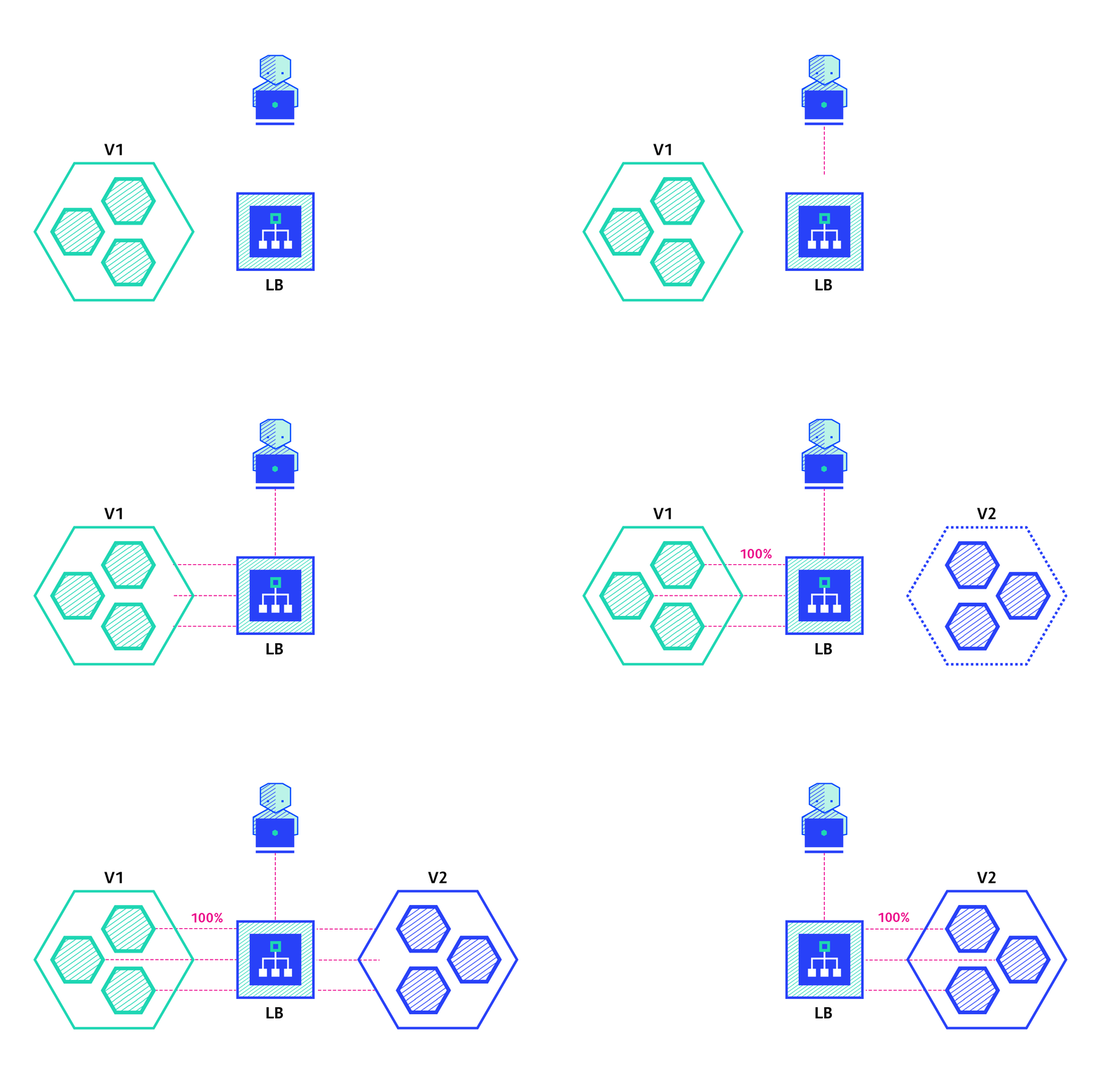
A canary deployment consists of gradually shifting production traffic from version A to version B. Usually the traffic is split based on weight. For example, 90 percent of the requests go to version A, 10 percent go to version B.
This technique is mostly used when the tests are lacking or not reliable or if there is little confidence about the stability of the new release on the platform.
Pros:
Con:
A/B testing deployments consists of routing a subset of users to a new functionality under specific conditions. It is usually a technique for making business decisions based on statistics, rather than a deployment strategy. However, it is related and can be implemented by adding extra functionality to a canary deployment so we will briefly discuss it here.
This technique is widely used to test conversion of a given feature and only roll-out the version that converts the most.
Here is a list of conditions that can be used to distribute traffic amongst the versions:
Pros:
Cons:
A shadow deployment consists of releasing version B alongside version A, fork version A’s incoming requests and send them to version B as well without impacting production traffic. This is particularly useful to test production load on a new feature. A rollout of the application is triggered when stability and performance meet the requirements.
This technique is fairly complex to setup and needs special requirements, especially with egress traffic. For example, given a shopping cart platform, if you want to shadow test the payment service you can end-up having customers paying twice for their order. In this case, you can solve it by creating a mocking service that replicates the response from the provider.
Pros:
Cons:
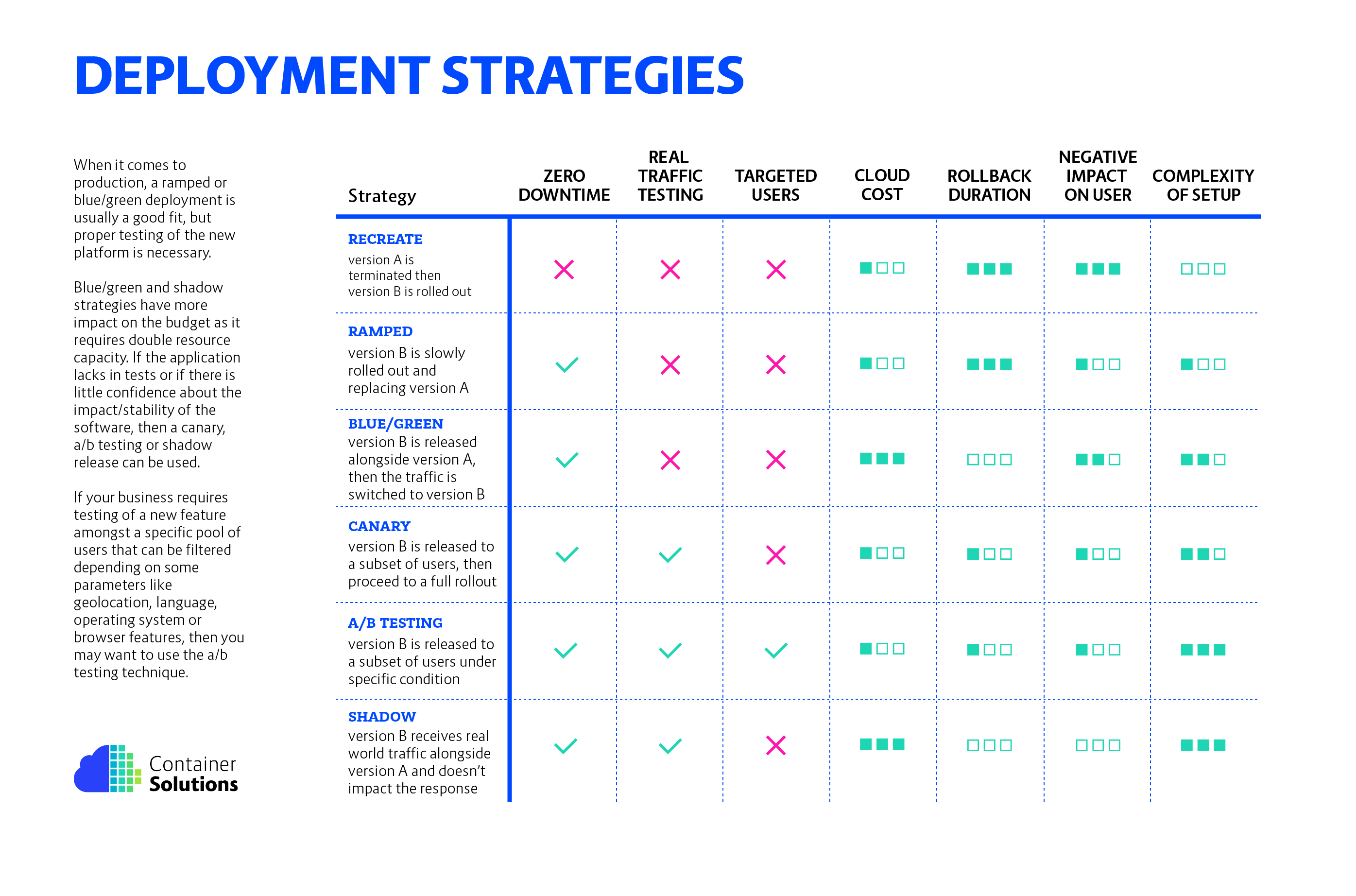
There are multiple ways to deploy a new version of an application and it really depends on the needs and budget. When releasing to development/staging environments, a recreate or ramped deployment is usually a good choice. When it comes to production, a ramped or blue/green deployment is usually a good fit, but proper testing of the new platform is necessary.
Blue/green and shadow strategies have more impact on the budget as it requires double resource capacity. If the application lacks in tests or if there is little confidence about the impact/stability of the software, then a canary, a/ b testing or shadow release can be used. If your business requires testing of a new feature amongst a specific pool of users that can be filtered depending on some parameters like geolocation, language, operating system or browser features, then you may want to use the a/b testing technique.
Last but not least, a shadow release is complex and requires extra work to mock egress traffic which is mandatory when calling external dependencies with mutable actions (email, bank, etc.). However, this technique can be useful when migrating to a new database technology and use shadow traffic to monitor system performance under load.
Below is a diagram to help you choose the right strategy:
Depending on the Cloud provider or platform, the following docs can be a good start to understand deployment:
I hope this was useful, if you have any questions/feedback feel free to comment below.