
DOING DATA SCIENCE FROM SCRATCH TASK BY TASK

If you have been reading my column here on Towards Data Science, you will know that I am on a mission. I wanted to count the number of cars passing my house using Computer Vision and Motion Detection. This article will push on with the work and describe how I tooled up for an initial end to end exercise. Doing Data Science from Scratch is involved but incredibly great fun.
As a catch-up, I previously built a camera and then explained the need to tune the motion detection device(s). My earlier posts described the camera build and early scripts to review the data and make sense of passing traffic. We had even made a very early chart to plot motion events. Let’s get on with the next instalment.
Yolo3, MotionEye, Python and friends
Python really needs no introduction to the readers here on Towards Data Science. I will only add that I use Anaconda on my Mac M1 Mini these days and I see no difficulties. Spyder3 seems a bit dated and slightly slower on the Mac M1 than I expected. We have discussed MotionEyeOs already in the column, so I propose to skip most of the MotionEyeOs discussion and defer my earlier articles. That leaves me with Yolo3 and friends, and indeed that is fitting. I needed help from some friends with Yolo3 since Computer Vision is not my field. I am just a Finance guy at the end of the day. At least that is what I have been told by tech gurus for years. Let’s meet the friends first then discuss how I used Yolo3 in my project. We can close with the results so far.
Friends
Computer Vision, Deep Learning, and Machine Learning are not new topics for me. Indeed I can pull my own when I need to. However, since I do not believe in re-inventing the wheel, I chose some friends for the journey. Computer Vision is not my field, and I prefer to use experts rather than re-invent the wheel.
Joseph Howse, and Joe Minichino provide Learning OpenCV 4 Computer Vision with Python3, and an excellent explanation of the field. It is a little too technical for beginners, I think. They do work through a proper application using Object Orientation and it sort of shamed me into thinking about my practice carefully.
Learning OpenCV 4 Computer Vision with Python 3 – Third Edition | Packt
My other friend is PyImageSearch.com, and they provided a useful tutorial with code. Adrian Rosebrock has done some brilliant work to make the entire field more accessible to the community.
With good friends, plenty of support, encouragement, and code available, I had no difficulty creating a service to process the Motion detection events and count those passing vehicles.
Yolo3
"You only look once (YOLO) is a state-of-the-art, real-time object detection system. On a Pascal Titan X it processes images at 30 FPS and has a mAP of 57.9% on COCO test-dev." – Joseph Chet Redmon. You can read all about Darknet and Yolo from Joseph Redmon. One strategy would have been just to use Darknet and forget Python altogether.
./darknet detect cfg/yolov3.cfg yolov3.weights data/dog.jpgHowever, there won’t have been any fun in that for me. I chose to modify one of pyimagesearch.com’s scripts and use that as the base. Since the original code base belongs to Adrian Rosebrock, I will only illustrate how I orchestrated his code to perform services for me. You can do the tutorial and let Adrian explain it to you. He does a far better job than I would.
I created a new class called myYolo. The class has an instantiator and some methods. myYolo.ImgList() examines a given directory and recovers a list of images. myYolo.ProcessImg() takes the path to an image file and runs it through Yolo doing object detection.
class myYolo(object):
 def __init__(self, modelPath=dirt, labelsPath=dirt, imgPath=imgs):
def ImgList(self):
#load the model config, weights, find layers and load labels.
return self.images #a list of photos with file system path def ProcessImg(self,img):
#read the image. Pass forward through Yolo.
#Process the results and format object class label and confidence.
return (texts, mess) #objects detected and run times def run(self):
imgist = self.ImgList()
#print(imgist)
results = []
for snap in imgist:
print(f" processing {snap} ")
img = {}
img['image'] = snap
res, mess = self.ProcessImg(snap)
img['result'] = res
img['timing'] = mess
results.append(img)
time.sleep(5) #I had to slow things down as the machine
#was over heating > 80degrees on CPU
self.persist(results)
return 'Done'
def persist(self,obj):
with open(self.imgPath+"result.picke","wb") as f:
pickle.dump(obj, f, pickle.HIGHEST_PROTOCOL)So I created a new class, and whilst it is a little underdeveloped, it is ready for a bit of test. Operation is fairly simple
from myYolo import myYolomyY = myYolo(path to images to be processed)
myY.run()
Once I create an instance of myYolo, passing in the directory containing the images, that loads the Yolo3 model configuration, weights, labels and sets up the model ready for the inference workload. The .run() method simply triggers the process and creates a Python list object ( list of dictionaries ) which is persisted to disk. Three lines of code allow me to process all 192 photos of passing cars for the day of my experiment. We are counting the passing traffic.
Counting traffic
Counting the passing traffic then requires only a limited amount of steps. Those are:-
- Position the Motion Detector Camera with a line of sight of the road;
- Run for one day bearing in mind I am only interested in counting traffic during daylight hours.
- Retrieve the images from the Camera the following day
- Run the photos through the myYolo class and create the dataset
- Retrieve the dataset and clean for use in Excel.
As I am using MotionEyeOs, most steps are just managed by the MotionEyeOS image and my Camera. I added some screenshots below so you can see for yourself.

Privacy is important and to protect the privacy of everyone I did two things:-
- The Camera is positioned sufficiently far away from occupants, and sufficient detail cannot be seen.
- I use heavy privacy and detection masking that renders 80% of the image as out of scope for motion detection. It is imperative to not interfere with a drivers attention or to take pictures without their consent.

To retrieve the 192 images for December 22nd, I can simply press ‘Zipped’, which triggers the download. Unzipping the file creates a folder named 2020–12–22, and that folder contains 192 images. Processing those 192 images with Yolo is then a matter of three lines of code.
from myYolo import myYolomyY = myYolo('/home/pi/downloads/2020-12-22')
myY.run()Once the script completes, ‘done’, the results are stored on disk, allowing us to do some Python cleaning and shaping. The disk file contains a serialized Python object, and in this case, it is a list of dictionaries, or you could say a JSON object. That might seem all very well and good, but Excel cannot read a Python object, and therefore we need to clean and shape that. Let’s head over to Jupyter Notebooks to make an Excel file.
Towards Excel
Often times, I use Excel to explore my data upfront. In the old days, Excel couldn’t handle large datasets, but with Power Query and Power Pivot, it turns out Excel is pretty handy these days. You can find my Jupyter Notebook in the GitHub repository for this article. If you wish to examine the code, you will find that convenient as I added many comments to explain the steps.
In broad terms, I use Pickle to de-serialize and load the data from disk. There are a few steps to turn a List of Dictionaries into a reliable 2D matrix. Finally, I save my data as a CSV. Come on, my LOVE of Excel doesn’t go as far as creating an actual Excel file. The end result is a 2D Data frame.
<class 'pandas.core.frame.DataFrame'>
RangeIndex: 192 entries, 0 to 191
Data columns (total 8 columns):
 # Column Non-Null Count Dtype
--- ------ -------------- -----
 0 Image 192 non-null object
 1 InferTime 192 non-null float64
 2 Obj1 90 non-null object
 3 ConfObj1 90 non-null float64
 4 Obj2 6 non-null object
 5 ConfObj2 6 non-null float64
 6 Obj3 1 non-null object
 7 ConfObj3 1 non-null float64
dtypes: float64(4), object(4)
memory usage: 12.1+ KB- Image: holds the full file path to the photo;
- InferTime: contains the minutes and seconds required to traverse the Yolo network;
- Obj1: Holds the label for the first detected object;
- ConfObj1: Holds the confidence level the model returned for the chosen label
- Obj2, Obj3, ConfObj2, ConfObj3, hold values for multiple object detections in the specific photo. Yolo could detect many objects, and therefore there is a label and confidence level for each one. My code is a bit dynamic in this regard.
You can examine the data file here. Now, after much work, I have a repeatable process that allows me to count passing cars. Undoubtedly the process needs a lot more testing and tuning. Let us take a quick look at the results and draw some conclusions.
Closing
I hope you see the value of good friends and the re-use of code. I created my own class, wrapping tutorial code, and then using an instance of that class to process 192 pictures performing object detection with Yolo3. It seems like a crazy ride and well not as challenging as I expected so far. You could say I merely created a batch process using a script designed to load a single image.
Inference with Yolo3 is computing intense. On average, my Raspberry Pi took 9.5 seconds per image. During those 192 10 secs, the board got super hot, and I mean over 80degrees hot. I seriously doubt that Raspberry Pi will continue to be my favourite for much longer.
Here is a small table of the overall result.

On December 22nd – Yolo was able to detect objects in 90 pictures out of the 192 available. A little under 50% which seems brilliant for a first run. There were 2 buses seen with the kids going to school and coming home. 3 people were detected out walking. 20 trucks went by. 1 photo contained 3 cars. 1 image included 2 vehicles. The ‘tvmonitor’ is a weird one. The Camera is deployed internally, and there is a reflection in the window from the room. The reflected image looks like a ‘tvmonitor’ to YOLO. Overall 62 cars passed by, 2 buses, and 20 trucks but only 3 persons confirming that the road is hazardous to walk on.
Next steps
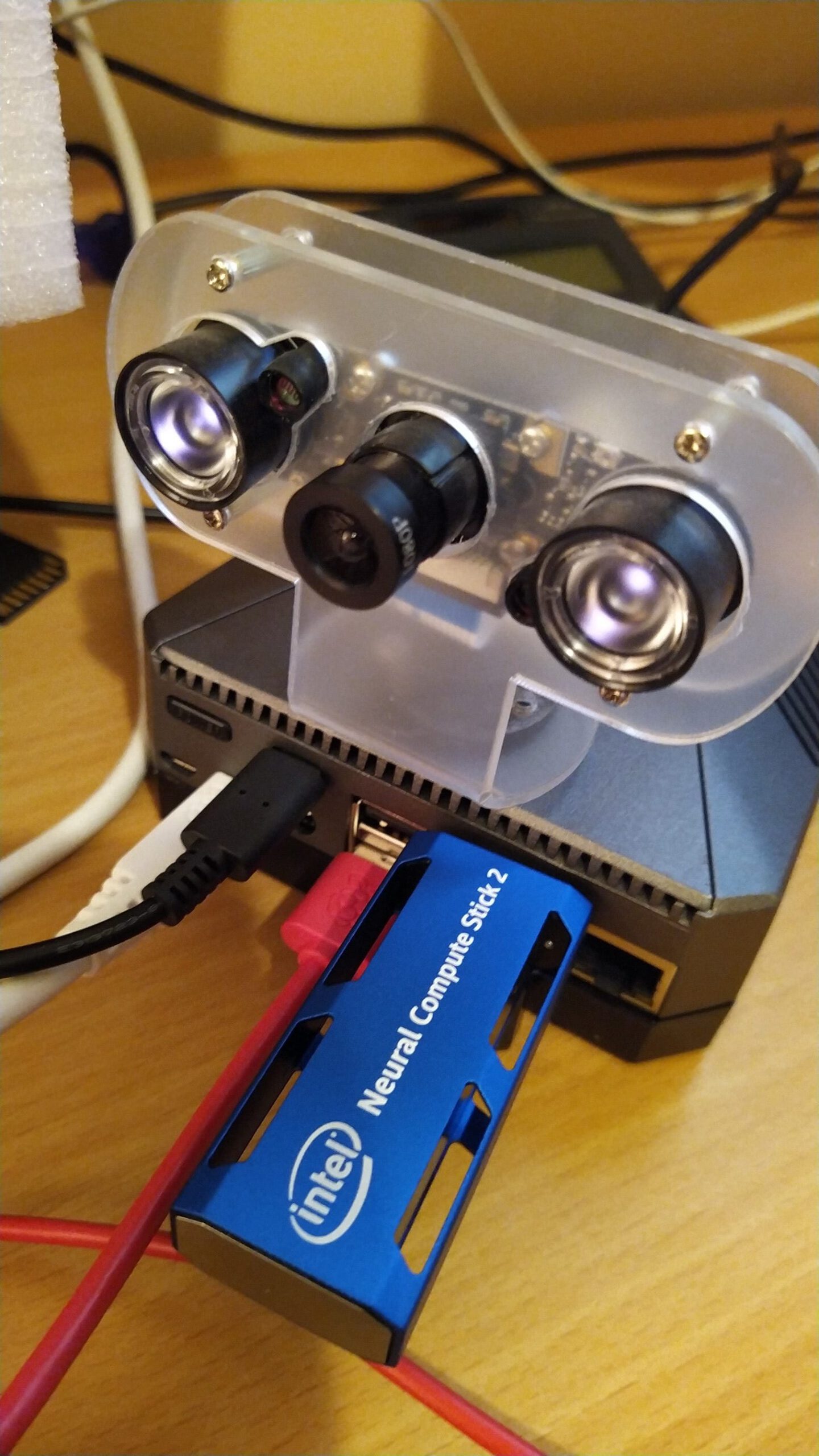
Since I have the Neural Compute Stick, I will refactor my code to exploit OpenVino and transfer the CPU workload to the Inference Engine. I will report back on this effort and my investigation into 100 pictures where Yolo didn’t find an object. Is that pointing to a need to train Yolo on an Irish data set? Exciting, please do come back!
Share This Article
Towards Data Science is a community publication. Submit your insights to reach our global audience and earn through the TDS Author Payment Program.
Write for TDS


