|
VOOZH | about |
|
VOOZH | about |
We offer easy, convenient returns with at least one free return option: no shipping charges. All returns must comply with our returns policy.
Learn more about free returns.We offer easy, convenient returns with at least one free return option: no shipping charges. All returns must comply with our returns policy.
Learn more about free returns.| Brand | Logitech |
| Compatible Devices | Laptop |
| Connectivity Technology | Bluetooth |
| Keyboard Description | Membrane |
| Recommended Uses For Product | Personal |
| Special Feature | Backlit, Portable, Rechargeable, Ten Key Less, Wireless |
| Color | Pale Grey |
| Keyboard backlighting color support | Single Color |
| Style | Keyboard |
| Product Dimensions | 11.65"L x 5.19"W x 0.82"H |
The plastic parts in MX Keys Mini for Mac include post consumer recycled plastic- 30% for Space Gray and 12% for Pale Grey* — to give a second life to end-of-life plastic from old consumers electronics and help reduce our carbon footprint.
*Excludes packaging, printed circuit board (PCB).
Did you know producing aluminum is energy-intensive? That’s why the aluminum plate inside the MX Keys Mini for Mac is made with renewable energy rather than fossil fuels. Beautiful, with a lower carbon impact.
Backlit keys automatically adjust to the environment and turn off when not needed, resulting in optimal battery consumption.
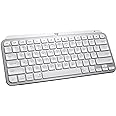
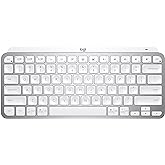
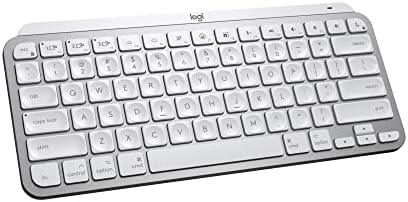
Logitech MX Keys Mini for Mac Introducing MX Keys Mini for Mac– a smaller, smarter, and mightier keyboard made for creators. Type with confidence on a keyboard crafted for efficiency, stability, and precision. The ergonomic design aligns your shoulders, allowing you to place your mouse closer to your keyboard for less arm reaching, more comfort, and improved body posture. Easily pair MX Keys Mini for Mac via Bluetooth Low Energy with up to 3 Apple devices. Smart Keys transform the way you work, with a Dictation key to talk-to-text with the press of a button (1), an Emoji key to instantly open your emoji window, and a Mic Mute/Unmute button for smooth video calls. Team up with a Flow-enabled MX Master 3 for Mac or MX Anywhere 3 for Mac and type on multiple devices in one fluid workflow (1). Transfer files, documents, and images across Apple devices. Not compatible with Logitech Unifying Receiver Technology. Product details: Weight: 17.86 oz (506.4 g) Dimensions: 0.82 x 11.65 x 5.19 in (20.97 x 295.99 x 131.95 mm) Battery type: LiPo rechargeable battery Battery life: Up to 10 days on a full charge or up to 5 months with the backlighting turned off(3) Compatible with macOS, iOS (2), iPadOS (2) (1) Requires Logitech Options software, available for macOS (2) Device basic functions will be supported without software on iOS and iPadOS (3) Battery life may vary based on user and computing conditions.
| Compatible Devices | Laptop |
|---|---|
| Connectivity Technology | Bluetooth |
| Additional Features | Backlit, Portable, Rechargeable, Ten Key Less, Wireless |
| Keyboard Backlighting Color Support | Single Color |
| Power Source | Battery Powered |
| Switch Type | Linear or Tactile |
| Keyboard Layout | QWERTY |
| Hand Orientation | Ambidextrous |
| Button Quantity | 19 |
| Minimum Required Operating System Version | Mac OS 10.12 Sierra |
| Compatible Operating System Family | Windows |
| Number of Keys | 64 |
| Number of Sections | 1 |
| Color | Pale Grey |
|---|---|
| Style Name | Keyboard |
| Theme | Computing |
| Item Dimensions L x W x H | 11.65"L x 5.19"W x 0.82"H |
|---|---|
| Enclosure Material | Metal |
Logitech MX Keys Mini for Mac Minimalist Wireless Keyboard, Compact, Bluetooth, Backlit Keys, USB-C, Tactile Typing, Compatible with MacBook Pro,MacBook Air,iMac,iPad - Pale Grey
Share:
Found a lower price? Let us know. Although we can't match every price reported, we'll use your feedback to ensure that our prices remain competitive.
Fields with an asterisk * are required
| Brand | Logitech |
|---|---|
| Keyboard Description | Membrane |
| Antenna Location | Personal |
| Built-In Media | User Manual |
| Model Number | 920-010389 |
| Model Name | Logitech MX Keys for Mac |
| Global Trade Identification Number | 00097855169587 |
| Unit Count | 1.0 Count |
| Manufacturer | Logitech |
| UPC | 097855169587 |
| Mfr Part Number | 920-010389 |
| Item Type Name | MX Keys Mini for Mac |
| External Testing Certification | Não aplicável |
| Item Weight | 1.5 Pounds |
| Warranty Description | 1 Year Limited Hardware Warranty |
| Best Sellers Rank |
|
| ASIN | B098JF32PT |
| Customer Reviews |
4.5 out of 5 stars |
A layout designed for effortless precision, with a minimalist form for better ergonomics.
True Mac key layout – optimized for macOS and compatible with iOS and iPadOS.
Backlit keys light up the moment your hands approach and automatically adjust brightness.
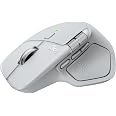
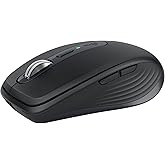
Team this keyboard with MX Anywhere 3 for Mac for more functionality and design.
Get a 1-month Adobe Creative Cloud subscription with your purchase of MX Keys Mini for Mac.
Easily connect up to 3 Apple devices with Bluetooth Low Energy – no need to use up a USB port.
Type on multiple Apple devices – and transfer text, images, and files between them.
Assign the F-Keys for specific functions or custom shortcuts using Logi Options+ software.
| 👁 Image MX Keys Mini for Mac | 👁 Image MX Keys Mini | 👁 Image MX Keys for Mac | 👁 Image K780 | 👁 Image Craft | |
|---|---|---|---|---|---|
|
Customer Reviews
|
4.5 out of 5 stars 1,355
|
4.5 out of 5 stars 4,154
|
4.7 out of 5 stars 3,468
|
4.6 out of 5 stars 3,348
|
4.3 out of 5 stars 1,133
|
|
Price
| $95.90$95.90 | $99.99$99.99 | — | $61.99$61.99 | — |
|
Size
| Compact | Compact | Full size | Compact | Full size |
|
Illuminated Keys
| Yes | Yes | Yes | No | Yes |
|
Layout
| Layout for Mac | Dual Layout | Layout for Mac | Dual Layout | Dual Layout |
|
USB Type
| USB-C to USB-C | USB-A to USB-C | USB-C to USB-C | — | USB-A to USB-C |
|
Power
| 10 days; 20 wks w/o backlight | 10 days; 20 wks w/o backlight | 10 days; 20 wks w/o backlight | 2 AAA batteries / 24 months | 7 days |
|
Connected devices
| up to 3 | up to 3 | up to 3 | up to 3 | up to 3 |
|
FLOW Control
| up to 3 | up to 3 | up to 3 | up to 3 | up to 3 |
|
Compatibility
| macOS | Windows,macOS, Linux,Chrome OS | macOS | Windows, macOS, ChromeOS, | Windows, macOS |
|
Compatibility
| iOS, iPadOS | Android, iOS | iOS, iPadOS | Android | — |
|
Key Customization
| Customizable Fn-row keys | Customizable Fn-row keys | Customizable Fn-row keys | Customizable F4, F5,F6 keys | Customizable Fn-row keys |
|
Logi Options
| Logi Options compatible | Logi Options compatible | Logi Options compatible | Logi Options compatible | Logi Options compatible |
Build a complete MX for Mac setup and create, make, and do like never before.
Work anywhere with ultimate portability, MagSpeed scrolling, and any-surface tracking.
Create, make, and do with MagSpeed scrolling, macOS customizations, and a Space Gray finish.
Level up your streams and calls with full HD video, landscape and portrait modes, and Smart auto focus and exposure.
Get premium audio for your music and calls, reliable Wireless connectivity, and a background-noise cancelling mic.
Present like never before with intuitive slide navigation, advanced digital pointer modes, and smart time management.
Customer Reviews, including Product Star Ratings help customers to learn more about the product and decide whether it is the right product for them.
To calculate the overall star rating and percentage breakdown by star, we don’t use a simple average. Instead, our system considers things like how recent a review is and if the reviewer bought the item on Amazon. It also analyzed reviews to verify trustworthiness.
Learn more how customers reviews work on AmazonI pair this Logitech keyboard with a Mac Studio, and it works great. I used an Apple keyboard for many years with an older iMac and considered getting another when I upgraded to the Mac Studio. After doing some research, though, I decided to switch to this Logitech and haven’t looked back.
The Logitech’s keys are slightly concave and have a nice feel to them. Being concave, they help keep your fingers centered on the keys. They keys are fairly quiet (though not totally) when typing. I think their noise level is comparable to the Apple’s keys. You can recharge the keyboard with a USB-C cable while still using it. With the Apple keyboard, you have to swap out the batteries when they run out. The keyboard looks nice and matches the esthetic of the Mac Studio and the display I bought. The keys are backlit when in use, if that matters to you. The backlight turns off when the keyboard is not in use. It doesn’t seem to eat up the battery any faster than the batteries lasted on my Apple keyboard.
A couple of the function keys don’t work the same as an Apple’s do, but it’s not a major problem for me. Specifically, you can’t control screen brightness up or down with the function keys, and apparently you can’t map those functions to the same function keys Apple uses (although I could be wrong on that—I’ve only done a cursory investigation into it). When I first set up my new computer, I had to open the display settings in MacOS to make the brightness adjustments. For me it was just a case of set it and forget it.
Also, the F3 key doesn’t provide the Mission Control function that lets you see all of your open apps and documents in a minimized view. I do use that function a fair amount, but Control + Up Arrow on the Logitech performs the same function, so I’ve not yet explored whether that can be mapped to the F3 key.
Overall, I’m pleased with the Logitech keyboard and have no regrets about getting it instead of an Apple.
This doesn’t feel like a typical wireless keyboard. The build quality is noticeably better—there’s some weight to it, so it doesn’t slide around, and the finish matches Apple devices really well.
Typing is quiet but satisfying. The keys have a nice resistance and don’t feel mushy. I use it for both work and casual use, and it’s been comfortable even during longer sessions.
Bluetooth connection has been stable with my MacBook and iPad. Switching between devices is easy, and I haven’t experienced any lag or dropouts.
One thing I didn’t expect to care about but actually like a lot is the smart backlight. It adjusts automatically depending on the lighting, which is a small detail but makes a difference.
Price is on the higher side, but it feels like a premium product.
Unlike the keyboards Apple sells, and other Apple-style keyboards I've used, this one has well-designed keys and a smooth clicky action that enables accurate fast typing with no weird glitches, repetitions, or irregularities. The software it comes with lets you adjust a number of settings (my one complaint is the backlighting made it hard to see the characters on the keys, basically making them white on white, but I've adjusted it more to my liking). I also like that it speaks directly to my Mac system so I can monitor the power level in the bluetooth dropdown, unlike the Macally keyboard I'm replacing where I was always taken by surprise when it suddenly died. It's not super-lightweight so if you like to carry your keyboard around or type in your lap this may be heavier than you like -- but I like the solidity of it: it never slides around on my desk unless I deliberately move it somewhere. It can connect to 3 different devices, easy switching between them. There are certainly cheaper Mac keyboards out there, but probably not better ones.
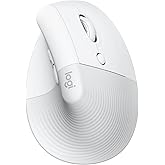
I love it, its just the right size and responsiveness. Setting this keyboard and mouse set with bluetooth to 2 Macs was a breeze. I got the Logi K860 and vertical mouse set first but ended up returing them due to the length of the keyboard, it was so wide that it made using the mouse impossible. Also could not get used to the split keyboard design. While this is not ergo like the K860, it is still very comfortable becuase the keys have the right amount of resistance and springy feel to them. Got the vertical mouse that came with this one as well and it actually fits in my hand better (it's a bit smaller than the vertical mouse which came with the K860). I am sticking with the Logitech keyboard/mouse devices because not only are they high quality, they really makes switching between multiple computers a breeze.
I love it, its just the right size and responsiveness. Setting this keyboard and mouse set with bluetooth to 2 Macs was a breeze. I got the Logi K860 and vertical mouse set first but ended up returing them due to the length of the keyboard, it was so wide that it made using the mouse impossible. Also could not get used to the split keyboard design. While this is not ergo like the K860, it is still very comfortable becuase the keys have the right amount of resistance and springy feel to them. Got the vertical mouse that came with this one as well and it actually fits in my hand better (it's a bit smaller than the vertical mouse which came with the K860). I am sticking with the Logitech keyboard/mouse devices because not only are they high quality, they really makes switching between multiple computers a breeze.
I got this keyboard to use with my new Mac mini. It pairs easily through Bluetooth and I haven’t had any issues with lag or dropped connections. It’s a great option for productivity purposes, providing a smooth and quiet typing experience, sturdy build quality, and long lasting battery. The only thing Apple has over Logitech is the option for fingerprint unlocking. The Magic Keyboard felt cheap and flimsy in comparison. The downsides of the Logitech keyboard is that it’s relatively expensive for a membrane keyboard and the backlight/legibility on the white version isn’t really good.
I have the compact and full-size keyboards (MX Keys S for Mac and MX Keys Mini for Mac). I'm writing this review on the full-size keyboard. I really like both. I like the full-size because it has a few extra controls that the mini does not, for example you can adjust your mac screen brightness and forward/reverse audio track. Both keyboards have backlights that turn off after some amount of time of inactivity and turn back on when you move your hands over the keyboard (to save battery presumably). USB-C charging. Long battery life. Sleek aesthetic that matches my space grey macbook air and macbook pro.
ABSOLUTELY DO NOT INSTALL LOGITECH OPTIONS SOFTWARE. It is maybe the WORST bloatware I have ever encountered. I learned that maybe 2 or 3 Logitech keyboards ago. As long as you don't install it you should have basically no problems. The Logitech keyboards I have from years and years ago still work, but I either gave them away or replaced them with these never versions with the backlit keys.
One complaint I have is that on my new (less than 1 month old) full-size keyboard I have noticed that the backspace key makes a pretty annoying squeaky sound during certain presses. I'm going to search online and see if other people have reported this and if there's a fix or send it back in to Amazon for a replacement.
I read some 1 star reviews and there were people (amateurs) complaining about the Options software or an inability to adjust keyboard backlight brightness. They said they couldn't get the software to make it work. There are buttons on the keyboard (both full-size and compact) for adjusting the backlight brightness of the keys, so I'm not sure what their problem was, but it was not the keyboard's fault.
Summary: Great keyboard. Get the full size if you have the space and extra $20-30 or whatever. Watch out for squeaky keys - there are some people online who have taken their problem keys off and applied some lubricant which is probably what I'll do because sending it back means it'll likely just end up in a warehouse or the garbage and would be wasteful. Better than the Apple Magic Keyboard and less expensive.
Don't get me wrong, I still love Apple's Magic Keyboard, it is simply the best and smoothest writing experience I ever had. The pressure point of its keys, the precision, the design, the spacing of the keys, everything is perfect.
But I needed a new keyboard because I am working on two computers, and while the Apple connects seamlessly two two machines, it does so through your main computer that needs to be connected to the second one you are using. And for legal reasons, I am not allowed to connect the two computers, because they are for two separate work spaces and assignments.
So I needed a keyboard connects itself to two computers and lets you switch manually between them.
In the past I might have tried about 15 different keyboards and none of them came even close to the Magic Keyboard experience. Well, the MX does. The keys are perfect, they have a sightly deeper pressure point than the Apple keyboard, but that is ok. The keys feel firm, they respond smoothly to a stroke, and the design is almost the same as the Magic Keyboard
The one single minus I would set is that the keys for switching (you are able to switch between three different computers) are where on an Apple keyboard you find the keys to control the brightness, and I haven't yet found out how to get them from switching machines to setting the brightness.
On the upside again, there is Logi Options, an easy to install software that lets you basically assign anything to any of the Fn keys in a matter of seconds. And if you have a Logitech Mouse, the software lets you set it up, too.
The MX is heavier than the Magic Keyboard but given that I do not carry it around much, that is not an issue.
The battery takes about 3 hrs to charge fully and I have been using it now for two weeks, 8 hrs/day, which brought the charge only down to 90%. That is absolutely comparable to the Apple keyboard.
So, if for some reason like versatility, or to be able to switch manually between machines you are looking for a substitute to your Apple keyboard, the MX is the one.
The Logitech MX Keys S for Mac is a standout choice for those who want a laptop-like typing experience on their Mac setup. Having used this keyboard for several weeks now, I can confidently say it delivers on its promises of comfort, functionality, and style.
First, the typing experience is stellar. Each keystroke feels precise and satisfying, much like a high-quality laptop keyboard but with just enough resistance to make extended typing sessions comfortable. The slight dip in the keys matches your fingers well, reducing the chance of slipping and allowing for fluid, natural movement.
One of the major highlights for me is the smart backlighting. The keys illuminate as your hands approach, and the brightness adjusts automatically based on ambient lighting—perfect for late-night work sessions or dimly lit environments. It’s thoughtful touches like this that set the MX Keys S apart from standard keyboards.
Connectivity is seamless with Bluetooth or USB-C, and switching between devices is as simple as pressing a button. I also appreciate that Logitech has embraced the Mac aesthetic with the space gray finish, making this keyboard look right at home next to a MacBook or iMac. The battery life is excellent as well; after a full charge, it comfortably lasts over a week with backlighting on and much longer with it off.
Overall, the Logitech MX Keys S for Mac is ideal for anyone looking to boost their productivity without compromising on style or typing comfort. It’s well worth the investment for Mac users who value a responsive, thoughtfully designed keyboard.
The Logitech MX Keys S for Mac is a standout choice for those who want a laptop-like typing experience on their Mac setup. Having used this keyboard for several weeks now, I can confidently say it delivers on its promises of comfort, functionality, and style.
First, the typing experience is stellar. Each keystroke feels precise and satisfying, much like a high-quality laptop keyboard but with just enough resistance to make extended typing sessions comfortable. The slight dip in the keys matches your fingers well, reducing the chance of slipping and allowing for fluid, natural movement.
One of the major highlights for me is the smart backlighting. The keys illuminate as your hands approach, and the brightness adjusts automatically based on ambient lighting—perfect for late-night work sessions or dimly lit environments. It’s thoughtful touches like this that set the MX Keys S apart from standard keyboards.
Connectivity is seamless with Bluetooth or USB-C, and switching between devices is as simple as pressing a button. I also appreciate that Logitech has embraced the Mac aesthetic with the space gray finish, making this keyboard look right at home next to a MacBook or iMac. The battery life is excellent as well; after a full charge, it comfortably lasts over a week with backlighting on and much longer with it off.
Overall, the Logitech MX Keys S for Mac is ideal for anyone looking to boost their productivity without compromising on style or typing comfort. It’s well worth the investment for Mac users who value a responsive, thoughtfully designed keyboard.
update: gave this keyboard 5 stars again because I found a solution. To pair the Bolt and Unifying receivers with your MX keyboard and MX mouse requires at minimum Mac OS Mojave to install the Bolt App 1.0.7948 and LogiMgr 8.54.147 of which these older apps are no longer available from Logitech and you need to find them from 3rd party downloaders. However, short version, once paired Bolt and Unifying Receiver you can delete the Logitech apps and move the receivers (Bolt and Unifying) to another machine and they remained paired. The paired info is stored in non-volatile memory so what that means is that you can pair your Bolt and Unifying receiver on a newer Mac or your friends Mac and then just insert them into your older Mac that is running Sierra. Although it is a bit late for me as I had to patch install Mojave on my Mac mini (4 times) and searched for older versions of the Bolt App and Logi options app (for unifying pairing) with the Bolt App crashing my Mac repeatedly, the good news is that I did un-install the Bolt App afterwards but leaving the Logi Options app installed to control the speed of my MX Anywhere 3 mouse.
update: All kinds of problems - reduced my overall rating to 2. So I've been pairing this keyboard with my MacBook 12" and was hoping to pair it with my Mac mini to give me a working cluster of computers as I switch between them all with my HDMI switch. This keyboard does not pair with my Mac mini mid 2010 and even though I managed to upgrade my Mac OS to Sierra. This keyboard doesn't work with the unifying USB neither and even though I probably could buy the Bolt USB I won't be able to pair it with Bolt because the Bolt software needs at least Catalina to pair and my Mac mini only max updates to Sierra OS. So sad really.... You would think all bluetooth works with ALL Bluetooth.
Original Review:I have been a logitech keyboard users for more than a decade now. For a long time Logitech thought that the K380 was good enough replacement but I hated the chicklet keys. This new MX keys mini is a very good replacement for the K811 keyboard in both the size of the keyboard and the size of the keys. With the ability to connect up to three devices I currently have it connected to my MacBook 12", my iPad pro and my iPhone 8 plus; well not concurrently but selectable and switchable amongst 3 devices. I have the black version forthcoming. Currently this keyboard which is the mac version will be used for my music composition MacBook. The black one which is arriving in November will be used with my everyday Macbook 12" computer and my VR PC. The keys on this MX mini are wonderful as they feel like every logitech keys on every logitech keyboard through every generation. A soft clickable keyboard that doesn't make a lot of noise and has just the right amount of key depth to each click of the keys. I'm a touch typist and I love the feel of this keyboard as the words spills out of my brain and on to the review box without having to look at what I am typing. I will be buying several for back ups as I won't be left high and dry like the K811 and K810 keyboards that were discontinued and replaced by the k380. There is only one problem with this keyboard though and if you look at the back of the keyboard you will notice that it is actually quite thick and that is the battery and component bar that acts as a keyboard riser. So if you have a keyboard drawer that just holds your keyboard, the actual thickness is just a little over 1/2 an inch. Don't let the photographs fool you on a thin keyboard like the K811 but nevertheless it is still quite thin but has a large battery rechargeable bar. My K811 is breaking down, not only the battery doesn't last as long but some keys don't quite respond until you press it two or three times of which it is terrible because you get all these spelling errors when you are a touch typist. Once my mx mini black keyboard arrives, I will be ordering at least two more to keep for the next decade. Trust me that once you become addicted to a logitech keyboard you will never go back to the standard Apple smart keyboard. The ability to connect up to 3 bluetooth devices gives you the luxury of typing on your phone, you iPad and your mac by just a single press of a key. Yay for Logitech!!
update: gave this keyboard 5 stars again because I found a solution. To pair the Bolt and Unifying receivers with your MX keyboard and MX mouse requires at minimum Mac OS Mojave to install the Bolt App 1.0.7948 and LogiMgr 8.54.147 of which these older apps are no longer available from Logitech and you need to find them from 3rd party downloaders. However, short version, once paired Bolt and Unifying Receiver you can delete the Logitech apps and move the receivers (Bolt and Unifying) to another machine and they remained paired. The paired info is stored in non-volatile memory so what that means is that you can pair your Bolt and Unifying receiver on a newer Mac or your friends Mac and then just insert them into your older Mac that is running Sierra. Although it is a bit late for me as I had to patch install Mojave on my Mac mini (4 times) and searched for older versions of the Bolt App and Logi options app (for unifying pairing) with the Bolt App crashing my Mac repeatedly, the good news is that I did un-install the Bolt App afterwards but leaving the Logi Options app installed to control the speed of my MX Anywhere 3 mouse.
update: All kinds of problems - reduced my overall rating to 2. So I've been pairing this keyboard with my MacBook 12" and was hoping to pair it with my Mac mini to give me a working cluster of computers as I switch between them all with my HDMI switch. This keyboard does not pair with my Mac mini mid 2010 and even though I managed to upgrade my Mac OS to Sierra. This keyboard doesn't work with the unifying USB neither and even though I probably could buy the Bolt USB I won't be able to pair it with Bolt because the Bolt software needs at least Catalina to pair and my Mac mini only max updates to Sierra OS. So sad really.... You would think all bluetooth works with ALL Bluetooth.
Original Review:I have been a logitech keyboard users for more than a decade now. For a long time Logitech thought that the K380 was good enough replacement but I hated the chicklet keys. This new MX keys mini is a very good replacement for the K811 keyboard in both the size of the keyboard and the size of the keys. With the ability to connect up to three devices I currently have it connected to my MacBook 12", my iPad pro and my iPhone 8 plus; well not concurrently but selectable and switchable amongst 3 devices. I have the black version forthcoming. Currently this keyboard which is the mac version will be used for my music composition MacBook. The black one which is arriving in November will be used with my everyday Macbook 12" computer and my VR PC. The keys on this MX mini are wonderful as they feel like every logitech keys on every logitech keyboard through every generation. A soft clickable keyboard that doesn't make a lot of noise and has just the right amount of key depth to each click of the keys. I'm a touch typist and I love the feel of this keyboard as the words spills out of my brain and on to the review box without having to look at what I am typing. I will be buying several for back ups as I won't be left high and dry like the K811 and K810 keyboards that were discontinued and replaced by the k380. There is only one problem with this keyboard though and if you look at the back of the keyboard you will notice that it is actually quite thick and that is the battery and component bar that acts as a keyboard riser. So if you have a keyboard drawer that just holds your keyboard, the actual thickness is just a little over 1/2 an inch. Don't let the photographs fool you on a thin keyboard like the K811 but nevertheless it is still quite thin but has a large battery rechargeable bar. My K811 is breaking down, not only the battery doesn't last as long but some keys don't quite respond until you press it two or three times of which it is terrible because you get all these spelling errors when you are a touch typist. Once my mx mini black keyboard arrives, I will be ordering at least two more to keep for the next decade. Trust me that once you become addicted to a logitech keyboard you will never go back to the standard Apple smart keyboard. The ability to connect up to 3 bluetooth devices gives you the luxury of typing on your phone, you iPad and your mac by just a single press of a key. Yay for Logitech!!
la tecla del enter del teclado numerico, sin tocarla, con solo pasar el dedo se ejecutaba, no se si es un defecto del que me llego o es que todos son asi
The Logitech MX Keys S for Mac is hands down the best keyboard I’ve ever used. From its sleek Space Grey design to its exceptional functionality, it pairs perfectly with my MacBook Pro and iPad.
Typing Experience: The typing experience is fluid and precise, mimicking the feel of a premium laptop keyboard. The keys are perfectly spaced and offer just the right amount of tactile feedback, making long typing sessions a breeze.
Backlit Magic:The backlighting adjusts automatically based on ambient lighting, and it’s incredibly responsive. Typing in dim environments has never been easier or more enjoyable.
Connectivity:Connecting via Bluetooth is seamless, and switching between devices is a breeze. It works flawlessly with my MacBook Air, iMac, and even my iPad. Plus, the USB-C charging makes it super convenient.
Build Quality:The keyboard feels sturdy and well-crafted, with a premium look and feel that complements any Apple setup.
Overall, the Logitech MX Keys S for Mac is worth every penny. If you’re looking for a reliable, feature-packed, and stylish keyboard to enhance your Mac experience, this is it! Highly recommended.
The Logitech MX Keys S for Mac is hands down the best keyboard I’ve ever used. From its sleek Space Grey design to its exceptional functionality, it pairs perfectly with my MacBook Pro and iPad.
Typing Experience: The typing experience is fluid and precise, mimicking the feel of a premium laptop keyboard. The keys are perfectly spaced and offer just the right amount of tactile feedback, making long typing sessions a breeze.
Backlit Magic:The backlighting adjusts automatically based on ambient lighting, and it’s incredibly responsive. Typing in dim environments has never been easier or more enjoyable.
Connectivity:Connecting via Bluetooth is seamless, and switching between devices is a breeze. It works flawlessly with my MacBook Air, iMac, and even my iPad. Plus, the USB-C charging makes it super convenient.
Build Quality:The keyboard feels sturdy and well-crafted, with a premium look and feel that complements any Apple setup.
Overall, the Logitech MX Keys S for Mac is worth every penny. If you’re looking for a reliable, feature-packed, and stylish keyboard to enhance your Mac experience, this is it! Highly recommended.
I'm always looking for the perfect keyboard. I have over 15 different keyboards that I've tried with my iMacs (Intel), iPADs, and Windows PCs.
I'm very happy with the Logitech MX Keys Mini and don't plan to swap this one out or revert to one of my older keyboards.
Strengths:
> Sturdy and Compact - freeing up desk space
> Easy Set Up via Bluetooth with up to 3 devices (incl. Macs, PCs, IOS, etc.).
> Good Key Travel and spacing leading to greater typing accuracy (even compared to the three Apple Keyboards I use)
> Backlighting that turns on if I hover my fingers/hand over the keyboard
> Better (slightly higher) incline than the keyboard tilt/angle than modern Apple Keyboards
> Good battery life (weeks of heavy use per charge via USB-c cable).
Things I wish it had:
> Adjustable Tilt levels
> Wish I could use the Logitech Options app to change the default backlighting auto-off from 5secs to 15-20secs, knowing that the battery life may be cut in half.
My only real issue: I can only speak to Intel-based iMacs (running Monterey or High Sierra) , but upon a reboot or startup, the MAC OS still needs me to grab a wired keyboard or an Apple KB to login into my account. As soon as this is done, the Logitech Keyboard can be used.
Overall, I've been putting off buying this Mini MX Keyboard. It is a little expensive. At $80-$90, it would be a no-brainer. However, it has all the key things I want and the added typing accuracy causes less frustration and saves time overall. Well worth it! I don't think I'll be looking for another new keyboard to try for the next year or two, likely a newer revision of this same keyboard by Logitech!
Love the tactile feedback, multi device and size of the keyboard. It would have been nice to be as slim as the K711, but it does provide a smaller tilt advantage. I love that without the numpad, it allows a closer mouse position and feels more ergonomic