|
VOOZH | about |
|
VOOZH | about |
| Digital Storage Capacity | 80 TB |
| Hard Disk Interface | Serial ATA-600 |
| Connectivity Technology | Ethernet |
| Brand | TERRAMASTER |
| Special Feature | Hardware Encryption |
| Hard Disk Form Factor | 3.5 Inches |
| Hard Disk Description | Diskless |
| Compatible Devices | Android, Linux, Mac, Windows, iOS |
| Installation Type | Internal Hard Drive |
| Color | Quad-Core, 4-Bay, F4-423 |
Designed for SMB with High Performance Requirements
The NAS server 4-Bay F4-423 is suitable for SMB users who need high-performance storage solutions. High performance means that users can easily handle high-load assignments, while multiple business-level backup solutions ensure data safety and prevent the potential risk of data loss.
Excellent Performance
The NAS enclosure uses a Celeron N5095 quad-core processor with 2.0 GHz and maximum turbo to 2.9 GHz. It is integrated with a GPU graphics card, AES NI hardware encryption, and equipped with two 2.5 GbE interfaces and 4 GB DDR4 dual-channel memory (expandable up to 32 GB).
Multiple Backup Solutions
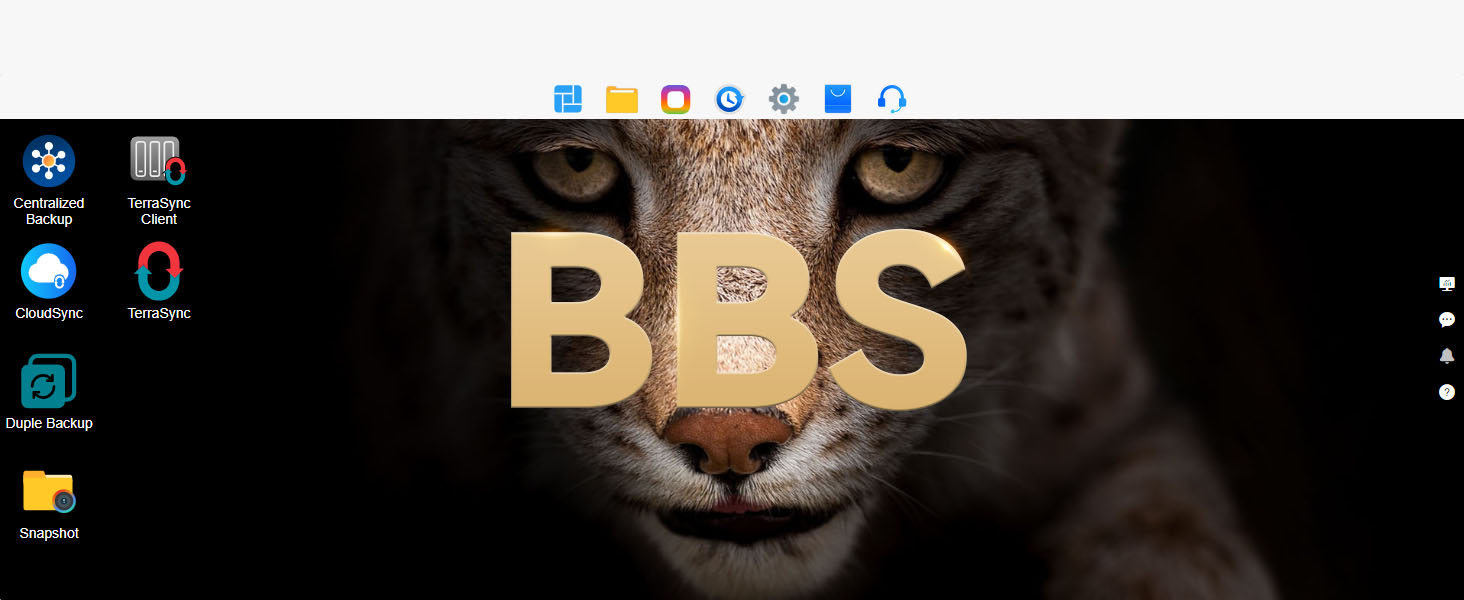
Integrated with multiple backup applications including Centralized Backup, Duple Backup, CloudSync, TerraSync, and more, this computer network attached storage uses visual user interfaces and reliable storage technologies to protect your precious data.
Powerful Multimedia Service
With 4K video decoding capability, the F4-423 media server is compatible with uPnP/DLNA protocol and can stream videos to various multimedia devices, including computers, smart phones, media players and televisions.
Higher Transmission Speed
The F4-423 NAS storage is configured with two 2.5 GbE interfaces, supporting 2.5 GbE high-speed network bandwidth. The transmission speed can reach 283 MB/s (dedicated NAS hard drives 18TB x 2, RAID 0). Link Aggregation provides a network bandwidth up to 5 Gb.
| Seagate IronWolf | Recommended: ST20000NE000 ST18000NE000 ST18000VN000 ST16000VN001 ST14000VN0008 ST12000VN0008 ST10000VN0004 ST10000VN000 ST8000VN0022 ST8000VN004 ST6000VN0033 ST6000VN001 ST4000VN008 ST4000VN006 ST3000VN007 ST3000VN006 |
| Seagate IronWolf Pro | Recommended: ST30000NT011 ST24000NT002 ST22000NT001 ST16000NE000 ST14000NE0008 ST12000NE0007 ST12000NE0008 ST10000NE0004 ST10000NE000 ST10000NE0008 ST8000NE0004 ST8000NE001 ST6000NE0023 ST6000NE000 ST6000NE001 ST4000NE0025 |
| Seagate SkyHawk | Recommended: ST8000VX0022 ST6000VX0023 ST6000VX001 ST4000VX007 ST3000VX010 |
| Seagate Surveillance | Recommended: ST10000VX0004 - 1ZE101 ST8000VX0002 - 1Z6112 ST4000VX000 - 2AG166 ST3000VX006 - 1HH166 |
| WD RED | Recommended: WD120EFAX WD101EFAX WD100EFAX WD80EFRX/ EFAX WD40EFRX WD30EFRX |
| WD RED Pro | Recommended: WD240KFGX WD221KFGX WD201KFGX WD181KFGX WD161KFGX WD142KFGX WD141KFGX WD121KFBX WD101KFBX WD102KFBX WD8005FFBX WD6005FFBX WD4005FFBX |
| WD RED Plus | Recommended: WD120EFBX WD101EFBX WD80EFPX WD80EFZZ WD140EFGX WD60EFPX WD40EFPX WD30EFPX WD40EFZX |
| Ultrastar | Recommended: DC HC570 DC HC500 |
| WD Purple | Recommended: WD101PURZ - 85C62Y0 WD82EJRX - 89AD9Y0 WD82EVRX - 52DZFY0 WD82PURX - 64GVLYO WD82PURX - 69GVLY0 WD82PURX - 78GVLY0 WD82PURZ - 85TEUY0 WD60PURX - 64T0ZY0 WD60PURZ - 85ZUFY1 WD40PURZ |
| WD Gold | Recommended: WD101KRYZ - 01JPDB1 WD101VRYZ WD8003FRYZ - 01JPDB1 WD8003VRYZ |
| WD Surveillance | Recommended: WD100PURZ - 85W86Y0 WD6NPURX - 64JC5Y0 WD4NPURX - 64TPFY0 |
| Toshiba NAS N300 | Recommended: HDWG31GUZSVA HDWG21CXZSTA HDWG11AXZSTA MN06ACA10T MG05ACA800E MN06ACA800 HDWG480UZSVA HDWN160AZSTA HDWQ140AZSTA HDWG440UZSVA |
| Seagate Exos | Applicable but not recommended: ST24000NM002H ST18000NM000J ST16000NM001G ST16000NM000J ST14000NM001G ST14000NM000J ST12000NM0007 ST12000NM0008 ST12000NM000J ST10000NM0146 ST10000NM017B ST10000NM0086 ST10000NM018G ST10000NM0016 ST8000NM0206 ST8000NM017B ST8000NM000A ST6000NM002A ST4000NM024B ST4000NM000A ST3000NM000A ST6000NM021A |
| WD Blue | NOT Recommended: WD20EZRZ WD30EZRZ WD40EZRZ WD60EZRZ WD20SPZX WD20EZAZ WD60EZAZ |
| WD RED | NOT Recommended: WD20EFAX WD60EFAX |
| Seagate BarraCuda | NOT Recommended: ST2000LM015 ST3000LM024 ST4000LM024 ST5000LM000 ST3000DM001 ST6000DM003 ST2000DM008 ST2000DM005 ST3000DM007 ST4000DM004 |
What is NAS, and what is DAS, the difference?
The F4-423 is a NAS. NAS (Network Attached Storage) connects to a network via LAN, allowing multiple devices to access it. DAS (Direct Attached Storage) connects directly to a single device via USB, providing local storage only.
Can the F4-423 be used as a media server?
The F4-423 supports Plex, Jellyfin, and Emby for HD streaming to TVs, consoles, and mobiles. With hardware transcoding and dual 2.5GbE ports, it ensures smooth 4K playback and efficient media management.
How does the F4-423 support virtualization and Docker applications?
The F4-423 supports Docker, VirtualBox, and other virtualization tools for running containers or VMs. It hosts web servers, databases, and platforms like Home Assistant, ideal for development, testing, and deployment.
Can I use the F4-423 as a cloud backup solution?
The F4-423 integrates with Google Drive, OneDrive, Dropbox, and Amazon S3 for automated backups. It also supports Rsync, Time Machine, and TOS Backup Center for secure local/remote backups and disaster recovery.
Can I expand the F4-423’s storage in the future?
The F4-423 supports USB storage expansion and TerraMaster DAS enclosures (e.g., D4-320, D8 Hybrid) for extra capacity. It also allows RAID migration and online capacity expansion without data loss.
| Digital Storage Capacity | 80 TB |
|---|---|
| Hard Disk Interface | Serial ATA-600 |
| Connectivity Technology | Ethernet |
| Additional Features | Hardware Encryption |
| Hard Disk Form Factor | 3.5 Inches |
| Compatible Devices | Android, Linux, Mac, Windows, iOS |
| Specific Uses For Product | Business, Network-Attached Storage, Backup and Archiving |
| Data Transfer Rate | 2.5 Gigabits Per Second |
| Form Factor | Customized Form Factor |
| Hardware Connectivity | Ethernet, SATA 6.0 Gb/s, USB 3.1 Type A |
| Hardware Platform | x86 |
| Installation Type | Internal Hard Drive |
|---|
| Color | Quad-Core, 4-Bay, F4-423 |
|---|---|
| Enclosure Material | Aluminum |
TERRAMASTER F4-423 4-Bay High Performance NAS for SMB with N5095 Quad-core CPU, 4GB DDR4 Memory, 2.5GbE Port x 2, Network Storage Server (Diskless)
Share:
Found a lower price? Let us know. Although we can't match every price reported, we'll use your feedback to ensure that our prices remain competitive.
Fields with an asterisk * are required
| Brand | TERRAMASTER |
|---|---|
| Model Number | F4-423 |
| Hard Disk Description | Diskless |
| Model Name | F4-423 |
| Manufacturer | TERRAMASTER |
| Warranty Description | 2 Years |
| Best Sellers Rank | |
| ASIN | B09VLFYWFY |
| Customer Reviews |
4.2 out of 5 stars |
| Hard-Drive Size | 80 TB |
|---|---|
| Item Weight | 7.9 Pounds |
| Item Dimensions L x W x Thickness | 8.9"L x 8.86"W x 8.9"Th |
| Number of Items | 1 |
TerraMaster’s focus has been on digital storage products. In line with the evolving technological landscape, TerraMaster has developed a distinctive product line, which includes both direct and network attached storage devices.
At present, TerraMaster sells its products in more than 40 countries, which are widely used in education, finance, government, supermarkets, clinics, scientific research, law firms, film production, home, and other fields.
Customer Reviews, including Product Star Ratings help customers to learn more about the product and decide whether it is the right product for them.
To calculate the overall star rating and percentage breakdown by star, we don’t use a simple average. Instead, our system considers things like how recent a review is and if the reviewer bought the item on Amazon. It also analyzed reviews to verify trustworthiness.
Learn more how customers reviews work on AmazonHave used a Zyxel NAS-540 for the last 7 years, my main purpose for it is iTunes library containment and sharing and backup of my PCs. Had a couple HDD failures and decided 7 years was too long for any computer component - and found the Terramaster F4-423 on Amazon through searching for NAS products. The all-aluminum case attracted me to this product as well as the dual fans. Came quickly and well packaged - I also ordered 4x Samsung 1TB SSDs from Amazon via Terramaster’s helpful compatibility list (time to join the 21st century and retire the old HDD spindles!). Very glad I made this purchase - really everything was quite easy for an “advanced novice” to handle. Only challenge on installation was fitting the 2.5” SSDs to the included carriers (the included screws work fine, just a little kludgey at first). The downloadable PC desktop app works like a charm and found my new Terramaster immediately which enabled me to initialize everything with just a few clicks. I put my 4x SSDs in old school RAID-5, but Terramaster includes some nifty advanced data protection algorithms which would be really helpful for having disks of different sizes for sure. Overall it didn’t take too much effort to move data over and start to use the new NAS - I was able to listen to tunes via Sonos within 2 hours of unboxing. There are many many features on the desktop app, most of which I likely won’t use but could see it being helpful for business users like remote access and iSCSI target just for instance. The NIC teaming feature worked amazingly well for a non-CCNA - I told the app what I wanted to do and it offered some options and away it went. Just a well thought out and put together OS, app, and overall design. Nice they included cushioned “feet” for the desk surface as well - small touches that really complete the job.
Only wishes: slicker drive carriers that maybe don’t require a screwdriver (again, file under “wouldn’t that be nice!”) and a data migration tool from existing storage would be amazing for those with more rudimentary Windows/networking skills. It may very well have one I just don’t know it’s called - there again are a lot of features.
Would highly recommend this to anyone in the market for a well priced, well engineered, and nice looking small NAS!
Have used a Zyxel NAS-540 for the last 7 years, my main purpose for it is iTunes library containment and sharing and backup of my PCs. Had a couple HDD failures and decided 7 years was too long for any computer component - and found the Terramaster F4-423 on Amazon through searching for NAS products. The all-aluminum case attracted me to this product as well as the dual fans. Came quickly and well packaged - I also ordered 4x Samsung 1TB SSDs from Amazon via Terramaster’s helpful compatibility list (time to join the 21st century and retire the old HDD spindles!). Very glad I made this purchase - really everything was quite easy for an “advanced novice” to handle. Only challenge on installation was fitting the 2.5” SSDs to the included carriers (the included screws work fine, just a little kludgey at first). The downloadable PC desktop app works like a charm and found my new Terramaster immediately which enabled me to initialize everything with just a few clicks. I put my 4x SSDs in old school RAID-5, but Terramaster includes some nifty advanced data protection algorithms which would be really helpful for having disks of different sizes for sure. Overall it didn’t take too much effort to move data over and start to use the new NAS - I was able to listen to tunes via Sonos within 2 hours of unboxing. There are many many features on the desktop app, most of which I likely won’t use but could see it being helpful for business users like remote access and iSCSI target just for instance. The NIC teaming feature worked amazingly well for a non-CCNA - I told the app what I wanted to do and it offered some options and away it went. Just a well thought out and put together OS, app, and overall design. Nice they included cushioned “feet” for the desk surface as well - small touches that really complete the job.
Only wishes: slicker drive carriers that maybe don’t require a screwdriver (again, file under “wouldn’t that be nice!”) and a data migration tool from existing storage would be amazing for those with more rudimentary Windows/networking skills. It may very well have one I just don’t know it’s called - there again are a lot of features.
Would highly recommend this to anyone in the market for a well priced, well engineered, and nice looking small NAS!
I purchased this Network Attached Storage dual drive on on March 29, 2019 .
The unit came in a very substantial box with pre-cut foam inserts to protect the unit during shipping.
The unit was sealed in a plastic bag. Included was a smaller box with the power supply, 2 different sets of screws for mounting hard drives. The chrome screws for 3.5" drives and the black screws for 2.5" drives like SSD which apparently take a slightly differrent screw thread. Also included was a nice screwdriver and a Ethernet cable. Setting up the drive was easy. I just followed the instructions that came with it which said to download the TNAS-PC program from their web site to aid in the setup.
I initially started out with just 1 4TB Seagate Ironwolf RED NAS hard drive in it configured as a "Single" HDD which worked fine.
A week later I ordered a 2nd identical 4TB Seagate Ironwolf RED NAS hard drive. When it arrived I installed it into the 2nd available HDD slot.
The unit recognized the new drive. I was able to go into the control panel and re-configure the NAS to be a RAID 1 mirror image configuration. This keeps an identical copy of all the data from the 1st drive on the 2nd hard drive to provide some additional security from lost files.
I have had other NAS storage devices on my network but they were not stable or reliable. This unit is always there and is very intuitive on how to change things using the control panel. It has a variable speed fan that is super quiet.
Many applications are available to download onto the unit. Like PLEX for serving music and video media for one.
I also use this drive to record my security cameras when they detect motion. The FTP server feature that comes with this NAS is perfect for this.
I created a user account for the cameras to use and created a "shared folder" for the videos to be stored on.
I have each camera storing to their own folder so it is easy to locate the videos.
Setting up the FTP function in the camera was a little bit trickier but with a support call I got through it.
I am very pleased with this unit. It is a great value for the money and feel it is worth a 5 star rating.
The F2-423 NAS has so far performed solidly for me. After getting past the initial learning curve for the user interface, it was straightforward to create users, groups, shared folders, etc.
One of my requirements when shopping for a NAS was disk encryption. Although full-disk encryption is not supported, encryption of shared folders is. One important note is the encryption keys are not cached in the hardware, which means whenever the NAS is rebooted, each encrypted shared folder must be manually mounted, and the encryption key must be entered manually. This is actually a good thing, because if the device is stolen, the data will be inaccessible.
When creating an encrypted shared folder, there is a prompt to enter the encryption key. The UI lists several special characters that are not allowed. However, when attempting to create a key with the "@" and ":" characters (which are not on the "not allowed" list), the folder creation returned an "operation failed" message without explaining why it failed. After scratching my head for a while, it finally occurred to me to remove the special characters, and the shared folders were created successfully.
A couple of other quirks around the Security Advisor:
- "Security isolation mode" is reported as not enabled when it is.
- "Firewall": Security Advisor recommends to create firewall rules. It seemed odd to me that Terramaster did not provide default firewall rules and relied on their customers to create them. There do appear to be default firewall rules included in the TOS 6.0 beta, although Security Advisor still complains that no firewall rules are set.
In all fairness, none of the quirks should be considered non-starters when deciding whether to purchase this product. It is a very solid, cost-effective storage solution for personal or small business use.
I have an old Iomega NAS that was end of life in 2015 but still worked fine. It started to periodically lock up so I decided it was time for a replacement. I researched and read reviews, researched some more and decided on the TerraMaster F4-423. This was due to several factors including it just looks better than most. More importantly it had the specs I was looking for as well as very good upgradability. I loaded it with 4 - 4TB Seagate IronWolf drives and a WD 500GB SSD for caching. Unboxing and the unit and the aluminum housing looks as good as I thought. The instructions for set-up are online and easy to follow. The drives are super easy to install. If there is anything to knock off a star for ease of use, it's the installation of the SSD and add'l memory. There's nothing in the instructions and I had to find a YouTube video to see how to do it. The housing must be removed (6 screws) to access the motherboard. I've taken apart countless electronics so it was simple enough, but a novice might find this a little daunting.
Once I added the SSD, replaced the cover I started it up. It is very quiet. There is some initialization, didn't take long. Creating my volume (RAID 5) was simple. It took a bit of time to initialize (expected), but in the end I have 10.88TB of storage. I want to mention another cool feature, TerraMaster's TRAID. You can use drives of various sizes and created multiple raids to use all of the space. On different NASes you'd create your RAID based on the smallest drive and the rest of the space would just be lost. If you're geeky, check it out.
Once the NAS was fully operational I started to create new users and folders, which is done through the TOS online interface. It took a little bit of hunting to find certain things but reviews say the new interface is FAR better then the old. It was time to move some data. My wife's stuff was the test just in case anything got lost. Mapped her a drive and she copied about 300GB from the old NAS to the new. The thing I was impressed with is the efficient use of space on the new NAS. One of her folders on the old device was 43gb of data which was using 61GB of drive space. On the new NAS it's 43gb of data using 44gb of drive space.
Obviously I won't know for some time if this NAS lasts as long as my old one. But from what I've seen so far, it is well worth what I spent. I've seen a lot more expensive devices that don't give you what the TerraMaster does.
Edit: Don't forget when you're going through the setup to go to the last page and follow the instructions for getting a free 4GB stick of RAM. Once I sent my email I had the RAM in 3 days.
I am so done with terramaster. DO NOT BUY, ONLY WORKS WITH TERRAMASTER RAM AT 5 TIME THE COST.
They only sell their ram as single sticks. Terramaster is selling a single stick of 16gig ram for $100 when every other company (who mostly make higher quality ram) for between $30-$50 PER SET. It's not even ECC, this unit only uses None-ECC ram. This is nothing but plain greed, price gauging. This units only saving grace is, it is easy to install other OSs on it. Unfortunately the other OS's like true nas it not really newby friendly. If you change the OS you can use any hardware. Magically any quality brand RAM will work.
Their price for their rams is nothing but out right greed and price gauging. Terramaster wants $200 for a mediocre 32 gig set of ram. Let that sink in.
It works but is extremely finicky.
Everything seems to be working fine. Except I kept getting errors during data transfer. I've been trying to transfer around 10t of data from my old drives to the new one in the NAS. I reached out to Tech support and they advised me on some trouble shooting ideas. To isolate the issue I started testing things one at a time. Starting with The HHD. I used the utility within the Terramaster OS and a standalone program called Scan Disk Info. They both came back as the HHD is fine. Now everything seems to be running fine. I transferred 2t overnight while sleeping without errors. Both the TM and scan disk info are only diagnostic they don't fix anything all they do is report issues. I don't know why running them and getting a clean report fixed the issue but here we are. I guess it coincidentally got better at the same time I ran the diagnostics. I don't know why it got better and would like to find out. At the same time I am willing to except things as they are and move to other projects.
I am so done with terramaster. DO NOT BUY, ONLY WORKS WITH TERRAMASTER RAM AT 5* THE COST
Upon receipt I immediately installed TrueNAS. I wanted a stable, mature environment, and TrueNAS Scale was it. Fortunately, TerraMaster makes this very, very easy to do. What's more, they make it super simple to jump back if you ever change your mind. I'll post instructions at the end of my review because there is are a lot of confusing and contradictory tutorials out there.
First, the hardware build quality is excellent. The case is solid aluminum and has a hefty feel to it. At idle, the fans are very quiet and do a good job at moving air -- more on that below. The drive LEDs are bright enough to be seen in daylight, but not bright enough to be obnoxious in the dark. I love that TerraMaster bucked the trend of using ultra-bright blue LEDs and went for a more subtle approach.
CPU performance exceeded my expectations for a value-priced NAS like this. The N5095 is no gaming platform but it is more than ample horsepower for typical NAS tasks. I'm currently running scripts to back up all my cloud platforms into the NAS, send an encrypted backup of my NAS to B2, and run a few other tasks. The system is responsive and happily takes whatever I throw at it.
The drive cages are well built and feel like they'll stand up to an acceptable amount of use. I wouldn't call them as sturdy as something you'd see on an actual server, but they're better than you'd expect for home use. That said if you plan on swapping drives around on a daily basis, I recommend looking for something more enterprise-grade.
The internal components are packed in tight. The good news is that you'll never need to access this unit's internals if all you ever do is swap drives around. If you ever want to upgrade RAM or install M.2 drives, you'll basically lay the unit down on its face (on a towel), remove a few screws, remove the fan panel, disconnect the fans, and then slide the sides / top / bottom off as one piece. This isn't difficult at all, and again, most people will never need to do this. Despite being jammed in there, system temperatures remained reasonable thanks to good airflow and heat management design. Under extreme load my CPU got up to 79C. At idle it's closer to 40C.
You will hear some drive noise, and how much depends on what drives you use. I'm using four Seagate Ironwolf 8 TB drives and I occasionally hear a small amount of access noise. It's only noticeable in a quiet environment; if I have music on in the background or we're watching TV, I don't hear it. Still, if you're planning on using this in a recording studio or somewhere where noise is absolutely unacceptable, you'll want to place this elsewhere. The drive mounts caught me by surprise, but if you simply follow TerraMaster's instructions, 3.5" SATA drives are easy to install.
One of the great features about this NAS is how easy it is to install your own operating system. There are many NAS OSes to choose from including TrueNAS, UnRAID, and OpenMediaVault, along with conventional x86 operating systems like Debian or Ubuntu. I went with TrueNAS. Below are the steps I used to get everything up and running:
First: Back up any important data; this process will wipe out all data on the NAS. Also make sure you review the installation instructions for TrueNAS or whatever OS you install.
1) Download the TrueNAS (or UnRAID, or whatever) installer image and flash it to a USB drive.
2) Carefully open the TerraMaster by removing the aluminum panels.
3) Locate and remove a small USB flash drive on the motherboard. It may be hidden by a grey ribbon cable. This is the TerraMaster TOS installation media. You should set this aside somewhere safe in case you decide you ever want to revert to TOS.
4) Reassemble the NAS. Do not turn it back on yet.
5) Connect the NAS to a monitor and keyboard using the HDMI and USB ports.
6) Plug in your TrueNAS installer USB. Contrary to what you may see elsewhere, you do not need to stick this USB drive into same motherboard slot that held the TOS installation media. Any USB port will work.
7) Turn on the TerraMaster. Repeatedly tap the Del key to enter BIOS.
8) Select your USB boot media and go. If installing UnRAID, you may want to adjust your boot settings to always boot from USB.
9) Follow the installation procedure for TrueNAS (or UnRAID, or whatever).
10) When installation is finished, remove the TrueNAS installation media, connect the ethernet cable, and reboot.
11) Follow TrueNAS' post-install instructions.
Congratulations! You now have a very competent NAS. If you ever want to revert back to TerraMaster's TOS:
1) This process will wipe the NAS, so back up all your important data.
2) Shut down the NAS.
3) Plug the TerraMaster TOS USB into any available USB slot
4) Turn on the NAS.
Congratulations! You're back on TerraMaster's TOS.
One final word of advice: if you plug it in and just get continuous beeping, your memory or your M.2 is not seated correctly. Power down, disassemble, and re-check everything you tinkered with.
Upon receipt I immediately installed TrueNAS. I wanted a stable, mature environment, and TrueNAS Scale was it. Fortunately, TerraMaster makes this very, very easy to do. What's more, they make it super simple to jump back if you ever change your mind. I'll post instructions at the end of my review because there is are a lot of confusing and contradictory tutorials out there.
First, the hardware build quality is excellent. The case is solid aluminum and has a hefty feel to it. At idle, the fans are very quiet and do a good job at moving air -- more on that below. The drive LEDs are bright enough to be seen in daylight, but not bright enough to be obnoxious in the dark. I love that TerraMaster bucked the trend of using ultra-bright blue LEDs and went for a more subtle approach.
CPU performance exceeded my expectations for a value-priced NAS like this. The N5095 is no gaming platform but it is more than ample horsepower for typical NAS tasks. I'm currently running scripts to back up all my cloud platforms into the NAS, send an encrypted backup of my NAS to B2, and run a few other tasks. The system is responsive and happily takes whatever I throw at it.
The drive cages are well built and feel like they'll stand up to an acceptable amount of use. I wouldn't call them as sturdy as something you'd see on an actual server, but they're better than you'd expect for home use. That said if you plan on swapping drives around on a daily basis, I recommend looking for something more enterprise-grade.
The internal components are packed in tight. The good news is that you'll never need to access this unit's internals if all you ever do is swap drives around. If you ever want to upgrade RAM or install M.2 drives, you'll basically lay the unit down on its face (on a towel), remove a few screws, remove the fan panel, disconnect the fans, and then slide the sides / top / bottom off as one piece. This isn't difficult at all, and again, most people will never need to do this. Despite being jammed in there, system temperatures remained reasonable thanks to good airflow and heat management design. Under extreme load my CPU got up to 79C. At idle it's closer to 40C.
You will hear some drive noise, and how much depends on what drives you use. I'm using four Seagate Ironwolf 8 TB drives and I occasionally hear a small amount of access noise. It's only noticeable in a quiet environment; if I have music on in the background or we're watching TV, I don't hear it. Still, if you're planning on using this in a recording studio or somewhere where noise is absolutely unacceptable, you'll want to place this elsewhere. The drive mounts caught me by surprise, but if you simply follow TerraMaster's instructions, 3.5" SATA drives are easy to install.
One of the great features about this NAS is how easy it is to install your own operating system. There are many NAS OSes to choose from including TrueNAS, UnRAID, and OpenMediaVault, along with conventional x86 operating systems like Debian or Ubuntu. I went with TrueNAS. Below are the steps I used to get everything up and running:
First: Back up any important data; this process will wipe out all data on the NAS. Also make sure you review the installation instructions for TrueNAS or whatever OS you install.
1) Download the TrueNAS (or UnRAID, or whatever) installer image and flash it to a USB drive.
2) Carefully open the TerraMaster by removing the aluminum panels.
3) Locate and remove a small USB flash drive on the motherboard. It may be hidden by a grey ribbon cable. This is the TerraMaster TOS installation media. You should set this aside somewhere safe in case you decide you ever want to revert to TOS.
4) Reassemble the NAS. Do not turn it back on yet.
5) Connect the NAS to a monitor and keyboard using the HDMI and USB ports.
6) Plug in your TrueNAS installer USB. Contrary to what you may see elsewhere, you do not need to stick this USB drive into same motherboard slot that held the TOS installation media. Any USB port will work.
7) Turn on the TerraMaster. Repeatedly tap the Del key to enter BIOS.
8) Select your USB boot media and go. If installing UnRAID, you may want to adjust your boot settings to always boot from USB.
9) Follow the installation procedure for TrueNAS (or UnRAID, or whatever).
10) When installation is finished, remove the TrueNAS installation media, connect the ethernet cable, and reboot.
11) Follow TrueNAS' post-install instructions.
Congratulations! You now have a very competent NAS. If you ever want to revert back to TerraMaster's TOS:
1) This process will wipe the NAS, so back up all your important data.
2) Shut down the NAS.
3) Plug the TerraMaster TOS USB into any available USB slot
4) Turn on the NAS.
Congratulations! You're back on TerraMaster's TOS.
One final word of advice: if you plug it in and just get continuous beeping, your memory or your M.2 is not seated correctly. Power down, disassemble, and re-check everything you tinkered with.
I bought the 2 bay f243 to replace an aged and failing NAS from another manufacturer. I installed Seagate NAS drives 2 x 4tb each and the install was SUPER easy. You pop the drive bay, pop the side holders off and pop in the drive, reverse process. Fired it up following their directions and within 15 minutes I was pushing files to it and getting people back onto it.
Build of the unit is metal, fit and finish is great. Connectivity works well as I have both 2.5s going to a 2.5 switch and it is moving data very fast. If you read the startup guide there is a free offer in it, do not pass it up. I have yet to decide if I will add an NVME or not. So far, have not seen a need as I am pushing 100gb user data onto it in record time about the hardest it will get hit in my application.
Interface is more or less a Linux desktop, running TOS and takes just a few seconds to get good with it. Changed each network connection to a static one was fairly easy.
Only issue I can see if you have poor internet connection, the device downloads its OS in startup, you may want to download it and do it manually if you have limited or poor connectivity, otherwise was a breeze and where it sits I am using a Verizon Internet device (aka a 5g cell device) and it worked fine.
I bought the 2 bay f243 to replace an aged and failing NAS from another manufacturer. I installed Seagate NAS drives 2 x 4tb each and the install was SUPER easy. You pop the drive bay, pop the side holders off and pop in the drive, reverse process. Fired it up following their directions and within 15 minutes I was pushing files to it and getting people back onto it.
Build of the unit is metal, fit and finish is great. Connectivity works well as I have both 2.5s going to a 2.5 switch and it is moving data very fast. If you read the startup guide there is a free offer in it, do not pass it up. I have yet to decide if I will add an NVME or not. So far, have not seen a need as I am pushing 100gb user data onto it in record time about the hardest it will get hit in my application.
Interface is more or less a Linux desktop, running TOS and takes just a few seconds to get good with it. Changed each network connection to a static one was fairly easy.
Only issue I can see if you have poor internet connection, the device downloads its OS in startup, you may want to download it and do it manually if you have limited or poor connectivity, otherwise was a breeze and where it sits I am using a Verizon Internet device (aka a 5g cell device) and it worked fine.
I recently purchased the Terra Master F2-223 NAS device, and I must say, I am very happy with it's performance, functionality, and affordability. After installing 2 10tb NAS drives (with tool less ease).
I began setting up the Terra master F2-223 which was easy enough, interface was user-friendly. I'd say in about 20 minutes I was ready to start filling my drives.
The Terra Master F2-223 utilizes the TOS (Terramaster Operating System), which was pretty user-friendly . TOS provides all the NAS management tools, along with a bunch optional app installations (Plex, Emby, Jellyfish) to name a few.
The Terra Master F2-223 is an excellent choice for individuals looking for an affordable and reliable network-attached storage solution. I was building a simple media server. The unit drives cool and quiet.
As a newbie to things NAS, my onboarding experience has been great overall. Assembling the hardware was a breeze. Next, was setting up the operating system (TOS 4.31) which was as handled by a very user-friendly Installation wizard.
The single let down for me was not finding any information for my specific situation. My primary access to the world wide web is through my mobile phone along with a chromebook, plus a Linux laptop for more complex tasks. As Terramaster used Linux for their operating system TOS, it's not really unreasonable to expect that there would be instructions relevant to Linux users, isn't it? Well, I wasted quite a bit of time looking for how to set up TOS using a Linux machine only to find everything is about Windows and Macs !!!
I had to use my imagination to get the job done. How? I saw from the guide that access to TOS was via the local IP address and I thought I would try using the same (I fired up my router admin page and looked up the TNAS IP address) on my browser to see what happens. Voila! that got me to the Installation Wizard!!! I didn't even need the apps that Terramaster was asking Windows and Mac users to download!
Terramaster would really score positive points if they included this information in their support page as well as their guides.
While the Nas device good. They delivered the wrong and old model. I ordered F4-423 was they purposely delivered the old model f4-223.
Superb Product.
For small office
I recently purchased the Terrmaster F4-423 Network Attached Storage (NAS) device, and I must say, it has exceeded my expectations in terms of performance, functionality, and affordability. This comprehensive review will highlight this impressive storage solution's key features and benefits.
First and foremost, the Terrmaster F4-423 offers exceptional storage capacity, boasting four drive bays that support both 3.5-inch and 2.5-inch hard drives or solid-state drives (SSDs). With the ability to accommodate up to 80TB of storage (20TB per drive), it caters to the needs of professionals, small businesses, and even avid home users who require substantial storage space.
Setting up the Terrmaster F4-423 was a breeze, thanks to its user-friendly interface and intuitive setup process. Within minutes, I had the NAS up and running, connected to my network, and accessible from various devices. The device supports multiple RAID configurations, including RAID 0, 1, 5, 6, 10, JBOD and TRAID (fluid and flexible raid), providing flexibility and data redundancy options to suit different requirements.
One notable aspect of the Terrmaster F4-423 is its impressive performance. Powered by an Intel Celeron quad-core processor and 4GB of DDR3 RAM (expandable up to 8GB), it delivers speedy file transfers and seamless multimedia streaming. I experienced smooth playback of high-definition videos and quick access to large files, even when accessing the NAS remotely.
The device also offers a rich set of features that enhance its functionality. The Terrmaster F4-423 supports multiple file-sharing protocols, including SMB/CIFS, AFP, NFS, FTP, and WebDAV, ensuring seamless integration with various operating systems and devices. Additionally, it provides advanced data protection mechanisms, such as AES hardware encryption, ensuring the security and privacy of your sensitive files.
The Terrmaster F4-423 comes equipped with two Gigabit Ethernet ports, enabling link aggregation and providing faster network speeds and improved data throughput. It also includes USB 3.0 ports for quick and convenient external device connectivity, allowing for easy backups, file transfers, and expansion options.
In terms of software, the Terrmaster F4-423 utilizes the TOS (Terrmaster Operating System), which offers a user-friendly and feature-rich interface. TOS provides comprehensive NAS management tools, including remote access, app installations, backup, and restoration options, and even multimedia server capabilities. The app ecosystem is robust, with support for popular applications like Plex, Dropbox, and more.
The Terrmaster F4-423 is an excellent choice for individuals and businesses seeking a reliable and versatile network-attached storage solution. With its generous storage capacity, easy setup process, impressive performance, and wide features, it provides a seamless and efficient storage solution for various use cases. Whether you require a secure backup system, a media server, or a central storage repository, the Terrmaster F4-423 delivers in every aspect.
I recently purchased the Terrmaster F4-423 Network Attached Storage (NAS) device, and I must say, it has exceeded my expectations in terms of performance, functionality, and affordability. This comprehensive review will highlight this impressive storage solution's key features and benefits.
First and foremost, the Terrmaster F4-423 offers exceptional storage capacity, boasting four drive bays that support both 3.5-inch and 2.5-inch hard drives or solid-state drives (SSDs). With the ability to accommodate up to 80TB of storage (20TB per drive), it caters to the needs of professionals, small businesses, and even avid home users who require substantial storage space.
Setting up the Terrmaster F4-423 was a breeze, thanks to its user-friendly interface and intuitive setup process. Within minutes, I had the NAS up and running, connected to my network, and accessible from various devices. The device supports multiple RAID configurations, including RAID 0, 1, 5, 6, 10, JBOD and TRAID (fluid and flexible raid), providing flexibility and data redundancy options to suit different requirements.
One notable aspect of the Terrmaster F4-423 is its impressive performance. Powered by an Intel Celeron quad-core processor and 4GB of DDR3 RAM (expandable up to 8GB), it delivers speedy file transfers and seamless multimedia streaming. I experienced smooth playback of high-definition videos and quick access to large files, even when accessing the NAS remotely.
The device also offers a rich set of features that enhance its functionality. The Terrmaster F4-423 supports multiple file-sharing protocols, including SMB/CIFS, AFP, NFS, FTP, and WebDAV, ensuring seamless integration with various operating systems and devices. Additionally, it provides advanced data protection mechanisms, such as AES hardware encryption, ensuring the security and privacy of your sensitive files.
The Terrmaster F4-423 comes equipped with two Gigabit Ethernet ports, enabling link aggregation and providing faster network speeds and improved data throughput. It also includes USB 3.0 ports for quick and convenient external device connectivity, allowing for easy backups, file transfers, and expansion options.
In terms of software, the Terrmaster F4-423 utilizes the TOS (Terrmaster Operating System), which offers a user-friendly and feature-rich interface. TOS provides comprehensive NAS management tools, including remote access, app installations, backup, and restoration options, and even multimedia server capabilities. The app ecosystem is robust, with support for popular applications like Plex, Dropbox, and more.
The Terrmaster F4-423 is an excellent choice for individuals and businesses seeking a reliable and versatile network-attached storage solution. With its generous storage capacity, easy setup process, impressive performance, and wide features, it provides a seamless and efficient storage solution for various use cases. Whether you require a secure backup system, a media server, or a central storage repository, the Terrmaster F4-423 delivers in every aspect.
Facile à configurer, installer TOS 6.0 (beta) fonctionne bien, ajout de 16 go de marque Silicone Power DDR4 sans problème, + 16 To wd red pro et un 14 To wd red plus, + 1 to ssd nvme de cache et un autre de 512 où le système s’est installé. Boitier bien construit, application ios à distance un peu moyenne. A 2 sortie à 2.5 gb pour le réseau, très rapide et Une sortie Hdmi plus ou moins utile Bon ventilateur pas trop bruyant. Bonne amélioration vs f-210 , pas de regret …