![]() |
VOOZH | about |
We offer easy, convenient returns with at least one free return option: no shipping charges. All returns must comply with our returns policy.
Learn more about free returns.| Brand | Logitech |
| Compatible Devices | PC, Mac, Android, Apple iOS |
| Connectivity Technology | Bluetooth |
| Keyboard Description | Multi Functional |
| Recommended Uses For Product | Everyday Use, Office |
| Special Feature | Hotkeys and Media Keys |
| Color | Dark Grey |
| Style | K380 Pebble |
| Product Dimensions | 10.9"L x 4.9"W x 0.6"H |
| Material | Unspecified |
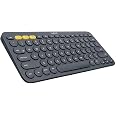
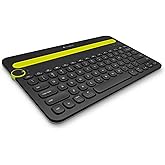
The Logitech K380 Multi-Device Bluetooth keyboard brings the comfort and convenience of desktop typing to your smartphone, tablet, and more.
| Compatible Devices | PC, Mac, Android, Apple iOS |
|---|---|
| Connectivity Technology | Bluetooth |
| Additional Features | Hotkeys and Media Keys |
| Language | Turkish |
| Number of Batteries Required | 2 |
| Power Source | Battery Powered |
| Keyboard Layout | QWERTY |
| Hand Orientation | Ambidextrous |
| Button Quantity | 80 |
| Minimum Required Operating System Version | Windows 7 |
| Compatible Amazon Tablet Models | Amazon Fire 5th Generation, Amazon Fire 7 5th Generation, Amazon Fire HD 10 5th Generation, Amazon Fire HD 6 4th Generation, Amazon Fire HD 7 4th Generation, Amazon Fire HD 8 5th Generation, Amazon Fire HD 8 6th Generation, Amazon Fire HDX 8.9 4th Generation, Amazon Kindle Fire 1st Generation, Amazon Kindle Fire 2nd Generation, Amazon Kindle Fire HD 2nd Generation, Amazon Kindle Fire HD 3rd Generation, Amazon Kindle Fire HD 4th Generation, Amazon Kindle Fire HD 8.9 2nd Generation, Amazon Kindle Fire HD 8.9 3rd Generation, Amazon Kindle Fire HDX 3rd Generation, Amazon Kindle Fire HDX 8.9 3rd Generation |
| Compatible Operating System Family | Windows |
| Number of Keys | 80 |
| Number of Sections | 1 |
| Color | Dark Grey |
|---|---|
| Style Name | K380 Pebble |
| Item Dimensions L x W x H | 10.9"L x 4.9"W x 0.6"H |
|---|---|
| Enclosure Material | Unspecified |
Logitech 920-007558 K380 Multi-Device Bluetooth Keyboard – with FLOW Cross-Computer Control and Easy-Switch up to 3 Devices – Dark Grey
Share:
Found a lower price? Let us know. Although we can't match every price reported, we'll use your feedback to ensure that our prices remain competitive.
Fields with an asterisk * are required
| Brand | Logitech |
|---|---|
| Keyboard Description | Multi Functional |
| Antenna Location | Everyday Use, Office |
| Built-In Media | Keyboard - wireless |
| Model Number | 920-007596 |
| Model Name | K380 Multi-Device Bluetooth Keyboard |
| Unit Count | 1.0 Count |
| Manufacturer | Logitech |
| UPC | 097855117618 |
| Mfr Part Number | 920-007558 |
| Item Type Name | Logitech Multi-Device K380 - Keyboard - Black |
| Item Weight | 14.4 ounces |
| Warranty Description | Manufacturer’s warranty can be requested from customer service. Click here to make a request to customer service. https://www.amazon.com/gp/help/customer/display.html/ref=help_search_1-1?nodeId=201596310&referral=AIHR2K9UHOKTQ_A2XM37FWGO4HN48 |
| Best Sellers Rank |
|
| ASIN | B0148NPH9I |
| Customer Reviews |
4.6 out of 5 stars |
Customer Reviews, including Product Star Ratings help customers to learn more about the product and decide whether it is the right product for them.
To calculate the overall star rating and percentage breakdown by star, we don’t use a simple average. Instead, our system considers things like how recent a review is and if the reviewer bought the item on Amazon. It also analyzed reviews to verify trustworthiness.
Learn more how customers reviews work on AmazonI had NO IDEA I would like this keyboard as much as I do. It's really interesting how you can experience something as simple as falling in love with a KEYBOARD after so many years of not thinking about them at all. Soooo let me start from the beginning on how this all happened and give you the reasons why you should and shouldn't purchase this keyboard.
Recently I purchased a Lenovo y520 laptop as my daily puter. Even though I don't play computer games I wanted a rockin fast system and this one was it. Well little did I know along with all the newest and best parts like the extremely fast Solid state hard drive (which by the way if you don't have one in your computer you're missing out on one of life's greatest prizes and I wouldn't live without one), along with all of the goodies this baby came with, it also happens to have a rockin keyboard on it. I didn't even know that there was a difference between keyboards so this was a surprise to me to say the least. But I absolutely fell in love with the keyboard on this laptop. It's not why I bought it...but once you get the feel of the keys and used to them being backlit, it becomes VERY hard to go to anything else.,...and I would almost buy this laptop JUST for this keyboard now that I know it so well.
WHELP that brings me to where I am now. I also have two other desktop computers that I was trading a logitech MK320 Keyboard and mouse setup between and every time I would trade out the USB dongle I was thinking #1 how much of a pain in the butt it was to do that, but #2 just how difficult the clunky keys were when I went to type something more than a word or two to name files. Don't get me wrong..it's a cool set up...and Logitech does a great job for the price etc...but compared to my new Lenovo keys...they are sorely lacking. So I went to the store to try out a few keyboards.
Let me rephrase that, ALL of them....even the mechanical ones that gamers use...and typist use.....and the ones that click..the ones that don't...the ones that look like Chiclets and well... Literally every kind you can think of. And out of all of them I fell in love with these round keys on this little deal. I was stunned because just like my buddy said...you would think with round keys like this and the distance between them that you'd miss and screw up more often, but such isn't the case. I knew within moments of typing some crazy blurb that I was digging this experience. The one that I used at the store MIGHT have been the larger one with the numeric key pad but I couldn't remember for sure and just popped on this one without the keypad since I don't really need it and there isn't a size difference that I can tell. It types amazingly. I haven't regretted it ONE MOMENT!
The beauty of this thing is that you can connect it to three different devices. The funny thing is that I didn't think anything about that when I purchased it. I just figured I'd pair it with the one computer and call it good..but once you have the ability...before I knew it I had it connected to my main work computer...then my Ipad...and then my phone...which...it's really nice to be able to type on your text messages instead of swiftkey or pecking with your fingers. I hadn't even thought of doing that. In fact I only did it...and tried it because I could...and it turned out awesome. Connecting to each device is as easy as a push of the button and it types like NUTS. I have now become officially a keyboard snob. I would literally pay very good money for a great keyboard. The whole experience of not making mistakes when you type, where the whole process is natural is just an experience all it's own and that every person should have.
NOW...onto the cons of this thing. Well...I've only had this thing all of a few days, so i can't speak to the battery life, or the longevity of the keys etc, but the one thing that I can come right out and say is a bummer is that it's not backlit. I wanted the ease of typing with this specific keyboard because I tried other logitech keyboards that I wasn't real happy with, and there are only two models with these specific and lovely round keys and they AREN'T backlit. One with and without the keypad as I mentioned. They do have a wireless backlit keyboard but I can't speak to the way it types. I think I typed on that model and passed it up anyway as I was riffling through the models to test. So.... even though I've been ruined and spoiled now that my laptop is backlit and gives me the ability to find the home row easy as pie...AND you have to kind of feel your way around this one to get set up if you can't see really well in the dark..it's still worth it's weight in gold. It just types like a dream...really. And Logitech is a great brand you can trust. what's the downside? It's small so it's easy to use... BARELY smaller than a normal keyboard...types like the wind so I feel like a world class typist....and it's just....the coolest thing ever because it runs on everything effortlessly. I don't get emotional about most things...but the stuff that I really dig...and makes my life easier can get me that way. And this thing is definitely one of them. I have no regrets and I know you won't either.
I had NO IDEA I would like this keyboard as much as I do. It's really interesting how you can experience something as simple as falling in love with a KEYBOARD after so many years of not thinking about them at all. Soooo let me start from the beginning on how this all happened and give you the reasons why you should and shouldn't purchase this keyboard.
Recently I purchased a Lenovo y520 laptop as my daily puter. Even though I don't play computer games I wanted a rockin fast system and this one was it. Well little did I know along with all the newest and best parts like the extremely fast Solid state hard drive (which by the way if you don't have one in your computer you're missing out on one of life's greatest prizes and I wouldn't live without one), along with all of the goodies this baby came with, it also happens to have a rockin keyboard on it. I didn't even know that there was a difference between keyboards so this was a surprise to me to say the least. But I absolutely fell in love with the keyboard on this laptop. It's not why I bought it...but once you get the feel of the keys and used to them being backlit, it becomes VERY hard to go to anything else.,...and I would almost buy this laptop JUST for this keyboard now that I know it so well.
WHELP that brings me to where I am now. I also have two other desktop computers that I was trading a logitech MK320 Keyboard and mouse setup between and every time I would trade out the USB dongle I was thinking #1 how much of a pain in the butt it was to do that, but #2 just how difficult the clunky keys were when I went to type something more than a word or two to name files. Don't get me wrong..it's a cool set up...and Logitech does a great job for the price etc...but compared to my new Lenovo keys...they are sorely lacking. So I went to the store to try out a few keyboards.
Let me rephrase that, ALL of them....even the mechanical ones that gamers use...and typist use.....and the ones that click..the ones that don't...the ones that look like Chiclets and well... Literally every kind you can think of. And out of all of them I fell in love with these round keys on this little deal. I was stunned because just like my buddy said...you would think with round keys like this and the distance between them that you'd miss and screw up more often, but such isn't the case. I knew within moments of typing some crazy blurb that I was digging this experience. The one that I used at the store MIGHT have been the larger one with the numeric key pad but I couldn't remember for sure and just popped on this one without the keypad since I don't really need it and there isn't a size difference that I can tell. It types amazingly. I haven't regretted it ONE MOMENT!
The beauty of this thing is that you can connect it to three different devices. The funny thing is that I didn't think anything about that when I purchased it. I just figured I'd pair it with the one computer and call it good..but once you have the ability...before I knew it I had it connected to my main work computer...then my Ipad...and then my phone...which...it's really nice to be able to type on your text messages instead of swiftkey or pecking with your fingers. I hadn't even thought of doing that. In fact I only did it...and tried it because I could...and it turned out awesome. Connecting to each device is as easy as a push of the button and it types like NUTS. I have now become officially a keyboard snob. I would literally pay very good money for a great keyboard. The whole experience of not making mistakes when you type, where the whole process is natural is just an experience all it's own and that every person should have.
NOW...onto the cons of this thing. Well...I've only had this thing all of a few days, so i can't speak to the battery life, or the longevity of the keys etc, but the one thing that I can come right out and say is a bummer is that it's not backlit. I wanted the ease of typing with this specific keyboard because I tried other logitech keyboards that I wasn't real happy with, and there are only two models with these specific and lovely round keys and they AREN'T backlit. One with and without the keypad as I mentioned. They do have a wireless backlit keyboard but I can't speak to the way it types. I think I typed on that model and passed it up anyway as I was riffling through the models to test. So.... even though I've been ruined and spoiled now that my laptop is backlit and gives me the ability to find the home row easy as pie...AND you have to kind of feel your way around this one to get set up if you can't see really well in the dark..it's still worth it's weight in gold. It just types like a dream...really. And Logitech is a great brand you can trust. what's the downside? It's small so it's easy to use... BARELY smaller than a normal keyboard...types like the wind so I feel like a world class typist....and it's just....the coolest thing ever because it runs on everything effortlessly. I don't get emotional about most things...but the stuff that I really dig...and makes my life easier can get me that way. And this thing is definitely one of them. I have no regrets and I know you won't either.
To start with I would like to mention that this is the first review I have written and I felt compelled to do so after seeing that there weren't many reviews yet, one of which was overwhelmingly negative.
Pairing:
I bought the keyboard to use with my Nexus 9 (android) tablet. Out of the box pairing was a breeze and following the instructions on the slip sheet it took <1min to pair with my tablet. While writing this review I also paired it with my phone (Nexus 5) with equal ease. As advertised it was easy to switch between the two without re-pairing by selecting the proper "device button" at the top of the keyboard.
Functionality:
One of the reasons I selected this keyboard over others was because it is adaptive to different OS's and would allow for full use of the different function keys with my device. So far I have found all of the special keys to function properly with my Nexus 9, these include the "home" button, the button that allows you to toggle through different windows, the "back" button and the audio short cut butttons. So far I have found the use of these convenient while browsing. Additionally, traditional short cuts like "F5" to referesh and "ctrl+C" & "ctrl+V" to copy and paste also work. To me this is a definite plus as sometimes the copy and paste operations can be tricky with a touch screen and no keyboard.
Typing Experience:
I am a fairly proficient typist who can type by touch without looking at the keys and I find that I can type at my normal rate with this keyboard without having to slow down due to its size. I find the size to be big enough to allow you to type comfortably while also being compact enough that it could easily be put in a bag and taken with you if you are on the go. When typing the keys are fairly quiet and have a nice feel to the key press. One of my main trepidations with this product was the round keys, but I haven't found them to have any impact on the typing experience. In fact the keys are nice and concave making it easy for your fingers to rest on them as opposed to the flat style keys that some products use.
Overall Impressions:
I find the keyboard to be solid and good quality and would highly recommend it. I mainly use it with my tablet while sitting on the couch and have found it to be comfortable to use while setting on my lap. The size makes it comfortable to use on a regular basis while still being easily portable and the compatibility of the different function keys makes it easy and convenient to use with Android devices.
Logitech K380 Multi-Device Bluetooth Keyboard – Windows, Mac, Chrome OS, Android, iPad, iPhone, Apple TV Compatible – with FLOW Cross-Computer Control and Easy-Switch up to 3 Devices – Dark Grey
Having more then 3 Mini PC's each supporting Bluetooth 4.0 I wanted to get not only another Bluetooth Keyboard, but one that was smaller then my full size Logitech Keyboard so that I could use it for both my Mini PC's with Bluetooth4.0 but also for my Portable Devices such as my Mobile Phones, and a Streaming Media, Gaming, and Google TV type Systems. Since they all support Bluetooth, and they all can use a BT Keyboard, I thought it best to just get a smaller keyboard but one that was larger then the Mini 6 inch Keyboards, yet smaller then a 104 Key keyboard. The Logitech K380 fit the bill perfectly.
It is light weight, uses only 2 AAA Batteries, and is very simple to pair with any device. With it's easily identifiable 3 programmable yellow keys at the top left, you can easily switch between up to 3 devices with the simple push of one of those buttons. It has all the keys you need with the exception of a number pad. Since there are certain key combinations that you will need to do things like "Print Screen" as well as others, you will want to go to the Logitech website and print off their instructions on how to use such short cut keys. There are many others that are not easily identified.
Another nice feature is actually the Logitech Options Software which will allow you to not only set up your keyboard, but will let you do things like copy and paste from one computer to another or from one app to another. There are so many cool features you can do with the Logitech Options Application that it's a must to download once you get this Keyboard. It also ensures that you have not only the latest Logitech software installed but also the latest Firmware installed on your devices. The nice part of the Logitech Options application is that it works for ALL your Logitech Devices, not just this one keyboard but any of you Logitech BT Mice and Keyboards. I certainly could not be happier with this and the other Logitech Keyboard I purchased.
Logitech K380 Multi-Device Bluetooth Keyboard – Windows, Mac, Chrome OS, Android, iPad, iPhone, Apple TV Compatible – with FLOW Cross-Computer Control and Easy-Switch up to 3 Devices – Dark Grey
Having more then 3 Mini PC's each supporting Bluetooth 4.0 I wanted to get not only another Bluetooth Keyboard, but one that was smaller then my full size Logitech Keyboard so that I could use it for both my Mini PC's with Bluetooth4.0 but also for my Portable Devices such as my Mobile Phones, and a Streaming Media, Gaming, and Google TV type Systems. Since they all support Bluetooth, and they all can use a BT Keyboard, I thought it best to just get a smaller keyboard but one that was larger then the Mini 6 inch Keyboards, yet smaller then a 104 Key keyboard. The Logitech K380 fit the bill perfectly.
It is light weight, uses only 2 AAA Batteries, and is very simple to pair with any device. With it's easily identifiable 3 programmable yellow keys at the top left, you can easily switch between up to 3 devices with the simple push of one of those buttons. It has all the keys you need with the exception of a number pad. Since there are certain key combinations that you will need to do things like "Print Screen" as well as others, you will want to go to the Logitech website and print off their instructions on how to use such short cut keys. There are many others that are not easily identified.
Another nice feature is actually the Logitech Options Software which will allow you to not only set up your keyboard, but will let you do things like copy and paste from one computer to another or from one app to another. There are so many cool features you can do with the Logitech Options Application that it's a must to download once you get this Keyboard. It also ensures that you have not only the latest Logitech software installed but also the latest Firmware installed on your devices. The nice part of the Logitech Options application is that it works for ALL your Logitech Devices, not just this one keyboard but any of you Logitech BT Mice and Keyboards. I certainly could not be happier with this and the other Logitech Keyboard I purchased.
This keyboard was my wife's choice. I would have personally chosen a different brand, but I ended up using this keyboard more frequently than my wife and my opinion changed quite drastically.
Aesthetics are generally important to me, but this keyboard just works. I'll gladly sacrifice a little in the aesthetics department for all the benefits it provides.
What I don't like:
1) the look. I'm not a fan of how the round keys look.
2) there are no "Home" and "End" keys. Bummer - I heavily rely on these on other keyboards.
3) would have liked a button color option besides yellow for the three connection buttons.
What I like:
1) Interestingly enough, I think the round keys actually improve my typing accuracy. I think I probably hit the corners of keys on other keyboards, reducing my accuracy. I didn't expect the round keys to have a positive impact on my typing.
2) Durability: This keyboard is very solid! It has some heft to it which might be a down side for your application. For me, everything about this has proven to be quite durable! I have transported this regularly in my backpack, and car seat pockets, and car glovebox without issue - no case required.
3) Grip: This keyboard has great rubber feet on each bottom corner which grips all porous surfaces very nicely! Then, use it on glass and the thing doesn't slide at all!
4) Connection: You might know that Blutooth devices can be prone to connection issues, but I have yet to find fault with the Blutooth in this Logitech keyboard. I like the function of the yellow buttons (but can you give us a different color?). Link a phone to button 1, another person's table to button 2, your tablet to button 3 and the device remembers your device's connection! Press the yellow button you programmed for your device, and it will quickly pair with it. This is a fantastic feature because we use so many different devices with it!
5) Battery Life: I couldn't even guess at the battery life because 1) I don't use it for very long sessions,, or 2) for many hours a week. Rather, this keyboard is kept in a handy spot so I can grab it for impromptu mobile work when I am out of the office. Anyhow, the battery life is very good! The battery compartment lid is easy to use, secure, and of quality manufacturing.
My first wireless keyboard. It is very compact and smaller than I realized but I got used to it and when I got back to using full sized keyboard I had trouble adjusting typing and to relearn. The keyboard works and well built. The only issue I had is when trying to connect to multiple devices but I still got it work. If you need a compact keyboard highly recommended but if you have large hands it may be still possible to use it but I rather recommend getting larger one.
This keyboard is exactly what I was looking for. I wanted something small, with a minimal footprint, for that purpose this exactly fits the bill. I have a Microsoft Surface tablet which I raise up with a tablet stand for better ergonomics. I then use this keyboard as an input device.
Pros:
1. It is small, it has a minimal footprint.
2. It is heavy, which keeps it from sliding around on whatever surface you’re using.
3. It has a very nice tactile feel. Keys don’t feel like a small keyboard. I haven’t encountered any problems with keys sticking or not responding. The feel is that of a more expensive keyboard.
4. It has all of the special keys such as Windows start, FN, F1 to F12, and navigation buttons
5. Although I only it synced to my tablet, it connects immediately when starting the tablet or after turning the keyboard on. I’ve had other small Bluetooth keyboards which I can’t say the same about.
6. Excellent value for the money.
Cons:
1. It doesn’t have a rechargeable battery (this may or not be a con, I’m sure it will work with rechargeable batteries.).
2. It doesn’t work with Logitech’s Universal Receiver which means that it won’t work with an older device which doesn’t have Bluetooth.
What it’s not.
1. It is a small keyboard. This isn’t a full size / function keyboard. If you are looking for a keyboard to do a lot of typing then this isn’t it. If you’re looking for something for some web searches, emails and maybe a password or two this is perfect.
2. It doesn’t have a number pad, this goes with being a small keyboard but should be pointed out if you need one.
I tried all kinds of portable, bluetooth keyboards while searching for one that is light, cheap, and comfortable to type on. While I have bought many different kinds that check box 1 or 2 of my requirements, none of them manage to check box all three. This is probably my 6th bluetooth keyboard I have tried so far and it is probably the only one I have physically bought and tested that satisfied all of my requirements.
The device is sturdy and not too light or too heavy. There was hardly any flex on the keyboard itself so it made a very comfortable and easy typing experience. The keyboard was big enough so I can type without feeling to cramp and at the same time the keyboard is small enough to fit in my tablet tote bag without any issue! While the price is a bit higher than the other portable keyboards I have bought ($5 more expensive), it is still within the range where I can call it "cheap".
If anyone is looking for a portable, bluetooth keyboard that doesn't take too much out of the bank, then I absolutely recommend this one!
------------------
UPDATE:
Been using this for a year now and have been travelling a lot with this laptop. This has been my primary keyboard while travelling and been using it for work instead. The keyboard works excellent even after a year of usage and only replaced the battery recently. Found that there was a logitech software (Logitech Option) that could be used with this keyboard to "Lock" the FN keys which made my life so much easier while working. Will probably buy a separate bluetooth numpad to go with this keyboard since I really miss that.
I am a med student and type a lot in the hospital. I am usually typing on 3 separate devices - the work PC for patient notes, my own laptop for working on research projects, and my iPad for keeping track of patient-to-dos and rounding notes. The work keyboards were giving me carpal tunnel and I needed a good typing experience that was portable and wouldn't add clutter to the already cluttered workspace.
Pros: this keyboard is, for now, the best option on the market that checks all the boxes. It is: small (though surprisingly heavy and well-built)/portable, easily switches between devices (usually takes a couple seconds but this is not an issue), has excellent battery (have yet to switch the batteries after about 4 months of heavy use), lacks a num pad (this was a requirement for me to take up less space on the desk), is compatible with pretty much any modern device you will encounter, looks clean, and, most importantly, offers a good typing experience. I can type on this all day on not get hand fatigue. Oh yea, and it's $30 lol
Cons: the biggest con for me was a squeaky spacebar. The mechanism under the spacebar felt different than the other keys out of the box and I could elicit a quiet but annoying squeak every time I hit the far right edge (which is where my thumb lands most often). I think a few other reviews have mentioned this. It was usually not an issue in a noisy hospital environment or with NC headphones, but it def got to me if I was clacking away in a quite space. It got to the point where I ordered some lube to see if I could get it to go away. LUCKILY, the noise disappeared around the 1 month mark. In fact, all of the keys now feel a bit smoother after using the product for a while. So yea, I didn't end up tearing this thing apart and lubing it up. I would have given it 4/5 stars if the squeaking persisted but now this is not an issue so yea, 5/5.
PS: Logitech is killing it for the most part, but they are neglecting the tenkeyless community. If you are reading this review, please send Logitech an email requesting a tenkeyless version of the MX Keys.
It only gave up on me a month or two ago, totalling to around 4 years of use. It's an excellent keyboard, though one thing to note is that I haven't tried much else prior to this (aside from cheap, wired office keyboards and MacBooks). This was my primary keyboard, ranging from general productivity (writing up documents, web browsing, etc...) to leisure (gaming and chatting). During its life, I never really treated it that well; never cleaned it, occasionally smashed it from gaming, and getting food & liquid particles in there. Despite this, it never gave me any problems, whether it's button feedback, connectivity, build quality, or battery life
If I had to say something, I think it'd be the connection. When using it on my PC, I'd either have to turn the keyboard on & off again, or wait a couple of seconds for it to connect. But that's only when I turn on my PC. It's a given since it's a bluetooth device w/ no dongle.
This keyboard did everything that I expected it to do, and a little bit more. If it wasn't for me getting the MX Keys... I still wouldn't get it because I do need a numpad. Aside from that, I wholeheartedly recommend this product.
It only gave up on me a month or two ago, totalling to around 4 years of use. It's an excellent keyboard, though one thing to note is that I haven't tried much else prior to this (aside from cheap, wired office keyboards and MacBooks). This was my primary keyboard, ranging from general productivity (writing up documents, web browsing, etc...) to leisure (gaming and chatting). During its life, I never really treated it that well; never cleaned it, occasionally smashed it from gaming, and getting food & liquid particles in there. Despite this, it never gave me any problems, whether it's button feedback, connectivity, build quality, or battery life
If I had to say something, I think it'd be the connection. When using it on my PC, I'd either have to turn the keyboard on & off again, or wait a couple of seconds for it to connect. But that's only when I turn on my PC. It's a given since it's a bluetooth device w/ no dongle.
This keyboard did everything that I expected it to do, and a little bit more. If it wasn't for me getting the MX Keys... I still wouldn't get it because I do need a numpad. Aside from that, I wholeheartedly recommend this product.
Smooth keyboard. Comes with Arabic letters
Açıklamalarda belirtilen tarihte teslim edildi. Paketleme gayet korunaklı ve düzgündü. Kargonun içine maske, jelibon ve tek poşet ıslak mendil içeren ufak bir poşet koyulmuştu. Nazik bir davranış, teşekkürler. Klavyeye gelecek olursak; üç cihaza bağlanabilmesi, hafif oluşu, tuşların yumuşaklığı benim için öne çıkan özellikler oldu. İlk defa böyle bir klavya kullanıyorum ve kurulumu için video izlemek zorunda kaldım. Aslında kurulum 1 dakika bile sürmüyor, çok basit. Üretici Logitech bunun için açıklayıcı bir kılavuz koyabilirdi. Tabletten klavyeyi Türkçe'ye çevirmek çok kolaydı. Klavye ile birlikte gelen piller çalışmıyordu, yeniledim. Ben yazı yazmak için aldım, bu bakımdan oldukça memnunum.
Only problem with it is the size. It's super small (Same size as the macbook M1 built in keyboard)
Also, It doesn't have a button for changing language.
But overall, it's super cool
This replaced a 10 years old Apple Wireless Keyboard and the transition has been super smooth and lovely.
The keyboard feels very well-weighted - neither too light and not at all heavy. The four non-slip thin bushes at the corners are gripping the table beautifully - the keyboard won’t slide around at all.
Next - the typing feel - BEAUTIFUL and butter smooth. Keystrokes are super quiet, like they are damped or something. The key travel is pleasurable and very comfortable. There is enough feedback from the keys and they are not stubborn when pressed nor are they too light or too springy - great calibration. There is a comfortable slant built into the shape of the keyboard without the need for foldable legs.
The circular keys are well-sized and spaced. The keys have a very slight inward dip which I believe is contributing heavily to the typing comfort and joy.
The major reasons to pick K380 over K480 (older, slightly less expensive) were the smaller size, lesser weight and overall better design for my liking. And also the fact that even though the K480 has the dock/slot to keep tablets or phones, which is indeed a smart feature, most tablets will be used with protective covers which may not fit into that slot and also most covers or cases support magnetic or other “standing” features anyways.
Connectivity - easy, straightforward Bluetooth pairing. Can “remember” 3 devices at any given time (can be “connected” to only 1 device at a time though) and can switch between them instantly with the press of the dedicated three coloured keys at the top. The switching is implemented beautifully - takes only 1 second and maybe a few milliseconds to switch between the paired devices. There are tiny indicator lights above the three bluetooth device switching keys which light up for a few seconds when connected to a device and as a nice touch, they go out with a fade-out/theatre dimming effect! Little details.
Design - it’s sleek and beautiful. Perfect blend of playful and serious. Dark Grey colour looks very good.
It’s almost the same size as the Apple Wireless Keyboard.
1 thing to note - when connected to MacBook Pro, you don’t get to adjust screen brightness using the keyboard as those keys are marked for Bluetooth device switching. But you can adjust volume, music controls and mission control from the keyboard just like on Apple keyboard. This is not at all a major issue.
The physical on off slide switch is good. Auto sleep/power off feature avoids the need to use the on off switch daily.
Overall, thoroughly satisfied and even delighted with the keyboard. Grateful for Logitech to be making excellent products at great value price points.
Using an external keyboard and mouse, along with a raised stand for the laptop can VASTLY improve the experience of regularly working on laptops without the need to think of desktops. Best of all worlds.
This replaced a 10 years old Apple Wireless Keyboard and the transition has been super smooth and lovely.
The keyboard feels very well-weighted - neither too light and not at all heavy. The four non-slip thin bushes at the corners are gripping the table beautifully - the keyboard won’t slide around at all.
Next - the typing feel - BEAUTIFUL and butter smooth. Keystrokes are super quiet, like they are damped or something. The key travel is pleasurable and very comfortable. There is enough feedback from the keys and they are not stubborn when pressed nor are they too light or too springy - great calibration. There is a comfortable slant built into the shape of the keyboard without the need for foldable legs.
The circular keys are well-sized and spaced. The keys have a very slight inward dip which I believe is contributing heavily to the typing comfort and joy.
The major reasons to pick K380 over K480 (older, slightly less expensive) were the smaller size, lesser weight and overall better design for my liking. And also the fact that even though the K480 has the dock/slot to keep tablets or phones, which is indeed a smart feature, most tablets will be used with protective covers which may not fit into that slot and also most covers or cases support magnetic or other “standing” features anyways.
Connectivity - easy, straightforward Bluetooth pairing. Can “remember” 3 devices at any given time (can be “connected” to only 1 device at a time though) and can switch between them instantly with the press of the dedicated three coloured keys at the top. The switching is implemented beautifully - takes only 1 second and maybe a few milliseconds to switch between the paired devices. There are tiny indicator lights above the three bluetooth device switching keys which light up for a few seconds when connected to a device and as a nice touch, they go out with a fade-out/theatre dimming effect! Little details.
Design - it’s sleek and beautiful. Perfect blend of playful and serious. Dark Grey colour looks very good.
It’s almost the same size as the Apple Wireless Keyboard.
1 thing to note - when connected to MacBook Pro, you don’t get to adjust screen brightness using the keyboard as those keys are marked for Bluetooth device switching. But you can adjust volume, music controls and mission control from the keyboard just like on Apple keyboard. This is not at all a major issue.
The physical on off slide switch is good. Auto sleep/power off feature avoids the need to use the on off switch daily.
Overall, thoroughly satisfied and even delighted with the keyboard. Grateful for Logitech to be making excellent products at great value price points.
Using an external keyboard and mouse, along with a raised stand for the laptop can VASTLY improve the experience of regularly working on laptops without the need to think of desktops. Best of all worlds.