Brief content visible, double tap to read full content.
Full content visible, double tap to read brief content.
 |
VOOZH | about |
This item has been tested to certify it can ship safely in its original box or bag to avoid unnecessary packaging. Since 2015, we have reduced the weight of outbound packaging per shipment by 41% on average, that’s over 2 million tons of packaging material.
If you still require Amazon packaging for this item, choose "Ship in Amazon packaging" at checkout. Learn moreWe offer easy, convenient returns with at least one free return option: no shipping charges. All returns must comply with our returns policy.
Learn more about free returns.We offer easy, convenient returns with at least one free return option: no shipping charges. All returns must comply with our returns policy.
Learn more about free returns.| Brand | iClever |
| Compatible Devices | PC, Laptop, Tablet, Smartphone,iPhone, iPad, Mac |
| Connectivity Technology | Bluetooth Low Energy, wireless only (no USB receiver, no wired mode) |
| Keyboard Description | Foldable, Touchpad, Metal Build, Pocket Size |
| Recommended Uses For Product | Travel typing, Remote work, Café setup, Wrist-friendly mobile keyboard,Everyday use,Business, Student, Education, Multimedia, Programming See more |
| Special Feature | Touchpad, Aluminum solid build, Foldable, Laptop typing feel, USB-C charge, Multi-Devices, Multi-OS, OS-adaptive technology, 12-months Warranty See more |
| Color | Silver Black |
| Style | Contemporary |
| Product Dimensions | 10.94"L x 3.58"W x 0.24"H |
| Material | Aluminum |
Space-saving layout optimized for seamless work on the go.
Low-profile structure delivers smooth and comfortable keystrokes.
Charge less and stay productive longer without interruptions.
Engineered to withstand repeated folding and daily use.
Why can’t the touchpad click or select on my iPad?
The touchpad supports cursor movement on iPadOS. Tap-to-click and gestures depend on system settings. You can drag by double-tapping and holding on the pad, or by holding the left button. (Note: Touchpad not compatible with Samsung DeX mode.)
Why does the keyboard feel smaller than a regular keyboard?
BK08 uses 14 mm keycaps for a compact folding design. Full-size keyboards use about 15.5 mm. The tighter spacing helps keep the keyboard portable for travel and tablet use.
The keyboard won’t turn on. What should I try?
BK08 uses a hall-switch design. It turns on when fully unfolded and turns off when folded. If no light appears, charge for 15 minutes and unfold it again. A full charge lasts about 90 days.
Bluetooth disconnects or won’t pair with my device.
Nearby Bluetooth devices may cause interference. Turn off other Bluetooth items such as speakers and keep the keyboard within 1–1.5 meters. Low battery can also affect stability, so charge it first.
Why does the keyboard disconnect or stop working?
This can happen when your device goes to sleep or after long idle time. Tap the same channel key to reconnect. If it keeps happening, reset by holding Fn plus Left Shift plus Backspace for 3 seconds.
| Compatible Devices | PC, Laptop, Tablet, Smartphone,iPhone, iPad, Mac |
|---|---|
| Connectivity Technology | Bluetooth Low Energy, wireless only (no USB receiver, no wired mode) |
| Additional Features | Touchpad, Aluminum solid build, Foldable, Laptop typing feel, USB-C charge, Multi-Devices, Multi-OS, OS-adaptive technology, 12-months Warranty |
| Number of Batteries Required | 1 |
| Power Source | Battery Powered |
| Switch Type | Scissor-switch |
| Keyboard Layout | QWERTY |
| Hand Orientation | Ambidextrous |
| Button Quantity | 78 |
| Water Resistance Level | Not Water Resistant |
| Minimum Required Operating System Version | iOS 17 |
| Compatible Amazon Tablet Models | Amazon Fire HD 10 11th Generation, Amazon Fire HD 8 11th Generation |
| Compatible Operating System Family | iPadOS |
| Is Electric | Yes |
| Number of Keys | 65 |
| Number of Sections | 3 |
| Color | Silver Black |
|---|---|
| Style Name | Contemporary |
| Theme | Portable Technology |
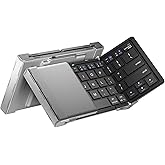
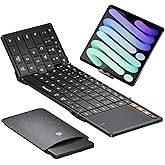
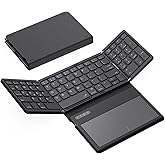
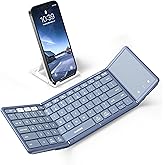
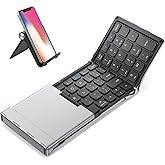
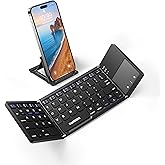
iClever Foldable Keyboard, BK08 Foldable Bluetooth Keyboard with Touchpad, Aluminum Build, USB-C Charge, Equipped with Stand Holder and Carrying Bag, Portable for Laptop, iPad, iPhone, Silver
Share:
Found a lower price? Let us know. Although we can't match every price reported, we'll use your feedback to ensure that our prices remain competitive.
Fields with an asterisk * are required
| Brand | iClever |
|---|---|
| Keyboard Description | Foldable, Touchpad, Metal Build, Pocket Size |
| Antenna Location | Travel typing, Remote work, Café setup, Wrist-friendly mobile keyboard,Everyday use,Business, Student, Education, Multimedia, Programming |
| Built-In Media | Foldable Keyboard, USB-C Charging Cable, Carrying Bag, Stand Holder, User Manual, 1 Lithium Polymer batteries |
| Model Number | IC-BK08 |
| Model Name | iClever BK08 Bluetooth Keyboard |
| Series Number | 20 |
| Unit Count | 1.0 Count |
| Manufacturer | iClever |
| Item Weight | 197 Grams |
| Generation | 1 |
| Warranty Description | 12 Months |
| Best Sellers Rank |
|
| ASIN | B07ZRNJ4DX |
| Customer Reviews |
4.3 out of 5 stars |
| Item Dimensions L x W x H | 10.94"L x 3.58"W x 0.24"H |
|---|---|
| Enclosure Material | Aluminum |
Customer Reviews, including Product Star Ratings help customers to learn more about the product and decide whether it is the right product for them.
To calculate the overall star rating and percentage breakdown by star, we don’t use a simple average. Instead, our system considers things like how recent a review is and if the reviewer bought the item on Amazon. It also analyzed reviews to verify trustworthiness.
Learn more how customers reviews work on AmazonEver try to use a laptop at a crowded airport bar during a flight delay? Or on an airplane with increasingly shrinking seat space? Now you don't have to. Remember the netbook craze where you ended up with a very underpowered laptop and low resolution screen? They call those mini/micro-laptops now and they are still underpowered with low res screens. Wireless keyboards aren't new, and portable bluetooth keyboards seem to be a dime a dozen...
So what does the iClever BK08 offer that the countless other pocket bluetooth keyboards don't? True productivity in a pocket form factor. If paired with a screen that can display full-sized apps then you might have a real-deal laptop replacement. I am tired of lugging my laptop around, or having to keep a car nearby just to hold my computer and accessories in case I need to do work. Don't even get me started on a "lapdock" for a smartphone that has all the form factor drawbacks to a laptop with none of the processing horsepower.
After getting fed up with my trusty but slightly flawed smartphone after a 10 minute unexpected work task took 30, I decided to upgrade to a folding phone so I could do no-kidding office work on my phone and display the level of detail I needed. After about a week I knew I was keeping the phone, but the onscreen keyboard was doing quirky things here and there I wasn't quite appreciating. For short periods of time it was fine, but if I wanted to do real productivity work the onscreen keyboard wasn't going to do.
So I decided I needed a separate keyboard that was ultra-portable. After an hour of hour of looking around on Amazon, there was only one real option for me. The iClever BK08 had a touchpad with two physical buttons. Click and drag with one hand? Check. Right click for a context menu? Check. Right shift key? Check. All the keys you'd expect to have (Ctrl, Alt, Tab, F1-F12, etc)? Check. Being able to do office work productively anywhere without lugging around a tech pack? Check. And that's priceless.
The keyboard was a little bigger than I was hoping for. After all this is a keyboard I bought to fold and go in a pant pocket. But after a couple of times actually walking around with it and unfolding it at a bar during happy hour (or on a random concrete pillar to type something out before I got distracted and forgot) the size of the keyboard actually became an advantage. One thing I noticed after only a couple of uses was that my typing speed was about the same as when using my laptop. On a lark I actually laid the iClever keyboard down by my laptop keyboard (coincidentally where the trackpad sits) and it has a typing surface that is about the same size. Not bad for something that fits in a pocket.
I live in a walkable community, and one of the things that is going to be right next to my keys for when I am on the go is this keyboard. Definitely a game changer. Match this keyboard up with the right smartphone (and maybe a cheap, lightweight phone stand) and you have laptop replacement that bypasses the tablet device class altogether. You can use this with any device that accepts bluetooth keyboards, though, including tablets. For context I have included photos of the iClever BK08 keyboard placed by a foldable smartphone with unfolded screen, a tablet, and a laptop keyboard. The laptop has a 15" screen and the keyboards are roughly the same size.
While using the keyboard I have had no issue with character pickup on the bluetooth connection, and trackpad has been accurate. The keyboard does not seem to have a power level indicator but I have not had an issue so far with battery life. I actually purchased two of these products, and one of the keyboards stays in my car in case I need to take an unscheduled meeting or work stop. The pack in phone/tablet stand works well, but I use a smaller product that folds a little flatter the cost me about $6. I keep the stand in my car in case I need to set my phone on an uneven surface.
One improvement I would suggest is to have a multi-touch capable trackpad, but if using this with a touchscreen smartphone like I am it isn't really noticed because I zoom from the touchscreen. I only tested for multi-touch after reading a 1-star review that mentioned they could not scroll with two fingers. That is the first time I even thought to try it, so hadn't noticed. Also, another item for the wishlist would be backlit keys. But compared to the productivity boost this keyboard has provided me those are minor omissions. As a final side note: for gaming you would probably want to adhere some type of no-skid surface to the bottom of the keyboard.
Bottom Line: This product combined with the right mobile device (smartphone, tablet, etc) can provide a laptop replacement-level productivity boost in a pocket form factor. This is a killer product for those want a mobile office without all the bulk.
Ever try to use a laptop at a crowded airport bar during a flight delay? Or on an airplane with increasingly shrinking seat space? Now you don't have to. Remember the netbook craze where you ended up with a very underpowered laptop and low resolution screen? They call those mini/micro-laptops now and they are still underpowered with low res screens. Wireless keyboards aren't new, and portable bluetooth keyboards seem to be a dime a dozen...
So what does the iClever BK08 offer that the countless other pocket bluetooth keyboards don't? True productivity in a pocket form factor. If paired with a screen that can display full-sized apps then you might have a real-deal laptop replacement. I am tired of lugging my laptop around, or having to keep a car nearby just to hold my computer and accessories in case I need to do work. Don't even get me started on a "lapdock" for a smartphone that has all the form factor drawbacks to a laptop with none of the processing horsepower.
After getting fed up with my trusty but slightly flawed smartphone after a 10 minute unexpected work task took 30, I decided to upgrade to a folding phone so I could do no-kidding office work on my phone and display the level of detail I needed. After about a week I knew I was keeping the phone, but the onscreen keyboard was doing quirky things here and there I wasn't quite appreciating. For short periods of time it was fine, but if I wanted to do real productivity work the onscreen keyboard wasn't going to do.
So I decided I needed a separate keyboard that was ultra-portable. After an hour of hour of looking around on Amazon, there was only one real option for me. The iClever BK08 had a touchpad with two physical buttons. Click and drag with one hand? Check. Right click for a context menu? Check. Right shift key? Check. All the keys you'd expect to have (Ctrl, Alt, Tab, F1-F12, etc)? Check. Being able to do office work productively anywhere without lugging around a tech pack? Check. And that's priceless.
The keyboard was a little bigger than I was hoping for. After all this is a keyboard I bought to fold and go in a pant pocket. But after a couple of times actually walking around with it and unfolding it at a bar during happy hour (or on a random concrete pillar to type something out before I got distracted and forgot) the size of the keyboard actually became an advantage. One thing I noticed after only a couple of uses was that my typing speed was about the same as when using my laptop. On a lark I actually laid the iClever keyboard down by my laptop keyboard (coincidentally where the trackpad sits) and it has a typing surface that is about the same size. Not bad for something that fits in a pocket.
I live in a walkable community, and one of the things that is going to be right next to my keys for when I am on the go is this keyboard. Definitely a game changer. Match this keyboard up with the right smartphone (and maybe a cheap, lightweight phone stand) and you have laptop replacement that bypasses the tablet device class altogether. You can use this with any device that accepts bluetooth keyboards, though, including tablets. For context I have included photos of the iClever BK08 keyboard placed by a foldable smartphone with unfolded screen, a tablet, and a laptop keyboard. The laptop has a 15" screen and the keyboards are roughly the same size.
While using the keyboard I have had no issue with character pickup on the bluetooth connection, and trackpad has been accurate. The keyboard does not seem to have a power level indicator but I have not had an issue so far with battery life. I actually purchased two of these products, and one of the keyboards stays in my car in case I need to take an unscheduled meeting or work stop. The pack in phone/tablet stand works well, but I use a smaller product that folds a little flatter the cost me about $6. I keep the stand in my car in case I need to set my phone on an uneven surface.
One improvement I would suggest is to have a multi-touch capable trackpad, but if using this with a touchscreen smartphone like I am it isn't really noticed because I zoom from the touchscreen. I only tested for multi-touch after reading a 1-star review that mentioned they could not scroll with two fingers. That is the first time I even thought to try it, so hadn't noticed. Also, another item for the wishlist would be backlit keys. But compared to the productivity boost this keyboard has provided me those are minor omissions. As a final side note: for gaming you would probably want to adhere some type of no-skid surface to the bottom of the keyboard.
Bottom Line: This product combined with the right mobile device (smartphone, tablet, etc) can provide a laptop replacement-level productivity boost in a pocket form factor. This is a killer product for those want a mobile office without all the bulk.
Nice compact and portable keyboard! After using it for a few years, it still functions without any issues.
In thinking about a review, I'm realizing how old I am. In the late 1990s, I had a clamshell keyboard for my PalmPilot Pro. Then, around the time I got my Vx, there was the folding keyboard that collapsed into something not much bigger than the PDA. I really liked this keyboard, because the keys were almost full-sized. Over the years, I've investigated a number of different portable keyboards to use with my devices and haven't never been completely happy - not because of the functionality, but because of the size. They're bigger than I want to carry around.
A year ago or so, I bought a Moleboxes Bluetooth keyboard with touchpad. It was very functional. But it's bigger than I want to carry around in my bag, just in case I want to use it. Also, it's a monotasker in that it only works with one device at a time. So I carried it around to use with my Android tablet, and got a keyboard clam case for the little 8-inch Windows tablet I carry around for when Android isn't enough, e.g., running presentations. But, that has me hauling 4 devices.
I'm fairly well pleased with the iClever keyboard. The fact that I'm able to use it with my Android and Windows tablets, as well as my phone, is exactly what I was looking for. Switching can be a little slow as it re-connects, but it's a matter of pushing a couple of buttons rather than re-pairing the devices.
I get the fact that small keyboards often have to come up with creative keyboard combinations to get all the options. And the iClever is no exception. However, they're not bad - although, the loss of the apostrophe/quotation physical key takes some getting used to. I keep hitting the Enter key when I want to use a contraction or a possessive.
I do wish that the keys were a little bit bigger. I've long fingers, and there's a bit of cramping-ness that goes on when I use the keyboard. But that's par for the course with keyboards like this.
One thing to keep in mind is that this is a $40 keyboard. While I've found the keys to be responsive, the touchpad can be finicky. But, given that touchpads alone have some pretty high prices for top-quality devices, this shouldn't be a surprise. And the performance is no worse than the other inexpensive, portable keyboards I've used.
I'm definitely pleased with this purchase.
PS: I still use the Moleboxes keyboard. It's connected via a Bluetooth adapter to the PC that functions as our family server.
I would give 10 stars if I could. I’ve been using the iClever Foldable Keyboard BK08 for almost two years now, and honestly, it’s been solid from day one. It feels really sturdy and well-built—not like some cheap foldable keyboards that feel flimsy and break easily. I’m impressed that even after all this time, it still functions perfectly without any hiccups.
One of the best parts is how easily it syncs with up to three devices. Switching between my phone, tablet, and laptop is seamless, which makes working on the go way more efficient. The touchpad is also super responsive, so I don’t have to carry around a separate mouse, which is a huge plus for portability.
Battery life has been great too. I barely have to charge it, and when I do, it charges up pretty quickly. This keyboard is a fantastic companion if you need something compact, reliable, and easy to carry around. Definitely worth it if you’re often working away from your desk.
I tested the iClever IC-BK08 tri-folding Bluetooth keyboard in a couple of apps on an Android smartphone that's a couple of years old, updated to Android v. 6.0.1.
Physically, the keyboard is slightly heavier (about half an ounce) than another one that I have used, but this gives it a solid, stable feel in use. The tri-fold design makes for easy closure and carrying; it folds up small enough to slip into a shirt pocket or smartphone slot in a purse. A clever magnetic closure automatically turns the keyboard off when it is closed and on when opened. Feet at each end of the keyboard can be lowered to make a low, stable stand. The aluminum back makes for a smooth, metalic finish and feel when it's closed. Once it had been paired, the keyboard connected instantly to the device after having been turned off.
The keyboard is compact, of course, so that I had to be attentive to hand and finger placement when coming from a full-size keyboard. Typing with the iClever keyboard requires a bit of force to move the keys, but has a very solid feel, not the least bit flimsy. The spacebar in particular has to be given a definite push, not just a quick swipe. The keys have a noticeable travel. I'm a pretty good touch typist, but as with all small bluetooth keybboards, I had to type more slowly and carefully to avoid errors.
Key arrangement and assignments are good overall. The B key is properly placed so that it can be typed with the left index finger, not the right. Having ' , " , and ? as Fn combinations on the L, ; , and ] keys, respectively, takes getting used to. The availability of copy, paste, and cut functions as Fn combinations on the 3-5 keys is convenient, though the standard Ctrl+C/V/X also work.
The touchpad with left and right buttons at the right end of the keyboard proved extremely useful in brief testing. I like to type with as little need to take my hands off the keyboard as possible. I found that on my Android device, the mouse pointer activated by the touchpad was able to access menus and make selections, so that I didn't have to use the touchscreen. In some apps (but not Evernote, unfortunately), it is possible to use the touchpad to hold and drag to select text.
I like this keyboard a lot, and I hope that it will hold up well as I get used to using it.
UPDATE: After a few months of use, my experience continues positive. I recently bought a Note 8 with Android 7.1.1. I had no trouble pairing the keyboard with it, and found that now even in Evernote I can drag with the touchpad and left button to select text (whether that's due to an update in Evernote or in Android). I did develop a problem where keypresses were getting doubled, llikee tthiss. I went to the iClever support page and reported this, and got a quick response with advice that worked (basically unpairing, restarting Bluetooth or the whole phone, and re-pairing). So still a great tool, and good customer support as well.
I bought this keyboard for traveling to use with my Samsung Fold phone. It connects easily and has three channels so I can also use it with my tablet. It is very convenient, compact and feels solidly made. I like the feel of the keys. Typing is quiet and they feel soild and welll made. The hinges are strudy and the keyboard has a bit of heft to it so it doesn't feel cheap and delicate.
I have encountered a few problems though.
First, while it connected to my phone and tablet in seconds, I spent an hour trying to get it to work in Samsung Dex mode, which is why I bought it. I needed the touchpad and figured it would be perfect to just carry a layboard with a pad rather than a separate mouse. Unfortunately, I cannot get it to record clicks in Dex mode. This is extremely frustrating and negated the reason for buying the keyboard. In the end I bought a very high quality ergo trackball which also paris to multiple devices and while its something else to carry I've enjoyed using it far more than a touchpad.
Second is the size of the keys. I've used this keyboard for many hours now and it is very slow to type on. There is no way my hands fit on it for touch typing. I have to hunt and peck which is very slow and I still make mistakes often. Worse than the keys being too small, the non letter keys on the right side are in some bizarre order forcing me to stop and look to try to find the key I want. Most annoying is the bluetooth channel button next to the backspace button. The keybaord is small, they are close together, so when I make a mistake and try to erase it without looking, I disconnect my tablet and connect my phone. Every. Time.
So its a good solid reliable compact keyboard for travel but not at all conveneint or ergonomic. If you need it for Samsung Dex or type a lot or need to type quickly, I cannot recommend it.
I had been debating between all the main foldable keyboards with touchpad for tablets for awhile now, and I narrowed down my choice to the Jelly Comb keyboard and this iClever keyboard. The Jelly Comb keyboard was only $29, had a higher average star rating, and seemed like it's main issue was missized keys at the fold of the keyboard. The iClever keyboard was more expensive at $45 and I read reviews saying the keyboard required the Fn key for some common keys. I decided to go with the Jelly Comb keyboard for the price and to avoid the Fn common keys issue.
When I got the Jelly Comb, I was relatively happy, it worked okay and I finally had a keyboard for my tablet. The only issue I really saw was that the "a" key was not responsive unless I hit it in a specific way. I knew immediately I had to return it but I was thinking about getting a replacement of the same, I figured I just got a dud. However, because I wasn't super impressed with the other aspects of the keyboard (it felt a bit fragile at the joints, the keys weren't the most responsive, also a little superficial but I thought the font of the Jelly Comb logo made it look a little junky and also I saw typos in the instruction booklet which also gave me the same feeling) I decided to just go ahead and order the iClever keyboard instead.
I'M SO HAPPY I DID! I'm very glad the first keyboard had issues, because this iClever keyboard is a different level of quality. The keys are so much more responsive and its just a whole different feel, it feels like a sturdy, legit keyboard that doesnt bend at the joints like the jelly comb did. I like the added touchpad buttons, and just overall look of the keyboard (it looks like alot of thought and effort was put into its design, all space is utilized). It is also more compact than the jelly comb, and I like the little pouch it comes with. The Jelly Comb has a manual power button while the iClever turns on and off automatically when it folds/unfolds. The issues I had so far are like other people have stated, when using the ' or " or ? keys my muscle memory makes me mess up, but if I actively remember I'm using this new keyboard it's not too hard to type them. Also, sometimes I've accidently hit the Printscreen button instead of the delete button since it is normally where backspace would be. I've only been using the keyboard for maybe an hour and I'm already getting used to the keys so I'm sure it will be fine. I feel it is more convenient than having the T or other letter buttons missized at the crease which the jelly comb had.
I'm sorry if I appear to be hating on the jelly comb, for $29 it actually seemed like a very good product and if this hadn't been an option I would have reordered a non faulty one. It is just that after experiencing both keyboards, the iClever one just feels so much better to use and is exactly what I was looking for, and I was so excited I wanted to write a review which I don't normally do. Thanks making this keyboard, it's great :D
I wanted to give this keyboard 3 or 4 stars, but honestly, I couldn't.
There are a few small this about it that I dislike, but there are so many surrounding mountainous things that I love about it that IO have to give it my full recommendation.
I've had this keyboard for about 6mo now. I use it daily with my Tab S3 for work sending emails, drafting legal documents, surfing the net, etc. In fact, it is helping me to write this review as I type.
Here's my pet peeves about the keyboard:
Keyboard Layout - The special character layout is slightly unconventional. I have to press the Function key to add a ? but the ` is a button away.
The function lock key is close to the backspace and sometimes I start doing function commands rather than typing out numerals at the top of the keyboard.
When capitalizing letters, I'll hold shift and press space, but it does not add a space. e.g. ILOVETHISKEYBOARD (holding shift and pressing space does not add spaces in between, can be an inconvenience when typing at a fast pace. and my fingers get ahead of themselves.)
Here are my top pros:
Battery Life, Battery Life, Battery Life. I am 95% sure I have only given this keyboard it's initial charge in the 6mo I've owned it. Checking the battery today, it still shows full life. Again, I use this thing daily!
Portability - I have received numerous comments, friends, families, even clients commenting on the size, convenience and how sleek the keyboard looks. It fits comfortably in my laptop bag. Despite the overall size, my fingers quickly grew accustomed to the key layout.
Functionality - The keyboard connects seamlessly to my Tab S3, I can use a mouse cursor on the tablet screen using the trackpad. For some online applications, it opens up more options than what my touchscreen alone allows. I can use keyboard shortcuts (i.e. ctrl + V) and it has built in shortcuts to collapse all the windows, open my email, and more.
Customer Service - Within the first month or two of buying the keyboard, the spacebar randomly stopped working. I sent an email to the customer support team. After 2 or 3 email exchanges and waiting a week or so I had a brand new keyboard delivered to me by the company. I was fully impressed with their service and promptness.
Overall - this keyboard rocks. Because of my initial concern of overall size, key layout, and the space bar malfunctioning I wanted to give this keyboard a lower rating. But after growing accustomed to it, receiving great customer service and never charging the battery, I am fully satisfied with it.
Nice unit - good feel metal body. Keys easy to type on good travel. Easy to open and shut - no fiddly latches. Automatic power on/off on open/shut - no buttons to deal with for power. Works flawlessly on Apple iOS 26, iPadOS, tvOS and macOS - no additional software required, just do a Bluetooth pairing and your done. Supports up to three Bluetooth device pairings. Easy Bluetooth switching with button 1, 2, 3. For trackpad support enable Touch Assist in Settings Accessibility on Apple. Comes with carry pouch. Foldable iPhone stand also included. Highly recommended.
So compact yet sturdy. Easily slides into smaller bags and even comes with a protective sleeve and stand for your phone. Perfect for those on the go!
My touch pad does not work and wrote 3 times on Amazon portal asking seller for help. But no response. Guess i have to throw this beautiful keyboard and buy another brand where i can get after sale service help.
Muy bonito y útil, si realmente necesitas productividad en tu tablet (yo uso una S10+) y no eres purista con las marcas.
iClever te entrega lo que promete, el mejor teclado portátil de su categoría.
Elegí este pq tiene PAD, funciona muy bien es cómodo, la batería dura y carga muy rápido.
Bonito y ligero, no he usado el Samsung que dicen que es muy bueno, pero ya no lo necesito y este es más barato.
Ahhh y trae un soporte muy bonito y una funda.
My repeat purchase. This time for my friend. I have tried many brands. Hands down this is best for use across my iPhone and several ipads