|
VOOZH | about |
|
VOOZH | about |
We offer easy, convenient returns with at least one free return option: no shipping charges. All returns must comply with our returns policy.
Learn more about free returns.| Brand | NETGEAR |
| Model Name | CAX80-100NAS |
| Special Feature | Internet Security, Remote Access |
| Frequency Band Class | Dual-Band |
| Wireless Communication Standard | 802.11ax |
| Compatible Devices | Computer, Laptop, Smartphone, Tablet, Printer, Gaming Console |
| Recommended Uses For Product | Indoor |
| Included Components | Nighthawk AX8/8 Stream WiFi 6 Cable Modem Router; Ethernet cable; Quick start guide; Power adapter |
| Connectivity Technology | Ethernet, Wi-Fi |
| Color | Black |
Intelligently selects between dual bands to minimize interference and maximize speed for your many smart wireless devices.
NETGEAR Armor provides a powerful suite of tools to help keep you safe online, at home or on the go. Includes 30-day trial.
Step 1: Plug your coax cable into the modem-router.
Step 2: Activate by either:
(a) connecting an Ethernet cable to your computer and following the on-screen setup
or
(b) calling your cable provider to activate over the phone.
Step 3: Use the Nighthawk app to set up your network
Four Gigabit Ethernet ports and one USB port give you super-fast wired connections to your computer, printer, game box, storage drive, and other devices.
|
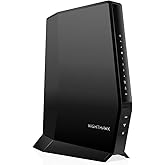
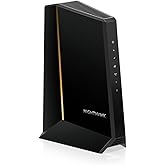
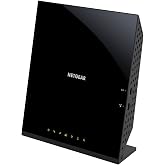
C7000
|
CAX30S
|
CAX80
|
|
|---|---|---|---|
| Customer Reviews |
4.2 out of 5 stars 5,892
|
4.1 out of 5 stars 2,066
|
3.9 out of 5 stars 3,682
|
| Price | $149.00$149.00 | $349.99$349.99 | $442.92$442.92 |
| Cable Provider Compatibility | Major Cable Providers and Certified for Xfinity, Spectrum, COX | All Major Cable Providers and Certified for Xfinity, Spectrum, COX | All Major Cable Providers and Certified for Xfinity, Spectrum, COX |
| Best for Cable Internet Plan Speed | Up to 800Mbps | Up to 1Gbps | Up to 2Gbps |
| WiFi Speed | WiFi 5 AC1900 (up to 1.9Gbps) | WiFi 6 AX2700 (up to 2.7Gbps) | WiFi 6 AX6000 (up to 6Gbps) |
| WiFi Coverage | Up to 1800 sq. ft., 30 devices | Up to 2000 sq. ft., 25 devices | Up to 2500 sq. ft., 30 devices |
| Gigabit Ethernet Ports | 4 x 1G | 4 X 1G to support Link Aggregation | 1 x 2.5 Gbps + 4 x 1G to support Link Aggregation |
| USB Ports (Printer, storage drive, etc.) | 1 x USB 2.0 | 1 x USB 3.0 | 1 x USB 3.0 |
| Modem Technology | DOCSIS 3.0 and 24x8 Channel Bonding | DOCSIS 3.1 and 32x8 Channel Bonding | DOCSIS 3.1 and 32x8 Channel Bonding |
| Security & Parental Controls | WPA2, DoS, Double Firewall | NETGEAR Armor (90-day subscription), WPA2/WPA3, VPN, DoS, Double Firewall | NETGEAR Armor (30-day trial), Smart Parental Controls, WPA2/WPA3, VPN, DoS, Double Firewall |
Experience a new generation of WiFi 6 router with a built-in DOCSIS 3. 1 cable modem that delivers blazing-fast multi-Gigabit Internet. With link aggregation, 2. 5Gbps Ethernet port, and 4 times the capacity to handle more WiFi devices, the Nighthawk multi-Gigabit speed Cable Modem Router delivers a truly next-level experience without limitations.
| Other Special Features of the Product | Internet Security, Remote Access |
|---|---|
| Frequency Band Class | Dual-Band |
| Wireless Compability | 802.11ax |
| Compatible Devices | Computer, Laptop, Smartphone, Tablet, Printer, Gaming Console |
| Antenna Location | Indoor |
| Connectivity Technology | Ethernet, Wi-Fi |
| Antenna Type | Fixed |
| Operating System | NETGEAR OS |
| Security Protocol | WPA-PSK, WPA2-PSK |
| Number of Ports | 4 |
| Control Method | App |
| Data Transfer Rate | 6 Gigabits Per Second |
| LAN Port Bandwidth | 2500 Mbps |
| Maximum Upstream Data Transfer Rate | 3000 Megabits Per Second |
| Number of Antennas | 3 |
| Router Firewall Security Level | High |
| Wi-Fi Generation | Wi-Fi 6 |
| Has Internet Connectivity | Yes |
| Router Network Type | Home WiFi Router |
| Connectivity Range | 2500 Square Feet |
| Is Modem Compatible | Yes |
| Connectivity Protocol | ethernet, wi-fi |
| Coverage | 2,500 square feet |
| Controller Type | ios |
| Frequency | 6.0 |
NETGEAR Nighthawk Cable Modem and WiFi 6 Router Combo (CAX80) - Compatible with All Major Cable Providers incl. Xfinity, Spectrum, Cox - Cable Plans up to 2 Gbps - AX6000 WiFi 6 Speed - DOCSIS 3.1
Share:
Found a lower price? Let us know. Although we can't match every price reported, we'll use your feedback to ensure that our prices remain competitive.
Fields with an asterisk * are required
| Brand | NETGEAR |
|---|---|
| Model Name | CAX80-100NAS |
| Built-In Media | Nighthawk AX8/8 Stream WiFi 6 Cable Modem Router; Ethernet cable; Quick start guide; Power adapter |
| Model Number | CAX80-100NAS |
| UPC | 606449143485 |
| Global Trade Identification Number | 00606449143485 |
| Manufacturer | Netgear |
| Mfr Part Number | CAX80-100NAS |
| Unit Count | 1.0 Count |
| Warranty Description | 1-year warranty |
| Best Sellers Rank |
|
| ASIN | B082XW53G3 |
| Customer Reviews |
3.9 out of 5 stars |
| Item Weight | 4.5 Pounds |
|---|---|
| Item Dimensions L x W x H | 8.5"L x 4.3"W x 10.4"H |
| Color | Black |
|---|
| Has Security Updates | Yes |
|---|
Customer Reviews, including Product Star Ratings help customers to learn more about the product and decide whether it is the right product for them.
To calculate the overall star rating and percentage breakdown by star, we don’t use a simple average. Instead, our system considers things like how recent a review is and if the reviewer bought the item on Amazon. It also analyzed reviews to verify trustworthiness.
Learn more how customers reviews work on AmazonOverall, it’s been a solid upgrade from the equipment I rented from my internet provider.
Setup:
The setup was relatively smooth using the Nighthawk app.
Performance:
Speeds have been fast, and the WiFi 6 helps with multiple devices. Streaming, video calls, and general browsing are all snappy. I haven’t noticed any major slowdowns, even during peak hours. That said, it doesn't magically fix weak signals in very distant corners of the house—you may still need a mesh system if you’ve got a large home.
Design & Features:
The design is clean. Just 4 Ethernet ports and USB connectivity are great for those who still like hardwired options. The built-in DOCSIS 3.1 modem has been reliable so far.
Overall:
This is a good all-in-one solution for people looking to stop renting a modem and step into newer WiFi tech. While it may not be the cheapest option, it offers strong performance and a noticeable upgrade in speed and reliability.
I originally had the Xfinity gateway with three of the Xfinity 'mesh' extender pods and yet I was getting inadequate WiFi coverage (not even close to my available 1.2Gbps connection). As a complete home networking rookie, I finally managed to do something about it after some basic self education. I was specifically looking for gateways (modem+router in one) due to limited physical space in my living room for two separate devices.
The CAX80 was expensive compared to Xfinity-compatible Arris or Motorola gateways. However, the theoretical specs seemed superior and it is likely 'future proof' (provided it will last 3+ years). Setting up the CAX80 router was easy enough with the Nighthawk app on my phone. Right off the bat, I noticed an increase in throughput with a wireless connection to my gaming laptop located about 30 feet away from the router (from 300-500Mbps to 600-900 Mbps averaged through the day).
I live in a two-level 2700 sq ft condo with thickly insulated walls. Previously (with Xfinity gateway), I got zero signal at the furthest end of the house from the router. After adding three 'daisy chained' Xfinity X-Fi mesh pods, I was getting 20-60 Mbps throughput with frequent loss of signal through the day. After switching to just the CAX80 router, I was getting a weak but consistent signal at the far end of the house with 3-10 Mbps throughput. I then connected a Netgear EX15 extender halfway between these points (again, setup was easy with the phone app). I decided to extend only the 2.4GHz frequency (saving 5GHz for working and gaming laptops in proximity to the router). I am now getting 110-130 Mbps throughput at the far end of the house consistently which is adequate for what I needed here (TV box, 3-4 phones/tablets, doorbell, smart lock, thermostat etc).
Overall, I am happy (and proud of my first such set up) with nearly $600 worth (yikes) of hardware upgrade (CAX80 and EAX15) for what I needed my home network to do. Of note, saving $15 in monthly rental fees for the Xfinity modem should make up for this upgrade in about 3.5 years lol
Couple of issues to be mindful of if you have Xfinity internet and TV:
These may be related to my own naivete or my home's wiring rather than misleading specifications from the manufacturer. I had a main TV box (connected by a split coaxial cable) and an additional wireless (WiFi) TV box. After changing from the Xfinity gateway to the CAX80, the wired TV box stopped working while the wireless one worked after a reboot. Comcast auto-assistant was unable to rectify and sent a technician over who diagnosed the following issue: CAX80 is not MoCA compatible and the simplest fix would be to get a wireless main TV box.
I ordered such a box via Comcast (local store is easier and quicker than online). Now, both TV boxes (Xi-6 via ethernet cable and Xi-5 via WiFi) are functional albeit with a delay in displaying my channels after powering on (anywhere from 5 to 30 seconds). May be this delay is from something I overlooked during the connections or whatever but it is a minor gripe at this stage (after nearly 96 hours of toiling to get all of the above done) and I will figure out a fix someday soon.
Hope this helps the next amateur in a similar situation as I was.
Happy networking!
The first one I ordered, appeared brand new, but would not activate. I bought this one after moving to a new apartment and didn't have any internet so I kept trying to activate it with comcast. And when all else failed, they finally told me that its been pre-activated to another account. And it actually cannot be released. So I ordered replacement. This one activated right away.
Sadly, we live in a one bedroom apartment, not much concrete in these walls, but when you go from the living room - where the router is located - to the bedroom, the service drops to very low speeds. I was fine with it because it was working and I just accepted that netgear doesn't make great products.
Then a few days after the 3 months mark, the WiFi SSID was nowhere to be found. I couldnt connect to the router, and even when I tried to go wired, it wouldn't give me an IP. The router was stuck with 2 LEDs constantly on, and no other LEDs would work. I tried rebooting it and nothing. I tried resetting it and nothing. I tried several times and it was the same outcome. At this point, I decided to call the tech support. That's where the real fun started.
After tracking down their number and connecting, I couldnt hear the service person. And this wasn't just because of the very thick accent. Apparently Netgear support sounds like they're in the heart of India. I would hear 1/2 a second and then nothing, and then 1/2 a second and then nothing. And then half a second and nothing. Starting to get very frustrated I hung up and called again -- this happened 3 times, with the same outcome.
I was trying to tell the tech that there is something wrong with their phones, but apparently they said that "ev------wa----- f----e" ... So i'm to believe that it's on my side.
So I called from a completely different line, and got connected with someone completely different. THANKFULLY I could hear this person... Aaaaaaand EVERYONE Around them. It was very very very diffucult to make out a word they're saying because they were surrounded by other techs less than a few feet away. And each one is yelling into their headset in their native accent. And everyone is using the same diagnostics script that they're reading. "Have you tried resetting the router" one said. "please disconnect the power and wait 30 seconds". "This is Netgear support how can I help you". And more than 10 other voices echoing in the background.
The tech then instructed me to try to reset the router and wait. Not only have I tried that, and explained it to her, I've spent a better part of my morning doing that. But I decided to entrust the professionals. Moments pass, router is reset, and nothing worked. No surprise here. She paused and then told me that we'll have to reset it to factory settings and reconfigure it. Moments pass. Pin stuck in router for 30 seconds. Power comes on. And she would guide me through it "and the light should now be turning Amber"... no lights were turning amber. She pauses puzzled. "Okay we'll try again... Reset holding the pin for 1 whole minute".... A whole minute? What the heck difference is that between that and 30 seconds. I know how to count. But Okay, one minute of pressing a tiny little pin against my finger and into the stupid hole.... Moments pass.. Router being reset.. 20 seconds... 40 seconds... 60 seconds. Relieved to be done. I let it power up naturally, and she explains "and the light should now be turning Amber". . . . . . . . . . . . . . . ."how about now?" . . . . . . . NOTHING turned amber. 2 lights. Turning white. Same as before. Same as this morning. Very puzzled. We run though the cabling to make sure that its still good. And then she comes back with the brilliant idea... "Okay Mr Tamer. We will try one more reset. This time you'll hold the pin for TWO minutes." TWO WHOLE MINUTES! At which point i opted to put the phone down on speaker so I can two-hand this operation.
2 minutes passed and nothing. Same result.
I.. wanted.. to... die.. Thank you NetGear. It's been great.
She asked about the date of purchase, and being that it was slightly over the 3 months mark (within a few days) they could not accept a return. However they will send me a replacement. She took down my information and we parted. I wanted to write a review then and there, but I decided to wait until I cool off and see how things progress.
An hour later I get a call back from them, they are informing me that the warehouse has no available routers in that model, and they will send me one as soon as they have any in stock.....
Whaaaaaaat?? So not only do I have a broken one that they wont take as a return, but they cant even send me a replacement. It's been 3 months and half on this $450 piece of crap.
Two days later, I get another call. It's NetGear support for the replacement router. The warehouses are STILL out of stock and they can't send me another. So I ask her, can you send me a cheaper model or something else in return? I dont even need the same model. She actually YELLS BACK, "No. They will Send me one. Once they have more in stock".
I could not be more in shock, so you called me up, out of no where to Yell at me for not having stock? And I bought the expensive model, and because of that, they cant give me a replacement?
It's now been over a month since they've called. And I STILL never got a replacement for this.
So after my first call with them, I figured I'll go straight to Costco for a spare comcast wifi router. And maybe I'll return it once I get my replacement. Unfortunately the only one they have was Netgear Nighthawk, the lesser model. After spending yet another few hundred bucks and a few more hours to get it to activate - with comcast as well. It's been working with very very bad signal, even 15 feet away from the router. Yet another nighthawk disappointment. And now it's passed the return date, so even if I get a replacement I'm screwed.
It's been by far the worst experience ever. Do not get anything nighthawk
My internet was not able to keep up with the demand of multiple gaming devices, streaming and working from home, so we upgraded our internet to 2 GB and as a result had to upgrade our router. My office is above the garage, so we chose this for its range and to future proof our internet for when we inevitably have even more devices online. This router is so powerful we were able to stop using all 5 of our wifi extenders and the security features are also great. I like that I can see all devices connected to my internet and can block devices accordingly. Its quite futuristic looking, and very easy set up. Its a bit pricey, but worth it in my mind to have a router that will be able to handle 4 GB if/when we need to upgrade our internet yet again and to be able to use the internet around our entire home and garage without any extenders. Very happy with this purchase!
I bought this used, and am very happy with its performance. I had been having problems with my Arris Surfboard. The Arris worked great at 5G but the 2.5G was always a little weak. It finally got to where it was dropping connection frequently. The Netgear works perfectly both at 2.5G and 5G. Even when the Arris was new, I believe the Netgear Nighthawk gave me more satisfaction.
I bought this Netgear CAX80 to replace my older pair of Motorola SurfBoard SB6121 cable modem and Netgear WNR2000 Wi-Fi router; the old pair routinely adapted my ComCast (Xfinity) internet-only cable hookup to work with one desktop computer, two notebook computers (usually all three working at the same time doing bandwidth hogging stuff like watching hi-def YouTube videos or streaming music & movies), plus another work computer that mostly has Teams audio-video meetings going on, plus three internet radios that seem to be on all the time, plus an Arlo home video monitoring system, plus a home security system, plus a few "IOT" gizmos. I had no problem with this setup for many years, and never ran out of bandwidth in the house, never got noticeable slowdowns, etc. ALSO, my home office has a large copycenter, a small Canon desktop copycenter, a large format laser printer, and a color laserjet printer, all of them connected to the computer(s) by Wi-Fi. So the router was quite busy yet never behaved like it was overloaded.
But finally, early in 2023, I noticed that some of the Wi-Fi printers kept dropping offline. This was blamed by tech support on the old firmware in the Wi-Fi router, so probably time for a new Wi-Fi router. Also, my internet upload speed on all computers dropped in speed tests from the 10+Mbps it used to be, to about 0.01Mbps; still usable but very noticeably slow. ComCast tech support said that their diagnostics showed my cable modem's output signal strength (at least when viewed from their end) was at the lower end of acceptable.....time for a new modem!
ComCast's recommendation for my situation and setup was that, if I wanted to stick to NetGear products, that the CAX80 was their first recommendation. This is a combination cable modem & Wi-Fi router with tons of speed/bandwidth and lots of connections and options. It is also quite pricey at around $500. However, when shopping for brand name separates, it looked like I would end up spending about that much anyway if buying separate modem and router.
The CAX80 is also kinda huge. It is twice as tall as my older devices, and about half again as deep (front to rear) as they were; its width is about the same as either of the older devices. Taking into account minimum bend radius of a coaxial cable connected to the rear, it needs a space of 4.25"W x 12"D x 10.5"H, and its top is full of air vents, so if you want to stick it under a shelf or something, you better count on at least 12"H.
I won't go into all the myriad features and specifications of this unit, but I will highlight the ports and indicators:
STUFF ON THE FRONT
- Power LED
- Upstream & Downstream activity-status LEDs
- 'Online' LED
- Multi-Gig port status LED
- Ethernet ports (1-4) status LEDs
- 2.4GHz Wi-Fi status LED
- 5GHz Wi-Fi status LED
- Wi-Fi button with status LED (allows turning on/off all Wi-Fi radios at the same time)
- WPS button with status LED (lets you use WPS to join the WiFi network without typing the
WiFi password. The WPS LED blinks during this process and then lights solid.)
STUFF ON THE REAR
- socket for AC power adapter (wall-wart)
- cable connector
- 4X Ethernet jacks (two of which can be aggregated together -used together in parallel- to increase speed to a similarly connected computer)
- 1X Multi-Gig Ethernet jack (2.5Gbps/1Gbps), which can also be used as an extra Ethernet jack for slower equipment)
- USB3.0 port
- LED on/off switch (when OFF, all front panel LEDs except for the POWER LED, can be disabled if their flashing annoys you)
- Reset button (recessed, use a paperclip to operate....but you need to press for a tedious 60 seconds)
This modem is CRAZY sophisticated, with so many features and options that the manual to describe them all is 136 pages long (it is downloadable, does not come in the box); it is certainly overkill for many situations. All of these features can managed by logging onto the modem with a connected computer's browser, and/or via a smart phone running the NetGear "Nighthawk" app.
The included 'quick start' manual is a good idea, but I got confused and ended up needing to call ComCast tech support to take care of the final activation; the guide includes the appropriate phone numbers for most major cable internet carriers.
I immediately found that my download speeds were screaming at something like 220Mbps, and download speeds were over 10Mbps (of course, these numbers can be less, depending on several factors, not the least of which is the level of service you pay for with your cable internet provider).
I took one of my laptops out to the far corners of my good sized suburban property, and had no connection or speed issues over Wi-Fi. An no issues anywhere in my house (2 levels plus basement). My desktop computer, which I initially connected via Ethernet cable (a short one is included) to the modem, was getting considerably slower UPLOAD speeds than my other computers, until I tried connecting it to the modem via Wi-Fi just like the others, and then its upload speed matched the them; I don't know why this is, and decided to by a new Wi-Fi/LAN card for that computer since they are not expensive and something might off iffy about it. At the time of writing this review, I have not installed the new card in my computer.
After verifying that all the computers were working with the new modem, I ran into a very aggravating problem. My OUTLOOK email client on my main desktop computer could not connect to receive or send. One hour spent with a ComCast tech support engineer doing tests but with no result, followed by an hour and a half with my email service provider's tech support guy taking control of my computer and trying everything, again without result, and then finally calling NetGear tech support, and when the gal there tried logging from the computer into the modem's administration portal, she got a 'page not found' type of errors. She had me press and hold the modem's reset button for a full minute, which results in a wait of about 10 minutes while everything in the modem gets its act together again, then we were able to log into the modem's admin page, and at the same time the OUTLOOK email started working again. She had not seen this problem before, and noted in my account that the situation had occurred. It was probably just a glitch in the initial configuration, but if it happens again, she adjusted my extended warranty (previously good for a couple of years, now extended by a few months) should this modem need to be replaced for this reason. I should note that this modem comes with a shorter warranty; I think it 1 year for hardware, and 90 days of phone support.
So, I am happy and impressed with this device, and fully anticipate it will probably exceed and outlive my needs. I only marked down my rating a notch because of needing to engage ComCast when it should have been easier according to the quick start guide), and because of the glitch mentioned above.
Title: Its the easiest Set up
Description: The ease of the navigation and the set up process made it a breeze setting up my New Modem
OK, I'm going to document my entire WiFi router journey here, because most of the 1-star ratings are "they sent me a used one" and I, frankly, could not fathom a hundred people getting a used modem "by mistake" directly from Amazon, so I'm going to document this. #MeToo
First router: On April 23, 2022, I ordered this router New, sold from Amazon, shipped from Amazon so there couldn't be any possibility of old stock being sold at full-retail. Item arrived the next day with MOST of a shipping label cut off the factory box. This one originally went to (a redacted address) in Indianapolis, IN 46231 and was shipped April 8, 2022. The box is badly banged up, but Amazon had no qualms about tossing that bad boy into a big A-Z box and sending it. Inside, everything was unpacked, the power cord was unraveled, the Ethernet cable was missing as was all paper materials. Plastic bags were used, removed, and shoved into the box empty. I had low expectations, but plugged it in and attempted to access it. It is a brick: it does not power on at all. Tried a similar power adapter and it still doesn't power on.
UPDATE: They sent ANOTHER used and bricked router. This one at least powers on, but that's it. When I tried to return it for exchange, I was not given the option to replace it, only get a refund, which I selected, and that means I'll buy direct from Netgear and spend the extra $20 just to make sure I get a NEW one.
What a disaster. I am absolutely appalled Amazon would advertise something as new when it clearly isn't new or even look like a good used piece.
UPDATE #2: So I bought a new router direct from Netgear, and it has officially died as of today. Here's how "functional" it was leading up to its demise.
Firstly, you cannot set up the router by logging in to the web interface, you MUST use the phone app. Once you do that, you cannot use the web interface because of a documented bug in the firmware where it asks you repeatedly for security challenge answers that cannot be set up in the phone app. The fix is to factory reset the router and then (somehow), you can use the web app to configure the router.
Secondly, if you hardwire a EX3700 extender (also a Netgear product), the extender will open your entire network wide-TF-up, no password, no WPA2, nothing. So all the closed access conditions you create will be ignored, and anyone can connect. After you connect the extender and hit the WPS button on the router, the router then assumes the name of the extender (NETGEAR_EXT), and your SSID is gone, even if it wasn't hidden to begin with.
Third, after resetting the router, it takes donkey's years to download the firmware update--something it supposedly did when the phone app configured it. It took (and I am not making this up) 17 hours over a gig connection to download and install the update, which rendered the box useless.
Fourth, take a look at this picture. On the left is my laptop, on the right is the router. They are MAYBE 4 feet apart, and there is literally ONE EFFING BAR on the laptop's wifi. Where our other devices at least worked a little before the reset, they can't even connect to the router now. That means all our smart home stuff is offline, our TV doesn't get anything, the phones, laptops, tablet, and all the things that necessitated upgrading to this router are offline without a hotspot.
Finally, and this is the killer: you can't factory reset the router a second time. I tried that, and the router is now called NETGEAR_EXT and has abysmal connection capabilities. When I tried to use the tech support to open a warranty claim, I was told there was nothing wrong with the router and that maybe I should move it to another location in the house and use the phone app to turn on Armor (which it can't do).
UNACCEPTABLE support, absolutely junk product that is nowhere near $400 worth of nightmare.
So, in order to do anything online, I have to downgrade to the C7000 we used to have and suffer its interminable connection limit nonsense. I have now had 3 of these things in my hands and literally all 3 of them have failed to meet the advertised performance and warranty specifications.
OK, I'm going to document my entire WiFi router journey here, because most of the 1-star ratings are "they sent me a used one" and I, frankly, could not fathom a hundred people getting a used modem "by mistake" directly from Amazon, so I'm going to document this. #MeToo
First router: On April 23, 2022, I ordered this router New, sold from Amazon, shipped from Amazon so there couldn't be any possibility of old stock being sold at full-retail. Item arrived the next day with MOST of a shipping label cut off the factory box. This one originally went to (a redacted address) in Indianapolis, IN 46231 and was shipped April 8, 2022. The box is badly banged up, but Amazon had no qualms about tossing that bad boy into a big A-Z box and sending it. Inside, everything was unpacked, the power cord was unraveled, the Ethernet cable was missing as was all paper materials. Plastic bags were used, removed, and shoved into the box empty. I had low expectations, but plugged it in and attempted to access it. It is a brick: it does not power on at all. Tried a similar power adapter and it still doesn't power on.
UPDATE: They sent ANOTHER used and bricked router. This one at least powers on, but that's it. When I tried to return it for exchange, I was not given the option to replace it, only get a refund, which I selected, and that means I'll buy direct from Netgear and spend the extra $20 just to make sure I get a NEW one.
What a disaster. I am absolutely appalled Amazon would advertise something as new when it clearly isn't new or even look like a good used piece.
UPDATE #2: So I bought a new router direct from Netgear, and it has officially died as of today. Here's how "functional" it was leading up to its demise.
Firstly, you cannot set up the router by logging in to the web interface, you MUST use the phone app. Once you do that, you cannot use the web interface because of a documented bug in the firmware where it asks you repeatedly for security challenge answers that cannot be set up in the phone app. The fix is to factory reset the router and then (somehow), you can use the web app to configure the router.
Secondly, if you hardwire a EX3700 extender (also a Netgear product), the extender will open your entire network wide-TF-up, no password, no WPA2, nothing. So all the closed access conditions you create will be ignored, and anyone can connect. After you connect the extender and hit the WPS button on the router, the router then assumes the name of the extender (NETGEAR_EXT), and your SSID is gone, even if it wasn't hidden to begin with.
Third, after resetting the router, it takes donkey's years to download the firmware update--something it supposedly did when the phone app configured it. It took (and I am not making this up) 17 hours over a gig connection to download and install the update, which rendered the box useless.
Fourth, take a look at this picture. On the left is my laptop, on the right is the router. They are MAYBE 4 feet apart, and there is literally ONE EFFING BAR on the laptop's wifi. Where our other devices at least worked a little before the reset, they can't even connect to the router now. That means all our smart home stuff is offline, our TV doesn't get anything, the phones, laptops, tablet, and all the things that necessitated upgrading to this router are offline without a hotspot.
Finally, and this is the killer: you can't factory reset the router a second time. I tried that, and the router is now called NETGEAR_EXT and has abysmal connection capabilities. When I tried to use the tech support to open a warranty claim, I was told there was nothing wrong with the router and that maybe I should move it to another location in the house and use the phone app to turn on Armor (which it can't do).
UNACCEPTABLE support, absolutely junk product that is nowhere near $400 worth of nightmare.
So, in order to do anything online, I have to downgrade to the C7000 we used to have and suffer its interminable connection limit nonsense. I have now had 3 of these things in my hands and literally all 3 of them have failed to meet the advertised performance and warranty specifications.
From NETGEAR
One-time purchase: $442.92 11% Savings
List Price: $499.99
Did you find this product summary feature useful?