|
VOOZH | about |
|
VOOZH | about |
We offer easy, convenient returns with at least one free return option: no shipping charges. All returns must comply with our returns policy.
Learn more about free returns.| Brand | Samsung |
| Model Name | Galaxy Tab S7+ |
| Memory Storage Capacity | 128 GB |
| Screen Size | 12.4 Inches |
| Display Resolution Maximum | 2800 x 1752 Pixels |
| Brand | Samsung |
|---|---|
| Model Name | Galaxy Tab S7+ |
| Generation | 7th Generation |
| Model Year | 2020 |
| Age Range Description | Adult |
| Built-In Media | Charger |
| Warranty Description | 1 |
| Model Number | SM-T970NZKAXAR |
| Specific Uses For Product | productivity, creativity, entertainment, professional work |
| UPC | 887276442938 |
| Style Name | S7+ Tablet |
| Manufacturer | Samsung |
| Configuration | Tablet |
| Size | 128GB |
| Mfr Part Number | SM-T970NZKAXAR |
| Item Type Name | Tablets |
| Best Sellers Rank |
|
| ASIN | B08FBPRY3N |
| Customer Reviews |
4.8 out of 5 stars |
| Battery Average Life | 8 Hours |
|---|---|
| Battery Capacity | 10090 |
| Battery Cell Type | Lithium Ion |
| Battery Power | 10090 |
| Lithium-Battery Energy Content | 10090 Milliamp Hours (mAh) |
| Processor Speed | 3.09 GHz |
|---|---|
| Processor Description | Octa-core |
| Processor Brand | Qualcomm |
| CPU Model Number | SDM865 Pro |
| CPU Model Speed Maximum | 3.09 GHz |
| Video Capture Resolution | 4K UHD 2160p |
|---|---|
| Camera Description | Front, Rear, Video |
| Rear Facing Camera Photo Sensor Resolution | 13 MP |
| Front Photo Sensor Resolution | 8 MP |
| Photo Sensor Resolution | 13 MP |
SAMSUNG Galaxy Tab S7+ Plus 12.4” 128GB Android Tablet w/ S Pen Included, Edge-to-Edge Display, Expandable Storage, Fast Charging USB-C Port, SM-T970NZKAXAR, Mystic Black
Share:
Found a lower price? Let us know. Although we can't match every price reported, we'll use your feedback to ensure that our prices remain competitive.
Fields with an asterisk * are required
| Operating System | Android 11 |
|---|---|
| Color | Mystic Black |
| Video Processor | Qualcomm |
| Item Weight | 2 Pounds |
| Item Dimensions L x W x Thickness | 7.3"L x 7.3"W x 0.2"Th |
| Graphics Coprocessor | Adreno 650 |
| Human-Interface Input | Touchscreen |
| Graphics Description | Integrated |
| Compatible Devices | Keyboard, S Pen |
| Warranty Type | Limited |
| Operating System Family | Android |
| Screen Size | 12.4 Inches |
|---|---|
| Display Resolution Maximum | 2800 x 1752 Pixels |
| Display Type | AMOLED |
| Native Resolution | 2800x1752 |
| Frame Rate | 120fps |
| Aspect Ratio | 16:10 |
| Memory Storage Capacity | 128 GB |
|---|---|
| RAM Memory Installed | 6 GB |
| Memory Slots Available | 1 |
| Flash Memory Supported Size Maximum | 1 TB |
| RAM Size | 8 GB |
| Hard-Drive Size | 128 GB |
| Hardware Interface | 802.11 ac/b/g/n, Bluetooth 5, USB 3.1 Type C |
|---|---|
| Wireless Technology | Bluetooth, Wi-Fi |
| Cellular Technology | Wi-Fi |
| Total Usb Ports | 1 |
| Connectivity Technology | Bluetooth, Wi-Fi |
| Wireless Compability | 802.11ax |
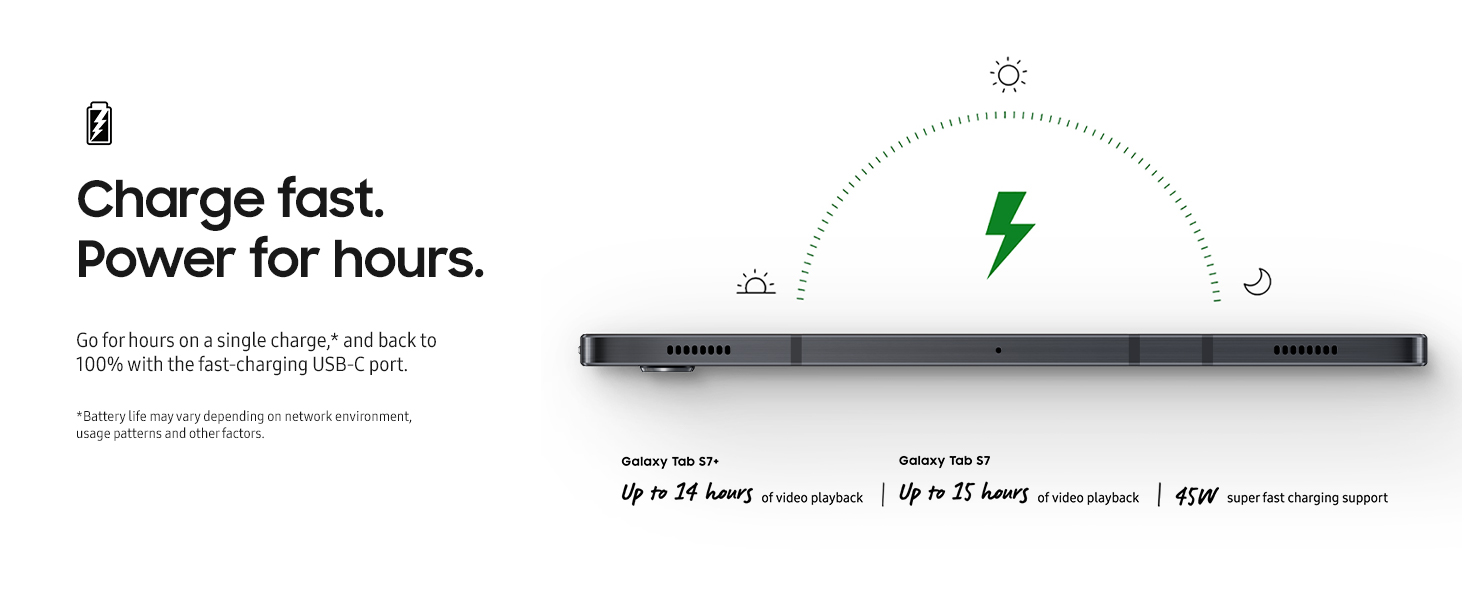
| Other Special Features of the Product | Fast Charging |
|---|---|
| Sensor Type | Accelerometer, Fingerprint Sensor, Geomagnetic Sensor, Gyro Sensor, Hall Sensor, RGB Light Sensor |
| GPS Geotagging Functionality | GPS, GLONASS, Beidou |
| Biometric Security Feature | Fingerprint Scanner |
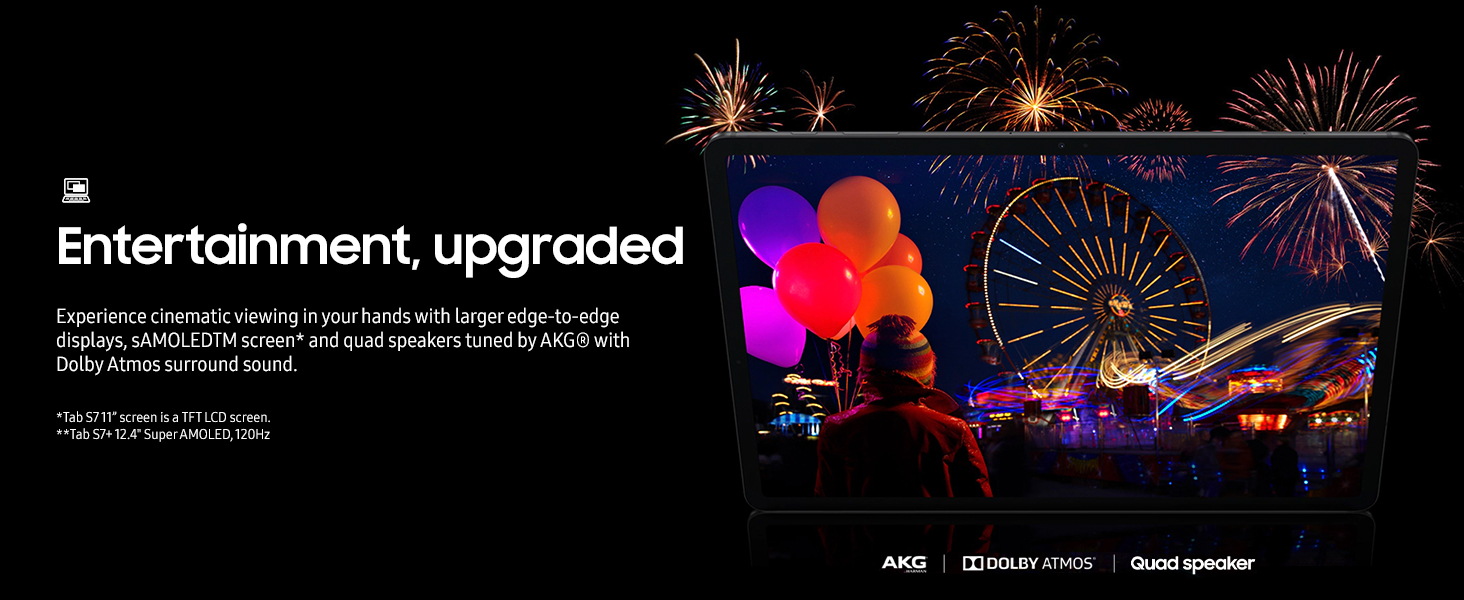
| Speaker Description | 4-speakers, Sound by AKG, Dolby Atmos |
|---|---|
| Supported Audio Format | MP3, M4A, 3GA, AAC, OGG, OGA, WAV, WMA, AMR, AWB, FLAC, MID, MIDI, XMF, MXMF, IMY, RTTTL, RTX, OTA |
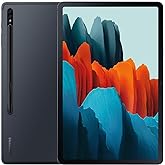
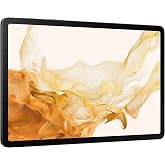
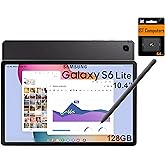
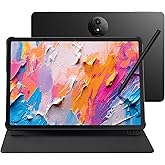
| 👁 Image Galaxy Tab S7 | 👁 Image Galaxy Tab S7+ | 👁 Image Galaxy Tab S6 Lite | 👁 Image Galaxy Tab A7 | |
|---|---|---|---|---|
|
Customer Reviews
|
4.8 out of 5 stars 5,967
|
4.8 out of 5 stars 5,967
|
4.7 out of 5 stars 18,845
|
4.6 out of 5 stars 19,905
|
|
Price
| $399.99$399.99 | — | $319.98$319.98 | $255.00$255.00 |
|
S-Pen included
| ✔ | ✔ | ✔ | ✘ |
|
Display Size
| 11.0" | 12.4" | 10.4" | 10.4" |
|
Display Resolution
| 2560 x 1600 (WQXGA) TFT | 2800 x 1752 (WQXGA+) | 2000 x 1200 (WUXGA+) | 2000 x 1200 (WUXGA+) |
|
Audio
| Quad + AKG + Dolby Atmos | Quad + AKG + Dolby Atmos | Dual + AKG + Dolby Atmos | Quad + Dolby Atmos |
|
Weight
| 1.1 lb. | 1.28lb | 1.02 lbs. | 1.05lbs. |
|
Processor
| Octa Core (3.09+2.4+1.8GHz) | Octa Core (3.09+2.4+1.8GHz) | Octa Core(4x2.3GHz + 4x1.7GHz) | Exynos 9611 |
|
Internal Memory
| 6/8GB(RAM) + 128/256/512GB | 6/8GB(RAM) + 128/256/512GB | 4GB(RAM) + 64/128GB | 3GB(RAM) + 32/64GB |
|
External Memory
| microSD up to 1TB | microSD up to 1TB | microSD up to 1TB | microSD up to 1TB |
|
Keyboard Supported
| ✔ | ✔ | ✔ | ✔ |
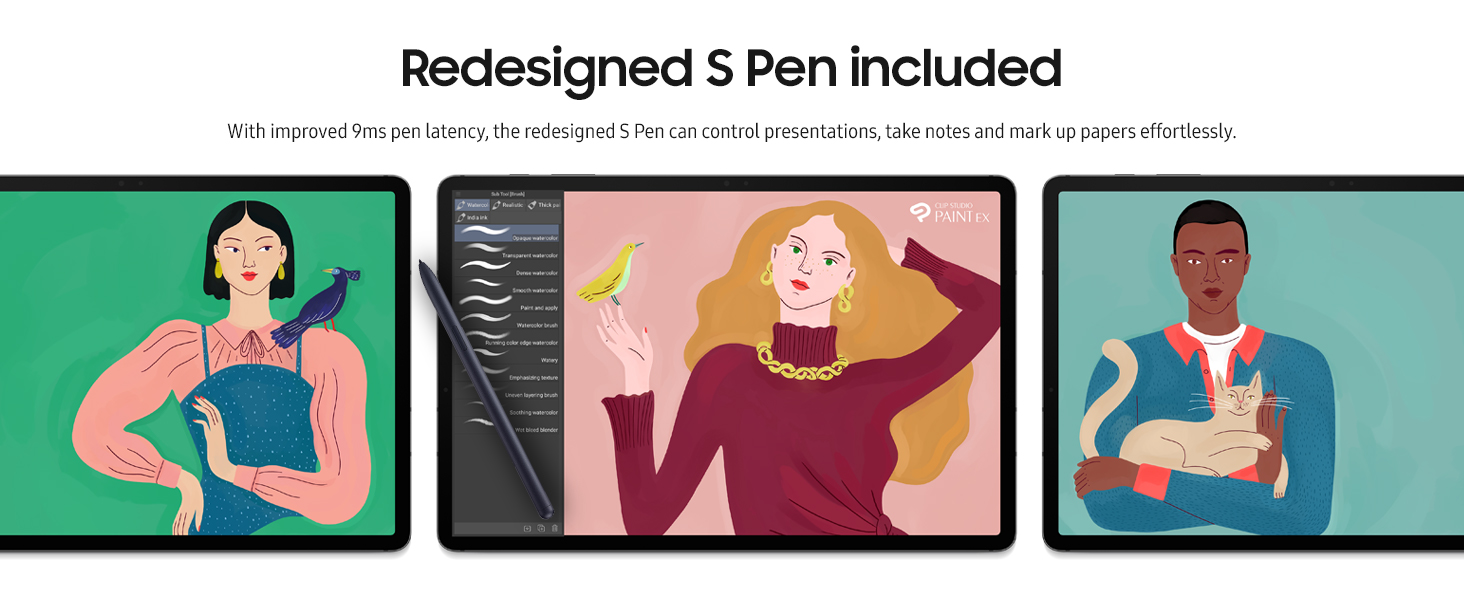
With the power of a PC and the mobility of a tablet, the Samsung Galaxy Tab S7+ Plus Wi-Fi is your secret weapon for getting more done, wherever you are. Enjoy the advantages of a truly two-in-one device, where an expanded keyboard and built-in memory of 128GB are backed by a battery that lasts the entire work day for ultimate portability. With a redesigned, minimal-lag S Pen that lets you control a presentation with the tap of a finger and an expanded edge-to-edge screen for better streaming, gaming, and video chatting, the Galaxy Tab S7+ Plus Wi-Fi simplifies life, work, and play. Meet the Galaxy Tab S7+ Plus series, the most advanced tablet to provide a PC-like performance that you can enjoy anywhere. Ready to power your ideas whenever creativity strikes, stream, surf, create on an immersive Samsung tablet experience. Sold separately. Battery life may vary depending on network environment, usage patterns and other factors.
Customer Reviews, including Product Star Ratings help customers to learn more about the product and decide whether it is the right product for them.
To calculate the overall star rating and percentage breakdown by star, we don’t use a simple average. Instead, our system considers things like how recent a review is and if the reviewer bought the item on Amazon. It also analyzed reviews to verify trustworthiness.
Learn more how customers reviews work on AmazonGot this for drawing digitally, and painting digitally, while on the go. Works very well for that. I bought an Infiland Multi-angle Business Folio cover/ foldout case for it, which acts as a stand so i can draw while sitting in the car or in a park or whatever in comfort- It has a magnetic closure, plus a cut out for the pen to stick to the tablet, and a flap that closes down over the pen to hold it inplace- which was the main reason i bought it since i have a tendency to lose things easily. The case puts the tablet t sleep when it's closed, which is a nice feature too-
The Camera on it- Meh- Not real great- Not a lot of details in the photos, a bit on the mushy looks side- I wouldn't use the cameras for taking photos that I would keep as family photos, but they are good enough for sharing online i suppose.
The battery life? Meh- get a couple of hours Drawing, haven't really tested it by draining it yet- i usually use the machine about 2-5 hours, then recharge when it's about anywhere from 30-60%. The battery life is nowhere near the stated 'optimal case scenario'- But that was to be expected for those who do heavy work on them.
The pen works a treat- Really like it. Only issue is that they don't sell replacement nibs apparently? Which would mean havign to buy a whole new pen if the nib wears out- I guess they claim the nib is made so it won't wear out too quick- but we'll see-
Graphics are really nice- Not sure how the 'burn in' is going to affect this tablet- So far it's fine- no ghosting that I've noticed. I have removed all but three of my most used icons from front page, and i keep rearranging them on the screen every couple of days. Not sure if this is going to help, but we'll see- Love the deep darks on this tablet- makes working in painting apps very nice- Haven't tried watching a movie with it yet- but I'm betting it's gonna look fantastic based on what I've seen so far.
The tablet does come with a bunch of stuff I wish i could just get rid of, but unfortunately Samsung doesn't allow you to delete some of their proprietary apps. If I'm gonna pay a lot of dough for something, I'd like to be able to decide what apps i have on it or not- to be able to reclaim some of the space they take up- but oh well-
I bought a 400gb Samsung Extreme micro SD card for it which extends the storage quite a bit. It seems to be a bit slow accessing it though, which surprised me. In my desktop computer, it accesses almost instantly, but on the table it takes a good 8 seconds or so before you can see the files on the SD card-
The MicroSD Card Slot is locked in, so you'll need a paper clip or the provided tool to unlock the slide in casing for the card- but once it's locked in, you shouldn't need to take it out if all you want it for is backup storage. It will be a pain though if I want to take the card out to transfer contents to desktop or other laptops- but oh well- Woulda just been nice if it had a slide locking mechanism or something to unlock the case for the card
Over all, so far, the tablet is very nice- just what i need for on the go drawing and painting- Haven't had it long enough to comment on other apps on it- but the ones i use work wonderfully- quite pleased so far with the purchase
I also bought a Anker USB C Cable, Powerline USB 3.0 to USB C Charger Cable (10ft) with 56k Ohm because the supplied power chord was too short. This chord is thick, well made- and works a treat- plugs right into the fast charger head of the Samsung provided charger- and charges the tablet very quickly. Takes about I guess 10 minutes to charge an 80% charged tablet i would guess? Maybe a bit longer or shorter- haven't really timed it, but it's plenty quick
So back to the table itself- The size is just right from drawing on on the go. The only downside to the aspect ratio is that some apps or pages don't render right- they only render in portrait mode it seems- but no big deal for me- though it might be for some folks-
The tablet is very responsive- fast for the most part, except for accessing the SD card-
- Gorgeous Bright Screen
- Fantastic Pen with a rubbery nib that gives you nice resistance on the screen's glass surface
- Surprisingly Good Speakers
- Expandable Micro SD Storage
- Holds Its Battery When Not In Use
- No Slowdown When Doing Art
- Handy Front-facing Camera
------------
------------
OWNED FOR 5 MONTHS:
FIRST and FOREMOST, I purchased this tablet to use as a pen display for my Windows PC. Tab S7+ connects to your PC in a number of ways, both wireless and wired. You can either mirror your tablet screen to your PC or your PC screen to your tablet. But these baked-in features, though good in certain ways, are not robust enough to give you a premium digital pen display experience.
To use Tab S7 as a high quality pen display with your desktop art apps, I recommend Superdisplay - a $15 app that you'd download onto your tablet through Google Play store. Superdisplay only works on Windows OS currently. Additionally, you might want to buy a 6 feet (usb-c male to usb-a male) cable because you'll want a nice wired connection to eliminate lag while avoiding the frustration of a short plug chaining you too close to your PC tower. I also purchased a Parblo PR 100 tablet stand so that my Tab S7 would be angled up rather than lying completely flat. A small mini bluetooth keyboard rounds out my pen display setup.
When using this as a pen display (through the Superdisplay app), I use Photoshop, Illustrator, ArtRage, After Effects - basically everything I use on my PC can be interacted with on my Tab S7+. The S Pen itself is nearly perfect in my opinion, and you get all your pressure sensitivity inside your art apps. And you can extend your PC screen to your Tab in either portrait or landscape. It only takes a small time to get used to the setup, but once you do, it becomes an easy plug-and-play. Connect your usb-c cord when you want a pen display; remove the cord when you just want to use it as a standalone tablet.
------------
------------
Small Gripes:
- As a 12.4 inch tablet, using desktop apps in portrait mode takes some getting used to within the narrow space. I can see the advantage of the extra space of iPad Pro's 12.9 inch screen, BUT this small issue isn't big enough to make me opt for an iPad. I value the openness of the Android OS.
- Battery life is great when using the Tab for regular tablet stuff. But when it comes to doing serious art, the battery life can drop from about 10hrs to about 4hrs. Rarely am I far away from a power source longer than 4hrs though.
- As a HEAVY user of the S Pen, I'm rounding down the pen nib. Tab S7 does not come with replacement nibs. I spoke with Samsung about this and they decided to send me another S Pen, but the pen that came with the unit is not worn away completely. I still use it.
- Android art apps are not as numerous as on Apple's platform, but among the selection available on Android are high quality and professional level apps. Noteworthy for my illustration work are Clip Studio and Infinite Painter. Sketchbook Pro and ArtRage are good ones too.
------------
------------
Drawing on this Tab S7+ as a pen display or just a tablet has been heavenly.
- Gorgeous Bright Screen
- Fantastic Pen with a rubbery nib that gives you nice resistance on the screen's glass surface
- Surprisingly Good Speakers
- Expandable Micro SD Storage
- Holds Its Battery When Not In Use
- No Slowdown When Doing Art
- Handy Front-facing Camera
------------
------------
OWNED FOR 5 MONTHS:
FIRST and FOREMOST, I purchased this tablet to use as a pen display for my Windows PC. Tab S7+ connects to your PC in a number of ways, both wireless and wired. You can either mirror your tablet screen to your PC or your PC screen to your tablet. But these baked-in features, though good in certain ways, are not robust enough to give you a premium digital pen display experience.
To use Tab S7 as a high quality pen display with your desktop art apps, I recommend Superdisplay - a $15 app that you'd download onto your tablet through Google Play store. Superdisplay only works on Windows OS currently. Additionally, you might want to buy a 6 feet (usb-c male to usb-a male) cable because you'll want a nice wired connection to eliminate lag while avoiding the frustration of a short plug chaining you too close to your PC tower. I also purchased a Parblo PR 100 tablet stand so that my Tab S7 would be angled up rather than lying completely flat. A small mini bluetooth keyboard rounds out my pen display setup.
When using this as a pen display (through the Superdisplay app), I use Photoshop, Illustrator, ArtRage, After Effects - basically everything I use on my PC can be interacted with on my Tab S7+. The S Pen itself is nearly perfect in my opinion, and you get all your pressure sensitivity inside your art apps. And you can extend your PC screen to your Tab in either portrait or landscape. It only takes a small time to get used to the setup, but once you do, it becomes an easy plug-and-play. Connect your usb-c cord when you want a pen display; remove the cord when you just want to use it as a standalone tablet.
------------
------------
Small Gripes:
- As a 12.4 inch tablet, using desktop apps in portrait mode takes some getting used to within the narrow space. I can see the advantage of the extra space of iPad Pro's 12.9 inch screen, BUT this small issue isn't big enough to make me opt for an iPad. I value the openness of the Android OS.
- Battery life is great when using the Tab for regular tablet stuff. But when it comes to doing serious art, the battery life can drop from about 10hrs to about 4hrs. Rarely am I far away from a power source longer than 4hrs though.
- As a HEAVY user of the S Pen, I'm rounding down the pen nib. Tab S7 does not come with replacement nibs. I spoke with Samsung about this and they decided to send me another S Pen, but the pen that came with the unit is not worn away completely. I still use it.
- Android art apps are not as numerous as on Apple's platform, but among the selection available on Android are high quality and professional level apps. Noteworthy for my illustration work are Clip Studio and Infinite Painter. Sketchbook Pro and ArtRage are good ones too.
------------
------------
Drawing on this Tab S7+ as a pen display or just a tablet has been heavenly.
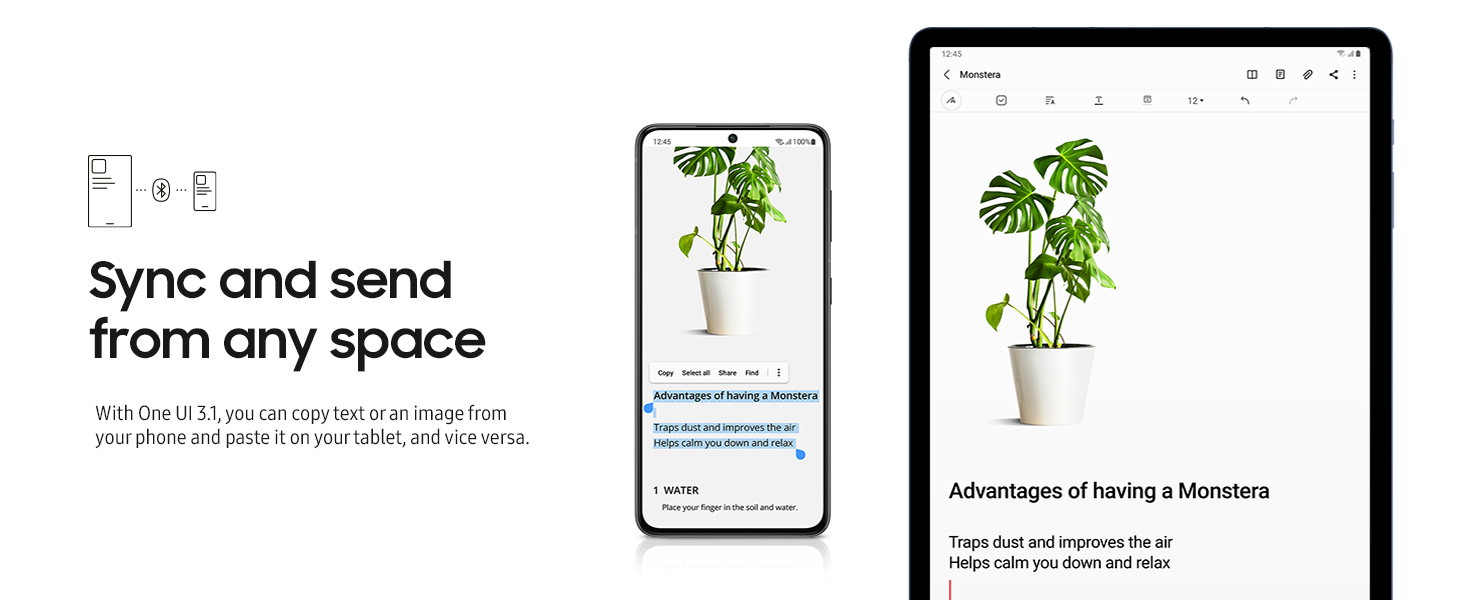
This tablet (7+) easily and quickly just transferred everything from my S22, so it's a seamless setup, and it doesn't lag. I like that I can add up to a TB memory, in case I ever need to do that.
I can even make calls and texts from it using my phone's number, which is great, and the fingerprint unlock feature works quickly and reliably. It's easily the nicest tablet I've ever owned (my last one was a Fire, but it was smaller and didn't work as well as I wanted, so I rarely used it).
I paired the 7+ with a Samsung cover with built in keyboard, and it's a very nice combo which can be used just like a laptop without ever becoming hot on your lap - love that. I mostly use the keyboard for social media, but I can also run pretty much any type of program on it (Word, Excel, Outlook, etc) if I want, since they were on my phone and also transferred.
I bought it primarily to watch videos in bed though, since it's a large screen (but is very lightweight. Due to a shoulder and neck injury I can only lay comfortably on one side, so the TV isn't an option anymore without completely rearranging my bedroom. I'm used to watching TV until I fall asleep, and I needed something compatible with all my Xfinity channels and my TV/video apps. I knew my Samsung phone can easily run them all, which is why I chose Samsung for the tablet; I just prop it safely, and the screen is big enough to work great as a TV substitute, even without my glasses.
The picture quality is top notch, no lagging or buffering at all even with HD channels like HBO Max, and the sound is more than sufficient for my purposes. There's also no learning curve, since it's an Android OS.
I'd definitely recommend it, I think it was a VERY good purchase for my needs.
I purchased this unit to replace a Galaxy Tab S6. Believe me, it is worth the upgrade. The size is helpful. Samsung is putting the effort into making a tablet that is a pleasure to use. I have the keyboard case. The improvements in the keyboard are noticable. The keyboard is a true keyboard. I also use DeX exclusively. Samsung is doing a good job with this addition to the android O/S. One of the main unpleasant ordeals - there are many differences with a Tab S6. Most of them relate to the keyboard improvements as well as the larger screen. This screen is a spoiler. It will spoil you. Sharp, Clear, Bright, and Fast. To say nothing of the size. All in all this is the greatest Android device out there.
Just to update - I have now used this device for daily email, calendar, SMS, as well as other daily tasks for a couple months. I want to make a couple comments re: where does the Android Tablet find a place in todays marketplace. With phones becoming the answer to all needs, is there a need for a tablet? I think so. But for specific applications - I use a Samsung Galaxy S10 Plus for a phone. I use it as a hotspot for the S7+. Works for me. When I say tablets fit a particular place in the marketplace. If you want a one device does it all, the S7+ would be difficult to justify. The phone is too small for me to use as a one size fits all situation. However, the S7+ is capable of doing all my daily tasks. There are limitations, I have a Lenovo LTop which I have to drag out on occasions. This brings up the major issue with Android. With so many devices and Manufacturers and each mfgr responsible for updates to operating system, the lack of cross device compatibility is a problem. I need the Lenovo to print to my P-Touch printer. Brother says "Buy a new printer". Not a real answer. Just another part of the Android issue. In typing this review, another issue with Android - Cut and Paste works different depending on what app you are using. This is not a Tablet problem. It is a Google Problem. I think Samsung is doing what they can to make a great Android Tablet and a Great Operating System as well.
Updated:
While I have no regrets buying this tablet, which I have had for a year and a half, Instead of buying the S7+, buy the newer 12.4 inch S9+, or S10+which have a more powerful processor, as well as integrated AI. As of this post, The S9+ is selling for $700.00, while this S7+ costs $900.00
I rarely bother to post reviews. However, I am so impressed with this Tablet PC, that I had to comment. As a hardcore software engineer for 12 years, what I like most about this Tablet is
this highly intuitive GUI (Graphical User Interface) which is very well designed, like everything else.
I see no pen lag when I use Samsung Note. It’s still a fast Tablet, so everything responds instantly.
Also, a major improvement from previous Samsung Tablets is the quad speakers, which very nicely
serve as heat vents. The only thing that I don’t like about this device is that it starts up very hot, but once it cools off it does continue to run very cool with low temperatures. Web pages load very fast. Updates of any kind are fast. I like the Android feature that allows how fast you touch the buttons. Once I turned down the brightness, Web pages and PDF documents are much easier to read than on my old tablet. You can’t go wrong with buying this Tablet PC, which compared to a similar Apple Tablet PC, This Samsung Tablet comes in at half the price, and is far superior than Apple when it comes to taking notes. I am using The Ztotop Case for Samsung Galaxy Tab 12.4 inch. This is a high quality case, which holds the
stylus in place, so it never falls off. This Tablet PC is the perfect size, and is very light.
My review written from the POV of a casual user and occasional business use. 7+ 256k
Pros:
Great hardware, screen is great, incredibly fast processor, great sound quality from 4 speakers, and battery life. Super fast.
Google ecosystem which I like. On IOS, never sure what IOS remembers about your preferences such as passwords or Google.
Cheaper than comparable Apple tablets in size category.
Great for entertainment, big screen and big sound.
Business software is comparable to IOS, Adobe, etc. I use WPS Office for most things as this a cheaper subscription service that does some things MS Office does not.
Seriously close to a laptop in capability - closer to a laptop than a smaller tablet. Can use a mouse, keyboard, etc. Lots of memory, you will never run out, can add more memory.
Cons:
Samsung bloatware still a nuisance but just ignore it.
Must use external keyboard as the built in keyboard is obstructed by the Android buttons on the bottom, very awkward for me. This dings the rating but the keyboard does have arrow keys which the Apple does not, go figure.
Samsung's Windows emulator is very clunky and not ready for prime time. Not a reason to buy.
Lack of apps for Android tablets, as many of said, most of the apps are for phones. Apps must stretch to fill the screen, just not as good as IOS. Don't assume an IOS app is available for Android as hard as that to believe as Android is the number 1 selling phone system. EG, newspapers are not optimized, so use the browser to view them better. Save the tab on your home screen. This keeps it from 5 star rating.
The large screen is good and bad - good for business applications but can be awkward for casual usage. Same for Apple of same size.
Not everyone will love the horizontal orientation of the screen. That's a preference.
So it's a tough choice between Apple and Samsung. Figure out the cost and what's important to you. I also have Apple tablets, the 9.7". I needed a larger screen for music applications and the 7+ works great.
If you just want the big sharp screen with less power and memory, consider the 7FE, way cheaper and still fast and good.
The Tab 8 has just been released with a 14 .2 screen. that's tooo big for a tablet without the total capabilities of a laptop.
Professional musician - Symphony, Nat'l Theater tours, Jazz, Recording Studio, you name it. I've been heckled for years by friends and colleagues who've read music off of their IPads (call me old fashioned?). Several of my employers are now making reading parts off of a tablet as 'mandatory' in their contracts, so I figured it was time to up my sheet music game. After a lot of research (and not willing to go the Apple/Mac route), I found the S7+ was a little cheaper, and can do everything I need it to for hundreds of dollars less than newer models. I've used Samsung phones for years, had no problem buying their tablet. Big bonus = SD slot for extra storage (up to 1 TB!?) to keep my built in memory low, and can store a TON of music for work, private lessons, etc. I'm actually a little embarrassed for not having tried this year's ago. Great product, very easy to use if you're already familiar with their phones, Bluetooth pedal compatibility a plus. No headphone jack, no ability to completely turn off screen turn-off/timeout (10 minutes is the longest option if left untouched) are the only cons. Not using this for anything other than reading sheet music, easy to shoot/scan pages, convert to PDF without any apps, great sheet music reader available for Samsung users (MusicSheets). S-Pen is awesome for making notes, markings in music, and is magnetic (nice to stick to the music stand for easy access). Big fan, thank you Samsung for another great product!
Everything about this machine is top. It is hands down the best handheld computing machine I have ever touched or beheld.
But I have a concern that I would like to ask about. It started when I tried to install the Skype app from the Play Store. It installed ok, but then when I tried to use Skype to make a call, it failed to login, every time. One of my attempts, I noticed a 404 error flash on the screen. That got me thinking and so I installed the 1.1.1.1 app to use Cloudflare's DNS instead of whatever the S7+ was using.. What do you know! Skype started working. I was able to login, make a call, everything. Then I stopped the 1.1.1.1 DNS, and Skype broke again!
The problem seems to be with my Galaxy Tab S7+ DNS resolution. When I install the 1.1.1.1 app to use Cloudflare's DNS, then Skype installs and works properly. Later, when I stop the 1.1.1.1 app, Skype stops working again. The problem is repeatable.
This behavior scares me. Could the apparent DNS failure be caused by some app on my machine? ..or my router? ..or (scary thought) AT&T Wireless? ... or (another scary thought) the S7+ configuration?
I don't know what is causing this yet.
Does anyone else have this issue? My home computers don't have this issue.
So I am concerned about the DNS name resolution in my gorgeous S7+.
Why is my native DNS apparently blocking USA sites like Microsoft's Skype service?
And what else is changed? banking? now you see why this behavior frightens me.
If anyone else sees (or does not see) this problem, please post. Thanks.
Also welcome are ideas about how I might troubleshoot this. I will post any updates here.
Kudos to Amazon for delivering it very fast, to be precise 20 days earlier than expected delivery date while ordering.
Coming to tablet, with the new Android 12 update it is so pleasing to use this tablet. Such a productivity beast i say.
Laptop replacement with DEX mode and SPEN.
Luckily i got this 8GB, 256GB model Tablet for around 3,200 SAR(Inclusive delivery charges)
Am extremely happy with the screen, battery backup and those Quad Dolby Atmos speakers.
Am very happy with this purchase.
Blindly purchase this tablet S7"+".
I read so many reviews, weather to get 128GB or 256GB.
Since it has the same specification, except the memory, and won't make any significant performance by upgrading to 256GB.
At the end I decided to get 128GB, it's very powerful, exceeding my expectation.
Excelente producto, llegó antes de el tempo pactado, el producto es 100% original, todo ha funcionado muy bien, lo pedí en importación y es confiable.
Amazing performance, both graphics and audio wise, as 120hz is unreal on tablets. Just wished it was more than 128gb by stock (not sure if you could add SD card or something).
The part number on package was correct, likely a nice camera, but not a tab,
On the bright side received refund in 5 days