|
VOOZH | about |
|
VOOZH | about |
We offer easy, convenient returns with at least one free return option: no shipping charges. All returns must comply with our returns policy.
Learn more about free returns.| Digital Storage Capacity | 2 TB |
| Hard Disk Interface | USB 3.2 |
| Connectivity Technology | USB |
| Brand | Sandisk |
| Special Feature | Portable |
| Hard Disk Form Factor | 2.5 Inches |
| Hard Disk Description | Solid State Drive |
| Compatible Devices | Laptop,Desktop,Tablet |
| Color | Sky Blue |
| Hard Disk Size | 2 TB |
The FIFA World Cup 2026 is on track to become one of the most captured, recorded, and shared sporting events in human history — and you're invited to help write that story. This curated collection of licensed SANDISK storage solutions transforms you into a guardian of football's greatest moments.
| Digital Storage Capacity | 2 TB |
|---|---|
| Hard Disk Interface | USB 3.2 |
| Connectivity Technology | USB |
| Additional Features | Portable |
| Hard Disk Form Factor | 2.5 Inches |
| Compatible Devices | Laptop,Desktop,Tablet |
| Specific Uses For Product | Business, Personal |
| Read Speed | 1050 Megabytes Per Second |
| Media Speed | 1000 megabits_per_second |
| Cache Memory Installed Size | 2 |
| Data Transfer Rate | 1050 Megabytes Per Second |
| Form Factor | Portable |
| Hardware Connectivity | USB 3.2 Gen 2 |
| Compatible Video Game Console Models | Nintendo Switch |
| Hard-Drive Size | 2 TB |
|---|---|
| Item Weight | 1.76 ounces |
| Number of Items | 1 |
| Customer Package Type | FFP or appropriate certification |
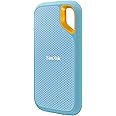
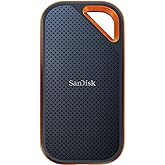
SANDISK 2TB Extreme Portable SSD (Old Model) - Up to 1050MB/s, USB-C, USB 3.2 Gen 2, IP65 Water and dust Resistance, Updated Firmware, Sky Blue - External Solid State Drive - SDSSDE61-2T00-G25B
Share:
Found a lower price? Let us know. Although we can't match every price reported, we'll use your feedback to ensure that our prices remain competitive.
Fields with an asterisk * are required
| Brand | Sandisk |
|---|---|
| Model Number | SDSSDE61-2T00-G25B |
| Hard Disk Description | Solid State Drive |
| Built-In Media | Extreme Portable SSD, USB Type-C to C cable, USB Type-C to Type-A adapter |
| Model Name | SanDisk Extreme Portable SSD |
| Manufacturer | Sandisk Technologies, Inc. |
| Global Trade Identification Number | 00619659205058 |
| UPC | 619659215361 619659205058 |
| Mfr Part Number | SDSSDE61-2T00-G25B |
| Warranty Description | 5-year limited manufacturer warranty |
| Best Sellers Rank | |
| ASIN | B0C5SC2V95 |
| Customer Reviews |
4.6 out of 5 stars |
| Color | Sky Blue |
|---|---|
| Enclosure Material | Silicon |
Get fast NVMe solid state performance with up to 1050MB/s read and 1000MB/s write speeds(1) in a portable, high-capacity drive that’s perfect for creating amazing content or capturing incredible footage.
Up to three-meter drop protection and IP65 water and dust resistance(4) mean this durable drive can take a beating.
Use the handy carabiner loop to attach the drive to your belt loop or backpack for extra security when you’re out in the world.
Help keep private content private with the included password protection featuring 256‐bit AES hardware encryption.(3)
Available from the Google Play store, the SanDisk Memory Zone app(5) lets you unlock, access and back up your phone's files in one location. It can also automatically move files from your device to your SSD to free up space.
| Extreme Portable SSD | Extreme PRO Portable SSD | Extreme PRO SD UHS-I Card |
|---|---|---|
| Read Speeds(1) Up to 1050MB/s | Read Speeds(1) Up to 2000MB/s read | Read Speeds(1) Up to 200MB/s(64GB-1TB) |
| Write Speeds(1) Up to 1000MB/s | Write Speeds(1) Up to 2000MB/s | Write Speeds(1) Up to 140MB/s(256GB-1TB) |
| Durability Up to three-meter drop protection and IP65 water and dust resistance(4) | Durability Up to three-meter drop protection and IP65 water and dust resistance(4) | Durability Temperature-proof, waterproof, shockproof, and X-ray proof(7) |
| Security Included password protection featuring 256‐bit AES hardware encryption.(3) | Security Included password protection featuring 256‐bit AES hardware encryption.(3) | Security Includes a 2-year offer for RescuePRO Deluxe file recovery software(8) |
| File Management Easily manage files and free up space with the SanDisk Memory Zone app.(5) | File Management Easily manage files and free up space with the SanDisk Memory Zone app.(5) | Video Quality 4K UHD video(9) |
(1) Based on stated speeds and internal testing; performance may be lower depending on host device, interface, usage conditions and other factors. 1MB=1,000,000 bytes. (2) See official SanDisk website. (3) Password protection uses 256-bit AES encryption and is supported by Windows 8, Windows 10 and macOS v10.9+. (Software download required for Mac, see official SanDisk website.) (4) Based on internal testing. IPEC 60529 IP 55 & IPEC 60529 IP 65: Tested to withstand water flow (30 kPa) at 3 min.; limited dust contact does not interfere with operation. Must be clean and dry before use. (5) Download and installation required; See official SanDisk website for Memory Zone details. (6) 1GB = 1,000,000,000 bytes, 1TB = 1,000,000,000,000 bytes. Actual user capacity less. (7) Card only. See product packaging or official SanDisk website for additional information and limitations. (8) Registration required; Terms and conditions apply. (9) 4K UHD (3840 x 2160) video support may vary based upon host device, file attributes, and other factors. See official SanDisk website.
SanDisk, the SanDisk logo, Memory Zone, RescuePRO, SanDisk Extreme and Extreme PRO are registered marks or marks of Western Digital Corporation or its affiliates in the US and/or other countries. Google Play is a mark of Google LLC. The NVMe mark is a registered mark of NVM Express, Inc. All other marks are the property of their respective owners. Product specifications subject to change without notice.
2023 Western Digital Corporation or its affiliates. All rights reserved.
Western Digital Technologies, Inc. is the seller of record and licensee in the Americas of SanDisk products.
Your life’s an adventure. To capture and keep its best moments, you need fast, high-capacity storage that accelerates every move. The SanDisk Extreme Portable SSD features up to 1050MB/s read and 1000MB/s write speeds, letting you store your content and creations on a fast drive that fits seamlessly into your active lifestyle. (Based on internal testing; performance may be lower depending on host device, interface, usage conditions and other factors. 1MB=1,000,000 bytes.)
Customer Reviews, including Product Star Ratings help customers to learn more about the product and decide whether it is the right product for them.
To calculate the overall star rating and percentage breakdown by star, we don’t use a simple average. Instead, our system considers things like how recent a review is and if the reviewer bought the item on Amazon. It also analyzed reviews to verify trustworthiness.
Learn more how customers reviews work on AmazonI’ve been using the SanDisk Extreme Portable SSD (1TB) to back up photos and video, and it’s been one of the most useful pieces of gear in my kit. Transfer speeds are genuinely fast, so moving large batches of RAW files or video clips takes minutes instead of forever. Drives in this line are rated around 1000–1050 MB/s read and ~1000 MB/s write, which makes a noticeable difference when working on tight timelines. 
The size and build are a big plus. It’s small enough to keep in a pocket or camera bag, and the rubberized shell feels rugged. These drives are designed with water and dust resistance and drop protection, which gives some peace of mind when traveling or shooting outdoors. 
Setup is simple with USB-C, and the included cable and adapter make it easy to use with both newer laptops and older USB-A ports. I’ve used it for everything from field backups to editing directly off the drive, and it’s been consistently reliable.
If there’s one small downside, it’s that like most compact SSDs, it can get slightly warm during long transfers, but nothing concerning.
Overall, it’s a great portable SSD, especially for photographers, videographers, or anyone who moves large files regularly. Fast, durable, and easy to carry, which is exactly what you want in a travel drive.
I am a maniac about backing up files and this is another redundant backup that I can also use for gaming and video editing if I chose to do so, compact and solid. SANDISK is a good brand and I am glad I picked up for the recent price hikes, good quality. I also bought a hard shell cover for traveling. Easy set up and good to go.
I am a maniac about backing up files and this is another redundant backup that I can also use for gaming and video editing if I chose to do so, compact and solid. SANDISK is a good brand and I am glad I picked up for the recent price hikes, good quality. I also bought a hard shell cover for traveling. Easy set up and good to go.
After a year or so of continual use, this portable SSD drive is working wonderfully still. I love how portable it is. I purchased a padded travel case for mine, and it's been safe in travel. I have read that newer models of this product sometimes have mixed reviews; but I have nothing but GOOD THINGS to say about this older model!! Wonderful and it is fast so that I never notice slowness. Mine worked with my Windows computer right out of the box, it didn't require any special setup. The storage capacity was indeed 2 TB (Terabytes). It's a GREAT BACKUP DRIVE!! It was also easily compatible with my Windows laptop. Very nice product, would buy again!
I cannot go anywhere without my portable
SSD. All my life is backed up in this small thing. It is compatible with all of my devices (I have Apple devices only). I can backup my information, photos and more in seconds. The material feels durable, is really nice, durable and if there is ever an accident it is waterproof proof too. Extremely lightweight and easy to pack. It is easy to use, super beginner friendly and comes with a USB-C to USB-C Cable and a USB-A Adapter. Totally worth the price. Genuinely recommend to get one (or multiple!! If needed!!) of these!!
I cannot go anywhere without my portable
SSD. All my life is backed up in this small thing. It is compatible with all of my devices (I have Apple devices only). I can backup my information, photos and more in seconds. The material feels durable, is really nice, durable and if there is ever an accident it is waterproof proof too. Extremely lightweight and easy to pack. It is easy to use, super beginner friendly and comes with a USB-C to USB-C Cable and a USB-A Adapter. Totally worth the price. Genuinely recommend to get one (or multiple!! If needed!!) of these!!
This is a great Portable SSD! It was even smaller than expected in person which makes it easy to keep stored. The transfer speeds are great and this is a must have for backing up important files!
This SSD uses TLC NAND memory, which is a good feature. However, it seems it lacks an internal DRAM cache, which is not very good. I'm not 100% sure tbh about the absence of the DRAM cache, it's difficult to find detailed specs for this drive, but from what I googled, it seems it doesn't have a DRAM cache.
The main issue for me—and the reason I deducted one star—is that once the drive is partially filled, the write speed for large files drops to approximately 438 MB/s.
When the disk is empty, CrystalDiskMark reports sequential read and write speeds of around 1 GB/s. However, CrystalDiskMark is not a good test for real-world performance, at all (I’ll explain this in more detail below). In actual use, writing large files to an empty disk achieves speeds of about 736 MB/s. As mentioned earlier, the write speed decreases noticeably as the drive fills up. While this behavior is somewhat normal for SSDs, the speed drop can be much less pronounced in more expensive or higher-quality SSDs.
That said, reading large files remains consistently fast with this drive, maintaining speeds of around 1 GB/s regardless of how full the disk is.
Recently, I realized I didn’t know as much about SSDs as I thought and had been relying too heavily on CrystalDiskMark for testing. Since then, I’ve educated myself on SSDs, learned how to test them properly, and even acquired several different SSDs for testing and experimentation.
If you’re interested in learning more about SSDs and proper testing methods, feel free to read on.
A lot of people use CrystalDiskMark for testing storage speed. You should know that using CrystalDiskMark is not a good way to test speed. It's a pretty limited test. It can't emulate the real-life use case of copying large files. Even if you choose 64 Gbyte test file size, CrystalDiskMark will simply create a 64Gb test file, but then it will only write or read a small part of that file.
So if you want to copy large files with high speed, you need to test it by... no surprise here... by copying large files. Although I think it can be a surprize for a lot of people who rely on CrystalDiskMark. Make sure you will copy from another very fast SSDs, so that the read performance of that other SSD will not be the real bottle neck. I used my fastest internally isntalled NVME SSD to copy large files from (TLC NAND memory, SLC cache, DRAM cache, up to 7 Gbyte/s read & write speeds).
Storage drives have different kinds of caches. SSD drives can have an SLC cache (SLC = Single-Level Cell, the fastest and most expensive type of NAND memory) and/or a DRAM cache (for example, an SSD can have 1Gb DDR4 internal cache).
Consumer SSDs usually use QLC (Quad-level cell, stores 4 bits per cell, one of the slowest and less reliable types on NAND memory. Used in cheaper SSDs) or TLC (Triple-level cell, stores 3 bits per cell, faster and more reliable than QLC. Used in more expensive SSDs). You can see how an SLC & DRAM caches come into play, for example, here: https://www.techpowerup.com/review/silicon-power-xs70-1-tb/6.html
More expensive SSDs also have an internal DRAM cache, which is used before the SLC cache (if present) is used. In 2024-2025 DRAM cache usually uses DDR4 memory. DDR4 cache is a few times faster than TLC for sequential reads & writes and has about a 1000x lower latency than TLC (nanoseconds vs microseconds).
So when choosing an SSD, if you want high sustained write-speeds, you need to make sure the drive has the following characteristics (which often can be found in the SSD database on this website: https://www.techpowerup.com/ssd-specs/silicon-power-xs70-1-tb.d707 ):
1) TLC type of NAND memory (faster than QLC)
2) SLC Cache and the larger, the better (good drives nowadays have 100+ Gbytes of an SLC cache). You can see how an SLC & DRAM caches come into play, for example, here: https://www.techpowerup.com/review/silicon-power-xs70-1-tb/6.html
3) DRAM Cache and the larger, the better (1Gb+ DRAM cache is a good size)
I'm sorry for this long text, I just hope I can help some people to understand SSDs and how to test them better and make better choices when buying SSDs and SSD adapters.
This SSD uses TLC NAND memory, which is a good feature. However, it seems it lacks an internal DRAM cache, which is not very good. I'm not 100% sure tbh about the absence of the DRAM cache, it's difficult to find detailed specs for this drive, but from what I googled, it seems it doesn't have a DRAM cache.
The main issue for me—and the reason I deducted one star—is that once the drive is partially filled, the write speed for large files drops to approximately 438 MB/s.
When the disk is empty, CrystalDiskMark reports sequential read and write speeds of around 1 GB/s. However, CrystalDiskMark is not a good test for real-world performance, at all (I’ll explain this in more detail below). In actual use, writing large files to an empty disk achieves speeds of about 736 MB/s. As mentioned earlier, the write speed decreases noticeably as the drive fills up. While this behavior is somewhat normal for SSDs, the speed drop can be much less pronounced in more expensive or higher-quality SSDs.
That said, reading large files remains consistently fast with this drive, maintaining speeds of around 1 GB/s regardless of how full the disk is.
Recently, I realized I didn’t know as much about SSDs as I thought and had been relying too heavily on CrystalDiskMark for testing. Since then, I’ve educated myself on SSDs, learned how to test them properly, and even acquired several different SSDs for testing and experimentation.
If you’re interested in learning more about SSDs and proper testing methods, feel free to read on.
A lot of people use CrystalDiskMark for testing storage speed. You should know that using CrystalDiskMark is not a good way to test speed. It's a pretty limited test. It can't emulate the real-life use case of copying large files. Even if you choose 64 Gbyte test file size, CrystalDiskMark will simply create a 64Gb test file, but then it will only write or read a small part of that file.
So if you want to copy large files with high speed, you need to test it by... no surprise here... by copying large files. Although I think it can be a surprize for a lot of people who rely on CrystalDiskMark. Make sure you will copy from another very fast SSDs, so that the read performance of that other SSD will not be the real bottle neck. I used my fastest internally isntalled NVME SSD to copy large files from (TLC NAND memory, SLC cache, DRAM cache, up to 7 Gbyte/s read & write speeds).
Storage drives have different kinds of caches. SSD drives can have an SLC cache (SLC = Single-Level Cell, the fastest and most expensive type of NAND memory) and/or a DRAM cache (for example, an SSD can have 1Gb DDR4 internal cache).
Consumer SSDs usually use QLC (Quad-level cell, stores 4 bits per cell, one of the slowest and less reliable types on NAND memory. Used in cheaper SSDs) or TLC (Triple-level cell, stores 3 bits per cell, faster and more reliable than QLC. Used in more expensive SSDs). You can see how an SLC & DRAM caches come into play, for example, here: https://www.techpowerup.com/review/silicon-power-xs70-1-tb/6.html
More expensive SSDs also have an internal DRAM cache, which is used before the SLC cache (if present) is used. In 2024-2025 DRAM cache usually uses DDR4 memory. DDR4 cache is a few times faster than TLC for sequential reads & writes and has about a 1000x lower latency than TLC (nanoseconds vs microseconds).
So when choosing an SSD, if you want high sustained write-speeds, you need to make sure the drive has the following characteristics (which often can be found in the SSD database on this website: https://www.techpowerup.com/ssd-specs/silicon-power-xs70-1-tb.d707 ):
1) TLC type of NAND memory (faster than QLC)
2) SLC Cache and the larger, the better (good drives nowadays have 100+ Gbytes of an SLC cache). You can see how an SLC & DRAM caches come into play, for example, here: https://www.techpowerup.com/review/silicon-power-xs70-1-tb/6.html
3) DRAM Cache and the larger, the better (1Gb+ DRAM cache is a good size)
I'm sorry for this long text, I just hope I can help some people to understand SSDs and how to test them better and make better choices when buying SSDs and SSD adapters.
An admitted computer geek, I have 14 external Solid State Drives ranging in capacity from 1 TB to 8 TB, with speeds of 1k and 2k. Most capacities are 4 TB. I’ve found this specific Sandisk model (in any size and speed specification) to be the fastest and most reliable for my Dell XPS laptop with Thunderbolt 3 compared to competing products with similar specifications, (with the one exception being the Samsung T9, which is a fine unit with roughly the same performance as a Sandisk. I have two Samsung T9s. Do NOT confuse it with the T7, which provides significantly inferior performance.) The Sandisk units are quiet, easy to install, and may get warm with heavy use, but never hot if sufficiently ventilated.
I confess I like the faster speeds of the 2k units over the 1k, but the maximum usable speed difference with my equipment is an increase of about 40% when transferring data between two drives with 2k speeds plugged into their own Thunderbolt 3 ports. I don’t achieve twice the speed. Unless I’m backing up several TBs of data, the speed difference is not significant in my productivity. If purchasing a 4TB SSD I’d still purchase the 2k speed due to the minimal price difference. When the 8TB drives become reasonably priced at 2k I’ll likely buy one or two. For now, however, I’m surprisingly satisfied with the speed of my two 1K 8TB drives. Over the last few months, the price has dropped by 40%-50%, so I took the plunge and was delighted with the performance.
Plugging fewer units into my computer (or docking station) helps avoid a variety of issues and allows the computer to run a little faster overall. The 8TB 1k drives are, in my actual use, about 25% faster than the 2TB or 4TB 1K drives. I have only guesses, but no confirmed explanations that clarify the reason for the increased usable speed of the 8TB drives over the 2TB or 4TB 1k drives.
I reformat my drives to NTFS, which I think is superior to EXFAT if used exclusively on a Windows computer. I have tried both formats and have not noticed a difference in read or write speeds. My preference for the NTFS is the extra information and other things that can be done with files in that format.
The price of Solid State Drives tends to move frequently, and often for only a day or two at a time – and sometimes for only a few hours. I keep the drives and other items that interest me in my “Save for Later” section with Amazon. If you’re unfamiliar with that, you can easily get there by going to your CART (even if it’s empty) and selecting “Saved for later” just below the cart. I check the items I’m interested in purchasing daily and nearly always find a time (or an event) where the price is notably discounted. However, I offer one piece of advice if you embrace this form of price monitoring: when the item reaches a price point you’ve pre-determined is acceptable, BUY IT without delay. Waiting a day (or sometimes even hours) can result in the price returning to its pre-sale level.
This Sandisk 1TB was one of the best purchases as an IT tech I have ever made, only ever wished I bought the largest sized model, as 4TB can be used so many more ways, email server backup is a very good use for the device. Very plug and play, fast response, easy formatting, quality material, very compact and versatile.
The SanDisk 1TB Extreme Portable SSD is incredible! It’s blazing fast with read/write speeds up to 1050MB/s, making file transfers a breeze. I love how compact and rugged it is-IP65 water and dust resistance gives me confidence to take it anywhere. Perfect for photographers, gamers, or anyone needing reliable portable storage. Worth every penny!
軽量で保存容量が大きため重宝しています。
iPadと接続して使用していますが、反応も早いためお気に入りです。
Heel goed
Very cool delivery, on time, very happy with the SSD drive, it is a little more expensive than the usual one, but since my previous hard drive failed and I lost all my data irrevocably, it is better to get a reliable drive, although the price is higher for the sake of reliability and quality.
Great otem