VOOZH about

URL: https://www.amazon.com/dp/B0C8MSP967

⇱ Amazon.com: UGREEN USB 3.0 Switch 2 Computers Sharing USB C & A Devices, 4 Port USB Switcher Sharing Keyboard and Mouse, Printer/Scanner USB Switch Hub for Two Computers with 2 USB3.0 Cables and Controller : Electronics


👁 Image
👁 Image

Add to your order

  • Coverage for accidental damage including drops, spills, and broken parts, as well as breakdowns (plans vary)
  • 24/7 support when you need it
  • Quick, easy, and frustration-free claims
Cover this product:
3-Year Protection Plan $6.99
Learn more
3-Year Home Improvement Protection Plan
from Asurion, LLC
  • No Additional Cost: You pay nothing for repairs – parts, labor, and shipping included.
  • Coverage: Plan starts on the date of purchase. Drops, spills and cracked screens due to normal use covered for portable products and power surges covered from day one. Malfunctions covered after the manufacturer's warranty.
  • Easy Claims Process: File a claim anytime online or by phone. Most claims approved within minutes. We will send you an e-gift card for the purchase price of your covered product. In some instances, we will replace or repair it.
  • Product Eligibility: Plan must be purchased with a product or within 30 days of the product purchase. Pre-existing conditions are not covered.
  • Terms & Details: More information about this protection plan is available within the “Product guides and documents” section. Simply click “User Guide” for more info. Terms & Conditions will be available in Your Orders on Amazon. Asurion will also email your plan confirmation with Terms & Conditions to the address associated with your Amazon account within 24 hours of purchase.
4-Year Protection Plan $8.99
Learn more
4-Year Home Improvement Protection Plan
from Asurion, LLC
  • No Additional Cost: You pay nothing for repairs – parts, labor, and shipping included.
  • Coverage: Plan starts on the date of purchase. Drops, spills and cracked screens due to normal use covered for portable products and power surges covered from day one. Malfunctions covered after the manufacturer's warranty.
  • Easy Claims Process: File a claim anytime online or by phone. Most claims approved within minutes. We will send you an e-gift card for the purchase price of your covered product. In some instances, we will replace or repair it.
  • Product Eligibility: Plan must be purchased with a product or within 30 days of the product purchase. Pre-existing conditions are not covered.
  • Terms & Details: More information about this protection plan is available within the “Product guides and documents” section. Simply click “User Guide” for more info. Terms & Conditions will be available in Your Orders on Amazon. Asurion will also email your plan confirmation with Terms & Conditions to the address associated with your Amazon account within 24 hours of purchase.
Cover all of your eligible devices:
Complete Protect: One plan covers all eligible past and future purchases (Best Value) $16.99/month
Learn more
Complete Protect: One simple plan covers all eligible past & future Amazon Purchases
from Asurion, LLC
  • BEST VALUE: Protect all your eligible Amazon purchases including: tech, tools, appliances, furniture and more. All for one low monthly price.
  • PAST AND FUTURE PROTECTION: Covers malfunctions and failures, plus drops or spills for eligible portable items. Protection begins immediately for eligible purchases from the past 90 days, plus all eligible future purchases (products used commercially are excluded).
  • TRUSTED CYBERSECURITY: Digital security with scam detection for emails and texts.
  • EASY CLAIMS: File in minutes at www.asurion.com/amazon for fast repair or reimbursement - up to the purchase price.
  • NO HIDDEN FEES. CANCEL ANYTIME: Up to $5,000 in total claims per 12-month period. Your plan renews monthly until canceled (coupons applied at checkout don’t renew monthly).
Select a plan
No thanks
Add protection

Add to your order

  • Coverage for accidental damage including drops, spills, and broken parts, as well as breakdowns (plans vary)
  • 24/7 support when you need it
  • Quick, easy, and frustration-free claims
Cover this product:
Select a plan
No thanks
Add protection

Product Protection by Asurion, LLC

  • No Additional Cost: You pay nothing for repairs – parts, labor, and shipping included.
  • Coverage: Plan starts on the date of purchase. Drops, spills and cracked screens due to normal use covered for portable products and power surges covered from day one. Malfunctions covered after the manufacturer's warranty.
  • Easy Claims Process: File a claim anytime online or by phone. Most claims approved within minutes. We will send you an e-gift card for the purchase price of your covered product. In some instances, we will replace or repair it.
  • Product Eligibility: Plan must be purchased with a product or within 30 days of the product purchase. Pre-existing conditions are not covered.
  • Terms & Details: More information about this protection plan is available within the “Product guides and documents” section. Simply click “User Guide” for more info. Terms & Conditions will be available in Your Orders on Amazon. Asurion will also email your plan confirmation with Terms & Conditions to the address associated with your Amazon account within 24 hours of purchase.

Product Protection by Asurion, LLC

  • No Additional Cost: You pay nothing for repairs – parts, labor, and shipping included.
  • Coverage: Plan starts on the date of purchase. Drops, spills and cracked screens due to normal use covered for portable products and power surges covered from day one. Malfunctions covered after the manufacturer's warranty.
  • Easy Claims Process: File a claim anytime online or by phone. Most claims approved within minutes. We will send you an e-gift card for the purchase price of your covered product. In some instances, we will replace or repair it.
  • Product Eligibility: Plan must be purchased with a product or within 30 days of the product purchase. Pre-existing conditions are not covered.
  • Terms & Details: More information about this protection plan is available within the “Product guides and documents” section. Simply click “User Guide” for more info. Terms & Conditions will be available in Your Orders on Amazon. Asurion will also email your plan confirmation with Terms & Conditions to the address associated with your Amazon account within 24 hours of purchase.

Product Protection by Asurion, LLC

  • BEST VALUE: Protect all your eligible Amazon purchases including: tech, tools, appliances, furniture and more. All for one low monthly price.
  • PAST AND FUTURE PROTECTION: Covers malfunctions and failures, plus drops or spills for eligible portable items. Protection begins immediately for eligible purchases from the past 90 days, plus all eligible future purchases (products used commercially are excluded).
  • TRUSTED CYBERSECURITY: Digital security with scam detection for emails and texts.
  • EASY CLAIMS: File in minutes at www.asurion.com/amazon for fast repair or reimbursement - up to the purchase price.
  • NO HIDDEN FEES. CANCEL ANYTIME: Up to $5,000 in total claims per 12-month period. Your plan renews monthly until canceled (coupons applied at checkout don’t renew monthly).

Product Protection by Asurion, LLC

Please ensure you are not covered by existing insurance
  • No Additional Cost: You pay nothing for repairs – parts, labor, and shipping included.
  • Coverage: Plan starts on the date of purchase. Drops, spills and cracked screens due to normal use covered for portable products and power surges covered from day one. Malfunctions covered after the manufacturer's warranty.
  • Easy Claims Process: File a claim anytime online or by phone. Most claims approved within minutes. We will send you an e-gift card for the purchase price of your covered product. In some instances, we will replace or repair it.
  • Product Eligibility: Plan must be purchased with a product or within 30 days of the product purchase. Pre-existing conditions are not covered.
  • Terms & Details: More information about this protection plan is available within the “Product guides and documents” section. Simply click “User Guide” for more info. Terms & Conditions will be available in Your Orders on Amazon. Asurion will also email your plan confirmation with Terms & Conditions to the address associated with your Amazon account within 24 hours of purchase.
Cover this product:
3-Year Protection Plan
$6.99
4-Year Protection Plan
$8.99
Complete Protect: One plan covers all eligible past and future purchases (Best Value)
$16.99/month
Select a plan
No thanks
Add protection
Prime Member Price
$35.99$35.99
Ships from: Amazon
Sold by: UGREEN GROUP LIMITED
This price is exclusively for Amazon Prime members.
Cancel anytime
Already a member? Sign in
Ships from
Amazon
Amazon
Ships from
Amazon
Returns
FREE 30-day refund/replacement
Quick refund
Usually issued within 24 hours. See exceptions
FREE return
At least one free return option available.
Convenient dropoff
At any of our 50,000 US locations.
See return policy
Payment
Secure transaction
Your transaction is secure
We work hard to protect your security and privacy. Our payment security system encrypts your information during transmission. We don’t share your credit card details with third-party sellers, and we don’t sell your information to others. Learn more
Packaging
Ships in product packaging
👁 black leaf
Ships in product packaging

This item has been tested to certify it can ship safely in its original box or bag to avoid unnecessary packaging. Since 2015, we have reduced the weight of outbound packaging per shipment by 41% on average, that’s over 2 million tons of packaging material.

If you still require Amazon packaging for this item, choose "Ship in Amazon packaging" at checkout. Learn more

UGREEN USB 3.0 Switch 2 Computers Sharing USB C & A Devices, 4 Port USB Switcher Sharing Keyboard and Mouse, Printer/Scanner USB Switch Hub for Two Computers with 2 USB3.0 Cables and Controller


$35.99 with 22 percent savings -22% $35.99
List Price: $45.99 List Price: $45.99$45.99 👁 Image
The List Price is the suggested retail price of a new product as provided by a manufacturer, supplier, or seller. Except for books, Amazon will display a List Price if the product was purchased by customers on Amazon or offered by other retailers at or above the List Price in at least the past 90 days. List prices may not necessarily reflect the product's prevailing market price.
Learn more
FREE Returns
Return this item for free

We offer easy, convenient returns with at least one free return option: no shipping charges. All returns must comply with our returns policy.

Learn more about free returns.
  1. Go to your orders and start the return
  2. Select your preferred free shipping option
  3. Drop off and leave!
Exclusive Prime price
$45.99 $45.99
FREE Returns
Return this item for free

We offer easy, convenient returns with at least one free return option: no shipping charges. All returns must comply with our returns policy.

Learn more about free returns.
  1. Go to your orders and start the return
  2. Select your preferred free shipping option
  3. Drop off and leave!
$33.94 with 26 percent savings -26% $33.94
New Condition Price: $45.99 New Condition Price: $45.99$45.99 👁 Image
The “New” price refers to the current Featured Offer price for a NEW version of the item. You may see this displayed as a strike-through price for pre-owned offers.
Learn more
Get Fast, Free Shipping with Amazon Prime
FREE Returns
Return this item for free

We offer easy, convenient returns with at least one free return option: no shipping charges. All returns must comply with our returns policy.

Learn more about free returns.
  1. Go to your orders and start the return
  2. Select your preferred free shipping option
  3. Drop off and leave!
Available at a lower price from other sellers that may not offer free Prime shipping.
Brief content visible, double tap to read full content.
Full content visible, double tap to read brief content.
Color: Black
Make a Color selection
Bundles with this item
Brief content visible, double tap to read full content.
Full content visible, double tap to read brief content.
See all bundles
Operation Mode Manual, Automatic
Current Rating 2 Amps
Operating Voltage 5 Volts
Contact Type Normally Open
Connector Type Plug In
Brand UGREEN
Switch Type Push Button
Terminal Solder
Material Acrylonitrile Butadiene Styrene, Aluminum
Item dimensions L x W x H 4.84 x 2.09 x 0.71 inches

About this item

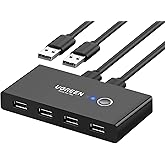
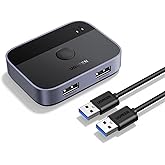
  • 2 PCs Share Multiple Devices: UGREEN 2-In 4-Out USB switcher supports 2 computers sharing 4 USB devices like keyboards, mouses, printers, headphones, and USB cameras. Switch freely between your work computer and personal computer and boost your work efficiency. (NOTE: This USB Switcher is NOT a KVM switch and does not support connecting a monitor or video transmission)
  • Connect USB C & USB A Devices: The USB 3.0 switch provides 1 USB C port and 3 USB A ports to support connecting various USB devices, extending more ports for two computers. (*It is recommended to power supply when using multiple devices simultaneously to avoid disconnection due to insufficient power.*)
  • 5Gbps Data Transfer / Plug & Play: With 4 USB 3.0 ports, the USB 3.0 switcher supports data transfer up to 5Gbps and is backward compatible with USB 2.0; Simple plug and play for any modern operating system: Windows, macOS, Chrome OS, and Linux computers. (*The USB ports are primarily for data transfer and are not recommended for charging devices.*)
  • Note: 1. If your input device uses a USB-C port, please purchase a USB-C to USB adapter before use. 2. When using a camera through the switcher, if your computer has a built-in camera, please select the UGREEN camera in the camera settings to ensure proper use. 3.The USB-C port on the product does not support video output and cannot be used with a dock to connect a display
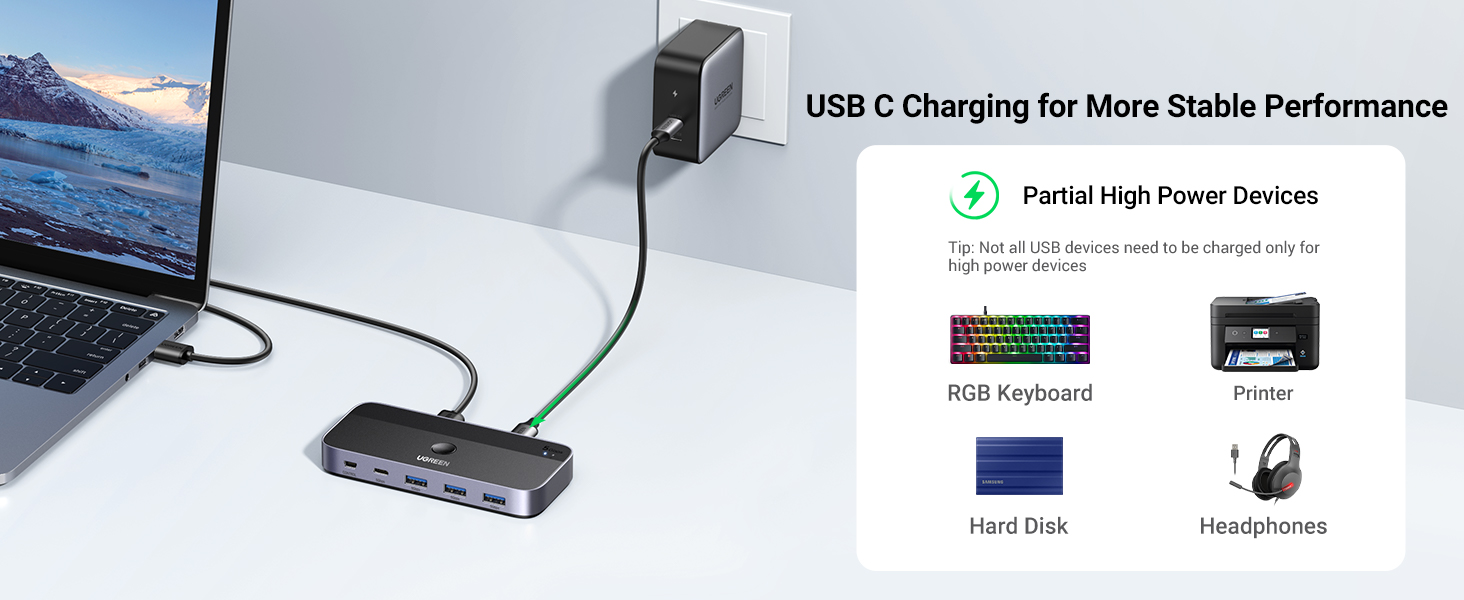
  • USB-C Power Supply: The USB switch is designed with a optional power supply for high-power devices like Hard Disk Drives, headsets, and other USB devices to work more stably; The upgraded USB-C Power port avoids the trouble of not finding a micro cable.
  • Two Switching Modes: The USB switcher has two switching modes—Controller and button, switch devices freely as you like.You can hide the USB switch to tidy up the desktop and save space, and then use the controller to switch devices.
👁 Image
Report an issue with this product or seller

Customers who viewed this item also viewed

Page 1 of 1 Start over

Product description

Attention

For USB C device: If you want to connect this switch with a Mac or other host devices that only have usb c port, you need to use a USB C to A adapter with a USB A to A cable. It won't work when using a USB C to A cable directly.
Input Tip: It is a USB switch without an hdmi port and it does not support two computers sharing a single display.
The produce is designed for data transmission and does not support video transmission.
Output Tip: It is not suggested to connect the wireless device to the usb 3.0 switch due to 2.4Ghz interference.
If the wireless network is affected, please set your router from 2.4GHz to 5GHz.
About Power Supply: Not all devices need power supply during use; the power port can only supply power to USB devices and not to computers.
USB switch is designed with a USB C power port, the USB C charging cable and power adapter (5V 2A) are not included.
Package Content: USB 3.0 Switch * 1 (4.8 x 2.1 x 0.7 Inches)
USB A to A Cable * 2 (5FT/1.5M)
Remote Control *1 (5FT/1.5M)
Note 1 If your input device uses a USB-C port, please purchase a USB-C to USB adapter before use.
Note 2 This USB Switcher is NOT a KVM switch and does not support connecting a monitor or video transmission).
Note 3 When using a camera through the switcher, if your computer has a built-in camera, please select the UGREEN camera in the camera settings to ensure proper use.
Note 4 The USB-C port on the product does not support video output and cannot be used with a dock to connect a display.

Product guides and documents


Brief content visible, double tap to read full content.
Full content visible, double tap to read brief content.

Product Videos

👁 Image
Customer ReviewSuch an easy install and simple design - Ugreen usb switchSee Full Review

Product information

Features & Specs
Operation Mode Manual, Automatic
Current Rating 2 Amps
Operating Voltage 5 Volts
Contact Type Normally Open
Connector Type Plug In
Switch Type Push Button
Terminal Solder
Circuit Type 2-way
Mounting Type Surface Mount
Actuator Type Push Button
Number of Positions 4
Controller Type Push Button
Control Method Remote, Touch
Connectivity Protocol xxx
Wattage 10 watts
Control Type Manual
Compatible Devices Desktops, Laptops
Smart Home Compatibility Not Smart Home Compatible

Feedback

UGREEN USB 3.0 Switch 2 Computers Sharing USB C & A Devices, 4 Port USB Switcher Sharing Keyboard and Mouse, Printer/Scanner USB Switch Hub for Two Computers with 2 USB3.0 Cables and Controller

Share:


Found a lower price? Let us know. Although we can't match every price reported, we'll use your feedback to ensure that our prices remain competitive.

Where did you see a lower price?

Fields with an asterisk are required

Submit Feedback
Please sign in to provide feedback.
Measurements
Item Dimensions 4.84 x 2.09 x 0.71 inches
Unit Count 1.0 Count
Number of Items 1
Materials & Care
Material Type Acrylonitrile Butadiene Styrene, Aluminum
User guide
International Protection Rating IP55
Specification Met Ip55
Item details
Brand Name UGREEN
Model CM662
Manufacturer Ugreen Group Limited
Part Number 15705
Included Components 1
Item Weight 0.34 Kilograms
Best Sellers Rank
ASIN B0C8MSP967
Customer Reviews
4.1 out of 5 stars

Safety and product resources


What's in the box

  • 1

  • Top Brand: UGREEN

    Highly Rated
    100K+ customers rate items from this brand highly
    Trending
    100K+ orders for this brand in past 3 months
    Low Returns
    Customers usually keep items from this brand

    Customer reviews

    4.1 out of 5 stars
    2,790 global ratings
    How customer reviews and ratings work

    Customer Reviews, including Product Star Ratings help customers to learn more about the product and decide whether it is the right product for them.

    To calculate the overall star rating and percentage breakdown by star, we don’t use a simple average. Instead, our system considers things like how recent a review is and if the reviewer bought the item on Amazon. It also analyzed reviews to verify trustworthiness.

    Learn more how customers reviews work on Amazon


    Customers say

    Customers find the USB switch to be a high-quality device that's easy to set up and appreciate its remote control feature. The connectivity receives mixed feedback - while some report seamless peripheral switching, others experience random disconnections and stuttering issues. The reliability, switching speed, and value for money also get mixed reviews, with some reporting it works reliably while others say it stops working after three months, and some find it fast while others note brief lag during switching.
    AI Generated from the text of customer reviews👁 Image

    Select to learn more

    66 customers mention quality, 53 positive, 13 negative
    Customers find the USB switch to be excellent, with one mentioning it's a huge quality of life improvement.
    ...Great product!Read more
    It is a good and functional switch, but it is missing an indicator light on the remote button....Read more
    Great switch with a small annoying issueRead more
    A great little device that lets you connect two computers to the same set of peripherals with a switch in between....Read more
    52 customers mention easy to use, 48 positive, 4 negative
    Customers find the USB switch easy to use and set up, with one customer noting it's much easier than switching speakers on a button.
    ...Pros & Cons Pros Easy Setup & Driverless Operation: Truly plug-and-play on both Windows and macOS. Fast USB 3.0...Read more
    This product is super user-friendly and a breeze to set up - just plug and play!...Read more
    ...It was easy to setup. No additional power source needed. It powers up with the USB cables it came with....Read more
    Simple and easy to setup. Works great.Read more
    29 customers mention remote control, 24 positive, 5 negative
    Customers appreciate the USB switch's remote control feature, with one mentioning that the one-click operation makes switching effortless.
    ...for than some options, but is very worth it for the USB 3, and the Remote switch. Would highly recommend.Read more
    ...A standout feature is the wired remote switch, which allows me to toggle between computers without having to reach for the main unit....Read more
    ...Went with this product because it has the remote button that can be used to switch PCs which I have routed onto the top of my desk....Read more
    ...Makes the whole setup less cluttered with wires too with the included remote switch.Read more
    241 customers mention reliability, 146 positive, 95 negative
    Customers have mixed experiences with the USB switch's reliability, with some reporting it works very reliably while others mention it stopped working after about 12 months of use.
    ...item is to share a keyboard and mouse between two computers, this works great. However, be aware that other USB devices may not work with this unit....Read more
    ...at first until one day about 2 months after delivery it just stopped switching and peripherals wouldn't respond anymore, emailed manufacturer, they...Read more
    ...convenient if you mount the main unit out of sight. Stable & Reliable: Connections are consistent, with no random resets....Read more
    Works well, much better than no-brand crap productsRead more
    71 customers mention switching capability, 49 positive, 22 negative
    Customers have mixed experiences with the USB switch's functionality: some report seamless peripheral switching and the ability to switch between PCs, while others mention issues with monitors not switching properly.
    0 issues so far, works great, switches instantly. (using it between a mac and a pc and both work great).Read more
    This has been great. Changed my while setup, now I can switch my keyboard, mouse, and camera between two computers. Works great!Read more
    ...is a great switch and it's what I needed but be careful, this is not a KVM switch, it's just a USB switch, it's listed as a KVM but it's not, the...Read more
    ...The speed and latency are great, and it switches over quickly....Read more
    36 customers mention switching speed, 25 positive, 11 negative
    Customers have mixed experiences with the USB switch's speed: while some find it much faster with near-instant toggling between computers, others report brief lags when switching between computers.
    works very reliably and has a compact and solid design. switches fast and does work at USB 3.1 speeds as advertised....Read more
    does exactly what they offer, fast, reliable and good designRead more
    Seriously junk, only works kinda. Connection is spotty and slow, so devices barely work. Don't waste your money.Read more
    No lag and can handle all four peripherals including a camera and microphone with no problems....Read more
    29 customers mention value for money, 18 positive, 11 negative
    Customers have mixed opinions about the USB switch's value for money, with some finding it a good value while others consider it not worth more than $35 and a waste of money.
    ...All in all, a good value, but buyer beware this does not come with a power cable and you will need to find a USB-C cable.Read more
    ...This one costs 2x as much, so I am hoping for longer lasting product. My only complaint is that the remote does not have an indicator....Read more
    ...For the price I paid for this switcher (about 40 USD) it is a great value....Read more
    ...desk clutter without compromising performance and it's very affordable at around $35, which is in line with the previous model when it was the main...Read more
    66 customers mention connectivity, 18 positive, 48 negative
    Customers report multiple connectivity issues with the USB switch, including random disconnections, particularly with keyboards and mice.
    ...okay with the laptop, but when connected to the desktop it randomly disconnects....Read more
    This thing is trash and constantly disconnects even with the usb 5v connected. But anything else.Read more
    The console connects easy, diagram in instructions is helpful, and I get enough power from the two computers my headset (Jabra) shares that I don't...Read more
    ...This causes my VERY important HDD backup drive to disconnect improperly, my speakers to pop loudly, and whatever other drives I have connected to...Read more

    Amazon Customer
    5 out of 5 stars
    Great little switch so far but not perfect for everything
    I purchased this switch as I got a new job working from home so I wanted to experiment with using the same set of perphirals for both my work & personal PC as I haven't decided on setting up an extra keyboard/getting a keyboard tray. This was a good time to buy since this is supposed to upgrade the very popular 4-USB3 switch Ugreen has been selling for a few years now and I feel like this is a warranted upgrade. Overall this switch has worked almost flawlessly in my week of use. I have plugged into it my Hyperx 60 keyboard and all the lights & effects/settings I set up still work when plugged in, a G703 mouse and my Logitech C920 camera outputting to my personal desktop and my work laptop. I have tried it both with and without the extra USB C power "boost" and while everything works I think my mouse drains a little quicker (maybe using more battery since the switch isn't meeting 100% power?? might have to test more) but the keyboard and webcam seem to have no issues, I generally do keep a usbc plugged in though just in case. Latency hasnt really been a problem, I tried a mouse latency site with my mouse plugged into my PC and the switch and they both were pretty much the same (and low) which is honestly important for me as I am a big gamer so making sure lag is minimzed is a priority. The only real issue I have had was that I tried using my headphones plugged into the Apple 3.5mm to USBC dongle inputting into the switch and about every 30-40 mins I would get absolutely AWFUL static and noise and it didnt matter how I oriented the dongle so Im guessing there mightve been some interference between the dongle and switch. Overall I'd recommend this as it's great for minimizing desk clutter without compromising performance and it's very affordable at around $35, which is in line with the previous model when it was the main one. It also comes with a little "remote" extension sol you can put the switch somewhere and then have the remote button in a more convenient spot if you're swapping a lot; I haven't used it but it is a nice addition. I wish there was a 3.5mm jack input even if it meant the model being a little larger but this is pretty much a solid buy for anyone WFH or using multiple computers.
    Thank you for your feedback
    Sorry, there was an error
    Sorry we couldn't load the review
    There was a problem filtering reviews. Please reload the page.

    Top reviews from the United States

    • Tony Fabris
      5 out of 5 stars
      Works perfectly for switching tame USB 2.0 devices. Excellent value.
      Reviewed in the United States on February 22, 2025
      Brief content visible, double tap to read full content.
      Full content visible, double tap to read brief content.

      This worked perfectly for what I needed it to do. I use this to switch a small collection of USB devices between two computers (a Mac and a PC). I'm switching simple, low-speed USB 2.0 devices such as a USB printer, a USB keyboard, a Logitech wireless dongle, a USB 2.0 multichannel audio interface, etc.

      At the moment, I haven't tried switching high speed devices like video or external SSD disks. Each of my computers already has their own separate video outputs, network connections, and dedicated backup disks. So I don't want to switch those things. But for everything else: one USB port from each computer is plugged into the UGreen USB switcher, and then downstream from the switch I have a 10-port USB 2.0 hub, which all the shared devices are plugged into.

      This works perfectly, and I can switch everything between the Mac and the PC with the push of a button. The only extra thing I have to do is press the "input" buttons on my external monitor screens to switch them over to the other computer (and I only need to do this if I leave both computers on, otherwise the video would switch automatically). But no more unplugging and replugging USB cables to switch between computers.

      The remote button for switching the inputs works great, it has a generously long cord, and it's small enough to stick it anywhere I want on my desk with a 3M command strip. There is a USB-C power input on the UGreen switcher which is optional; I didn't need to use it, it gets enough power from the computers to do what I need it to do.

      For the price I paid for this switcher (about 40 USD) it is a great value. There are some things I would wish for, but at this price point, these would be extreme luxuries. My wishes would be: A larger, clearer LED indicator to tell whether it's on Input1 or Input2 (its indicator is so small you can't tell without squinting at it), a corresponding indicator on the remote button (for when the switcher box is mounted out of sight), and finally, mounting tabs on the switcher box so that you can mount it under or behind your desk. But I'm able to work around these things easily: I can tell whether it's on the correct input simply by trying to type something on my USB keyboard, and I strapped it behind my desk with some velcro.

      All in all, pleasantly surprised by how well this worked.

      3 people found this helpful
      Sending feedback...
      Thank you for your feedback.
      Sorry, we failed to record your vote. Please try again
      Sending feedback...
      Thanks, we'll investigate in the next few days.
      Sorry, We failed to report this review. Please try again
    • Lauren Postlethwaite
      5 out of 5 stars
      Awesome product for people who are tired of plugging and unplugging USB cords
      Reviewed in the United States on February 23, 2025
      Brief content visible, double tap to read full content.
      Full content visible, double tap to read brief content.

      This is legitimately one of my all-time favorite purchases. I work from home and have one monitor that I hook up to both my work laptop and my personal computer. Before purchasing this product, every time I got off work I had to go through the agonizing process of unhooking my keyboard and mouse, then feeding the cords behind my desk and individually (and blindly) plug the USB connectors in to the back of my desktop computer. And then in the morning I'd have to start the whole process all over again just so I could start work. Like I said: agonizing.

      Now, I just have to press a single button and everything switches over immediately to the other computer. The process is functionally instant and has been a complete game changer. I haven't experienced any issues with durability or lag and so far everything is holding up really nicely. Everything stays plugged in to slots really securely, even if the case gets shoved around my desktop by papers/notebooks/etc. I also really like how the switch button is indented into the case since it prevents accidental pushing of the button while also allowing you to find and push the button just by touch. I haven't used the remote yet, but I haven't needed to since it's so easy to locate and manually press the button. I can't speak to the lag time for things like competitive gaming, but for standard computer users or casual gamers this is an excellent product and I can't recommend it enough.

      7 people found this helpful
      Sending feedback...
      Thank you for your feedback.
      Sorry, we failed to record your vote. Please try again
      Sending feedback...
      Thanks, we'll investigate in the next few days.
      Sorry, We failed to report this review. Please try again
    • Darth Llama
      5 out of 5 stars
      Works much better then the USB 2.0 Version.
      Reviewed in the United States on May 12, 2024
      Brief content visible, double tap to read full content.
      Full content visible, double tap to read brief content.

      I work from home and need to be able to control both my work PC and my personal PC. I have the desk space for both systems, but no real place for 2 full sized keyboards and 2 mice, it's much easier to be able to use one set of peripherals to control both systems. I would normally do this with software like Mouse Without Borders or Synergy but I do not have the ability to install on the work system, so that's out. I had an older UGREEN Switcher, the previous model to this that was USB 2.0 and I was using that to switch between both systems. That one worked.. somewhat, but it was buggy and unreliable. I took a gamble and tried this one instead.

      I am happy to say that this version suffers none of the issues of it's predecessor. I am able to switch between systems without issue and use one set of Peripherals to control both machines. I was able to tuck it away someplace inconspicuous and I use the included remote so that I just have a single button on the top of my desk that switches between work PC and the Personal System. This is a far easier solution then having to type all my work stuff on the Laptop keyboard.

      This device works exactly as advertised and for what you get, the price is also incredibly fair. If you have two systems and want to use one keyboard/mouse for both.. go with this device. The older USB 2.0 device is slightly cheaper but not worth it, this one works MUCH better. This is the one to get.

      14 people found this helpful
      Sending feedback...
      Thank you for your feedback.
      Sorry, we failed to record your vote. Please try again
      Sending feedback...
      Thanks, we'll investigate in the next few days.
      Sorry, We failed to report this review. Please try again
    • Glut & Lack: troublemaking twins
      1 out of 5 stars
      Total fail on Mac Minis; even powered hardwired Apple keyboard
      Reviewed in the United States on March 9, 2026
      Brief content visible, double tap to read full content.
      Full content visible, double tap to read brief content.

      Useless on Mac Minis.

      Not until I used a power cord (one to exact specifications) with the box did the switch light up (the main one on the box, not the remote). But it didn't do anything.

      My HARD WIRED Apple keyboard was not recognized whether or not the box was connected to a power outlet (even when my trackpad was disconnected or off - as in without battery power, well out of range, or with Bluetooth turned off)

      My wireless Apple Magic Trackpad WAS recognized on one Mini but not the other. As an experiment, I tried plugging the trackpad's usbc charging cord into the power port on the box. I even tried this after turning the box around then using it backwards. The trackpad worked on both Minis simultaneously. Neither the remote nor the main switch - obviously, unlighted - had an effect.

      I did not try using a hardwired Windows keyboard and a hardwired Windows mouse. I'd rather stick to using two Apple keyboards and two Apple trackpads.

      (Both Minis have usba ports)

      3 people found this helpful
      Sending feedback...
      Thank you for your feedback.
      Sorry, we failed to record your vote. Please try again
      Sending feedback...
      Thanks, we'll investigate in the next few days.
      Sorry, We failed to report this review. Please try again
    • Matthew Vincent
      4 out of 5 stars
      Reliable Workstation Switch for Dual-Setup Management
      Reviewed in the United States on May 12, 2026
      Brief content visible, double tap to read full content.
      Full content visible, double tap to read brief content.

      The Pros:

      Seamless Setup Management: This switch is exactly what I needed to maintain one workstation for both my personal and work environments. It handles my keyboard, mouse, and mic perfectly, making the transition between computers very easy.

      UGREEN Reliability: I find myself buying a lot of UGREEN products lately, and this one is no different. The price is great and the physical build quality is consistently high.

      Compact Design: It has a small footprint on the desk, which helps keep the workstation looking clean and organized despite having multiple cables plugged in.

      The Cons:

      Connection Handshake: Since the device physically disconnects and reconnects the peripherals when you switch, the computer can occasionally act a bit weird. I did have one instance where the mouse would move but clicking didn't work until a reboot.

      Lack of Emulation: It would be ideal if the device kept the connection active on both computers at all times rather than fully disconnecting. This would likely prevent that occasional lag or "re-learning" the PC goes through during the switch.

      Bottom Line:

      Overall, this is a solid and affordable solution for anyone running a dual-computer setup. Despite the occasional minor handshake issue, it is a high-quality piece of gear that makes managing a hybrid workspace much more convenient.

      One person found this helpful
      Sending feedback...
      Thank you for your feedback.
      Sorry, we failed to record your vote. Please try again
      Sending feedback...
      Thanks, we'll investigate in the next few days.
      Sorry, We failed to report this review. Please try again
    • Yousef Mohamed
      5 out of 5 stars
      Great little switch so far but not perfect for everything
      Reviewed in the United States on September 22, 2023
      Brief content visible, double tap to read full content.
      Full content visible, double tap to read brief content.

      I purchased this switch as I got a new job working from home so I wanted to experiment with using the same set of perphirals for both my work & personal PC as I haven't decided on setting up an extra keyboard/getting a keyboard tray. This was a good time to buy since this is supposed to upgrade the very popular 4-USB3 switch Ugreen has been selling for a few years now and I feel like this is a warranted upgrade. Overall this switch has worked almost flawlessly in my week of use. I have plugged into it my Hyperx 60 keyboard and all the lights & effects/settings I set up still work when plugged in, a G703 mouse and my Logitech C920 camera outputting to my personal desktop and my work laptop.

      I have tried it both with and without the extra USB C power "boost" and while everything works I think my mouse drains a little quicker (maybe using more battery since the switch isn't meeting 100% power?? might have to test more) but the keyboard and webcam seem to have no issues, I generally do keep a usbc plugged in though just in case. Latency hasnt really been a problem, I tried a mouse latency site with my mouse plugged into my PC and the switch and they both were pretty much the same (and low) which is honestly important for me as I am a big gamer so making sure lag is minimzed is a priority.

      The only real issue I have had was that I tried using my headphones plugged into the Apple 3.5mm to USBC dongle inputting into the switch and about every 30-40 mins I would get absolutely AWFUL static and noise and it didnt matter how I oriented the dongle so Im guessing there mightve been some interference between the dongle and switch.

      Overall I'd recommend this as it's great for minimizing desk clutter without compromising performance and it's very affordable at around $35, which is in line with the previous model when it was the main one. It also comes with a little "remote" extension sol you can put the switch somewhere and then have the remote button in a more convenient spot if you're swapping a lot; I haven't used it but it is a nice addition. I wish there was a 3.5mm jack input even if it meant the model being a little larger but this is pretty much a solid buy for anyone WFH or using multiple computers.

      Yousef Mohamed
      5 out of 5 stars
      Great little switch so far but not perfect for everything
      Reviewed in the United States on September 22, 2023

      I purchased this switch as I got a new job working from home so I wanted to experiment with using the same set of perphirals for both my work & personal PC as I haven't decided on setting up an extra keyboard/getting a keyboard tray. This was a good time to buy since this is supposed to upgrade the very popular 4-USB3 switch Ugreen has been selling for a few years now and I feel like this is a warranted upgrade. Overall this switch has worked almost flawlessly in my week of use. I have plugged into it my Hyperx 60 keyboard and all the lights & effects/settings I set up still work when plugged in, a G703 mouse and my Logitech C920 camera outputting to my personal desktop and my work laptop.

      I have tried it both with and without the extra USB C power "boost" and while everything works I think my mouse drains a little quicker (maybe using more battery since the switch isn't meeting 100% power?? might have to test more) but the keyboard and webcam seem to have no issues, I generally do keep a usbc plugged in though just in case. Latency hasnt really been a problem, I tried a mouse latency site with my mouse plugged into my PC and the switch and they both were pretty much the same (and low) which is honestly important for me as I am a big gamer so making sure lag is minimzed is a priority.

      The only real issue I have had was that I tried using my headphones plugged into the Apple 3.5mm to USBC dongle inputting into the switch and about every 30-40 mins I would get absolutely AWFUL static and noise and it didnt matter how I oriented the dongle so Im guessing there mightve been some interference between the dongle and switch.

      Overall I'd recommend this as it's great for minimizing desk clutter without compromising performance and it's very affordable at around $35, which is in line with the previous model when it was the main one. It also comes with a little "remote" extension sol you can put the switch somewhere and then have the remote button in a more convenient spot if you're swapping a lot; I haven't used it but it is a nice addition. I wish there was a 3.5mm jack input even if it meant the model being a little larger but this is pretty much a solid buy for anyone WFH or using multiple computers.

      31 people found this helpful
      Sending feedback...
      Thank you for your feedback.
      Sorry, we failed to record your vote. Please try again
      Sending feedback...
      Thanks, we'll investigate in the next few days.
      Sorry, We failed to report this review. Please try again
    • jrtiger
      5 out of 5 stars
      Great little USB switcher.
      Reviewed in the United States on March 23, 2026
      Brief content visible, double tap to read full content.
      Full content visible, double tap to read brief content.

      I have had the UGREEN 3.0 USB switch for several months and I am very happy with the easy of installation and the overall performance of the unit. I re-cabled under my desk and accidently reverse the input and output USB ports. Of course it did not work but upon reversing the cables it went back to normal operation. I think for the quality and performance the price is reasonable and I am very happy with my purchase.

      Sending feedback...
      Thank you for your feedback.
      Sorry, we failed to record your vote. Please try again
      Sending feedback...
      Thanks, we'll investigate in the next few days.
      Sorry, We failed to report this review. Please try again
    • A. Zinzer
      3 out of 5 stars
      Great Potential - Depends on Your Peripherals
      Reviewed in the United States on November 30, 2023
      Brief content visible, double tap to read full content.
      Full content visible, double tap to read brief content.

      Purchased this to switch between a work laptop and personal gaming desktop. I was going to go with Ugreen's older model, but I specifically wanted the wired 'remote' (in case I ever decide to tuck it out of sight) and the USB-C power adapter (instead of Micro USB).

      I'm only aware of a single Thunderbolt 4 KVM on the market (Sabrent) and I wasn't trying to spend that much money. Known limitations of full KVM's / switchers are lack of VRR and other gaming oriented features, so I decided on only USB to accommodate mouse, keyboard, webcam, and DAC/AMP.

      It works great most of the time, but if your devices rely on software it gets iffy. I don't own any other USB switchers to do A/B comparisons, so I can't confirm whether it's this device specifically or the other devices / software. Nonetheless, this has problems with Roccat (keyboard & mouse) and sometimes Razer (webcam). The webcam either will or won't be detected; if it's detected it works, otherwise it doesn't. The Roccat devices will work, but have disconnection / stuttering issues. It's frequent, but not consistent. Every 3-4 minutes the mouse and keyboard will stop functioning for ~5 seconds, and then when they are recognized again the keyboard will repeat the last key pressed about 3 dozen times before it's back to normal. For casual use you may never notice this, but when playing video games you definitely will. I've been 'frozen' in a gunfight (running uncontrollably in whatever WASD direction I was pressing), I've unintentionally ran off the edges of the world, I've tried jumping only to fall to my death, etc. Because it's not registering input, you can't just use Escape to pause either. It doesn't have a pattern, but it's frequent and it's frustrating. The problem persists while the software is running and even after I've closed it out. The problem persists through PC restarts. The problem persists using different USB headers on my motherboard and case. The problem persists even if I disconnect the 2nd computer from the switch.

      On a positive note, this has worked flawlessly with a Logitech C925-E Webcam, a Glorious Model O Minus, a GMMK, various flash drives, and with a few SD card readers. The device itself is sleek, comes with cables, and imo looks nice.

      Unfortunately, it's a tough recommendation based on the devices you own. If you're not a gamer, it's most likely a recommendation. But if you do have gaming peripherals you might want to look elsewhere.

      20 people found this helpful
      Sending feedback...
      Thank you for your feedback.
      Sorry, we failed to record your vote. Please try again
      Sending feedback...
      Thanks, we'll investigate in the next few days.
      Sorry, We failed to report this review. Please try again

    Top reviews from other countries

      Translated by Amazon
      See original
    • Amazon Customer
      5 out of 5 stars
      Good Product for your peripherals between two PCs
      Reviewed in Canada on February 22, 2024
      Brief content visible, double tap to read full content.
      Full content visible, double tap to read brief content.

      Pros:

      - The included button allows for a cleaner setup while the hub is hidden underneath the desk, the button click is very nice

      - all ports worked perfectly and speed is as advertised

      - decent build-quality without too much ugly branding

      - optimized for just peripherals

      Cons:

      - This is not considered a KVM as it doesn't do displays / monitor inputs, but it works well with everything else

      Sending feedback...
      Thanks, we'll investigate in the next few days.
      Sorry, We failed to report this review. Please try again
    • 5 out of 5 stars
      Muthis urun ugreen kalite hissiyati
      Reviewed in Turkey on July 13, 2024
      Brief content visible, double tap to read full content.
      Full content visible, double tap to read brief content.

      Cok fazla kabloya sahip sahsi sabit bilgisayar ve is laptopunu kullanan ara ara seyehat eden fakat genelde evde olan biri olarak artik zorunlu bir urun. Kvm switch ile oem urunlerini bir switch porta bagladim sonra bu switch portun bir ucunu ve enerji kablolarini huba aktardim. Is seyehatindsn gelicne artik sadece bir kabloyla is bilgisayarim ev duzeninde kullanmaya hazir hale geliyor. Thunderbolt cok degerli bir ozellik. Kesinlikle parasinin hakkini veriyor. Isinma problemi olmamasi icin goruntu aktarimi ozelligi olmayani almistim ama su an keske tek tusla onu da değiştirseydim diyorum. Monitorunuzun port cikisini degistirmek kolaysa bu urun yeterli aksi halde goruntu baglantisina sahipleri de tercih etmenizi oneririm. Hic bir bozulma olmadi. Switch controller boyu da gayet yeterli ve kullanisli

      Sending feedback...
      Thanks, we'll investigate in the next few days.
      Sorry, We failed to report this review. Please try again
      Sorry, we couldn't translate the review
      Translated from Turkish by Amazon
      See original
    • Amit Patil
      5 out of 5 stars
      Great Product!
      Reviewed in India on June 18, 2026
      Brief content visible, double tap to read full content.
      Full content visible, double tap to read brief content.

      Good build quality, easy to use, and works perfectly. No connectivity issues even with multiple devices connected. Compact design and excellent value for money. Highly recommended.

      Sending feedback...
      Thanks, we'll investigate in the next few days.
      Sorry, We failed to report this review. Please try again
    • Francesco F.
      5 out of 5 stars
      Perfetto per gestire due postazioni con un solo set di periferiche!
      Reviewed in Italy on February 3, 2026
      Brief content visible, double tap to read full content.
      Full content visible, double tap to read brief content.

      Utilizzo questo KVM per condividere mouse, tastiera, microfono e soundbar (collegata tramite AUX–USB-C) tra il mio desktop fisso e il dock del MacBook. Si configura in un attimo e permette di passare da una postazione all’altra semplicemente con un pulsante dedicato, separato dal corpo principale del KVM: una scelta davvero intelligente che consente di nascondere l’unità sotto la scrivania e tenere solo il controllo a portata di mano.

      Un piccolo dettaglio da tenere a mente: se entrambi i dispositivi collegati non forniscono alimentazione da spenti, il KVM non memorizza l’ultimo ingresso selezionato e, all’accensione, parte sempre dallo slot 1. Per aggirare la cosa, ho collegato a quella porta la postazione che uso più spesso, così non devo pensarci più di tanto.

      Dopo oltre sei mesi di utilizzo quotidiano, tutto funziona ancora alla perfezione. Ottimi anche i materiali: solido, ben costruito e con una scocca in metallo. Una rarità per prodotti di questo tipo!

      Francesco F.
      5 out of 5 stars
      Perfetto per gestire due postazioni con un solo set di periferiche!
      Reviewed in Italy on February 3, 2026

      Utilizzo questo KVM per condividere mouse, tastiera, microfono e soundbar (collegata tramite AUX–USB-C) tra il mio desktop fisso e il dock del MacBook. Si configura in un attimo e permette di passare da una postazione all’altra semplicemente con un pulsante dedicato, separato dal corpo principale del KVM: una scelta davvero intelligente che consente di nascondere l’unità sotto la scrivania e tenere solo il controllo a portata di mano.

      Un piccolo dettaglio da tenere a mente: se entrambi i dispositivi collegati non forniscono alimentazione da spenti, il KVM non memorizza l’ultimo ingresso selezionato e, all’accensione, parte sempre dallo slot 1. Per aggirare la cosa, ho collegato a quella porta la postazione che uso più spesso, così non devo pensarci più di tanto.

      Dopo oltre sei mesi di utilizzo quotidiano, tutto funziona ancora alla perfezione. Ottimi anche i materiali: solido, ben costruito e con una scocca in metallo. Una rarità per prodotti di questo tipo!

      Sending feedback...
      Thanks, we'll investigate in the next few days.
      Sorry, We failed to report this review. Please try again
      Sorry, we couldn't translate the review
      Translated from Italian by Amazon
      See original
    • Mrgabou
      5 out of 5 stars
      The Perfect KVM Alternative for High Refresh Rate Gamin
      Reviewed in Canada on June 15, 2026
      Brief content visible, double tap to read full content.
      Full content visible, double tap to read brief content.

      The Perfect KVM Alternative for High Refresh Rate GamingIf you run a dual PC/Mac setup with high-end gaming monitors, this USB switcher hub is the missing piece of the puzzle. I needed a way to share my mouse, keyboard, and headset between my work MacBook and my gaming tower.I initially looked into KVM switches, but KVMs bottleneck monitor refresh rates. When you are running 540Hz and 720Hz ASUS ROG monitors, you absolutely cannot run your video signal through a standard switch—you need the monitors plugged directly into your GPU. This USB hub solves that perfectly. It handles only the peripherals. One end is plugged into my Mac's dock, the other into my PC, and everything switches over instantly with a single button press. It’s cheap, incredibly reliable, and allows me to keep my raw display performance completely intact. Highly recommended for any hybrid workstation/gaming setup.How My Dual Setup WorksBuilding a seamless dual setup without a KVM requires very specific wiring so that you get the raw power of your Mac for work and the maximum framerate of your PC for gaming. Here is exactly how I have it routed.1. The Video Routing (No Compression)The Work Setup (MacBook Pro M4 Max): The Mac is connected to the iVANKY dock. Because the dock uses a dual-cable connection to the Mac, it provides enough uncompressed bandwidth to run all four monitors using the Mac's raw GPU power. Since my ASUS ROG monitors don't have native USB-C, I use four HDMI-to-USB-C cables running from the monitors directly into the dock.The Gaming Setup (PC Tower): My gaming tower (running an RTX 5090 and Ryzen 9 9950X3D) is wired to the exact same four monitors using standard DisplayPort cables. Because they plug directly into the graphics card, I get the full 540Hz/720Hz experience with zero lag or compression.2. The Peripheral RoutingInstead of plugging my keyboard, mouse, and headset directly into the computers, they all plug into the USB Switcher Hub.Output cable 1 goes from the hub to the iVANKY dock.Output cable 2 goes from the hub to the Gaming PC.3. The Switching ProcessBecause the monitors are plugged into both systems simultaneously, here is the exact process to flip the entire desk from work mode to gaming mode in about three seconds:1.Switch the Peripherals:Press the single button on the USB switcher hub. Your keyboard, mouse, and headset instantly disconnect from the Mac and connect to the PC.2.Lock the Active Computer:Lock the screen of the computer you are currently using. If moving from Mac to PC, lock the MacBook. If moving from PC to Mac, press Windows Key + L.3.Wait for Monitor Auto-Switch:By locking the screen, you kill the active video signal. The ASUS ROG monitors will automatically detect that the signal has dropped and scan for a new one, instantly picking up the feed from your other computer.

      Mrgabou
      5 out of 5 stars
      The Perfect KVM Alternative for High Refresh Rate Gamin
      Reviewed in Canada on June 15, 2026

      The Perfect KVM Alternative for High Refresh Rate GamingIf you run a dual PC/Mac setup with high-end gaming monitors, this USB switcher hub is the missing piece of the puzzle. I needed a way to share my mouse, keyboard, and headset between my work MacBook and my gaming tower.I initially looked into KVM switches, but KVMs bottleneck monitor refresh rates. When you are running 540Hz and 720Hz ASUS ROG monitors, you absolutely cannot run your video signal through a standard switch—you need the monitors plugged directly into your GPU. This USB hub solves that perfectly. It handles only the peripherals. One end is plugged into my Mac's dock, the other into my PC, and everything switches over instantly with a single button press. It’s cheap, incredibly reliable, and allows me to keep my raw display performance completely intact. Highly recommended for any hybrid workstation/gaming setup.How My Dual Setup WorksBuilding a seamless dual setup without a KVM requires very specific wiring so that you get the raw power of your Mac for work and the maximum framerate of your PC for gaming. Here is exactly how I have it routed.1. The Video Routing (No Compression)The Work Setup (MacBook Pro M4 Max): The Mac is connected to the iVANKY dock. Because the dock uses a dual-cable connection to the Mac, it provides enough uncompressed bandwidth to run all four monitors using the Mac's raw GPU power. Since my ASUS ROG monitors don't have native USB-C, I use four HDMI-to-USB-C cables running from the monitors directly into the dock.The Gaming Setup (PC Tower): My gaming tower (running an RTX 5090 and Ryzen 9 9950X3D) is wired to the exact same four monitors using standard DisplayPort cables. Because they plug directly into the graphics card, I get the full 540Hz/720Hz experience with zero lag or compression.2. The Peripheral RoutingInstead of plugging my keyboard, mouse, and headset directly into the computers, they all plug into the USB Switcher Hub.Output cable 1 goes from the hub to the iVANKY dock.Output cable 2 goes from the hub to the Gaming PC.3. The Switching ProcessBecause the monitors are plugged into both systems simultaneously, here is the exact process to flip the entire desk from work mode to gaming mode in about three seconds:1.Switch the Peripherals:Press the single button on the USB switcher hub. Your keyboard, mouse, and headset instantly disconnect from the Mac and connect to the PC.2.Lock the Active Computer:Lock the screen of the computer you are currently using. If moving from Mac to PC, lock the MacBook. If moving from PC to Mac, press Windows Key + L.3.Wait for Monitor Auto-Switch:By locking the screen, you kill the active video signal. The ASUS ROG monitors will automatically detect that the signal has dropped and scan for a new one, instantly picking up the feed from your other computer.

      Sending feedback...
      Thanks, we'll investigate in the next few days.
      Sorry, We failed to report this review. Please try again

    Product summary presents key product information

    Keyboard shortcut  shift + alt + opt + D

    Product Summary: UGREEN USB 3.0 Switch 2 Computers Sharing USB C & A Devices, 4 Port USB Switcher Sharing Keyboard and Mouse, Printer/Scanner USB Switch Hub for Two Computers with 2 USB3.0 Cables and Controller

    From UGREEN

    4.1 out of 5 stars, 2,790 ratings

    Customer reviews

    300+ bought in past week

    About this Item

    • 2 PCs Share Multiple Devices: UGREEN 2-In 4-Out USB switcher supports 2 computers sharing 4 USB devices like keyboards, mouses, printers, headphones, and USB cameras. Switch freely between your work computer and personal computer and boost your work efficiency. (NOTE: This USB Switcher is NOT a KVM switch and does not support connecting a monitor or video transmission)
    • Connect USB C & USB A Devices: The USB 3.0 switch provides 1 USB C port and 3 USB A ports to support connecting various USB devices, extending more ports for two computers. (*It is recommended to power supply when using multiple devices simultaneously to avoid disconnection due to insufficient power.*)
    • 5Gbps Data Transfer / Plug & Play: With 4 USB 3.0 ports, the USB 3.0 switcher supports data transfer up to 5Gbps and is backward compatible with USB 2.0; Simple plug and play for any modern operating system: Windows, macOS, Chrome OS, and Linux computers. (*The USB ports are primarily for data transfer and are not recommended for charging devices.*)
    • Note: 1. If your input device uses a USB-C port, please purchase a USB-C to USB adapter before use. 2. When using a camera through the switcher, if your computer has a built-in camera, please select the UGREEN camera in the camera settings to ensure proper use. 3.The USB-C port on the product does not support video output and cannot be used with a dock to connect a display
    • USB-C Power Supply: The USB switch is designed with a optional power supply for high-power devices like Hard Disk Drives, headsets, and other USB devices to work more stably; The upgraded USB-C Power port avoids the trouble of not finding a micro cable.
    • Two Switching Modes: The USB switcher has two switching modes—Controller and button, switch devices freely as you like.You can hide the USB switch to tidy up the desktop and save space, and then use the controller to switch devices.

    Product Description

    UGREEN USB 3.0 Switch 2 Computers Sharing USB C & A devices, 4 Port KVM Switch Shareing Keyboard and Mouse, Printer/Scanner USB Switcher Hub for Two Computers with 2 USB3.0 Cables and Controller 2 PCs Share Multiple Devices: UGREEN 2-In 4-Out USB switcher supports 2 computers shareing 4 USB devices like keyboards, mouses, printers, headphones, USB cameras. Switch freely between your work computer and personal computer and boost your work efficiency. Connect USB C & USB A Devices: The USB 3.0 switch provides 1 USB C port and 3 USB A ports to support connecting various USB devices, extend more ports for two computers. 5Gb Data Transfer / Plug & Play: With 4 USB 3.0 ports, USB 3.0 switcher supports data transfer up to 5Gbps and backward compatible with USB 2.0; Simple plug and play for any modern operating system: Windows, macOS, Chrome OS, and Linux computers. High-Powered USB-C Charging: The USB switch is designed with a USB C power supply for high-power devices like Hard Disk Drives, headsets and other USB devices to work more stably;Upgraded USB C charging port avoid the trouble of not finding a micro cable. Two Switching Modes: The USB switcher has two switching modes: Controller and button, you can switch devices as you like;Tip: You will get 1 USB3.0 Switch, a controller and 2 USB A to A Cable if you purchase. (Charging cable and power adapter not included.)

    Options Available

    Color

    • Black
    • Silver
    Browse all available options

    Feedback

    Did you find this product summary feature useful?

    Yes, it is useful
    No, it is not useful
    Thank you for your feedback
    Thank you for your feedback. You selected "Yes, it is useful"
    Thank you for your feedback. You selected "No, it is not useful"
    Change your feedback