

1. Overview
In this tutorial, we’ll learn how to modify the Swagger API Response. First, we’ll start with some explanations of the OpenAPI Specification and Swagger API Response. Then, we’ll implement a simple example using Spring Boot to document a spring REST API using OpenApi 3.0. After that, we’ll use Swagger’s annotations to set the response body to deliver a list of objects.
2. Implementation
In this implementation, we’re going to set up a simple Spring Boot project with Swagger UI. Consequently, we’ll have the Swagger UI including all the endpoints of our application. After that, we will modify the response body to return a list.
2.1. Setting up a Spring Boot Project with Swagger UI
Firstly, we’ll create a ProductService class in which we save a list of products. Next, in ProductController, we define REST APIs to let the users get the list of created products.
First, let’s define the Product class:
public class Product {
 String code;
 String name;

 // standard getters and setters
}
Then, we implement the ProductService class:
@Service
public class ProductService {
 List<Product> productsList = new ArrayList<>();

 public List<Product> getProductsList() {
 return productsList;
 }
}
Finally, we’ll have a Controller class to define the REST APIs:
@RestController
public class ProductController {
 final ProductService productService;

 public ProductController(ProductService productService) {
 this.productService = productService;
 }

 @GetMapping("/products")
 public List<Product> getProductsList(){
 return productService.getProductsList();
 }
}
2.2. Modifying Swagger API Response
There are several Swagger annotations available to document the REST APIs. Using @ApiResponses, we can define an array of @ApiResponse to define our expected responses for a REST API.
Now, let’s use @ApiResponses to set the response content to a list of Product objects for the getProductList method:
@ApiResponses(
 value = {
 @ApiResponse(
 content = {
 @Content(
 mediaType = "application/json",
 array = @ArraySchema(schema = @Schema(implementation = Product.class)))
 })
 })
@GetMapping("/products")
public List<Product> getProductsList() {
 return productService.getProductsList();
}
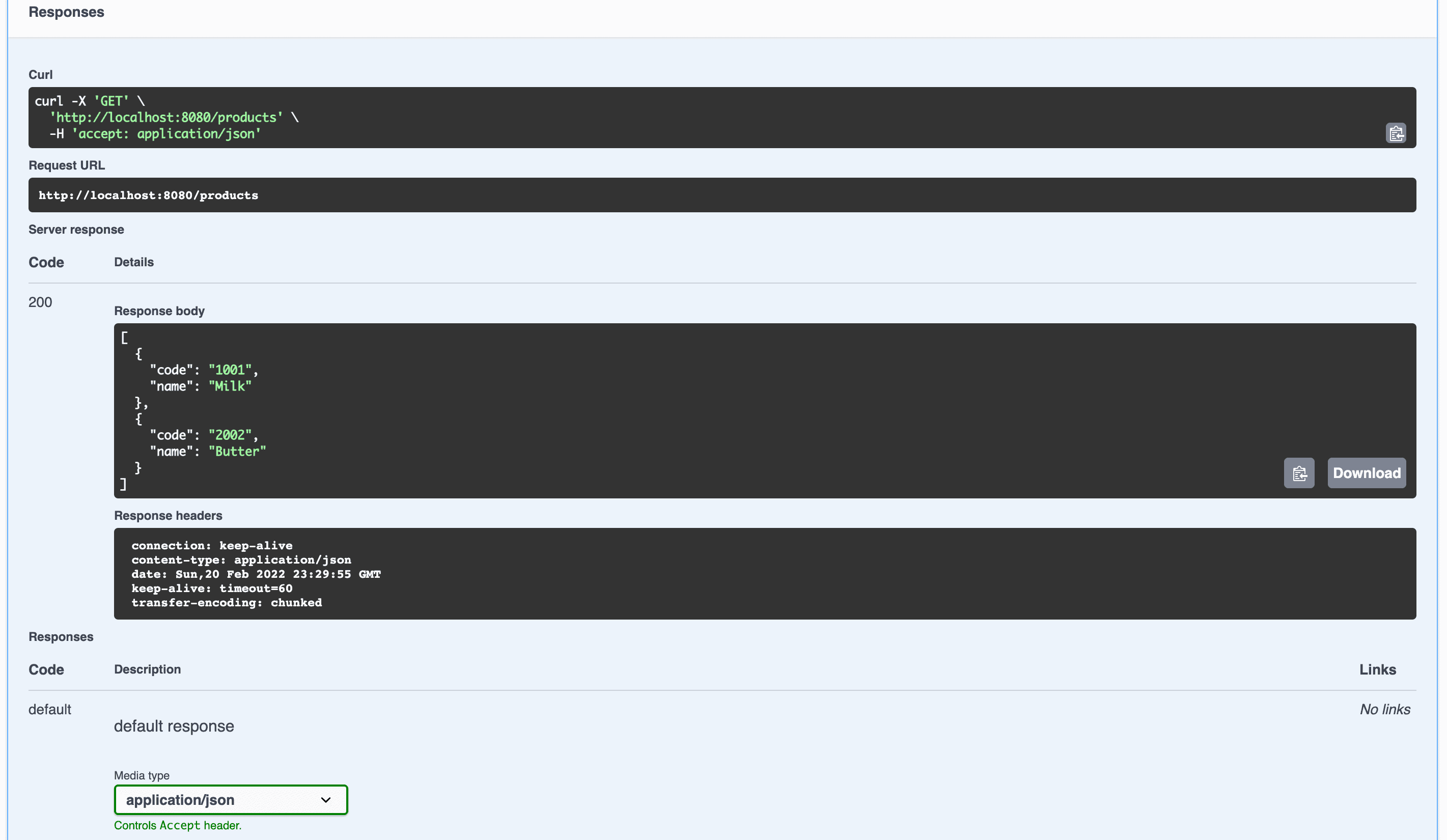
In this example, we set the media type to application/json in the response body. In addition, we modified the response body using the content keyword. Also, using the array keyword, we set the response to an array of Product objects:
👁 List of Products
3. Conclusion
In this tutorial, we had a quick look at OpenAPI Specification and Swagger API Response. Swagger provides us with various annotations such as @ApiResponses, including different keywords. Therefore, we can easily use them to modify requests and responses to meet the requirements of our application. In our implementation, we used @ApiResponses to modify the content in the Swagger response body.












