Agentic AI Launchpad
Go from user to builder in 6 weeks.
Are you ready to let the future slip by, or will you grab your chance to define it?
Join Gen AI Launch Pad 2025 and take the lead.
Introduction
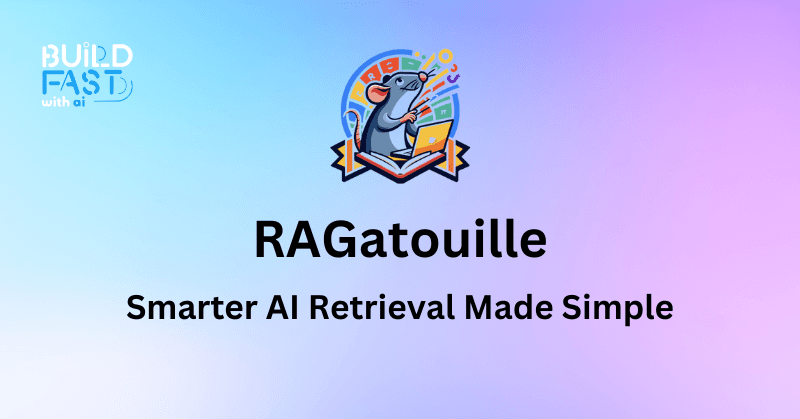
RAGatouille is a Python library designed to simplify the integration and training of state-of-the-art late-interaction retrieval methods, particularly ColBERT, within Retrieval-Augmented Generation (RAG) pipelines. It provides a modular and user-friendly interface, enabling developers to enhance their generative AI models with efficient document retrieval and indexing. This guide will explore its features, usage, and practical applications in document retrieval.
Key Features
1. Training and Fine-Tuning ColBERT Models
RAGatouille provides tools to train and fine-tune ColBERT models, allowing for customized retrieval tailored to specific datasets.
2. Embedding and Indexing Documents
Supports embedding and indexing of documents, enabling efficient retrieval operations for large text datasets.
3. Seamless Document Retrieval
Enables retrieval of relevant documents based on queries, integrating smoothly with generative models to improve the relevance of responses.
Setup and Installation
Install RAGatouille using pip:
!pip install ragatouille
Load a Pretrained Model
from ragatouille import RAGPretrainedModel

RAG = RAGPretrainedModel.from_pretrained("colbert-ir/colbertv2.0")
Retrieving Wikipedia Page Content
Before indexing, let’s retrieve text from Wikipedia using an API request.
import requests

def get_wikipedia_page(title: str):
 URL = "https://en.wikipedia.org/w/api.php"
 params = {"action": "query", "format": "json", "titles": title, "prop": "extracts", "explaintext": True}
 headers = {"User-Agent": "RAGatouille_tutorial/0.0.1 (ben@clavie.eu)"}
 response = requests.get(URL, params=params, headers=headers)
 data = response.json()
 page = next(iter(data['query']['pages'].values()))
 return page['extract'] if 'extract' in page else None
Example: Retrieve Content Length of a Wikipedia Page
full_document = get_wikipedia_page("Hayao_Miyazaki")
len(full_document)
Expected Output:
68505
Indexing Wikipedia Content with RAG
RAG.index(
 collection=[full_document],
 document_ids=['miyazaki'],
 document_metadatas=[{"entity": "person", "source": "wikipedia"}],
 index_name="Miyazaki",
 max_document_length=180,
 split_documents=True
)
Don't just use ChatGPT. Learn to build custom LLM agents, RAG pipelines, and full-stack Agentic AI apps in our intensive 6-week program.
Retrieving Relevant Information
Let’s query the index for relevant information:
k = 3
results = RAG.search(query="What animation studio did Miyazaki found?", k=k)
results
Expected Output:
[{'content': 'Miyazaki and Takahata founded the animation production company Studio Ghibli on June 15, 1985.',
 'score': 25.71875, 'rank': 1}]
Measuring Search Performance
You can measure the retrieval speed:
%%timeit
RAG.search(query="What animation studio did Miyazaki found?")
Expected Output:
20.7 ms ± 2.57 ms per loop (mean ± std. dev. of 7 runs, 10 loops each)
Batch Search in RAG
Query multiple questions at once:
all_results = RAG.search(query=["What animation studio did Miyazaki found?", "Miyazaki son name"], k=k)
all_results
Expected Output:
[[{'content': 'Miyazaki and Takahata founded Studio Ghibli on June 15, 1985.', 'rank': 1}],
 [{'content': 'Miyazaki has two sons: Goro, born in January 1967, and Keisuke, born in April 1969.', 'rank': 1}]]
Loading Pretrained RAG Index
If you have a saved index, you can load it directly:
path_to_index = ".ragatouille/colbert/indexes/Miyazaki/"
RAG = RAGPretrainedModel.from_index(path_to_index)
Adding New Documents to RAG Index
new_documents = get_wikipedia_page("Studio_Ghibli")
RAG.add_to_index([new_documents])
Reranking with a Custom Retrieval Pipeline
For more refined search results, integrate Sentence Transformers with Voyager Index:
from sentence_transformers import SentenceTransformer
from voyager import Index, Space

class MyExistingRetrievalPipeline:
 index: Index
 embedder: SentenceTransformer

 def __init__(self, embedder_name: str = "BAAI/bge-small-en-v1.5"):
 self.embedder = SentenceTransformer(embedder_name)
 self.collection_map = {}
 self.index = Index(Space.Cosine, num_dimensions=self.embedder.get_sentence_embedding_dimension())

 def index_documents(self, documents: list[str]) -> None:
 for document in documents:
 self.collection_map[self.index.add_item(self.embedder.encode(document['content']))] = document['content']

 def query(self, query: str, k: int = 10) -> list[str]:
 query_embedding = self.embedder.encode(query)
 return [self.collection_map[idx] for idx in self.index.query(query_embedding, k=k)[0]]
Initialize the Pipeline
existing_pipeline = MyExistingRetrievalPipeline()
Processing Wikipedia Corpus
from ragatouille.utils import get_wikipedia_page
from ragatouille.data import CorpusProcessor

corpus_processor = CorpusProcessor()
documents = [get_wikipedia_page("Hayao Miyazaki"), get_wikipedia_page("Studio Ghibli")]
documents = corpus_processor.process_corpus(documents, chunk_size=200)
Indexing Documents in Custom Pipeline
existing_pipeline.index_documents(documents)
Querying the Custom Pipeline
query = "What's Ghibli's famous policy?"
raw_results = existing_pipeline.query(query, k=10)
raw_results
Conclusion
RAGatouille provides a powerful retrieval system that enhances RAG-based pipelines, making AI-driven search and generation more relevant and accurate. Whether you're indexing Wikipedia pages or creating a domain-specific search engine, RAGatouille streamlines the process with ColBERT-powered retrieval.
References
- ColBERT: Efficient and Effective Passage Search via Contextualized Late Interaction over BERT
- Wikipedia API Documentation
- PyTorch Official Documentation
- Sentence Transformers (SBERT) for Reranking
- RAGatouile Build Fast with AI Notebook
---------------------------
Stay Updated:- Follow Build Fast with AI pages for all the latest AI updates and resources.
Experts predict 2025 will be the defining year for Gen AI Implementation. Want to be ahead of the curve?
Join Build Fast with AI’s Gen AI Launch Pad 2025 - your accelerated path to mastering AI tools and building revolutionary applications.
---------------------------
Resources and Community
Join our community of 12,000+ AI enthusiasts and learn to build powerful AI applications! Whether you're a beginner or an experienced developer, this tutorial will help you understand and implement AI agents in your projects.
- Website: www.buildfastwithai.com
- LinkedIn: linkedin.com/company/build-fast-with-ai/
- Instagram: instagram.com/buildfastwithai/
- Twitter: x.com/satvikps
- Telegram: t.me/BuildFastWithAI