

3DS Max Texturing: Apply, Create & Refine

3DS Max Texturing: Apply, Create & Refine
This course is part of 3DS Max Mastery: Character Modeling & Animation Specialization

Included with
Ask Coursera
What you'll learn
Apply UV-mapped textures for lifelike facial and body details.
Refine clothing surfaces with fabric details and shading.
Design realistic eye and material shaders for cinematic quality.
Skills you'll gain
Tools you'll learn
Details to know

See how employees at top companies are mastering in-demand skills

Build your subject-matter expertise
- Learn new concepts from industry experts
- Gain a foundational understanding of a subject or tool
- Develop job-relevant skills with hands-on projects
- Earn a shareable career certificate

There are 2 modules in this course
By the end of this course, learners will be able to apply detailed UV-mapped textures, create lifelike facial and body details, refine clothing surfaces, and design realistic shaders for eyes and materials in 3ds Max.
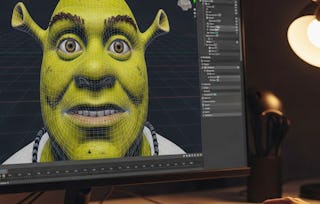
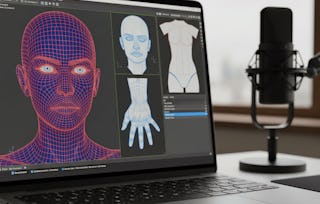
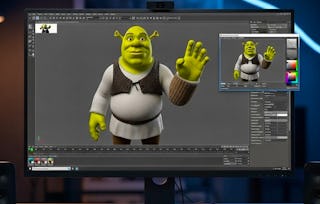
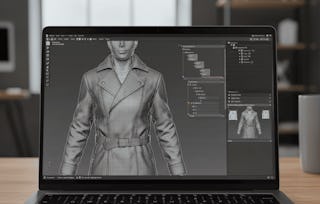
This course takes students step-by-step through the professional workflow of texturing characters in 3ds Max using Photoshop and UV unwrapping. Starting with the head, lips, and eyebrows, learners gain hands-on experience in painting and aligning textures for natural skin tones and expressive facial features. The journey continues with body, hands, and clothing, where learners explore how to craft fabric details, refine jacket seams, and add subtle realism through burn and shading techniques. Finally, learners will master the use of shaders, enhancing eyeballs with glossiness and reflection to achieve cinematic realism. What makes this course unique is its practical, project-based approach—focused on Shrek-style character modeling—that bridges technical precision with creative artistry. Upon completion, learners will possess industry-ready skills to texture, shade, and polish 3D characters, making them production-ready for animation, games, or film projects.
This module guides learners through the process of enhancing facial realism in 3DS Max by applying detailed skin, lip, and eyebrow textures. Using Photoshop and UV unwrapping techniques, learners will explore how to refine head textures, build natural lip tones, and craft expressive eyebrow details that bring characters to life with professional-quality results.
What's included
7 videos3 assignments
7 videos•Total 72 minutes
- Head Texture•12 minutes
- Bump Map•6 minutes
- Lip Texture•12 minutes
- Lip Texture Continue•9 minutes
- Eye Bros Texture Part 1•11 minutes
- Eye Bros Texture Part 2•12 minutes
- Eye Bros Texture Part 3•9 minutes
3 assignments•Total 50 minutes
- Character Facial Detailing•30 minutes
- Skin & Lip Detailing•10 minutes
- Eyebrows & Expression Work•10 minutes
This module teaches learners how to enhance character realism by texturing clothing, body, hands, and shoes while applying advanced shading techniques in 3ds Max. Using UV unwrapping, Photoshop detailing, and shader adjustments, learners will develop the skills to create natural fabrics, skin details, and realistic eyeball reflections that complete a professional-quality 3D model.
What's included
13 videos4 assignments
13 videos•Total 109 minutes
- Render Inner Body Uvs•2 minutes
- Innerbody Texture•10 minutes
- Innerbody Texture Continue•11 minutes
- Shoe Texture•7 minutes
- Shoe Texture Continue•6 minutes
- Hand Texture•11 minutes
- Hand Texture Continue•6 minutes
- Jackete Texture Part 1•10 minutes
- Jackete Texture Part 2•10 minutes
- Jackete Texture Part 3•9 minutes
- Jackete Texture Part 4•7 minutes
- Eyeball Shader•10 minutes
- Eyeball Shader Continue•11 minutes
4 assignments•Total 60 minutes
- Clothing, Body & Shader Finishing•30 minutes
- Body & Clothing Textures•10 minutes
- Hands & Jacket Details•10 minutes
- Eye Shader & Final Touches•10 minutes
Earn a career certificate
Add this credential to your LinkedIn profile, resume, or CV. Share it on social media and in your performance review.

Explore more from Design and Product
- Status: Free Trial
Course
- Status: Free Trial
Course
- Status: Free Trial
Specialization
- Status: Free Trial
Why people choose Coursera for their career


Advance your career with an online degree
Earn a degree from world-class universities - 100% online





Frequently asked questions
To access the course materials, assignments and to earn a Certificate, you will need to purchase the Certificate experience when you enroll in a course. You can try a Free Trial instead, or apply for Financial Aid. The course may offer 'Full Course, No Certificate' instead. This option lets you see all course materials, submit required assessments, and get a final grade. This also means that you will not be able to purchase a Certificate experience.
When you enroll in the course, you get access to all of the courses in the Specialization, and you earn a certificate when you complete the work. Your electronic Certificate will be added to your Accomplishments page - from there, you can print your Certificate or add it to your LinkedIn profile.
Yes. In select learning programs, you can apply for financial aid or a scholarship if you can’t afford the enrollment fee. If fin aid or scholarship is available for your learning program selection, you’ll find a link to apply on the description page.
More questions
Financial aid available,