

Advanced Guide to Adobe InDesign CC: Pro Styles & Layouts
Keep adding new skills with 10,000+ programs for $239 (usually $399). Save now.

Advanced Guide to Adobe InDesign CC: Pro Styles & Layouts
This course is part of Master Adobe InDesign Specialization

Instructor: Skillshare
Included with
Ask Coursera
Skills you'll gain
Details to know

See how employees at top companies are mastering in-demand skills

Build your subject-matter expertise
- Learn new concepts from industry experts
- Gain a foundational understanding of a subject or tool
- Develop job-relevant skills with hands-on projects
- Earn a shareable career certificate

There are 4 modules in this course
If you're ready to level up your InDesign workflow and already know your way around the basics, this course is the perfect next step. Whether you're self-taught or coming from my beginner class, Kate Silver will take you to explore advanced preferences, optimized workspace setups, and powerful styling tools that will seriously boost your design speed and precision.
By the end of this course, you’ll know how to: * Master Paragraph & Character Styles for professional consistency * Use advanced bullet styling, emoji bullets, and nested styles * Set up smart workspaces, auto-activate fonts, and save to CC Libraries * Design restaurant menus, flyers, and QR code layouts with flair This is for designers who want a more efficient, pro-level way to work in InDesign — especially those who want to build real-world, portfolio-ready projects as they go. You’ll get access to free templates and exercise files to follow along step by step. To be successful, you should already be familiar with Adobe InDesign basics — either from experience or by completing my beginner course. Instructor bio: Kate Silver is a graphic and shoe designer, Top Teacher on Skillshare, and instructor at the UK’s leading Adobe training center in London. She creates beginner and advanced courses on design software including Adobe Photoshop, Illustrator, InDesign, Canva, and more. With experience designing for brands like Jimmy Choo and Sophia Webster, Kate brings hands-on expertise to her classes, making complex tools simple and accessible. Her lessons focus on clarity, practical projects, and smart shortcuts to help students build real skills with confidence.
Start strong with a guided walkthrough of the advanced setup needed for professional InDesign work. You’ll explore essential preferences, organize your workspace, and learn best practices for file handling and font management so you can hit the ground running with confidence.
What's included
5 videos1 reading1 assignment1 discussion prompt
5 videos•Total 15 minutes
- Let's Get Started!•3 minutes
- Welcome Fellow InDesigners•1 minute
- Downloading Course Files•2 minutes
- Advanced Preferences & Workspace•6 minutes
- Missing Fonts Explained•3 minutes
1 reading•Total 30 minutes
- Project Instructions•30 minutes
1 assignment•Total 30 minutes
- Module 1 Quiz•30 minutes
1 discussion prompt•Total 10 minutes
- New Discussion Prompt•10 minutes
Level up your typographic precision with advanced style controls. Learn how to control formatting across large documents with powerful tools like Paragraph Styles, bullets, and global Find/Change—all while keeping your design assets ready to reuse and share.
What's included
5 videos1 assignment1 discussion prompt
5 videos•Total 29 minutes
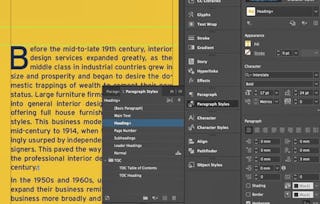
- Paragraph Styles & Character Styles•10 minutes
- Paragraph Options & Keep Options•6 minutes
- Advanced Bullets•6 minutes
- Override Styles & Saving to CC Libraries•2 minutes
- Find/Change: Select Multiple Text & Change In One Click•5 minutes
1 assignment•Total 30 minutes
- Module 2 Quiz•30 minutes
1 discussion prompt•Total 10 minutes
- New Discussion Prompt•10 minutes
Explore the creative side of InDesign by mastering tools for shape creation, image placement, and path manipulation. This module unlocks visual storytelling techniques that go far beyond simple text and boxes.
What's included
5 videos1 assignment1 discussion prompt
5 videos•Total 26 minutes
- QR Codes•3 minutes
- Introducing the Pen Tool•9 minutes
- Releasing Compound Paths•8 minutes
- Images Inside Text•3 minutes
- Making Compound Paths & Grids•3 minutes
1 assignment•Total 30 minutes
- Module 3 Quiz•30 minutes
1 discussion prompt•Total 10 minutes
- New Discussion Prompt•10 minutes
Dive into InDesign’s time-saving automation features. From default settings that simplify your workflow to the powerful Story Editor, you’ll gain full control over how your content flows and updates throughout a document.
What's included
4 videos1 assignment1 peer review1 discussion prompt
4 videos•Total 15 minutes
- Default Image Frame Fitting•2 minutes
- Default Fonts•5 minutes
- Story Editor•6 minutes
- Changing Back Default Font•1 minute
1 assignment•Total 30 minutes
- Module 4 Quiz•30 minutes
1 peer review•Total 60 minutes
- Course Project•60 minutes
1 discussion prompt•Total 10 minutes
- New Discussion Prompt•10 minutes
Earn a career certificate
Add this credential to your LinkedIn profile, resume, or CV. Share it on social media and in your performance review.
Instructor
Offered by

Explore more from Design and Product
- Status: Free Trial
Course
- Status: Free Trial
Course
- Status: Free TrialS
Skillshare
Specialization
Course


Why people choose Coursera for their career






Frequently asked questions
To access the course materials, assignments and to earn a Certificate, you will need to purchase the Certificate experience when you enroll in a course. You can try a Free Trial instead, or apply for Financial Aid. The course may offer 'Full Course, No Certificate' instead. This option lets you see all course materials, submit required assessments, and get a final grade. This also means that you will not be able to purchase a Certificate experience.
When you enroll in the course, you get access to all of the courses in the Specialization, and you earn a certificate when you complete the work. Your electronic Certificate will be added to your Accomplishments page - from there, you can print your Certificate or add it to your LinkedIn profile.
Yes. In select learning programs, you can apply for financial aid or a scholarship if you can’t afford the enrollment fee. If fin aid or scholarship is available for your learning program selection, you’ll find a link to apply on the description page.
More questions
Financial aid available,