

AI Tools for Creatives powered by Adobe Firefly
Keep adding new skills with 10,000+ programs for $239 (usually $399). Save now.

AI Tools for Creatives powered by Adobe Firefly
This course is part of Create and Enhance Visuals With AI Specialization

Included with
Ask Coursera
10 reviews
Recommended experience
10 reviews
Recommended experience
What you'll learn
Navigate Adobe Firefly and apply its core features to creative projects.
Use prompt-based tools to generate and refine content across media types.
Collaborate and manage creative assets using Firefly Boards and Creative Cloud.
Understand Firefly’s ethical foundation and how it supports safe, responsible design.
Skills you'll gain
Details to know

See how employees at top companies are mastering in-demand skills

Build your subject-matter expertise
- Learn new concepts from industry experts
- Gain a foundational understanding of a subject or tool
- Develop job-relevant skills with hands-on projects
- Earn a shareable career certificate

There are 3 modules in this course
Whether you’re leading a creative team or building your own practice, Adobe Firefly Overview helps you confidently integrate generative AI into your workflow. You’ll explore Firefly’s core features for generating images, videos, audio, and text — and see how it connects seamlessly with Creative Cloud tools like Photoshop, Illustrator, Adobe Express, and Premiere Pro.
Through hands-on demos, you’ll learn how to write effective prompts, collaborate using Firefly Boards, and refine outputs to align with your creative goals. Along the way, you’ll gain insight into Firefly’s ethical foundation and how it ensures commercially safe design. By the end of the course, you’ll be ready to ideate, create, and deliver innovative, responsible content with Adobe Firefly.
Kick off your Firefly journey! Discover what Adobe Firefly is, why it’s a game-changer for creators, and how it fits into your everyday workflow. Explore the interface, learn about generative AI credits, and see how Firefly’s ethical foundation keeps your creativity safe and responsible
What's included
6 videos4 readings1 assignment
6 videos•Total 27 minutes
- Introducing Adobe Firefly into creative work•5 minutes
- Creating confidently with responsibily designed generative AI•4 minutes
- Getting to know Adobe Firefly Interface•3 minutes
- Generative credits overview•3 minutes
- Using creative controls to guide generative AI work•5 minutes
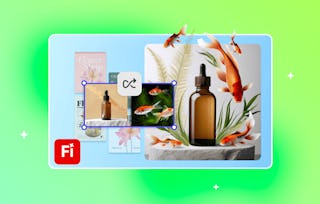
- See how different partner models transform the same prompt•6 minutes
4 readings•Total 40 minutes
- Course outline•10 minutes
- Practice using different AI partner models•10 minutes
- Learning Paths and Certifications•10 minutes
- Join the Adobe Community•10 minutes
1 assignment•Total 5 minutes
- Knowledge check•5 minutes
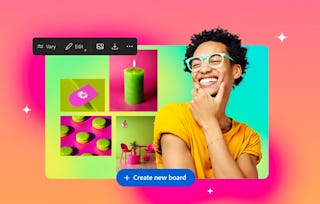
Jumpstart your ideas and collaborate visually! Learn how to choose a starting point, use Text to Image for instant inspiration, and bring your team together with Firefly Boards. Discover how easy it is to remix, share, and shape creative directions in real time
What's included
4 videos2 assignments
4 videos•Total 17 minutes
- Choosing a starting point•5 minutes
- Understanding the foundations for Text to Image•4 minutes
- AI-driven collaboration with Adobe Firefly Boards•5 minutes
- Introduction to Firefly Boards•4 minutes
2 assignments•Total 65 minutes
- Knowledge check•5 minutes
- Create consistent images based on your brand style•60 minutes
Polish your creations and share them with the world! Refine and edit your AI-generated content, review your work with a critical eye, and export assets for any platform. Learn how to reference images and ensure your final output aligns with your brand and audience goals
What's included
5 videos3 readings1 assignment
5 videos•Total 13 minutes
- How to generate images with built-in effects•3 minutes
- Reviewing AI work critically•5 minutes
- Keep creative momentum going with generative AI apps on mobile•3 minutes
- Export & share your creation•2 minutes
- Conclusion•1 minute
3 readings•Total 30 minutes
- Activity: Exporting and sharing your Firefly creations•10 minutes
- Showcase your creativity with Behance•10 minutes
- You did it — now share the love•10 minutes
1 assignment•Total 5 minutes
- Knowledge check•5 minutes
Earn a career certificate
Add this credential to your LinkedIn profile, resume, or CV. Share it on social media and in your performance review.

Explore more from Design and Product
- Status: Free Trial
Specialization
- Status: Free Trial
Course
- Status: Free Trial
- Status: Free Trial
Specialization


Why people choose Coursera for their career


Learner reviews
- 5 stars
100%
- 4 stars
0%
- 3 stars
0%
- 2 stars
0%
- 1 star
0%
Showing 3 of 10
Reviewed on May 18, 2026
Firefly is an incredible tool for artists, student artists, and designers.




Frequently asked questions
To access the course materials, assignments and to earn a Certificate, you will need to purchase the Certificate experience when you enroll in a course. You can try a Free Trial instead, or apply for Financial Aid. The course may offer 'Full Course, No Certificate' instead. This option lets you see all course materials, submit required assessments, and get a final grade. This also means that you will not be able to purchase a Certificate experience.
When you enroll in the course, you get access to all of the courses in the Specialization, and you earn a certificate when you complete the work. Your electronic Certificate will be added to your Accomplishments page - from there, you can print your Certificate or add it to your LinkedIn profile.
Yes. In select learning programs, you can apply for financial aid or a scholarship if you can’t afford the enrollment fee. If fin aid or scholarship is available for your learning program selection, you’ll find a link to apply on the description page.
More questions
Financial aid available,