

Apply SPSS Fundamentals for Data Analysis
Keep adding new skills with 10,000+ programs for $239 (usually $399). Save now.

Apply SPSS Fundamentals for Data Analysis
This course is part of Apply Advanced SPSS Data Analytics & Modeling Specialization

Included with
Ask Coursera
14 reviews
Recommended experience
14 reviews
Recommended experience
What you'll learn
Navigate the SPSS 2024 interface and manage datasets using menus and dialog boxes.
Perform basic statistical analysis, data transformations, and visualizations in SPSS.
Use built-in SPSS tools and help features to support everyday data analysis tasks.
Skills you'll gain
Tools you'll learn
Details to know

February 2026
6 assignments
See how employees at top companies are mastering in-demand skills

Build your subject-matter expertise
- Learn new concepts from industry experts
- Gain a foundational understanding of a subject or tool
- Develop job-relevant skills with hands-on projects
- Earn a shareable career certificate

There are 2 modules in this course
Learners will be able to navigate the SPSS interface, manage datasets, perform basic statistical analysis, transform data, create visualizations, and use built-in support tools confidently. This course equips beginners with the essential skills required to work effectively with SPSS through a structured, hands-on, and menu-driven approach.
Designed specifically for beginners, this course introduces SPSS step by step, starting with interface orientation and graphical user interface navigation before progressing to core menus such as File, Edit, View, Analyze, Transform, Graphs, Utilities, and Help. Learners gain practical exposure to managing data, running statistical procedures, modifying variables, and visualizing results without requiring prior programming or statistical expertise. What makes this course unique is its strong focus on usability and real-world workflow. Instead of overwhelming learners with theory or syntax, the course emphasizes understanding SPSS menus, dialog boxes, and tools exactly as they are used in practice. Clear explanations, guided demonstrations, and logical progression ensure learners build confidence quickly. By the end of the course, learners will be well prepared to use SPSS for academic, professional, or personal data analysis tasks, forming a solid foundation for advanced statistical learning.
This module introduces learners to the SPSS 2024 environment, focusing on course orientation, graphical user interface navigation, and foundational menu structures to build confidence in using SPSS for basic data handling and analysis.
What's included
4 videos3 assignments
4 videos•Total 26 minutes
- Introduction to Course•5 minutes
- GUI understanding and User Training•4 minutes
- Understanding File Edit View Menus•12 minutes
- Understanding File Edit View Menus Continued•5 minutes
3 assignments•Total 50 minutes
- Course Overview & SPSS GUI Basics•10 minutes
- Core Menu Navigation – File, Edit & View•10 minutes
- Graded-Getting Started with SPSS Interface•30 minutes
This module enables learners to apply SPSS core functionality by exploring analysis procedures, data transformation techniques, visualization tools, utilities, and help resources essential for effective data analysis workflows.
What's included
4 videos3 assignments
4 videos•Total 39 minutes
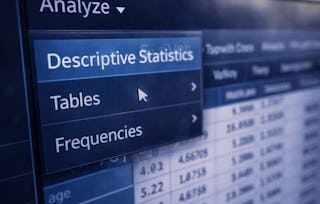
- Understanding Analyze Menu•11 minutes
- Understanding Data and Transform Menus•7 minutes
- Understanding Graphs Utilities Menus•13 minutes
- Understanding Help Menu and Diagnostic Tool•7 minutes
3 assignments•Total 50 minutes
- Data Analysis & Transformation Menus•10 minutes
- Visualization, Utilities & Help Tools•10 minutes
- Graded-Working with Menus, Analysis, and Support Tools•30 minutes
Earn a career certificate
Add this credential to your LinkedIn profile, resume, or CV. Share it on social media and in your performance review.

Explore more from Data Analysis
- Status: Free Trial
Course
- Status: Free Trial
Course
- Status: Free Trial
Course
- Status: Free Trial
Course

Why people choose Coursera for their career


Learner reviews
- 5 stars
92.85%
- 4 stars
7.14%
- 3 stars
0%
- 2 stars
0%
- 1 star
0%
Showing 3 of 14
Reviewed on May 20, 2026
The transition from Excel to SPSS was seamless thanks to this course. The professional templates provided for data entry and variable labeling are worth the price of admission alone.
Reviewed on May 18, 2026
By focusing on the core mechanics of bookkeeping, it empowers students to produce financial reports that are both accurate and professionally presented.
Reviewed on May 22, 2026
The modules on regression and ANOVA were particularly clear, making advanced concepts feel intuitive. This has significantly streamlined my professional workflow and reporting accuracy.




Frequently asked questions
To access the course materials, assignments and to earn a Certificate, you will need to purchase the Certificate experience when you enroll in a course. You can try a Free Trial instead, or apply for Financial Aid. The course may offer 'Full Course, No Certificate' instead. This option lets you see all course materials, submit required assessments, and get a final grade. This also means that you will not be able to purchase a Certificate experience.
When you enroll in the course, you get access to all of the courses in the Specialization, and you earn a certificate when you complete the work. Your electronic Certificate will be added to your Accomplishments page - from there, you can print your Certificate or add it to your LinkedIn profile.
Yes. In select learning programs, you can apply for financial aid or a scholarship if you can’t afford the enrollment fee. If fin aid or scholarship is available for your learning program selection, you’ll find a link to apply on the description page.
More questions
Financial aid available,