

Cinematic Lighting in Maya: Interior & Character Lighting
Ends soon! Keep adding new skills with 10,000+ programs for $239 (usually $399). Save now.

Cinematic Lighting in Maya: Interior & Character Lighting
This course is part of Cinematic Lighting in Maya Specialization

Instructor: Skillshare
Included with
Ask Coursera
Skills you'll gain
Tools you'll learn
Details to know

See how employees at top companies are mastering in-demand skills

Build your subject-matter expertise
- Learn new concepts from industry experts
- Gain a foundational understanding of a subject or tool
- Develop job-relevant skills with hands-on projects
- Earn a shareable career certificate

There are 3 modules in this course
This course is taught by Abraham Leal from Nexttut, an industry professional with over 11 years of experience leading projects at Critical Hit Studio. His focus on combining technical knowledge with visual storytelling makes this course stand out.
By the end of this course, you’ll be able to light and render interior environments and characters with cinematic precision. You will create atmospheric effects like fog, use gobos for dramatic texture, add secondary lights for realism, and explore time-of-day lighting setups such as golden hour, midday, and night. You’ll also practice camera angles and rendering techniques for character presentations. This course is for intermediate 3D artists who want to expand their lighting portfolio with compelling interior scenes and character renders. To succeed, you should be familiar with Maya navigation and Arnold rendering basics, and have Photoshop installed for post-production workflows. Whether you’re showcasing props, characters, or architectural environments, this course will teach you how to control light to evoke mood, atmosphere, and storytelling impact in your renders. Instructor bio: Abraham Leal from Nexttut welcomes you to Nexttut Education. We only create courses with highly talented professionals who has at least 5+ years off experience working in the film and game industry. The single goal of Nexttut Education is to help students to become a production ready artist and get jobs wherever they want. We are committed to create high quality professional courses for 3d students. If you are a student learning from any local institution or a 3d artist who has just started working in the industry or an artist who has some years of experience, you have come to the right place.
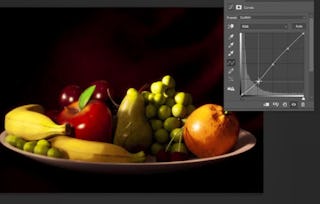
Build cinematic atmosphere from the ground up. You’ll craft volumetric fog for depth, use gobos for expressive patterning, and layer small scene details that sell realism. The module closes with a concise post-production pass—balancing exposure, contrast, and color—to give your shots the polished finish expected in production.
What's included
4 videos2 readings1 assignment1 discussion prompt
4 videos•Total 59 minutes
- Creating Fog•19 minutes
- Using Gobos•13 minutes
- Adding Details•13 minutes
- Post Production•14 minutes
2 readings•Total 60 minutes
- Intro Reading•30 minutes
- Project Instructions•30 minutes
1 assignment•Total 30 minutes
- Module 1 Quiz•30 minutes
1 discussion prompt•Total 10 minutes
- New Discussion Prompt•10 minutes
Translate cinematography choices into compelling interiors. You’ll align camera angles with lighting intent, then design a convincing golden-hour scene—controlling warmth, shadows, and highlight rolloff. Finally, you’ll add supporting lights to shape faces, separate subjects from the background, and achieve consistent results across shots.
What's included
3 videos1 assignment1 discussion prompt
3 videos•Total 47 minutes
- Camera Angles•7 minutes
- Interior Golden Hour•26 minutes
- Extra Lights•14 minutes
1 assignment•Total 30 minutes
- Module 2 Quiz•30 minutes
1 discussion prompt•Total 10 minutes
- New Discussion Prompt•10 minutes
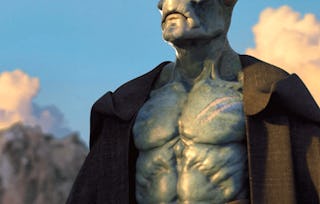
Master time-of-day interiors and apply those principles to a hero character. You’ll contrast crisp midday looks with moody night scenes, then design a character lighting rig that feels integrated and intentional. The capstone render focuses on clean shadows, controlled highlights, and a cohesive atmosphere that holds up in close-ups.
What's included
3 videos1 assignment1 peer review1 discussion prompt
3 videos•Total 43 minutes
- Interior Midday•12 minutes
- Interior Night•13 minutes
- Character Render•19 minutes
1 assignment•Total 30 minutes
- Module 3 Quiz•30 minutes
1 peer review•Total 60 minutes
- Course Project•60 minutes
1 discussion prompt•Total 10 minutes
- New Discussion Prompt•10 minutes
Earn a career certificate
Add this credential to your LinkedIn profile, resume, or CV. Share it on social media and in your performance review.
Instructor
Offered by

Explore more from Design and Product
- Status: Free Trial
Course
- Status: Free Trial
Course
- Status: Free TrialS
Skillshare
Specialization
- Status: Free Trial
Why people choose Coursera for their career






Frequently asked questions
To access the course materials, assignments and to earn a Certificate, you will need to purchase the Certificate experience when you enroll in a course. You can try a Free Trial instead, or apply for Financial Aid. The course may offer 'Full Course, No Certificate' instead. This option lets you see all course materials, submit required assessments, and get a final grade. This also means that you will not be able to purchase a Certificate experience.
When you enroll in the course, you get access to all of the courses in the Specialization, and you earn a certificate when you complete the work. Your electronic Certificate will be added to your Accomplishments page - from there, you can print your Certificate or add it to your LinkedIn profile.
Yes. In select learning programs, you can apply for financial aid or a scholarship if you can’t afford the enrollment fee. If fin aid or scholarship is available for your learning program selection, you’ll find a link to apply on the description page.
More questions
Financial aid available,