

Configuring and Automating Jira for Visibility and Performan
Ends soon! Keep adding new skills with 10,000+ programs for $239 (usually $399). Save now.

Configuring and Automating Jira for Visibility and Performan
This course is part of Jira Essentials: Beginner-Intermediate Mastery Professional Certificate

Included with
Ask Coursera
Recommended experience
Recommended experience
What you'll learn
Apply shared project schemes and configure boards for stakeholder visibility.
Model team processes with workflow configuration and identify bottlenecks.
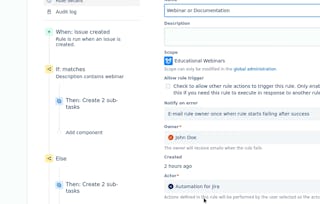
Build and debug no-code automation rules and analyze execution logs.
Evaluate automation ROI and prepare a tested change plan.
Skills you'll gain
- Agile Methodology
- Process Analysis
- Debugging
- Business Workflow Analysis
- Workflow Management
- Performance Metric
- Process Optimization
- Application Performance Management
- Process Mapping
- Automation
- Jira (Software)
- Analysis
- Return On Investment
- Business Process Automation
- Due Diligence
- Configuration Management
- User Story
Tools you'll learn
Details to know

March 2026
See how employees at top companies are mastering in-demand skills

Build your Support and Operations expertise
- Learn new concepts from industry experts
- Gain a foundational understanding of a subject or tool
- Develop job-relevant skills with hands-on projects
- Earn a shareable career certificate from Coursera

There are 9 modules in this course
This long course equips you with the administrative and configuration skills needed to tailor Jira to team processes, automate repetitive tasks, and maintain governance at scale. Topics cover setting up new projects using standard schemes, creating reusable workflow schemes, and evaluating and applying board configurations to improve stakeholder visibility. You will practice designing workflows, adding custom statuses, and creating validators and conditions to enforce process gates. The course includes configuration performance considerations—assessing the impact of custom fields—and guides learners through prototyping lightweight UI extensions and choosing marketplace apps through structured due diligence. A practical emphasis on automation teaches building no-code automation rules, debugging and optimizing rule execution, and designing global synchronization automations to keep multiple systems in sync. By the end, you will be able to deploy shared schemes; model operational processes in Jira; and measure the performance and ROI of automation initiatives that reduce manual effort and improve reliability.
Struggling with inconsistent and confusing Jira projects? The "Jira Project Configuration and Visibility" module is for you. Designed for IT and project professionals, it teaches you to build clean, standardized, and visible Jira environments. You will learn to apply shared schemes for permissions and notifications to enforce consistency across all projects. You will also master optimizing board configurations to provide crystal-clear visibility for every stakeholder, from testers to executives. Move beyond basic setup and learn to design Jira environments that drive clarity, efficiency, and alignment throughout your organization.
What's included
4 videos3 readings3 assignments
4 videos•Total 25 minutes
- What are Shared Schemes? The Pillars of Jira Governance•8 minutes
- How to Apply Shared Permission and Notification Schemes•5 minutes
- When Stakeholders Can't See the Work: The Atlassian Creative Studio Story•6 minutes
- How to Redesign a Board: Swimlanes and Quick Filters•7 minutes
3 readings•Total 18 minutes
- A Blueprint for Consistency: How to Use Jira for Modern Project Management•6 minutes
- Troubleshooting Jira Boards: Why Can't I See My Issue?•6 minutes
- From Migration to Clarity: The FAN Courier Case Study•6 minutes
3 assignments•Total 50 minutes
- The Jira Project Configuration Toolkit•30 minutes
- Knowledge Check: Standardizing Project Configurations for Governance and Consistency•10 minutes
- Knowledge Check: Optimizing Board Configurations for Stakeholder Visibility•10 minutes
Struggling to interpret project data or communicate progress effectively to leadership? "Evaluate Metrics, Craft Dashboards for Jira Mastery" is your guide to transforming raw Jira data into clear, compelling insights. This module teaches project managers and team leads to analyze key agile metrics, such as velocity and cycle time, to spot workflow issues. You will master designing effective Jira dashboards with the right KPIs, giving executives actionable visibility into project health. By the end, you will measure performance with precision and communicate it with confidence, driving alignment and continuous improvement across your organization.
What's included
2 videos3 readings3 assignments
2 videos•Total 14 minutes
- The 30-Slide Status Deck: A Story of Wasted Time•7 minutes
- What are Velocity and Cycle Time?•7 minutes
3 readings•Total 22 minutes
- Top Performance Metrics for Agile Teams•6 minutes
- Principles of Effective Management Dashboards•8 minutes
- How to Build an Executive Dashboard in Jira•8 minutes
3 assignments•Total 55 minutes
- The Agile Performance Dashboard Project•30 minutes
- Knowledge Check: Metrics and Dashboards•5 minutes
- Analyzing Team Performance: Velocity and Control Charts•20 minutes
"Jira: Map, Analyze, and Release" is a beginner's module for agile leaders, such as project managers and scrum masters. It teaches strategic release planning and continuous improvement. You will master story mapping to break down complex initiatives into clear, value-driven releases. You'll also learn to analyze quantitative data from sprint retrospectives to identify hidden team impediments. By the end, you will be equipped to facilitate workshops, use data to identify the root causes of challenges, and build a powerful feedback loop, thereby fostering a culture of predictable delivery and continuous improvement.
What's included
4 videos2 readings4 assignments
4 videos•Total 22 minutes
- The Power of a Clear Roadmap•5 minutes
- Building Your First Story Map in Jira•6 minutes
- Uncovering Hidden Roadblocks in Your Sprints•5 minutes
- Exporting and Visualizing Retrospective Data from Jira•6 minutes
2 readings•Total 16 minutes
- The Anatomy of a Story Map•6 minutes
- From Data to Decisions: Understanding Retrospective Metrics•10 minutes
4 assignments•Total 60 minutes
- Story Mapping and Retrospective Insights Project•30 minutes
- Hands-On Learning: Mini-Map Your Daily Routine•10 minutes
- Knowledge Check: Story Mapping Fundamentals•10 minutes
- Knowledge Check: Retrospective Analysis•10 minutes
Is your backlog a chaotic mess? "Optimize Backlogs and Jira Readiness" is a beginner-friendly module for agile teams that transforms your backlog into a strategic asset. You'll learn to use agile metrics to assess your backlog’s health and identify risks. The module focuses on mastering the Definition of Ready (DoR), a quality gate that stops incomplete work from derailing your sprints. You will design and implement a DoR checklist in Jira, thereby automating quality enforcement. This facilitates streamlined sprint planning, reduced rework, and a sustainable culture of preparedness for your team.
What's included
2 videos4 readings4 assignments
2 videos•Total 11 minutes
- The True Cost of a Cluttered Backlog•6 minutes
- The Sprint Planning Meltdown•5 minutes
4 readings•Total 29 minutes
- Key Metrics for Backlog Health•7 minutes
- A Guide to Backlog Analysis•7 minutes
- What is a Definition of Ready?•8 minutes
- Creating Your Definition of Ready (DoR) Checklist•7 minutes
4 assignments•Total 55 minutes
- The Backlog Optimization Toolkit•30 minutes
- Knowledge Check: Backlog Metrics•5 minutes
- The Backlog Health Assessment•15 minutes
- Knowledge Check: Building a Definition of Ready (DoR)•5 minutes
"Streamline Jira Workflows, Analyze Bottlenecks Fast" is a beginner's module for IT and project professionals focused on process optimization. You will learn to build custom workflows in Jira that match your team's actual processes. The module teaches you to export usage reports and analyze data to find hidden bottlenecks and diagnose delays. Armed with this insight, you will develop data-driven recommendations to simplify and automate workflows. You will leave with the ability to use Jira as a powerful tool for continuous improvement, directly boosting your team’s productivity and speed.
What's included
4 videos3 readings3 assignments
4 videos•Total 29 minutes
- From Chaos to Clarity: Why Jira Workflows Matter•7 minutes
- Building Your First Jira Workflow•9 minutes
- The Hidden Cost of Delay: Finding Bottlenecks•6 minutes
- Analyzing Workflow Data in Jira•6 minutes
3 readings•Total 24 minutes
- Jira Workflows: The Core Components•8 minutes
- Common Jira Workflow Mistakes and How to Fix Them•8 minutes
- Using Jira Automation to Streamline Processes•8 minutes
3 assignments•Total 60 minutes
- Analyze and Optimize the IT Support Workflow•30 minutes
- Hands-On Learning: Build a Custom Workflow for a Software Bug Lifecycle•20 minutes
- Knowledge Check: Workflow Configuration•10 minutes
Do inconsistent Jira workflows stall your projects? This module, "Evaluate and Deploy Jira Workflow Schemes," offers project managers and IT professionals a clear path from chaos to control. You will learn to assess workflow designs for compliance, auditability, and user experience. The module guides you through creating and deploying reusable, scalable workflow schemes across active projects without causing disruption. Through hands-on exercises, you'll master building flexible, user-centric solutions. You'll leave equipped to implement standardized workflows that boost productivity, ensure governance, and drive project success.
What's included
2 videos2 readings5 assignments
2 videos•Total 13 minutes
- Evaluating Workflows: From Theory to Practice•6 minutes
- Building Workflows: From a Success Story to a Sandbox•7 minutes
2 readings•Total 10 minutes
- Key Criteria for Workflow Evaluation: Compliance, Audit, and UX•5 minutes
- Anatomy of a Reusable Workflow Scheme•5 minutes
5 assignments•Total 80 minutes
- Designing a Reusable Workflow Scheme•30 minutes
- Hands-On Learning: Workflow Evaluation and Recommendation for Healthcare IT•10 minutes
- Knowledge Check: Workflow Evaluation Principles•10 minutes
- Hands-On Learning: Design a Workflow for a Backend Project•10 minutes
- Knowledge Check: Principles of Reusable Design•20 minutes
Ready to turn your best ideas into reality? This module, "Automate Jira: Sync and Prove ROI," teaches you to build a data-driven business case for any automation project. You'll learn to quantify financial benefits, like saved labor, estimate the Total Cost of Ownership (TCO), and calculate a formal Return on Investment (ROI). Using a real-world Jira scenario, you'll create a persuasive report to secure stakeholder buy-in. By the end, you'll have a repeatable framework to justify and champion high-value automation projects, proving their worth to any business leader.
What's included
3 videos3 readings3 assignments
3 videos•Total 20 minutes
- The Real Cost of Doing Nothing•6 minutes
- What are TCO and ROI?•7 minutes
- How to Calculate ROI in a Spreadsheet?•7 minutes
3 readings•Total 26 minutes
- The Two Sides of Value: Quantifying Benefits•9 minutes
- Deconstructing TCO: From Licenses to Maintenance•9 minutes
- The Human Factor: Forecasting User Adoption•8 minutes
3 assignments•Total 60 minutes
- Full ROI Business Case Report•30 minutes
- Hands-On Learning: Draft Cost-Benefit Analysis for Automating Time-Logging in Jira•20 minutes
- Knowledge Check: Core Concepts Quiz•10 minutes
"Jira Automation and App Selection" is a beginner's module for IT professionals and project managers seeking to optimize their Jira instance. You'll learn to solve common bottlenecks by safely automating bulk updates using REST API calls in Postman. This module also teaches a structured due diligence process, enabling you to confidently evaluate and select the best third-party apps from the marketplace. Through hands-on, real-world scenarios, you will build a practical toolkit and learn to defend your technical and strategic decisions to stakeholders, unlocking Jira's full potential.
What's included
3 videos4 readings3 assignments
3 videos•Total 20 minutes
- The Risk of Manual Updates: A Release Management Story•7 minutes
- The Million-Dollar Mismatch: When Good Apps Go Bad•6 minutes
- Anatomy of a Bulk Update API Call•7 minutes
4 readings•Total 28 minutes
- Understanding the Jira REST API for Bulk Operations•7 minutes
- Framework for App Evaluation and Scorecards•8 minutes
- How-To Guide: Your First Bulk Update with Postman•6 minutes
- How-To Guide: Evaluating Apps in the Marketplace•7 minutes
3 assignments•Total 40 minutes
- The Automation and App Evaluation Toolkit•30 minutes
- Knowledge Check: API Concepts and Verification•5 minutes
- Knowledge Check: App Evaluation and Due Diligence•5 minutes
Automations are failing, creating project delays and errors. In this hands-on project, you will act as a Jira administrator to restore order. You will analyze rule execution logs to perform a root-cause analysis of failing and redundant processes. Your goal is to debug, consolidate, and optimize the automation rules, delivering a complete optimization package including an analysis report, a cleaned rule set, and a tested change plan. By documenting before-and-after performance metrics, you will prove your ability to solve complex automation problems and deliver measurable ROI by improving efficiency and restoring system reliability.
What's included
2 readings1 assignment
2 readings•Total 14 minutes
- Why This Project Matters•4 minutes
- Your Project Blueprint: Requirements and Evaluation•10 minutes
1 assignment•Total 160 minutes
- Project: Automation Debugging •160 minutes
Earn a career certificate
Add this credential to your LinkedIn profile, resume, or CV. Share it on social media and in your performance review.
Instructor

Explore more from Support and Operations
Course
Status: Free TrialCategory: Credit offeredSpecialization
Status: Free TrialCategory: Credit offeredCourse
Status: Free TrialCategory: Credit offeredGuided Project
Category: FreeCategory: Credit offered


Why people choose Coursera for their career






Frequently asked questions
In this course, Jira configuration and automation means shaping Jira so projects, workflows, boards, and rules reflect how a team actually works instead of relying on inconsistent defaults. The emphasis is on building reusable setups that improve visibility, enforce process gates, and keep administration manageable as work grows.
You would use Jira configuration and automation when teams need clearer project structure, fewer repetitive updates, or more consistent ways of handling work across projects. The course treats it as a practical administration skill for standardizing schemes, modeling team processes, and making boards and rules easier for stakeholders to follow.
It sits in the middle of a broader Jira operating process: after you understand how work should flow, but before you depend on reports, dashboards, or synchronized updates at scale. In the course, configuration creates the structure first, and automation helps keep that structure consistent while you analyze logs and bottlenecks over time.
More questions
Financial aid available,
¹ Some assignments in this course are AI-graded. For these assignments, your data will be used in accordance with Coursera's Privacy Notice.