

HTML for Beginners: Classes and ID


Ask Coursera
Recommended experience
Recommended experience
What you'll learn
Define the "class" and "id" HTML attributes and their usage
Implement styles utilizing"class" and "id" attributes with CSS
Review scripting usage of "class" and "id" attributes
Skills you'll practice
Tools you'll use
Details to know

Only available on desktop
See how employees at top companies are mastering in-demand skills

Learn, practice, and apply job-ready skills in less than 2 hours
- Receive training from industry experts
- Gain hands-on experience solving real-world job tasks
- Build confidence using the latest tools and technologies

About this Guided Project
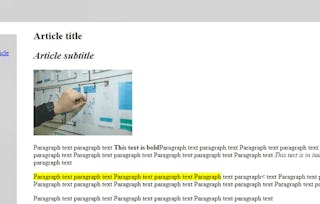
This 70 minutes guided project is for beginner learners of HTML. It will include CSS and a small mention of Javascript. You will learn how to style and organize the page content using classes and ids, their correct syntax, and how they are a base for styling, scripting, and internal navigation. You will create a Japan traveling blog article page, which will help you learn in a unique way a good portion of the fundamentals needed to create beautiful static websites. Writing the page you will learn about the "class" and "id" HTML attributes, their syntax and usage. You will Implement styles utilizing"class" and "id" attributes with CSS, and briefly review scripting usage of "class" and "id" attributes. To complete this project successfully you will need just passion, and a very introductory knowledge of HTML. This project is ideal for those who are interested in website and front-end development.
Learn step-by-step
In a video that plays in a split-screen with your work area, your instructor will walk you through these steps:
- •
Define "class" and "id" attributes with correct syntax
- •
Use classes and ids to style paragraphs
- •
Apply styles to navigation bar using classes and ids
- •
Apply styles to menu elements using classes and ids
- •
Demonstrate your understanding of how to apply different styling
- •
Integrate bookmarks and links using ids
- •
Add multiple classes to an element
- •
Demonstrate your understanding of how to create links and apply classes
- •
Script dynamic content using classes and ids
- •
Capstone activity
Recommended experience
Very introductory knowledge of HTML (what are tags and attributes, how to write an HTML tag)
5 project images
Instructor

How you'll learn
Skill-based, hands-on learning
Practice new skills by completing job-related tasks.
Expert guidance
Follow along with pre-recorded videos from experts using a unique side-by-side interface.
No downloads or installation required
Access the tools and resources you need in a pre-configured cloud workspace.
Available only on desktop
This Guided Project is designed for laptops or desktop computers with a reliable Internet connection, not mobile devices.
Why people choose Coursera for their career


You might also like
- C
Coursera
Guided Project
Course
- Status: Free Trial
Course



Advance your career with an online degree
Earn a degree from world-class universities - 100% online





Frequently asked questions
By purchasing a Guided Project, you'll get everything you need to complete the Guided Project including access to a cloud desktop workspace through your web browser that contains the files and software you need to get started, plus step-by-step video instruction from a subject matter expert.
Because your workspace contains a cloud desktop that is sized for a laptop or desktop computer, Guided Projects are not available on your mobile device.
Guided Project instructors are subject matter experts who have experience in the skill, tool or domain of their project and are passionate about sharing their knowledge to impact millions of learners around the world.