

HTML5: Content Authoring Fundamentals
Ends soon! Keep adding new skills with 10,000+ programs for $239 (usually $399). Save now.


What you'll learn
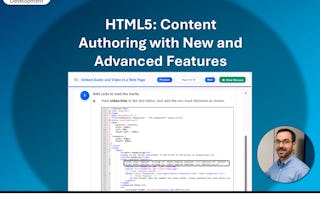
Build appealing, standards-compliant web pages using HTML5 elements, semantic markup, and descriptive attributes.
Embed media, create interactive image maps, and apply CSS3 styling to design multi-column page layouts.
Construct accessible data tables and user forms while testing for cross-browser and mobile compatibility.
Learn by doing. Perform guided, step-by-step hands-on activities on your own computer.
Skills you'll gain
Details to know

January 2026
1 assignment
See how employees at top companies are mastering in-demand skills

There are 6 modules in this course
In the current age, using the Internet has become essential to communication and gaining access to information, much like the telephone and newspapers were to earlier generations. Familiarity with the Internet comes with a certain level of expectation regarding the attractiveness and ease of use of web pages. Web designers need to create effective and successful websites. If users find your website difficult to navigate, they may not visit it again. HTML5 and CSS3 are some of the most integral and evolving web technologies that enable you to structure content and present it on the web. Knowledge of these languages will help you create web pages that are easy to read and appealing to users. This course lays the foundation for mastering these two popular web publishing technologies.
This course is designed as an introduction to HTML and CSS for those who want to learn to develop standards-compliant web content, with a focus on current HTML5 and CSS3 standards. This course can be taught on Microsoft® Windows®, Apple® Mac OS® X, or Linux®, and supports developers who work in any of those environments. In this course you will: author content in HTML, embed and link content, format content with CSS, author complex content structures, and test and publish HTML content. This course requires that you have access to several different web browsers, including Google Chrome and Mozilla Firefox, and a text editor with line numbering and syntax coloring. The course setup instructions provided in the first module of the course go into more detail about the hardware and software requirements.
In order to begin building a web page, you need to have an understanding of web development standards and practices. With these guidelines in place, you can author a site by using HTML that adheres to established standards and allows Internet users to easily navigate to find the information they need.
What's included
7 plugins
7 plugins•Total 95 minutes
- Getting Started with This Course•20 minutes
- Lesson Introduction•5 minutes
- Web Development Standards•15 minutes
- Create an HTML Page•15 minutes
- Apply HTML Attributes•15 minutes
- Mastery Builder: Authoring Content in HTML•20 minutes
- Lesson Summary•5 minutes
Now that you've become acquainted with the basic structure of HTML, it's time to enhance your web pages to make them more appealing to users. You can do this easily by incorporating images, navigation links, audio, and video.
What's included
6 plugins
6 plugins•Total 115 minutes
- Lesson Introduction•5 minutes
- Embed Content within an HTML Page•30 minutes
- Link HTML Pages•30 minutes
- Create Image Maps•30 minutes
- Mastery Builder: Embedding and Linking Content•15 minutes
- Lesson Summary•5 minutes
HTML elements and attributes are used to structure and define content, but not format it. For that, you need to use a style sheet. Style sheets are used to define the way text and images are displayed. In this way, a style sheet can ensure a consistent look to your website.
What's included
5 plugins
5 plugins•Total 110 minutes
- Lesson Introduction•5 minutes
- Apply Style Sheets to HTML•40 minutes
- Use CSS to Create Multiple Column Layouts•40 minutes
- Mastery Builder: Formatting Content with CSS•20 minutes
- Lesson Summary•5 minutes
In the previous lesson, you learned how to use CSS to present content in a visually appealing way. However, some content needs more than formatting to be useful to visitors of your site. Using more complex content structures, such as tables and forms, lets you present content in a more organized way and helps you gain information from the people who visit your site.
What's included
5 plugins
5 plugins•Total 85 minutes
- Lesson Introduction•5 minutes
- Author Table Content•30 minutes
- Construct and Format Forms•30 minutes
- Mastery Builder: Authoring Complex Content Structures•15 minutes
- Lesson Summary•5 minutes
You have learned to author a basic website in HTML with embedded content and links to other pages. You've used CSS to format your site and have built complex content such as forms and tables. Your site is ready to be tested and published.
What's included
5 plugins
5 plugins•Total 70 minutes
- Lesson Introduction•5 minutes
- Identify and Correct Structural and Compatibility Problems•20 minutes
- Make HTML Content Accessible•20 minutes
- Publish and Deploy Web Content•20 minutes
- Lesson Summary•5 minutes
You'll wrap things up and then validate what you've learned in this course by taking an assessment.
What's included
1 assignment2 plugins
1 assignment•Total 20 minutes
- Course Assessment•20 minutes
2 plugins•Total 15 minutes
- Appendices•10 minutes
- Course Summary•5 minutes
Instructor
Offered by

Explore more from Mobile and Web Development
- Status: PreviewL
Logical Operations
Course
- Status: Free TrialU
University of Michigan
Course
- Status: Free Trial
- Status: Free Trial
Course


Why people choose Coursera for their career






Frequently asked questions
To access the course materials, assignments and to earn a Certificate, you will need to purchase the Certificate experience when you enroll in a course. You can try a Free Trial instead, or apply for Financial Aid. The course may offer 'Full Course, No Certificate' instead. This option lets you see all course materials, submit required assessments, and get a final grade. This also means that you will not be able to purchase a Certificate experience.
When you purchase a Certificate you get access to all course materials, including graded assignments. Upon completing the course, your electronic Certificate will be added to your Accomplishments page - from there, you can print your Certificate or add it to your LinkedIn profile.
Yes. In select learning programs, you can apply for financial aid or a scholarship if you can’t afford the enrollment fee. If fin aid or scholarship is available for your learning program selection, you’ll find a link to apply on the description page.
More questions
Financial aid available,