

Image and Video Processing: From Mars to Hollywood with a Stop at the Hospital
Ends soon! Keep adding new skills with 10,000+ programs for $239 (usually $399). Save now.

Image and Video Processing: From Mars to Hollywood with a Stop at the Hospital

Instructor: Guillermo Sapiro
Top Instructor
70,141 already enrolled
Included with
Ask Coursera
1,132 reviews
1,132 reviews
Skills you'll gain
Tools you'll learn
Details to know

See how employees at top companies are mastering in-demand skills

There are 9 modules in this course
In this course, you will learn the science behind how digital images and video are made, altered, stored, and used. We will look at the vast world of digital imaging, from how computers and digital cameras form images to how digital special effects are used in Hollywood movies to how the Mars Rover was able to send photographs across millions of miles of space.
The course starts by looking at how the human visual system works and then teaches you about the engineering, mathematics, and computer science that makes digital images work. You will learn the basic algorithms used for adjusting images, explore JPEG and MPEG standards for encoding and compressing video images, and go on to learn about image segmentation, noise removal and filtering. Finally, we will end with image processing techniques used in medicine. This course consists of 7 basic modules and 2 bonus (non-graded) modules. There are optional MATLAB exercises; learners will have access to MATLAB Online for the course duration. Each module is independent, so you can follow your interests.
Learn what is image and video processing. Learn the very basic concepts of human perception needed for understanding image processing. Learn simple tools in signal processing needed to understand following units.
What's included
8 videos2 readings1 assignment
8 videos•Total 94 minutes
- 0 - Welcome and Start Here•1 minute
- 1 - What is image and video processing (part 1)•11 minutes
- 1 - What is image and video processing (part 2)•11 minutes
- 2 - Course logistics•3 minutes
- 3 - Images are everywhere - Duration 06:31•7 minutes
- 4 - Human visual system - Duration 17:10•17 minutes
- 5 - Image formation - Sampling & Quantization - Duration 28:17•28 minutes
- 6 - Simple image operations - Duration 17:05•17 minutes
2 readings•Total 15 minutes
- Optional programming exercises•10 minutes
- Report a problem with the course•5 minutes
1 assignment•Total 24 minutes
- Quiz #1•24 minutes
JPEG and MPEG are the most successful algorithms in the area, widely used by everybody in a daily basis, and the goal of this unit is to understand how they work. Also to understand why these techniques are important and why they are enabling technologies. Also will describe what is done in the Mars expedition.
What's included
7 videos1 reading1 assignment
7 videos•Total 114 minutes
- 1 - The why and how of compression - Duration 14:16•14 minutes
- 2 - Huffman coding - Duration 20:11 - Optional break at 06:53•20 minutes
- 3 - JPEG's 8x8 blocks - Duration 05:37•6 minutes
- 4 - The Discrete Cosine Transform (DCT) - Duration 25:32 - Optional break at 12:13•26 minutes
- 5 - Quantization - Duration 24:02 - Optional breaks at 08:48 and 17:18•24 minutes
- 6 - JPEG_LS and MPEG - Duration 19:32 - Optional break at 13:45•20 minutes
- 7 - Bonus: Run-length compression - Duration 04:29•4 minutes
1 reading•Total 10 minutes
- Optional programming exercises•10 minutes
1 assignment•Total 30 minutes
- Quiz #2•30 minutes
Some of the most basic tools in image processing, like median filtering and histogram equalization, are still among the most powerful. We will describe these and provide a modern interpretation of these basic tools. Students will then become familiar with simple and still popular approaches. We will also include non-local means, a more modern technique that still uses classical tools.
What's included
14 videos1 reading1 assignment
14 videos•Total 114 minutes
- 1 - Introduction to image enhancement - Duration 19:11 - Optional break at 08:33•19 minutes
- 2 - Demo - Enhancement & Histogram modification - Duration 03:53•4 minutes
- 3 - Histogram equalization - Duration 19:56 - Optional breaks at 04:40 and 11:30•20 minutes
- 4 - Histogram matching - Duration 08:31•9 minutes
- 5 - Introduction to local neighborhood operations - Duration 06:46•7 minutes
- 6 - Mathematical properties of averaging - Duration 11:00•11 minutes
- 7 - Non-Local means - Duration 07:27•7 minutes
- 8 - IPOL Demo - Non-Local means - Duration 03:38•4 minutes
- 9 - Median filter - Duration 07:20•7 minutes
- 10 - Demo - Median filter - Duration 01:31•2 minutes
- 11 - Derivatives, Laplacian & Unsharp masking - Duration 14:24 - Optional breaks at 05:21 and 11:33•14 minutes
- 12 - Demo - Unsharp masking - Duration 03:10•3 minutes
- 13 - Gradients of scalar and vector images - Duration 05:57•6 minutes
- 14 - Concluding remarks - Duration 01:12•1 minute
1 reading•Total 10 minutes
- Optional programming exercises•10 minutes
1 assignment•Total 30 minutes
- Quiz #3•30 minutes
The goal of this unit is to complement Unit 3 by adding prior information about the sources of degradation. Students will learn that if we know about the degradation process, we can do better. The objective of this unit is to complete the training with basic and powerful classical tools.
What's included
9 videos1 reading1 assignment
9 videos•Total 67 minutes
- 1 - What is image restoration - Duration 07:49•8 minutes
- 2 - Noise types - Duration 12:43•13 minutes
- 3 - Demo - Types of noise - Duration 03:03•3 minutes
- 4 - Noise and histograms - Duration 04:52•5 minutes
- 5 - Estimating noise - Duration 10:41 - Optional break at 05:03•11 minutes
- 6 - Degradation Function - Duration 11:40•12 minutes
- 7 - Wiener filtering - Duration 12:34 - Optional break at 06:54•13 minutes
- 8 - Demo - Wiener and Box filters - Duration 03:19•3 minutes
- 9 - Concluding remarks - Duration 00:33•1 minute
1 reading•Total 10 minutes
- Optional programming exercises•10 minutes
1 assignment•Total 30 minutes
- Quiz #4•30 minutes
Not all parts of the image are the same, and students will learn the basic techniques to partition an image, from simple threshold to more advanced graph cuts and active contours. This is the first unit where student will learn about image analysis and image interpretation, and will learn why this is important, e.g., in medical imaging and object recognition.
What's included
12 videos1 reading1 assignment
12 videos•Total 123 minutes
- 1 - Introduction to Segmentation - Duration 04:17•4 minutes
- 2 - On Edges and Regions - Duration 05:17•5 minutes
- 3 - Hough Transform with Matlab Demo - Duration 20:59•21 minutes
- 4 - Line Segment Detector with Demo - Duration 03:20•3 minutes
- 5 - Otsu's Segmentation with Demo - Duration 14:25•14 minutes
- 6 - Congratulations - Duration 00:17•0 minutes
- 7 - Interactive Image Segmentation - Duration 21:13•21 minutes
- 8 - Graph Cuts and Ms Office - Duration 09:34•10 minutes
- 9 - Mumford-Shah - Duration 05:50•6 minutes
- 10 - Active Contours - Introduction with ipol.im and Photoshop Demos - Duration 05:58•6 minutes
- 11 - Behind the Scenes of Adobe's Roto Brush - Duration 31:29 - Optional breaks at 20:30 and 27:26•31 minutes
- 12 - End of the Week - Duration 00:21•0 minutes
1 reading•Total 10 minutes
- Optional programming exercises•10 minutes
1 assignment•Total 18 minutes
- Quiz #5•18 minutes
This is all optional material. It will help the students that are more mathematically oriented and want to better understand the math behind next unit's lectures. But you will be able to handle without it.The quiz is therefore practice only.This is the first “advanced” unit and smoothly follows from the previous one. Students will learn very modern tools, widely used today, and will contrast with units 3,4 to illustrate how significantly more advanced mathematical tools are also very useful in image and video analysis. We will connect some of these advanced tools with classical ones, e.g., average with heat flow and median with anisotropic diffusion. This will help to provide unified views to the students.
What's included
9 videos1 reading1 assignment
9 videos•Total 168 minutes
- 1 - Introduction to PDEs in Image and Video Processing - Duration 10:22•10 minutes
- 2 - Planar Differential Geometry - Duration 38:33 - Optional breaks at 12:46, 21:03, and 29:41•39 minutes
- 3 - Surface Differential Geometry - Duration 11:43•12 minutes
- 4 - Curve Evolution - Duration 31:10 - Optional breaks at 08:50, 19:25, and 24:22•31 minutes
- 5 - Level Sets and Curve Evolution - Duration 25:34 - Optional break at 14:30•26 minutes
- 6 - Calculus of Variations - Duration 14:03 - Optional break at 06:23•14 minutes
- 7 - Anisotropic Diffusion - Duration 11:17•11 minutes
- 8 - Active Contours - Duration 16:57 - Optional break at 06:23•17 minutes
- 9 - Bonus: Cool Contrast Enhancement via PDEs - Duration 08:32•9 minutes
1 reading•Total 10 minutes
- Optional programming exercises•10 minutes
1 assignment•Total 30 minutes
- Quiz #6•30 minutes
Students will get involved with a very exciting topic, since image and video inpainting is one of the most used tools in the movie industry. They will learn the problem, and also how they can approach it from multiple directions. This will also help to illustrate how the same problem can be approached from multiple mathematical angles. We will connect this with Shanon’s work providing yet another angle. If you watched the lectures on PDEs you will have more mathematical background, but you will enjoy this unit and learn without it as well.
What's included
7 videos1 reading1 assignment
7 videos•Total 66 minutes
- 1 - Introduction to Image Inpainting - Duration 08:16•8 minutes
- 2 - Inpainting in Nature - Duration 05:01•5 minutes
- 3 - PDEs and Inpainting - Duration 21:59 - Optional break at 13:31•22 minutes
- 4 - Inpainting via Calculus of Variations - Duration 15:32 - Optional break at 10:06•16 minutes
- 5 - Smart Cut and Paste - Duration 07:51•8 minutes
- 6 - Demo - Photoshop Inpainting Healing Brush - Duration 02:31•3 minutes
- 7 - Video Inpainting and Conclusions - Duration 05:13•5 minutes
1 reading•Total 10 minutes
- Optional programming exercises•10 minutes
1 assignment•Total 30 minutes
- Quiz #7•30 minutes
Here the goal is to present one of the most modern tools in image and video processing, and students will learn something that is today at the top of active research. This will also help to illustrate the use of linear algebra and optimization in image and video processing. This is the last formal unit of the course.
What's included
8 videos1 reading1 assignment
8 videos•Total 128 minutes
- 1 - Introduction to Sparse Modeling - Part 1 - Duration 10:39•11 minutes
- 2 - Introduction to Sparse Modeling - Part 2 - Duration 18:16•18 minutes
- 3 - Sparse Modeling - Implementation - Duration 24:30 - Optional break at 11:58•25 minutes
- 4 - Dictionary Learning - Duration 17:13 - Optional break at 06:03•17 minutes
- 5 - Sparse Modeling Image Processing Examples - Duration 20:57 - Optional break at 09:25•21 minutes
- 6 - A Note on Compressed Sensing - Duration 05:10•5 minutes
- 7 - GMM and Structured Sparsity - Duration 15:40•16 minutes
- 8 - Bonus: Sparse Modeling and Classification - Activity Recognition - Duration 15:10•15 minutes
1 reading•Total 10 minutes
- Optional programming exercises•10 minutes
1 assignment•Total 30 minutes
- Quiz #8•30 minutes
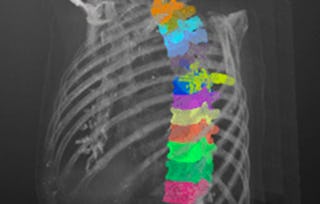
This is a bonus unit. Enjoy it. Image processing has been very successful in medical imaging, and we will use examples from HIV and brain research to illustrate the importance of image processing in solving societal problems. We will describe the basic tools in these exciting applications, from the acquisition to the analysis.
What's included
5 videos1 reading
5 videos•Total 75 minutes
- 1 - Introduction to Medical Imaging - Duration 07:03•7 minutes
- 2 - Image Processing and HIV (Part I) - Duration 23:51 - Optional breaks at 12:37 and 18:39•24 minutes
- 2 - Image Processing and HIV (Part II) - Duration 16:30•17 minutes
- 3 - Brain Imaging, Diffusion Imaging, Deep Brain Stimulation - Duration 26:28•26 minutes
- 4 - Thanks!•1 minute
1 reading•Total 10 minutes
- Share your learning experience•10 minutes
Instructor
Offered by

Explore more from Math and Logic
- Status: PreviewM
MathWorks
Course
- Status: PreviewN
Northwestern University
Course
- Status: Free TrialM
MathWorks
Course
- Status: Free Trial
Specialization
Why people choose Coursera for their career


Learner reviews
- 5 stars
79.59%
- 4 stars
16.16%
- 3 stars
2.47%
- 2 stars
0.70%
- 1 star
1.06%
Showing 3 of 1132
Reviewed on Oct 13, 2017
Wonderful course with a lot of content to learn which helps in developing a better conceptual background for various Image processing applications.
Reviewed on Jun 3, 2018
What a great course, starting from the very basic it takes the learner towards the pinnacle of current research topics in image processing.
Reviewed on Oct 11, 2019
I am right now half way through this course. The course is excellent and they way the content is presented by Professor Guillermo Sapiro is really enlightening.




Frequently asked questions
Yes
Some but not much. If you have you will get a more in depth understanding. We hope you know linear algebra for example. Again, some concepts you will grasp even without strong mathematical background. Some will consider this an advanced undergrad class.
Who doesn't?
More questions
Financial aid available,