

Master AutoCAD 3D: Create, Model & Transform Designs
Keep adding new skills with 10,000+ programs for $239 (usually $399). Save now.

Master AutoCAD 3D: Create, Model & Transform Designs
This course is part of AutoCAD Foundation & Core Drafting Mastery Specialization

Included with
Ask Coursera
17 reviews
Recommended experience
17 reviews
Recommended experience
What you'll learn
Navigate the AutoCAD 3D workspace and create solid models using extrude, revolve, and PressPull.
Apply Shell, Boolean operations, and transformations to refine complex 3D geometry.
Manipulate and visualize 3D objects accurately using professional AutoCAD modeling workflows.
Skills you'll gain
Tools you'll learn
Details to know

January 2026
6 assignments
See how employees at top companies are mastering in-demand skills

Build your subject-matter expertise
- Learn new concepts from industry experts
- Gain a foundational understanding of a subject or tool
- Develop job-relevant skills with hands-on projects
- Earn a shareable career certificate

There are 2 modules in this course
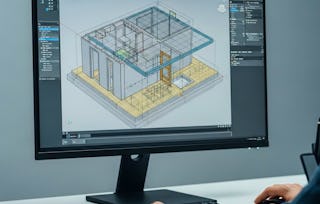
Learners will be able to navigate the AutoCAD 3D workspace, construct foundational shapes, apply core solid-modeling commands, and manipulate complex geometry with confidence. By the end of this course, they will be equipped to extrude, revolve, and PressPull 2D profiles into solids; apply Shell and Boolean operations; and precisely rotate or move objects in 3D space.
This intermediate AutoCAD course empowers learners to build professional-grade 3D models through a structured, hands-on approach. Each module progressively develops their ability to visualize, create, and refine 3D geometry using industry-relevant tools and workflows. Learners will discover efficient techniques for navigating 3D views, applying visual styles, and shaping solids to achieve high-quality design outcomes. What makes this course unique is its practical, lesson-aligned structure built directly from real AutoCAD workflows. Each video is paired with targeted exercises, quizzes, and scaffolded lessons designed to reinforce skill mastery. Whether transitioning from 2D drafting or expanding existing AutoCAD knowledge, learners gain the essential capabilities needed to model confidently, accurately, and creatively in a 3D environment—preparing them for real-world design challenges.
This module introduces learners to the core components of AutoCAD’s 3D workspace, essential navigation tools, and foundational shape-building techniques. Students gain confidence in moving through 3D views, applying visual styles, and constructing basic 3D geometry to prepare for more advanced modeling workflows.
What's included
5 videos3 assignments
5 videos•Total 28 minutes
- Introduction to 3D Workspace•4 minutes
- Units and Toggle Keys•10 minutes
- Visual Styles and Views•9 minutes
- Box•3 minutes
- Shapes•3 minutes
3 assignments•Total 50 minutes
- Graded - 3D Foundations & Essential Tools•30 minutes
- Getting Comfortable in 3D Space•10 minutes
- Building Basic 3D Geometry•10 minutes
This module builds on foundational skills by exploring powerful 3D modeling commands such as Extrude, Revolve, PressPull, Shell, and Boolean operations. Learners also refine object manipulation techniques using advanced move and rotation tools, enabling them to create precise, professional-grade 3D models in AutoCAD.
What's included
6 videos3 assignments
6 videos•Total 40 minutes
- Extrude Command•5 minutes
- Revolve Command•10 minutes
- PressPull Command•8 minutes
- Other Important Commands•7 minutes
- Other Important Commands Continue•6 minutes
- 3D Rotate and Move•4 minutes
3 assignments•Total 50 minutes
- Graded - Advanced 3D Modeling Techniques•30 minutes
- Core 3D Commands for Solid Modeling•10 minutes
- Power Tools for Efficient 3D Workflows•10 minutes
Earn a career certificate
Add this credential to your LinkedIn profile, resume, or CV. Share it on social media and in your performance review.

Explore more from Design and Product
- Status: Free Trial
- Status: Free Trial
Course
- Status: Free Trial
Course



Why people choose Coursera for their career






Frequently asked questions
To access the course materials, assignments and to earn a Certificate, you will need to purchase the Certificate experience when you enroll in a course. You can try a Free Trial instead, or apply for Financial Aid. The course may offer 'Full Course, No Certificate' instead. This option lets you see all course materials, submit required assessments, and get a final grade. This also means that you will not be able to purchase a Certificate experience.
When you enroll in the course, you get access to all of the courses in the Specialization, and you earn a certificate when you complete the work. Your electronic Certificate will be added to your Accomplishments page - from there, you can print your Certificate or add it to your LinkedIn profile.
Yes. In select learning programs, you can apply for financial aid or a scholarship if you can’t afford the enrollment fee. If fin aid or scholarship is available for your learning program selection, you’ll find a link to apply on the description page.
More questions
Financial aid available,