

Master Corporate Office Layouts with AutoCAD
Keep adding new skills with 10,000+ programs for $239 (usually $399). Save now.

Master Corporate Office Layouts with AutoCAD
This course is part of AutoCAD Commercial Interior & Corporate Layout Design Specialization

Included with
Ask Coursera
Recommended experience
Recommended experience
What you'll learn
Set up architectural base plans and design structural and circulation frameworks in AutoCAD.
Create modular cabin, workstation, and utility layouts using ergonomic space-planning principles.
Produce complete, industry-standard corporate office furniture plans through an end-to-end workflow.
Skills you'll gain
Tools you'll learn
Details to know

January 2026
8 assignments
See how employees at top companies are mastering in-demand skills

Build your subject-matter expertise
- Learn new concepts from industry experts
- Gain a foundational understanding of a subject or tool
- Develop job-relevant skills with hands-on projects
- Earn a shareable career certificate

There are 2 modules in this course
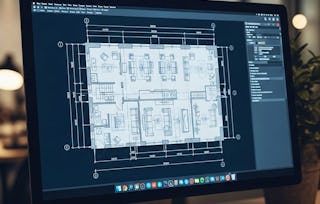
Learners will set up architectural base plans, design structural and circulation frameworks, develop modular cabin layouts, and refine complete corporate office furniture plans using AutoCAD. This hands-on course builds the practical drafting skills needed to plan professional workspaces with precision and confidence.
Through real-world case studies, learners progress from foundational drawing setup to advanced workstation design, utility zoning, executive cabin configuration, and final layout detailing. By completing the course, they will gain the ability to interpret architectural drawings, optimize movement paths, apply ergonomic furniture planning principles, and produce industry-standard 2D office layouts. What makes this course unique is its end-to-end workflow, using an authentic corporate office project to demonstrate every stage of the design process—from initial reference alignment to final detailing—mirroring how interior designers and CAD professionals work in real environments. No guesswork, no isolated exercises—learners gain practical, job-ready drafting experience that directly applies to workplace design, space planning, and AutoCAD documentation. Ideal for beginners and intermediate users, this course empowers learners to create accurate, functional, and visually clear office layouts that meet industry expectations.
This module introduces learners to the foundational principles of corporate office layout drafting in AutoCAD, guiding them from architectural base setup to structural alignment, circulation planning, and initial cabin framework creation. Through hands-on demonstrations, learners develop core competencies in interpreting architectural drawings, organizing partitions, and preparing accurate spatial structures essential for detailed office furniture planning.
What's included
7 videos4 assignments
7 videos•Total 67 minutes
- Introduction to Project•9 minutes
- Setting Up the Architectural Base Plan•10 minutes
- Defining Columns, References & Core Wall Layout•11 minutes
- Creating Entrance, Circulation & Internal Partitions•9 minutes
- Designing Cabin Partition Layout – Initial Framework•10 minutes
- Applying Fillets & Refining Cabin Wall Geometry•8 minutes
- Finalizing Cabin Layout with Reception & Seating Zones•9 minutes
4 assignments•Total 60 minutes
- Building the Architectural Base for the Office Layout•10 minutes
- Structuring Core Elements & Circulation Pathways•10 minutes
- Designing Cabin Frameworks & Interior Geometry•10 minutes
- Graded - Foundations of Corporate Office Space Planning•30 minutes
This module advances learners into applying detailed workspace planning techniques, including utility zoning, executive cabin configuration, modular workstation design, and final layout optimization. Learners refine dimensions, enhance furniture flow, develop ergonomic seating patterns, and finalize their complete corporate office furniture plan using professional AutoCAD drafting practices.
What's included
9 videos4 assignments
9 videos•Total 75 minutes
- Adding Utilities: Storage, Xerox & Machine Areas•7 minutes
- Planning Executive Cabin Furniture & Spatial Arrangement•11 minutes
- Drafting Cabinet Units & Functional Furniture Blocks•9 minutes
- Refining Cabinet Dimensions & Modular Furniture Design•10 minutes
- Organizing Workstations and Interior Furniture Flow•9 minutes
- Developing Seating Patterns & Chair Arrangements•9 minutes
- Optimizing Work Area Layouts and Movement Paths•8 minutes
- Adjusting Furniture Dimensions for Practical Use•7 minutes
- Completing the Office Furniture Plan with Final Detailing•6 minutes
4 assignments•Total 60 minutes
- Integrating Utilities & Executive Office Planning•10 minutes
- Modular Furniture Development & Workstation Flow•10 minutes
- Final Layout Optimization & Detailing•10 minutes
- Graded - Advanced Workspaces & Complete Furniture Planning•30 minutes
Earn a career certificate
Add this credential to your LinkedIn profile, resume, or CV. Share it on social media and in your performance review.

Explore more from Design and Product
- Status: Free Trial
- Status: Free Trial
Specialization
- Status: Free Trial
Course
- Status: Free Trial



Why people choose Coursera for their career






Frequently asked questions
To access the course materials, assignments and to earn a Certificate, you will need to purchase the Certificate experience when you enroll in a course. You can try a Free Trial instead, or apply for Financial Aid. The course may offer 'Full Course, No Certificate' instead. This option lets you see all course materials, submit required assessments, and get a final grade. This also means that you will not be able to purchase a Certificate experience.
When you enroll in the course, you get access to all of the courses in the Specialization, and you earn a certificate when you complete the work. Your electronic Certificate will be added to your Accomplishments page - from there, you can print your Certificate or add it to your LinkedIn profile.
Yes. In select learning programs, you can apply for financial aid or a scholarship if you can’t afford the enrollment fee. If fin aid or scholarship is available for your learning program selection, you’ll find a link to apply on the description page.
More questions
Financial aid available,