

Project Management: Managing and Closing Successfully
Keep adding new skills with 10,000+ programs for $239 (usually $399). Save now.

Project Management: Managing and Closing Successfully
This course is part of Project Management: Predictive/Adaptive Method Fundamentals Specialization

Instructor: Bill Rosenthal
Included with
Ask Coursera
What you'll learn
In this course, you will manage the execution of a project and close a project.
Skills you'll gain
Tools you'll learn
Details to know

January 2026
1 assignment
See how employees at top companies are mastering in-demand skills

Build your subject-matter expertise
- Learn new concepts from industry experts
- Gain a foundational understanding of a subject or tool
- Develop job-relevant skills with hands-on projects
- Earn a shareable career certificate

There are 3 modules in this course
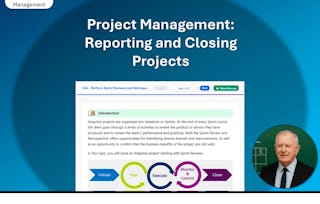
To round out your data-analysis skills in project management, you'll manage a project by beginning work, executing the plan, tracking progress, reporting performance, and implementing change control. You'll also close various projects and project elements like sprints, releases, adaptive projects, and predictive projects. Lastly, you'll create a final report.
This is the fourth and final course in a multi-course Specialization. All of the courses in this Specialization require that you have a recent version of Microsoft Word and Excel installed in order to open the course data files. The course setup instructions provided in the first course go into more detail about the hardware and software requirements.
You finished your project planning and integrated the outputs from each of the planning processes into a comprehensive project management plan. Now, you want to transition your project from planning to execution. In this lesson, you will execute a project plan. The project team members need a coach to guide them as they undertake the work defined in the scope statement. Executing a project plan ensures that the project team is on the same page and that the project is completed on time, within budget, and with the required quality.
What's included
1 video1 reading8 plugins
1 video•Total 3 minutes
- Report on Project Status•3 minutes
1 reading•Total 5 minutes
- ⚠️READ THIS FIRST⚠️•5 minutes
8 plugins•Total 150 minutes
- Lesson Introduction•5 minutes
- Begin Project Work•25 minutes
- Execute the Project Plan•25 minutes
- Track the Progress of an Adaptive Project•25 minutes
- Report Project Performance•25 minutes
- Implement Change Control•25 minutes
- Mastery Builder: Managing a Book Project•15 minutes
- Lesson Summary•5 minutes
You have successfully executed the project plan and obtained all deliverables from the project team. You are ready to hand over the project to the customer. In this lesson, you will close the project. Unfinished business, contracts not correctly closed out, and poor documentation can turn into months of additional work and expenditures. The last thing you do on a project will be the first thing people remember about your efforts overall. Formal project closure helps ensure that there are no loose ends that could unravel the good work of your team and the success of your project.
What's included
6 plugins
6 plugins•Total 62 minutes
- Lesson Introduction•5 minutes
- Close a Sprint, a Release, or an Adaptive Project•20 minutes
- Close a Predictive Project•20 minutes
- Create a Final Report•2 minutes
- Mastery Builder: Closing Out the Project•10 minutes
- Lesson Summary•5 minutes
You'll wrap things up and then validate what you've learned in this course by taking an assessment.
What's included
1 video1 reading1 assignment1 plugin
1 video•Total 4 minutes
- Analyze Earned Value•4 minutes
1 reading•Total 5 minutes
- Course Summary•5 minutes
1 assignment•Total 15 minutes
- Course Assessment•15 minutes
1 plugin•Total 15 minutes
- Appendices•15 minutes
Earn a career certificate
Add this credential to your LinkedIn profile, resume, or CV. Share it on social media and in your performance review.
Instructor
Offered by

Explore more from Leadership and Management
- Status: Free TrialL
Logical Operations
Course
- Status: Free Trial
Course
- P
Packt
Course
- Status: PreviewL
Logical Operations
Course


Why people choose Coursera for their career






Frequently asked questions
To access the course materials, assignments and to earn a Certificate, you will need to purchase the Certificate experience when you enroll in a course. You can try a Free Trial instead, or apply for Financial Aid. The course may offer 'Full Course, No Certificate' instead. This option lets you see all course materials, submit required assessments, and get a final grade. This also means that you will not be able to purchase a Certificate experience.
When you enroll in the course, you get access to all of the courses in the Specialization, and you earn a certificate when you complete the work. Your electronic Certificate will be added to your Accomplishments page - from there, you can print your Certificate or add it to your LinkedIn profile.
Yes. In select learning programs, you can apply for financial aid or a scholarship if you can’t afford the enrollment fee. If fin aid or scholarship is available for your learning program selection, you’ll find a link to apply on the description page.
More questions
Financial aid available,