

Project on PyQt - Creating a Calculator
Ends soon! Keep adding new skills with 10,000+ programs for $239 (usually $399). Save now.

Project on PyQt - Creating a Calculator
This course is part of Python GUI Development with PyQt Specialization

Included with
What you'll learn
Construct a functional PyQt calculator interface using QLabel, QPushButton, and QRect-based layouts.
Implement calculator logic using object-oriented programming and PyQt's signal-slot mechanism to process user input.
Skills you'll gain
Tools you'll learn
Details to know

4 assignments
See how employees at top companies are mastering in-demand skills

Build your subject-matter expertise
- Learn new concepts from industry experts
- Gain a foundational understanding of a subject or tool
- Develop job-relevant skills with hands-on projects
- Earn a shareable career certificate

There is 1 module in this course
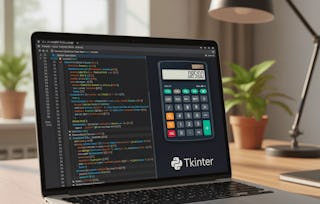
Build a fully functional calculator application while learning the fundamentals of desktop GUI development with PyQt5 and Python. In this project-based course, you will progress from setting up your development environment to designing an interactive graphical user interface and implementing the logic that powers a working calculator.
You will begin by configuring Python, PyCharm, and the required PyQt5 packages before exploring essential GUI components such as QLabel, QPushButton, and QRect-based layouts. As you build the application, you will implement calculation logic using object-oriented programming principles and PyQt's signal-slot mechanism to process user input and perform arithmetic operations. Designed for learners with Python knowledge who want practical experience in desktop application development, this course emphasizes learning by building a complete, real-world project. Rather than focusing on isolated concepts, each lesson contributes directly to creating a functional calculator with a clean interface and interactive features. By the end of the course, you will be able to design a PyQt GUI from scratch, organize interface components, implement calculator logic, and test a complete desktop application. If you want to strengthen your Python GUI development skills through hands-on practice, this course provides a structured path from setup to a finished PyQt calculator project.
This module introduces learners to the fundamentals of building a graphical user interface (GUI) calculator using PyQt5 and Python. Learners begin by setting up their development environment and understanding key dependencies. The module guides them through the step-by-step process of designing the calculator interface, implementing functional buttons, and embedding logical operations. By the end, learners will be able to create and test a working calculator application that performs basic arithmetic operations within a custom PyQt GUI layout.
What's included
9 videos4 assignments
9 videos•Total 75 minutes
- Introduction to Project•7 minutes
- Add Dependency•6 minutes
- Layout for Calculator•12 minutes
- Calculator Continue•9 minutes
- More on Calculator•11 minutes
- Logic For Calculator•9 minutes
- Logic For Calculator Continue•7 minutes
- More on Logic For Calculator•11 minutes
- Output of the Project•3 minutes
4 assignments•Total 60 minutes
- Graded - Building a Functional PyQt Calculator•30 minutes
- Getting Started with the Project•10 minutes
- Constructing the Calculator UI•10 minutes
- Implementing and Finalizing Logic•10 minutes
Earn a career certificate
Add this credential to your LinkedIn profile, resume, or CV. Share it on social media and in your performance review.

Explore more from Software Development
- Status: Free Trial
- Status: Free TrialE
EDUCBA
Course
- Status: Free Trial
Course
- Status: Free TrialE
EDUCBA
Course


Why people choose Coursera for their career


Learner reviews
- 5 stars
70%
- 4 stars
20%
- 3 stars
10%
- 2 stars
0%
- 1 star
0%
Showing 3 of 10
Reviewed on Aug 11, 2025
Simple, practical, and professional — this PyQt course gave me real experience building a useful desktop app.
Reviewed on Jul 18, 2025
The course made GUI development enjoyable, and the calculator project was a great exercise.
Reviewed on Aug 15, 2025
The calculator project was simple yet powerful, teaching key PyQt concepts with real coding practice and practical applications.




Frequently asked questions
To access the course materials, assignments and to earn a Certificate, you will need to purchase the Certificate experience when you enroll in a course. You can try a Free Trial instead, or apply for Financial Aid. The course may offer 'Full Course, No Certificate' instead. This option lets you see all course materials, submit required assessments, and get a final grade. This also means that you will not be able to purchase a Certificate experience.
When you enroll in the course, you get access to all of the courses in the Specialization, and you earn a certificate when you complete the work. Your electronic Certificate will be added to your Accomplishments page - from there, you can print your Certificate or add it to your LinkedIn profile.
Yes. In select learning programs, you can apply for financial aid or a scholarship if you can’t afford the enrollment fee. If fin aid or scholarship is available for your learning program selection, you’ll find a link to apply on the description page.
More questions
Financial aid available,