

SPSS: Apply & Interpret Logistic Regression Models
Keep adding new skills with 10,000+ programs for $239 (usually $399). Save now.

SPSS: Apply & Interpret Logistic Regression Models

Included with
Ask Coursera
Tools you'll learn
Details to know

See how employees at top companies are mastering in-demand skills

There are 2 modules in this course
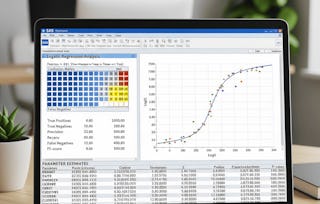
This course provides a practical and applied introduction to logistic regression and supervised learning using IBM SPSS Statistics. Designed for learners seeking to build analytical skills in predictive modeling, the course emphasizes both conceptual understanding and tool-based execution.
Through step-by-step instruction, learners will identify key components of logistic regression, configure data within SPSS, and construct predictive models using real-world case studies. They will analyze model outputs, evaluate predictor significance, and interpret statistical results to make informed decisions. The course integrates Excel-based logistic modeling and reinforces learning through guided examples such as heart pulse analysis and smoking behavior classification. By the end, learners will be able to confidently apply logistic regression methods to structured datasets, assess model performance using statistical evidence, and communicate findings through SPSS-generated outputs.
This module introduces learners to the foundational principles of logistic regression and equips them with hands-on skills in SPSS for managing variables, configuring the data environment, and interpreting statistical outputs. Learners will explore both theoretical concepts and practical applications, including variable setup, SPSS navigation, model output interpretation, and foundational logistic modeling techniques. By the end of this module, learners will be capable of preparing, analyzing, and interpreting logistic regression models using SPSS and supporting tools like MS Excel.
What's included
7 videos3 assignments
7 videos•Total 55 minutes
- Understanding Logistic Regression Concepts•5 minutes
- Working on IBM SPSS Statistics Data Editor•9 minutes
- SPSS Statistics Data Editor Continues•9 minutes
- IBM SPSS Viewer•7 minutes
- Variable in the Equation•8 minutes
- Implementation Using MS Excel•8 minutes
- Smoke Preferences•7 minutes
3 assignments•Total 50 minutes
- Graded - Logistic Regression & Supervised Learning using SPSS•30 minutes
- Core Concepts and Environment Setup•10 minutes
- Logistic Regression Framework and Tools•10 minutes
This module focuses on applying logistic regression techniques through real-world case studies and interpreting model results in SPSS. Learners will work with datasets such as heart pulse and smoking behavior, construct logistic equations, analyze variable significance, and interpret model output to draw actionable conclusions. The module emphasizes evaluating model performance and improving prediction accuracy using statistical evidence from SPSS output tables.
What's included
7 videos3 assignments
7 videos•Total 65 minutes
- Heart Pulse Study•11 minutes
- Heart Pulse Study Continues•7 minutes
- Variables in the Equation•9 minutes
- Smoking Gender Equation•11 minutes
- Generating Output and Observations•8 minutes
- Generating Output and Observations Continues•6 minutes
- Interpretation of Output Example•12 minutes
3 assignments•Total 50 minutes
- Graded - Applied Analysis and Output Interpretation•30 minutes
- Practical Case Studies and Variables•10 minutes
- Model Analysis and Interpretation•10 minutes

Explore more from Data Analysis
- Status: Preview
- Status: Free Trial
- Status: Preview
Course
- Status: Free Trial
Course



Why people choose Coursera for their career


Learner reviews
- 5 stars
100%
- 4 stars
0%
- 3 stars
0%
- 2 stars
0%
- 1 star
0%
Showing 3 of 13
Reviewed on Nov 13, 2025
Great class, instructor was very knowledgeable and informative.




Frequently asked questions
To access the course materials, assignments and to earn a Certificate, you will need to purchase the Certificate experience when you enroll in a course. You can try a Free Trial instead, or apply for Financial Aid. The course may offer 'Full Course, No Certificate' instead. This option lets you see all course materials, submit required assessments, and get a final grade. This also means that you will not be able to purchase a Certificate experience.
When you purchase a Certificate you get access to all course materials, including graded assignments. Upon completing the course, your electronic Certificate will be added to your Accomplishments page - from there, you can print your Certificate or add it to your LinkedIn profile.
Yes. In select learning programs, you can apply for financial aid or a scholarship if you can’t afford the enrollment fee. If fin aid or scholarship is available for your learning program selection, you’ll find a link to apply on the description page.
More questions
Financial aid available,