

UI/UX Wireframing and Prototyping with Figma
Ends soon! Keep adding new skills with 10,000+ programs for $239 (usually $399). Save now.

UI/UX Wireframing and Prototyping with Figma
This course is part of multiple programs.


Instructors: Sandeep Virani
3,164 already enrolled
Included with
Ask Coursera
30 reviews
Recommended experience
30 reviews
Recommended experience
What you'll learn
Create low-fi to high-fi wireframes in Figma using grids, components, and industry-standard layout techniques
Build interactive prototypes in Figma, and conduct usability tests to evaluate and refine UX flows
Implement Gestalt principles and responsive design strategies to optimize interfaces for cross-device usability
Collaborate on Figma projects using shared libraries, enable version control, and implement design system best practices
Skills you'll gain
Tools you'll learn
Details to know

See how employees at top companies are mastering in-demand skills

Build your subject-matter expertise
- Learn new concepts from industry experts
- Gain a foundational understanding of a subject or tool
- Develop job-relevant skills with hands-on projects
- Earn a shareable career certificate

There are 5 modules in this course
Companies of all sizes use Figma, making it a top requirement for a UX/UI career. Creating wireframes and interactive prototypes reduces development time by 20% by aligning teams and identifying issues early.
This course is your gateway to mastering the fundamentals of wireframing, prototyping, and usability testing with Figma, giving you job-ready skills and hands-on experience employers look for in a UX/UI designer. During this course, you’ll gain hands-on experience using Figma, learning the essentials of building structured wireframes, user flows, and interactive prototypes, including gesture-based-UI. You’ll also explore Gestalt principles to build strong visual hierarchy, structure content through effective information architecture, and take a mobile-first design approach. Through real-world challenges and usability testing, you’ll refine the designs you work on based on feedback and gain the confidence to solve UX problems with clarity and purpose. At the end of the course, in the final project, you’ll create a polished, high-fidelity prototype and your own reusable design system. Great to talk about in interviews! If you’re looking to get hands-on using Figma for wireframing and prototyping, enroll today!
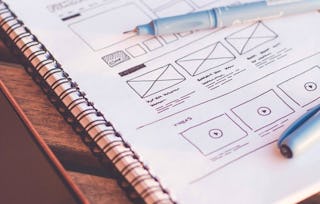
In this module, you will be introduced to fundamental wireframing techniques using Figma, covering essential tools, workflows, and design principles. You will also explore the Figma interface, core wireframing concepts (paper, low-fi, and mid-fi), and practical applications of Gestalt principles in UX design. Through hands-on labs, you will create and refine wireframes while developing efficient Figma workflows. The module emphasizes best practices for structuring layouts, using grids, and applying psychological design principles to create effective low-fidelity prototypes.
What's included
10 videos3 readings3 assignments9 plugins
10 videos•Total 56 minutes
- Course Introduction•3 minutes
- Introduction to Figma Interface •5 minutes
- Figma Basics: Frames, Shapes, and Components •3 minutes
- Working with Grids in Figma•6 minutes
- Understanding Wireframes and Their Types•7 minutes
- Demo Video: Getting Started with Figma •5 minutes
- Creating and Digitizing Paper Wireframes•6 minutes
- Low-Fidelity Wireframing in Figma•7 minutes
- Introduction to Gestalt Principles•6 minutes
- Applying Gestalt Principles in UX/UI Design•7 minutes
3 readings•Total 8 minutes
- Course Overview•4 minutes
- Summary and Highlights: Getting Started with Figma Wireframes •2 minutes
- Summary and Highlights: Effective Wireframing Practices •2 minutes
3 assignments•Total 41 minutes
- Graded Quiz: Wireframing Fundamentals with Figma•21 minutes
- Practice Quiz: Getting Started with Figma Wireframes•10 minutes
- Practice Quiz: Effective Wireframing Practices•10 minutes
9 plugins•Total 115 minutes
- Reading: How to Make the Most of this Course•2 minutes
- Reading: Figma Tips and Shortcuts for Beginners •4 minutes
- Reading: Figma Basics for Beginners •5 minutes
- Lab: Setting Up a Wireframe in Figma •30 minutes
- Lab: Create a Low-Fi Wireframe for a Mobile App•30 minutes
- How Gestalt Principles Improve UX•5 minutes
- Lab: Enhancing Wireframes Using Gestalt Principles•30 minutes
- Reading: When to Use Paper, Low-Fi, and Mid-Fi Wireframes •4 minutes
- Glossary: Wireframing Fundamentals with Figma •5 minutes
This module provides a comprehensive exploration of UX prototyping and evaluation methodologies. You will learn various prototyping approaches from paper sketches to interactive digital prototypes, gaining hands-on experience creating clickable mid-fidelity prototypes in Figma. The module then shifts focus to testing and evaluation strategies, covering usability testing methods, heuristic evaluation techniques, and data-driven design iteration. Through practical labs, you will apply these concepts by building functional prototypes and conducting professional design evaluations.
What's included
9 videos2 readings3 assignments5 plugins
9 videos•Total 59 minutes
- Introduction to Prototyping•8 minutes
- Creating Interactive Low-Fi Prototypes in Figma •5 minutes
- Understanding Clickable Prototypes and Transitions •5 minutes
- Interactive Prototyping Tips •5 minutes
- Prototype Presentation Techniques •6 minutes
- Introduction to Usability Testing Methods •8 minutes
- Heuristic Evaluation for UX Designs •7 minutes
- Analyzing Usability Test Results •7 minutes
- Iterating UX Designs After Testing •7 minutes
2 readings•Total 4 minutes
- Summary and Highlights: Prototyping Methods and Techniques •2 minutes
- Summary and Highlights: Testing and Evaluation Strategies •2 minutes
3 assignments•Total 41 minutes
- Graded Quiz: Prototyping and Usability Testing•21 minutes
- Practice Quiz: Prototyping Methods and Techniques•10 minutes
- Practice Quiz: Testing and Evaluation Strategies•10 minutes
5 plugins•Total 87 minutes
- Lab: Build a Clickable Mid-Fi Prototype in Figma•35 minutes
- Reading: Prototyping Methods and Tools •7 minutes
- Lab: Conducting a Heuristic Evaluation for a Prototype•30 minutes
- Reading: Key Usability Testing Techniques •10 minutes
- Module Glossary: Prototyping and Usability Testing •5 minutes
In this module, you will explore foundational and advanced techniques for creating effective user interfaces across web and mobile platforms. You will also examine UI components, design patterns, and best practices for layouts while gaining hands-on experience in developing style guides, mood boards, and component libraries. The module also covers responsive and adaptive design principles, including mobile-first strategies, breakpoints, fluid layouts, and accessibility considerations. Through practical labs, you will apply these concepts by designing responsive wireframes and adaptive interfaces that ensure seamless user experiences across devices.
What's included
10 videos2 readings3 assignments7 plugins
10 videos•Total 73 minutes
- UI Components and Design Patterns in Mobile and Web •8 minutes
- Best Practices for UI Layouts •6 minutes
- Introduction to Design Systems •8 minutes
- Creating a Moodboard and Style Guide •7 minutes
- Building a Component Library in Figma •7 minutes
- Designing for Different Screen Sizes •8 minutes
- Breakpoints and Fluid Layouts in UI •7 minutes
- Cross-Device UI Considerations •7 minutes
- Mobile-First Design Strategy •8 minutes
- Accessibility in Responsive UI •7 minutes
2 readings•Total 5 minutes
- Summary and Highlights: UI Elements and Design Patterns•3 minutes
- Summary and Highlights: Responsive and Adaptive UI Design •2 minutes
3 assignments•Total 41 minutes
- Graded Quiz: UI Patterns and Design Systems•21 minutes
- Practice Quiz: UI Elements and Design Patterns•10 minutes
- Practice Quiz: Responsive and Adaptive UI Design•10 minutes
7 plugins•Total 129 minutes
- Lab: Creating a Style Guide in Figma•40 minutes
- Reading: Common Mobile and Web UI Patterns •8 minutes
- Reading: The Role of Design Systems in UX •6 minutes
- Lab: Hi-Fidelity Design Using a Style Guide•30 minutes
- Lab: Adaptive UI Design (Design a Web-to-Mobile Adaptive UI Layout)•35 minutes
- Reading: Material Design Guidelines •5 minutes
- Module Glossary: UI Patterns and Design Systems •5 minutes
In this module, you will explore advanced UI/UX design techniques for modern digital interfaces, focusing on touch and gesture-based interactions and transitioning from mid-fidelity to high-fidelity prototypes. You will also examine the best practices for designing intuitive gesture-based navigation, mobile-specific interactions, and advanced gesture patterns. Additionally, you will learn how to enhance user experience through high-fidelity prototyping, micro-interactions, and animated UI components. Finally, the hands-on labs will provide practical experience in implementing gesture-based interactions and creating polished, interactive prototypes using industry-standard tools.
What's included
8 videos2 readings3 assignments5 plugins
8 videos•Total 57 minutes
- Designing for Touch and Gesture Inputs •8 minutes
- UX Principles for Gesture-Based Navigation •7 minutes
- Implementing Mobile-Specific Interactions•8 minutes
- Advanced Gesture Interaction Patterns •6 minutes
- Transitioning from Wireframes to High-Fidelity Designs •8 minutes
- Creating Engaging High-Fidelity UI in Figma •7 minutes
- Micro-Interactions for Enhanced UX•6 minutes
- Animating UI Components •8 minutes
2 readings•Total 5 minutes
- Summary and Highlights: Designing for Touch and Gestures •2 minutes
- Summary and Highlights: From Mid-Fi to High-Fi UI Prototypes •3 minutes
3 assignments•Total 41 minutes
- Graded Quiz: Interactive and Gesture-Based UI•21 minutes
- Practice Quiz: Designing for Touch and Gestures•10 minutes
- Practice Quiz: From Mid-Fi to High-Fi UI Prototypes•10 minutes
5 plugins•Total 100 minutes
- Lab: Designing for Touch and Gesture Inputs (Create Gesture-Based Interaction for a Mobile App) •40 minutes
- Reading: Mobile UI/UX Best Practices •9 minutes
- Lab: Microinteractions in Figma•40 minutes
- Reading: Advanced High-Fidelity Prototyping Techniques •6 minutes
- Module Glossary: Interactive and Gesture-Based UI •5 minutes
In this module, you’ll complete a hands-on final project where you’ll design a responsive eBook Public Library. You’ll create high-fidelity mockups, build a working prototype, and submit everything for peer review. This is a chance to put your skills into practice and create a project you can include in your portfolio. You’ll also review key concepts with a course wrap-up, explore a clickable glossary of terms, and take the final exam to check your understanding before finishing the course.
What's included
1 video2 readings1 assignment1 peer review3 plugins
1 video•Total 3 minutes
- Course Wrap-Up •3 minutes
2 readings•Total 4 minutes
- Congratulations and Next Steps•2 minutes
- Thanks from the Course Team•2 minutes
1 assignment•Total 45 minutes
- Final Exam: UI/UX Wireframing and Prototyping with Figma •45 minutes
1 peer review•Total 60 minutes
- Final Project: Submission and Evaluation•60 minutes
3 plugins•Total 143 minutes
- Reading: Project Overview •3 minutes
- Lab: Final Project: eBook Public Library •120 minutes
- Course Glossary: Wireframing and Prototyping with Figma•20 minutes
Earn a career certificate
Add this credential to your LinkedIn profile, resume, or CV. Share it on social media and in your performance review.
Instructors

Explore more from Design and Product
- Status: Free Trial
Specialization
- Status: Free Trial
Guided Project
- Status: Preview
Course
- Status: Free TrialS
Skillshare
Specialization

Why people choose Coursera for their career


Learner reviews
- 5 stars
96.66%
- 4 stars
3.33%
- 3 stars
0%
- 2 stars
0%
- 1 star
0%
Showing 3 of 30
Reviewed on Jul 24, 2025
A practical and beginner-friendly course that effectively teaches the essentials of UI/UX wireframing and prototyping using Figma.




Frequently asked questions
This course is suitable for anyone who wants to design and prototype user experiences and interfaces. This includes those who want to become UI/UX Designers, Front-end, Web and Mobile Developers. To get the most from this course, you need to have a basic understanding of UX/UI principles and design.
Although no prior hands-on design experience is required, it is recommended that you have an understanding of fundamental design principles which you can gain by completing the previous courses in the IBM UI/UX Designer Professional Certificate or the SkillUp UI/UX Design Specialization.
Prototyping enables designers to visualize and test their ideas before full-scale development. It facilitates early identification of issues, promotes user feedback, and allows for rapid iteration, ultimately leading to a more refined and user-friendly product.
More questions
Financial aid available,