

xDesign Foundations: Sketching and Extrusion
Ends soon! Keep adding new skills with 10,000+ programs for $239 (usually $399). Save now.

xDesign Foundations: Sketching and Extrusion
This course is part of SOLIDWORKS xDesign for Education Specialization

Instructor: SOLIDWORKS
2,103 already enrolled
Included with
Ask Coursera
12 reviews
Recommended experience
12 reviews
Recommended experience
Skills you'll gain
Tools you'll learn
Details to know

See how employees at top companies are mastering in-demand skills

Build your subject-matter expertise
- Learn new concepts from industry experts
- Gain a foundational understanding of a subject or tool
- Develop job-relevant skills with hands-on projects
- Earn a shareable career certificate

There are 3 modules in this course
Welcome to xDesign Foundations: Sketching and Extrusion, the first course in the SOLIDWORKS xDesign for Education Specialization.
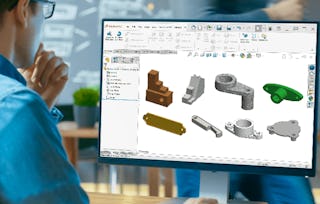
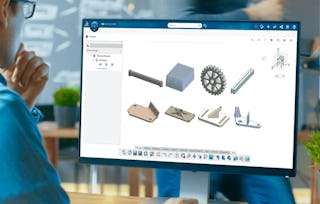
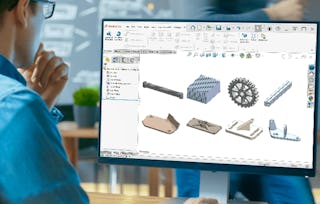
In this course, you will learn how to use SOLIDWORKS xDesign to solve CAD problems. The problems involve creating a 3D object from a 2D sketch using the Extruded Boss/Base feature. You will also learn about the sketch tools & end conditions for extrude feature. Upon completion of this learning module, you will be able to: - Create sketch profiles - Extrude the sketch profiles - Create sketch fillets/chamfers - Convert & Offset Entities in a sketch - Create sketch entities using mirror command - Use start & end conditions for extrude boss This course is ideal for beginners and those new to SOLIDWORKS xDesign, particularly students, educators, and early-career professionals in engineering and design. Software Prerequisites: 3D Creator Access powerful capabilities for Engineering with SOLIDWORKS xDesign at a low price, $72 (excluding taxes), follow this link : https://go.3ds.com/CXD1
In this module, you’ll get an overview of the course structure and what to expect as you progress.
What's included
1 video2 readings1 discussion prompt
1 video•Total 1 minute
- xDesign Foundations: Sketching and Extrusion Course Introduction•1 minute
2 readings•Total 15 minutes
- Welcome to the SOLIDWORKS xDesign for Education Specialization!•10 minutes
- Welcome to the xDesign Foundations: Sketching and Extrusion Course!•5 minutes
1 discussion prompt•Total 5 minutes
- Share your thoughts•5 minutes
In this module, you'll learn practical CAD problem-solving techniques in SOLIDWORKS xDesign. We'll focus on creating 3D models from 2D sketches using the Extruded Boss/Base feature. This module will also cover essential CAD principles, including sketching and extrusion basics.
What's included
1 assignment5 plugins
1 assignment•Total 10 minutes
- Quiz: Practice Basic Sketch and Extrusion •10 minutes
5 plugins•Total 165 minutes
- Introduction to Practice Basic Sketch and Extrusion (Level 1) •15 minutes
- Create a simple object (Level 1.1)•30 minutes
- Create a complex part (Level 1.2)•30 minutes
- Create a shaft collar (Level 1.3)•45 minutes
- Create a plastic handle (Level 1.4)•45 minutes
In this module, We'll delve deeper into the use of sketch tools and explore the various options for controlling the extrude feature using end conditions.
What's included
1 assignment5 plugins
1 assignment•Total 10 minutes
- Quiz: Practice Sketch Tools and End Condition•10 minutes
5 plugins•Total 195 minutes
- Introduction to Practice Sketch Tools and End Condition (Level 2) •15 minutes
- Create Name Plate (Level 2.1)•30 minutes
- Create Bottle Opener (Level 2.2)•45 minutes
- Create Pipe Flange (Level 2.3)•45 minutes
- Create Plastic Cover (Level 2.4)•60 minutes
Earn a career certificate
Add this credential to your LinkedIn profile, resume, or CV. Share it on social media and in your performance review.
Instructor
Offered by

Explore more from Mechanical Engineering
- D
Dassault Systèmes
Course
Status: Free TrialCategory: Credit offered - D
Dassault Systèmes
Course
Status: Free TrialCategory: Credit offered - D
Dassault Systèmes
Course
Status: Free TrialCategory: Credit offered - D
Dassault Systèmes
Specialization
Status: Free TrialCategory: Credit offered
Why people choose Coursera for their career






Frequently asked questions
To access the course materials, assignments and to earn a Certificate, you will need to purchase the Certificate experience when you enroll in a course. You can try a Free Trial instead, or apply for Financial Aid. The course may offer 'Full Course, No Certificate' instead. This option lets you see all course materials, submit required assessments, and get a final grade. This also means that you will not be able to purchase a Certificate experience.
When you enroll in the course, you get access to all of the courses in the Specialization, and you earn a certificate when you complete the work. Your electronic Certificate will be added to your Accomplishments page - from there, you can print your Certificate or add it to your LinkedIn profile.
Yes. In select learning programs, you can apply for financial aid or a scholarship if you can’t afford the enrollment fee. If fin aid or scholarship is available for your learning program selection, you’ll find a link to apply on the description page.
More questions
Financial aid available,