|
VOOZH | about |
|
VOOZH | about |
false color highlights seem to be an issue frequently, so here’s some quick faq about it. alexandre, please excuse all the outward references ;)
that’s how the sensor works. it collects a couple of photons, at some point it fills up and rejects to deliver any more useful information past this point. unfortunately that doesn’t happen at the same time for all color channels.
usually digital cameras come with a color filter array (CFA) of absorptive filters in front of an array of CCD or CMOS sensor which collect electrons proportional to the incoming photons according to the photoelectric effect.
most cameras use some simple variation of an RGGB layout in 2x2 blocks for these color filters, and we must take care to reconstruct three color channels per pixel out of these one different color per pixel formats (demosaicing). some manufacturers choose to give their cameras more esoteric layouts.
yes.
these don’t have a CFA and can thus collect more photons (none are absorbed) and don’t need demosaicing. should result in more sharpness and higher useful iso.
however, some of the rest here still applies to these models too, if you whitebalance to compensate for illumination.
once a photon comes past the absorptive filter, it is converted to an electron and stored until it is read out to form the image. maybe your chip has a full well capacity of 90000 electrons. after that it overflows and still returns 90000 (it’s saturated, your value clips).
this is in turn converted to a value between 0 and 4096 (say, if your camera supports 12 bits. note that this is also the reason why setting your camera to high iso makes sense as compared to just cranking up exposure in post. you lose this precision on-chip). then you whitebalance your image. this is just a multiplication with a scalar value per channel, and meant to compensate both the different absorption in the color filters, and the colorful illumination. this can make a photograph of a grey patch look grey in your image again.
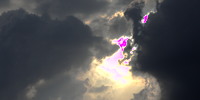
typically your whitebalance coefficients will be something like (2.0, 1.0, 1.4), normalized to 1.0 for green. this means that an overexposed picture of the sun will fill up all your sensors and result in a value of (2.0, 1.0, 1.4) in your final image, which is magenta.
yes, at high contrast edges (mountain ridge against overexposed sky). this typically results in purple fringing.
the obvious thing to do is to clip all three values at the minimum clipping threshold (the channel that fills up quickest after white balancing dictates what value will give you fully saturated white). for instance whitebalance coefficients (2.0, 1.0, 1.4) will clip at 1.0 (green) and thus potentially waste half the photons collected for the red channel.
there’s also the old ufraw-style trick to `reconstruct’ some contrast in Lab color space. this works by converting the unclipped (false color) pixel to LCh, and discarding the saturation (C) and hue (h). actually we let you choose what to discard and by what percentage.
find these two options in the `highlight reconstruction’ plugin in the basic group.
the clipping threshold is determined during hdr construction (merging a couple of exposures together), and bracketing might expose issues with a slightly off value much more gravely.
in theory it only depends on your sensor’s full well capacity. choose this value right once and you’re done. you would think. these values are in rawspeeds cameras.xml file for example, and very carefully chosen and most of time they’re right. it turns out that some of these might be conservative (clipping too late) to preserve more information. this is a good thing and will give you most data out of your camera. but apparently there are a couple of edge-case pictures that will show the magenta problem nevertheless.
this is especially an issue for some hdr shots and in case the basecurve is switched off (which will usually push values closer to white by making them all brighter). so, whatever, in current git you now have a slider for this value. keep in mind you should never need to touch this (highlight reconstruction/clipping threshold, basic group).
Connect with us on:
Mastodon
·
Facebook
·
Flickr
pixls.us ♡'s darktable