
Docker Desktop 4.22: Resource Saver, Compose ‘include’, and Enhanced RBAC Functionality

Docker Desktop 4.22 is now available and includes a new Resource Saver feature that massively reduces idle memory and CPU utilization to ensure efficient use of your machine’s resources. Docker Compose include allows splitting complex Compose projects into subprojects to make it easier to modularize complex applications into sub-Compose files. Role-based access control (RBAC) has also been enhanced with the addition of an Editor role to allow admins to delegate repository management tasks.

Resource Saver
In 4.22 we have added a new Resource Saver feature for Mac and Windows which detects when Docker Desktop is not running containers and massively reduces its memory and CPU footprint (WSL has CPU optimizations only at this stage). When Resource Saver detects that Docker Desktop is idle without any active containers for a duration of 30 seconds, it automatically reduces the memory and CPU footprint. This optimizes Docker Desktop for your system and helps to free up resources on your machine for other tasks. When a container needs resources, they’re quickly allocated on demand.
To see this feature in action, start Docker Desktop and leave it idle for 30 seconds with no containers running. A leaf will appear over the whale icon in your Docker Desktop menu and the sidebar of the Docker Desktop dashboard, indicating that Resource Saver mode is activated.
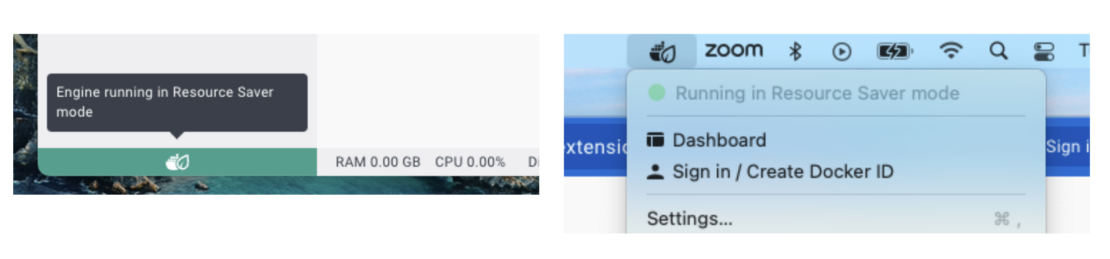
Previously, Docker Desktop introduced some CPU optimizations of Resource Saver, which, at the time of writing, are already saving up to a staggering 38,500 CPU hours every single day across all Docker Desktop users.
Split complex Compose projects into multiple subprojects with ‘include’
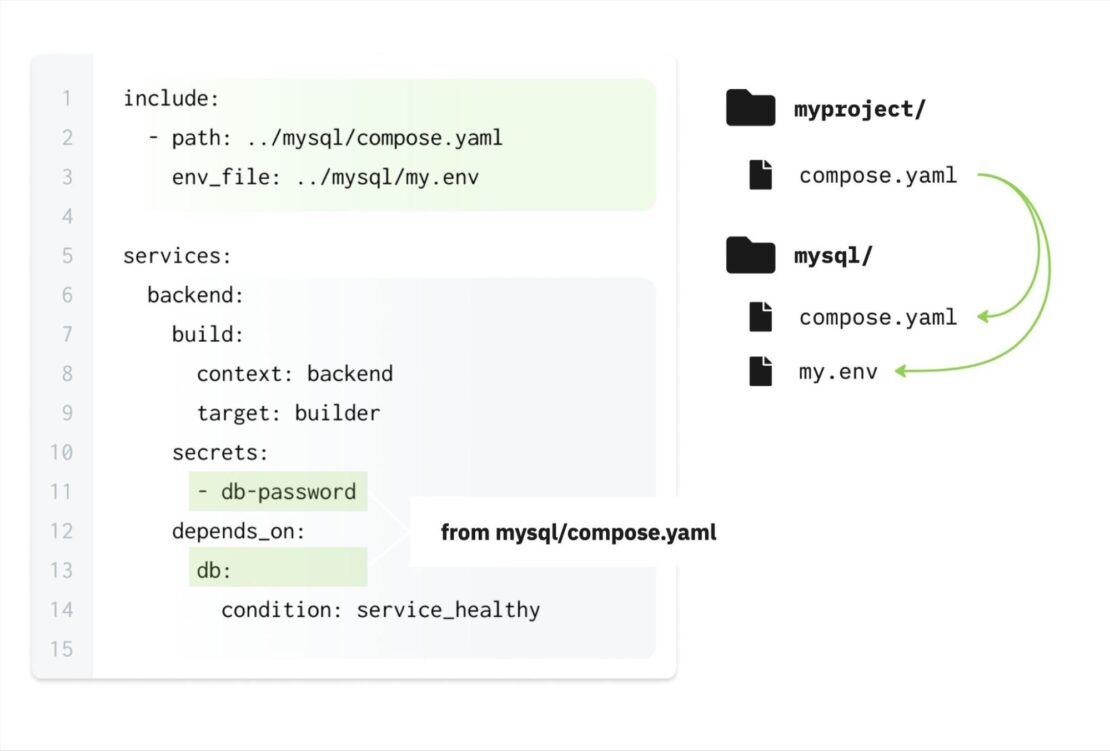
If you’re working with complex applications, use the new include section in your Compose file to split your project into manageable subprojects. Compared to merging files with CLI flags or using extends to share common attributes of a single service from another file, include loads external Compose files as self-contained building blocks, making it easier to collaborate on services across teams and share common dependency configurations within your organization.
For more on how you can try out this feature, read “Improve Docker Compose Modularity with `include`” or refer to the documentation.
Editor role available for organizations
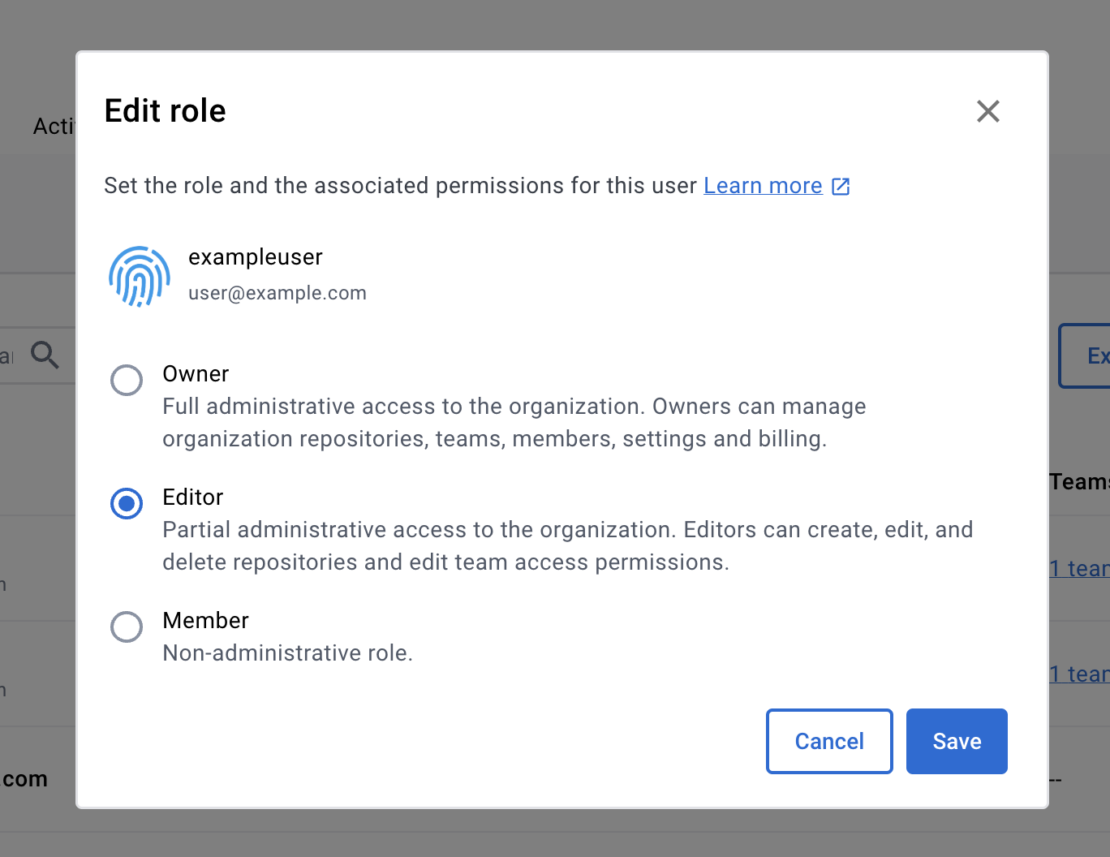
With the addition of the Editor role, admins can provision users to manage repositories without full administrator privileges. Users assigned to the Editor role can:
- Create public and private repositories
- Pull, push, view, edit, and delete a repository
- Update repository description
- Assign team permissions to repos
- Update scanning settings
- Delete tags
- Add webhooks
- Change repo visibility settings
For further details on roles and permissions, refer to the documentation.
Organization owners can assign the Editor role to a member of their organization in either Docker Hub or Docker Admin.
Conclusion
Upgrade now to explore what’s new in the 4.22 release of Docker Desktop.
Learn more
- Read Improve Docker Compose Modularity with
include. - Get the latest release of Docker Desktop.
- Have questions? The Docker community is here to help.
- New to Docker? Get started.
Related Posts
-
May 12, 2026
Docker AI Governance: Unlock Agent Autonomy, Safely
Introducing Docker AI Governance: centralized control over how agents execute, what they can reach on the network, which credentials they can use, and which MCP tools they can call, so every developer in your company can run AI agents safely, wherever they work. Your laptop is the new prod Agents are the biggest productivity unlock…
Srini SekaranRead now
-
Jun 11, 2026
Docker Hardened Images enhanced vulnerability scanning with Docker and Aikido
Aikido now scans Docker Hardened Images (DHI) with built-in VEX support. Vulnerabilities that Docker has verified as non-exploitable drop out of the queue automatically, so developers spend their time on findings that actually matter. This post walks through what changed, why it matters, and how users can benefit from the new integration. Why teams are…
Dan StelzerandBjorn HovdRead now
-
Jun 8, 2026
5 Software Supply Chain Security Best Practices for Development Teams
Learn the key software supply chain security best practices for container-based delivery, from trusted base images and dependency management to build provenance and runtime monitoring.
Aditya TripathiRead now
-
Jun 5, 2026
What is AI Governance? Frameworks, Principles, and Best Practices
Learn what AI governance is, why it matters, and how to manage AI systems safely and at scale.
Srini SekaranRead now



