New Docker Desktop Enterprise Admin Features: MSI Installer and Login Enforcement Alternative

At Docker, we continuously strive to enhance the ease and security of our platform for all users. We’re excited to launch the general availability for two significant updates: the Docker Desktop MSI installer and a new sign-in enforcement alternative. These updates aim to streamline administration, improve security, and ensure users can take full advantage of Docker Business subscription features.

Docker Desktop MSI installer
Replacing an EXE installer with an MSI installer for desktop applications offers numerous advantages, particularly for enterprise customers:
- Enhanced deployment features: MSI installers provide the ability to manage installations through Group Policy and offer more comprehensive installation and uninstallation control.
- Easier and more secure mass deployment: Facilitates secure, efficient deployment across multiple devices, enhancing IT administration efficiency.
- Widely accepted: MSI installers are recognized in both home and enterprise environments.
- Supports standardized silent install parameters: Aligns with industry standards for silent installations.
- Ideal for large-scale deployment: MSI files can be customized to include specific options, such as silent installs or custom installation paths, making them perfect for corporate environments.
For customers using Intune MDM, we have detailed documentation to assist with integration: Intune MDM Documentation.
To access the installer, navigate to the Docker Admin Console > Security and Access > Deploy Docker Desktop.
Sign-in enforcement: Streamlined alternative for organizations

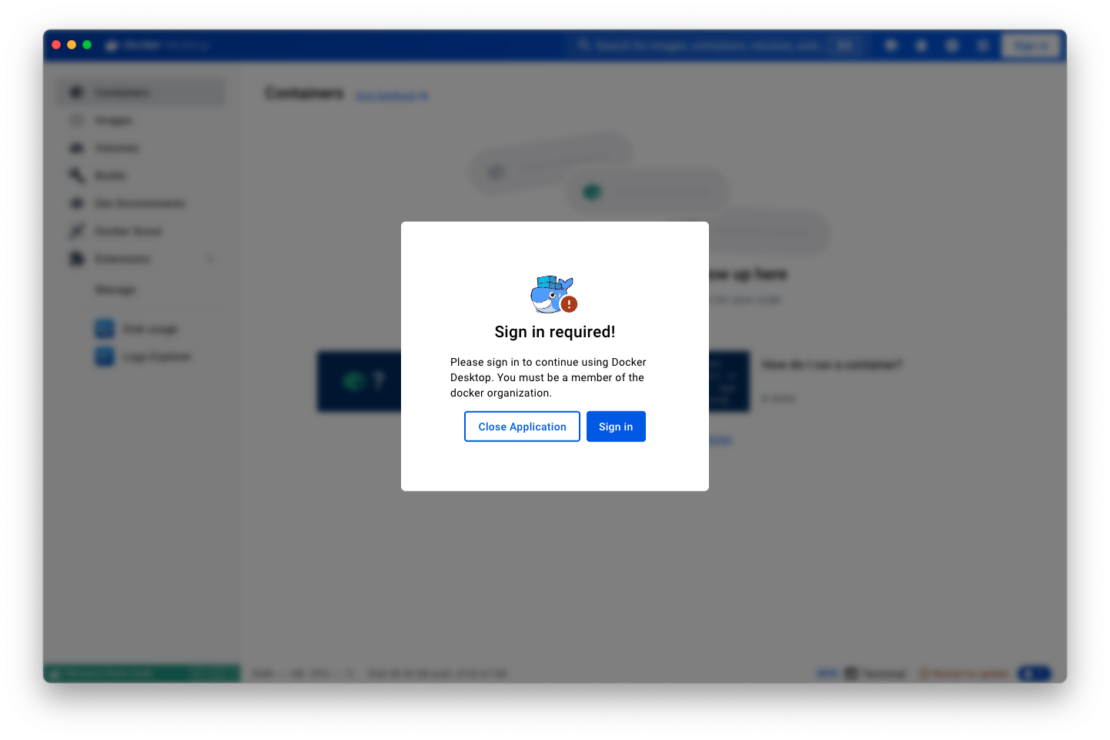
Recognizing the need for more streamlined and familiar ways to enforce sign-in protocols, Docker is introducing a new sign-in enforcement mechanism for Windows OS (Figure 1). This update brings several business benefits, including increased user logins and better seat allocation awareness, ultimately helping customers maximize their business subscription features and manage license costs more effectively.
We now offer integration with the Windows Registry, allowing admins to add approved organizations directly within familiar Windows system settings. Find out more.
By moving away from the traditional registry.json method and adopting universally recognized settings, Docker simplifies the process for IT admins already familiar with these systems. This change means:
- Easier integration: Organizations can seamlessly integrate Docker sign-in enforcement into their existing configuration management workflows.
- Simplified administration: Reduces the learning curve and eliminates the need for additional internal approvals for new file types.
These changes are designed to offer quick deployment and familiar processes to IT administrators. We are committed to refining these mechanisms based on user feedback and evolving requirements.
Note that the legacy registry.json method will continue to work, ensuring support for existing customers, but it should now be considered a legacy method. If you roll out a registry key, it will take precedence over any pre-existing registry.json.
Roll out the registry key sign-in enforcement at Docker install time via the --allowed-org flag.
For example, to deploy the MSI installer with sign-in enforcement, run the following:
msiexec /i "DockerDesktop.msi" /L*V ".\msi.log" /quiet /norestart ALLOWEDORG="docker.com"
The above command installs Docker Desktop silently with verbose logging, without restarting the system, and it allows only the specified organization (in this case, “docker.com”) to use Docker Desktop by enforcing sign-in.
Check our full step-by-step installation documentation.
Roadmap
We’re also working on several related administrative improvements, such as:
- PKG enterprise installer for macOS.
- macOS configuration profiles for enforcing sign-in.
- Supporting multiple organizations in all available sign-in enforcement mechanism.
Stay tuned for these exciting updates!
Wrapping up
These updates reflect our ongoing commitment to improving the Docker platform for our users. By introducing the Docker Desktop MSI installer and new sign-in enforcement alternatives, we aim to simplify deployment, enhance security, and streamline administration for organizations of all sizes. We encourage IT teams and administrators to start planning for these changes to enhance their Docker experience.
Learn more
- See what else is new in Docker Desktop.
- Install Docker Desktop with MSI.
- Enforce sign-in with Windows Registry Key.
- Subscribe to the Docker Newsletter.
- Authenticate and update to receive your subscription level’s newest Docker Desktop features.
- New to Docker? Create an account.
Related Posts
-
May 12, 2026
Docker AI Governance: Unlock Agent Autonomy, Safely
Introducing Docker AI Governance: centralized control over how agents execute, what they can reach on the network, which credentials they can use, and which MCP tools they can call, so every developer in your company can run AI agents safely, wherever they work. Your laptop is the new prod Agents are the biggest productivity unlock…
Srini SekaranRead now
-
Jun 16, 2026
Docker Content Trust: Retirement and Migration Guidance
Docker Content Trust (DCT) and the Notary v1 service at notary.docker.io are being fully retired (first announced in July of 2025). This blog explains what is changing, who is affected, and how to move to modern alternatives.
Julia WilsonandAditya TripathiRead now
-
Jun 15, 2026
Docker joins the Athena coalition: a cross-industry collaboration for supply chain security
AI is lowering the bar for supply chain attacks. Docker is joining the Athena alliance, a cross-industry effort to coordinate the defense of open source, building on our work to give every developer secure-by-default tools and our track record of sharing signals across the ecosystem.
Tushar JainRead now
-
Jun 11, 2026
Docker Hardened Images enhanced vulnerability scanning with Docker and Aikido
Aikido now scans Docker Hardened Images (DHI) with built-in VEX support. Vulnerabilities that Docker has verified as non-exploitable drop out of the queue automatically, so developers spend their time on findings that actually matter. This post walks through what changed, why it matters, and how users can benefit from the new integration. Why teams are…
Dan StelzerandBjorn HovdRead now