Gordon (Beta): Docker’s AI Agent Just Got an Update

AI agents are moving from demos to daily workflows. They write code, run commands, and complete multi-step tasks without constant hand-holding. But general-purpose agents don’t know Docker. They don’t understand your containers, your images, or your specific setup.
Gordon does. Just run docker ai in your terminal or try it in Docker Desktop.
Available today in Docker Desktop 4.61, still in beta, Gordon is an AI agent purpose-built for Docker. It has shell access, Docker CLI access, your filesystem, and deep knowledge of Docker best practices. Point it at a problem, approve its actions, and watch it work.
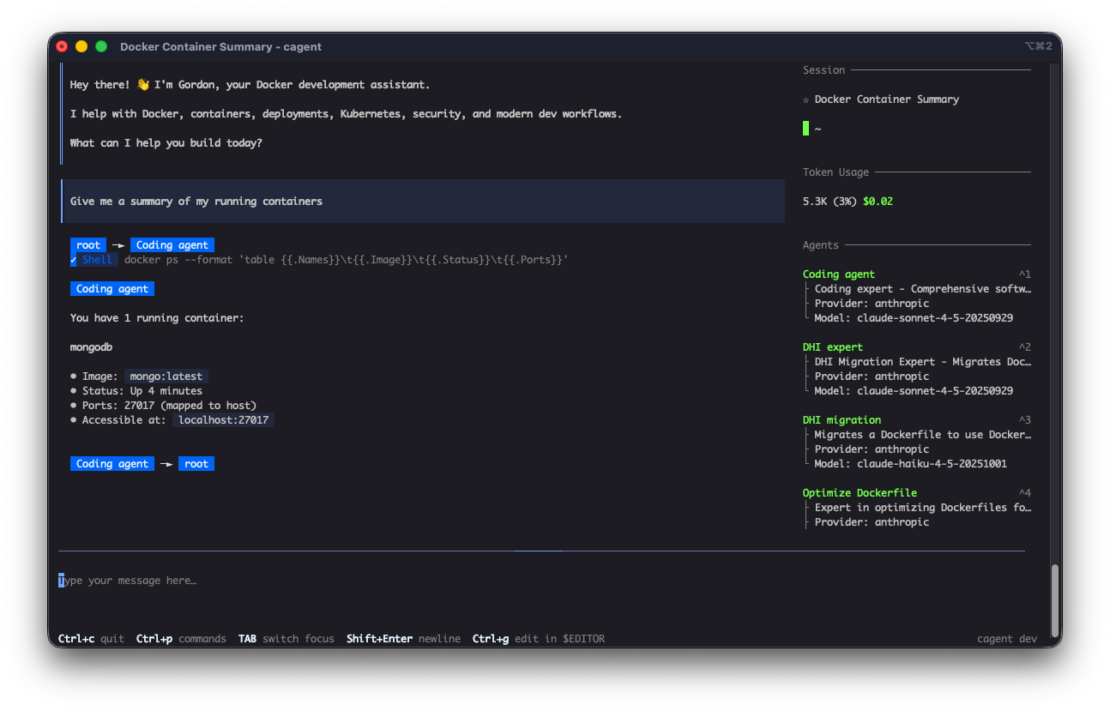
Figure 1: docker ai command launching Gordon in terminal interface
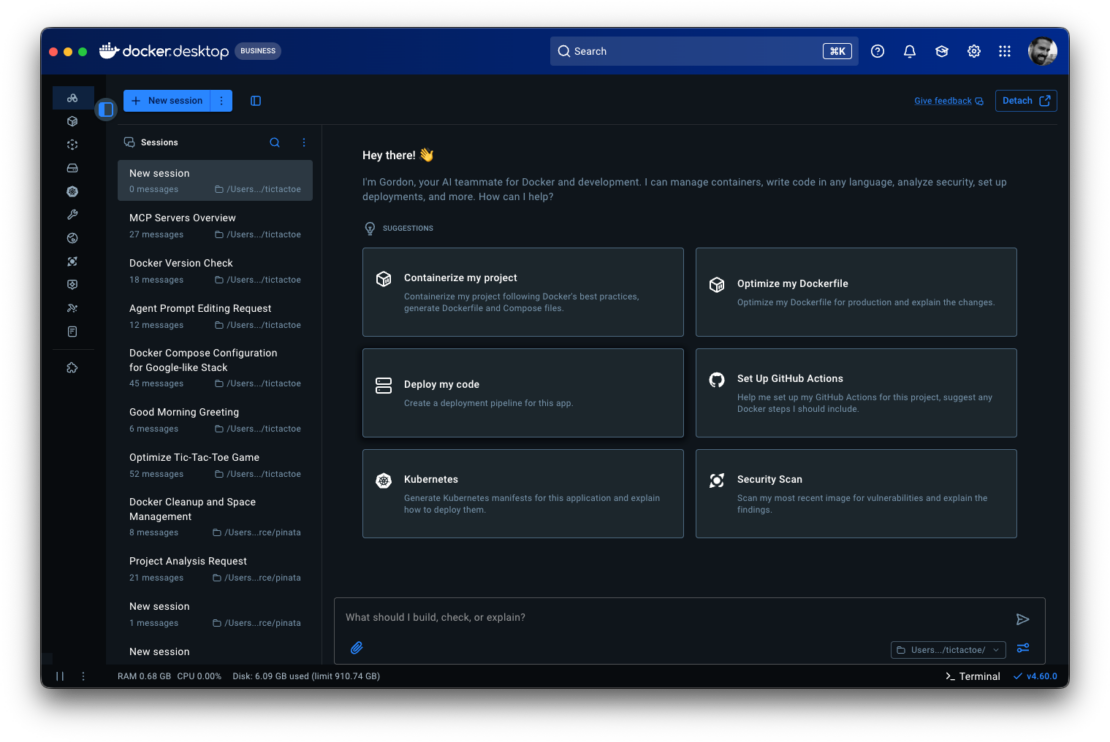
Figure 2: Gordon in Docker Desktop sidebar
Why Docker Needs Its Own Agent
When your container exits with code 137, Claude or ChatGPT will explain what OOM means. Gordon checks your container’s memory limit, inspects the logs, identifies the memory-hungry process, and proposes a fix. One approval, and it’s done.
When you need to containerize a Next.js app, Copilot might suggest a Dockerfile. Gordon examines your project structure, detects your dependencies, generates a production-ready Dockerfile with multi-stage builds, creates docker-compose.yml with the right services, and sets up your environment configs.
The difference is context and execution. Gordon knows what’s running on your machine. It can read your Docker state, access your filesystem, and take action. It’s not guessing – it’s working with your actual environment.
What Gordon Does
Debug and fix – Container won’t start. Service is unhealthy. Something is consuming all the memory. Gordon inspects logs, checks container status, identifies root cause, and proposes fixes. You approve, it executes.
Build and containerize – Take this application and make it run in Docker. Gordon examines your project, generates production-ready Dockerfiles with multi-stage builds, creates docker-compose.yml with the right services, handles environment configs and dependencies.
Execute and manage – Clean up disk space. Stop all containers. Pull and run specific images. Routine Docker operations should be conversational, not a trip to the docs.
Develop and optimize – Add health checks. Implement multi-stage builds. Apply security best practices. Reduce image sizes. Make existing Docker setups production-ready.
Gordon handles all of it.
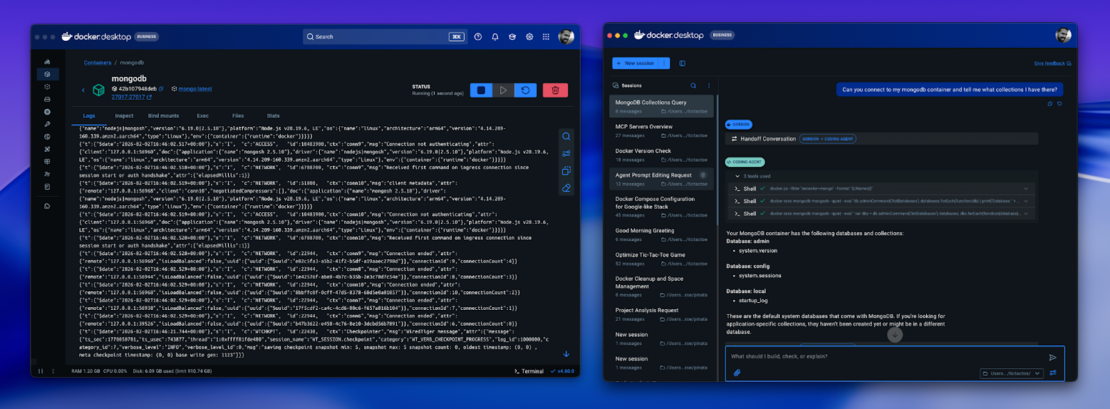
Figure 3: Split screen showing Gordon debugging a mongodb container
How Gordon Works
Gordon is built on cagent, Docker’s agent framework included with Docker Desktop, and runs locally within Docker Desktop. It has access to:
- Your shell – Can execute commands after approval
- Your filesystem – Reads project structure, configs, logs
- Docker CLI – Full access to Docker operations
- Docker knowledge base – Documentation, best practices, common patterns
You can configure Gordon’s working directory to point to a specific codebase. This gives Gordon full context on your project structure, dependencies, and existing Docker setup.
The permission model is straightforward: Gordon shows you what it wants to do, you approve or reject, then it executes. Every command. Every file update. Every Docker operation. You’re not watching passively – you’re directing an agent that knows Docker inside and out.
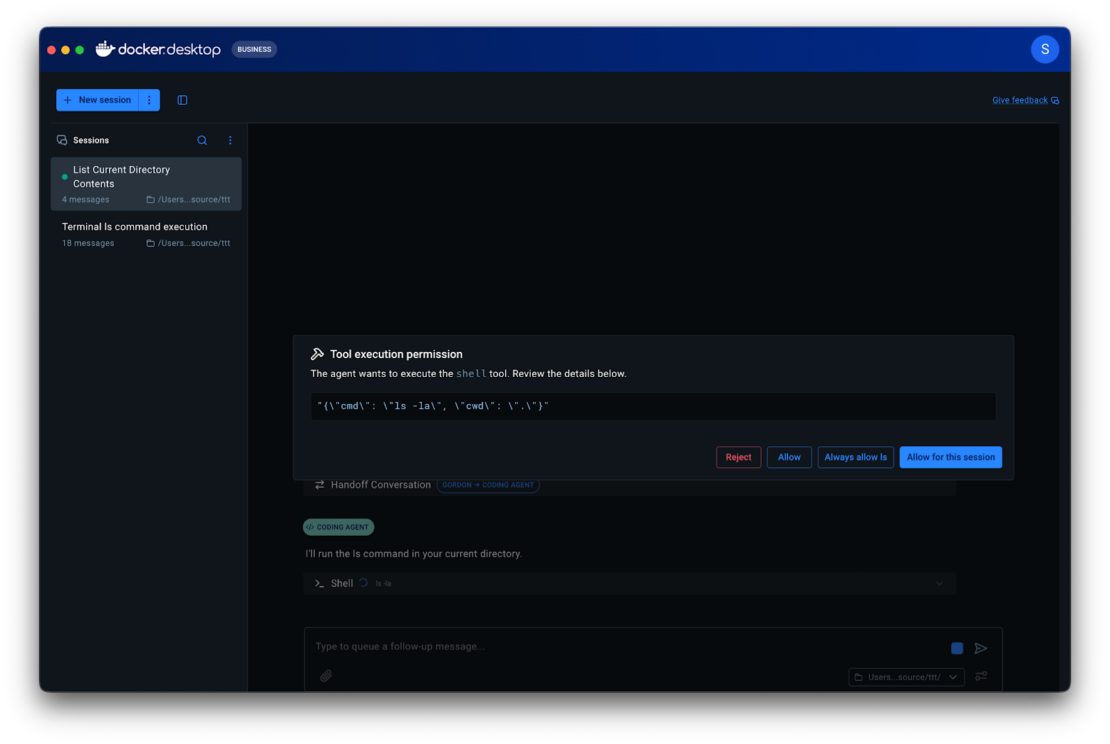
Figure 4: Permissions request
Where to Find Gordon
Docker Desktop: Look for the Gordon icon in the left sidebar
CLI: Run docker ai from your terminal
Get started today
- Download Docker Desktop 4.61+
- Log in with your Docker account
- Click the Gordon icon, select a project directory, and ask “Optimize my Dockerfile”
- Explore the full documentation in Docker Docs
Gordon is available now in Docker Desktop 4.61 and later
About the Authors
Principal Product Manager, Docker
Principal PM at Docker, Nuno leads the AI agents teams – Gordon, Docker agent, and MCP – shipping the open foundations that bring agentic AI into developers’ daily workflows.
Related Posts
-
May 12, 2026
Docker AI Governance: Unlock Agent Autonomy, Safely
Introducing Docker AI Governance: centralized control over how agents execute, what they can reach on the network, which credentials they can use, and which MCP tools they can call, so every developer in your company can run AI agents safely, wherever they work. Your laptop is the new prod Agents are the biggest productivity unlock…
Srini SekaranRead now
-
Jun 16, 2026
Docker Content Trust: Retirement and Migration Guidance
Docker Content Trust (DCT) and the Notary v1 service at notary.docker.io are being fully retired (first announced in July of 2025). This blog explains what is changing, who is affected, and how to move to modern alternatives.
Julia WilsonandAditya TripathiRead now
-
Jun 15, 2026
Docker joins the Athena coalition: a cross-industry collaboration for supply chain security
AI is lowering the bar for supply chain attacks. Docker is joining the Athena alliance, a cross-industry effort to coordinate the defense of open source, building on our work to give every developer secure-by-default tools and our track record of sharing signals across the ecosystem.
Tushar JainRead now
-
Jun 11, 2026
Docker Hardened Images enhanced vulnerability scanning with Docker and Aikido
Aikido now scans Docker Hardened Images (DHI) with built-in VEX support. Vulnerabilities that Docker has verified as non-exploitable drop out of the queue automatically, so developers spend their time on findings that actually matter. This post walks through what changed, why it matters, and how users can benefit from the new integration. Why teams are…
Dan StelzerandBjorn HovdRead now